Desertcart purchases this item on your behalf and handles shipping, customs, and support to Sri Lanka.
⌨️ Elevate your typing game with the keyboard that works as hard as you do.
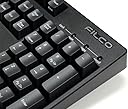
The FILCO Majestouch 2 Mechanical Keyboard with Cherry MX Brown switches is a premium, durable keyboard designed for professionals who demand precision and comfort. Featuring dual USB and PS/2 connectivity with NKRO support, a heavy-duty ABS case, sculpted keycaps, and a minimalist design, it offers a stable, quiet, and responsive typing experience built to last for years.
| ASIN | B004VKUSG6 |
| Additional Features | ABS case |
| Antenna Location | Business, Education, Everyday Use, Gaming |
| Best Sellers Rank | #13,881 in Computer Keyboards |
| Brand | FILCO |
| Built-In Media | USB Cable |
| Button Quantity | 104 |
| Color | Cherry MX Brown |
| Compatible Devices | PC |
| Compatible Operating System Family | Windows |
| Connectivity Technology | PS/2, USB-A |
| Customer Reviews | 4.4 out of 5 stars 119 Reviews |
| Enclosure Material | Acrylonitrile Butadiene Styrene |
| Global Trade Identification Number | 04515213007891 |
| Hand Orientation | Ambidextrous |
| Item Dimensions L x W x H | 5.43"L x 17.32"W x 1.42"H |
| Item Weight | 1200 g |
| Keyboard Backlighting Color Support | Single Color |
| Keyboard Description | Mechanical |
| Keyboard Layout | QWERTY |
| Manufacturer | Filco |
| Mfr Part Number | FBA_FKBN104M/EB2 |
| Model Name | FBA_FKBN104M/EB2 |
| Model Number | FBA_FKBN104M/EB2 |
| Number of Items | 1 |
| Number of Keys | 109 |
| Power Source | wired |
| Processor Count | 1 |
| Recommended Uses For Product | Business, Education, Everyday Use, Gaming |
| Special Feature | ABS case |
| Style Name | Contemporary |
| Switch Type | Tactile |
| Unit Count | 1 Count |
| Warranty Description | One year limited repair |
T**S
After Six Years: Still meeting high expectations
======================6 Year update==================== I've been typing on this keyboard every day for ~6 years now. Here's what I can say: * Thing works today like it did day 1: perfectly. * I've bought and replaced multiple keyboards in those years. Despite price, the total cost of ownership lower than cheaper alternatives. * I've bought 4 other mechanical keyboards. I've never found one I like as much as this one. * Every time I come back from travel where I'm condemned to a laptop keyboard, I remember just how fantastic this keyboard is. The only thing I can say is that after 4-16 hours/day of daily use for 6 years, the X, C, and V and right Shift silk screens are worn off. That's it. =============Original Review=========== I'm a computer programmer working remotely for a company from a different city. My job involves lots and lots of typing, and almost all of my work and non-work related communications during the day is instant messages. After years of continuously replacing keyboards, I finally started doing research and decided to spend the money on a really nice, high end keyboard. I did endless research and decided that a mechanical switch keyboard (as opposed to a buckling spring or any of the other designs) was the right one for me. After a long time researching just about every mechanical keyboard made, I decided on this Filco. I used to use IBM Model M's, but I felt like they were too heavy handed and I dislike 'clikey' keyboards. I'm coming from a very high end membrane keyboard. Even though it's a lower tech, it was a well built and reasonably expensive keyboard. Even still, it's a night and day comparison. This keyboard just feels crisp, clean, and very precise. Typing feels much more fluid and I don't feel like I'm hammering furiously to break 100 wpm. To me, this reminds me of everything I really liked about the Model M without all the things I didn't. Seems like some keyboard designer out there shares my opinion. A few other notes. From the appearance, you could never guess this keyboard would be so expensive; it has the non-audacious appearance of any cheap standard 104 key keyboard. However, when you pick it up, this keyboard is surprisingly heavy. You definitely feel the difference the instant you type on it. You'll also hear it. Despite the fact that this uses 'non-clickey' switches, it's still dramatically louder than a membrane keyboard. This may go away as my typing style adjusts to mechanical keyboards in which you don't have to bottom out the keys ( which I'm still doing it anyway). The travel is also surprisingly long; the keys move almost twice as far up and down as the keys on my membrane keyboards did. So if you're like me and all you do all day long is sit and type on a computer, having a nice keyboard is really worth getting over the sticker shock. Admittedly, a keyboard like this is way overkill for a lot of people and a lot of applications. But for any craftsman of any trade: It's usually worth paying the premium for high quality tools that help you do your job better and last longer - especially those tools that you're using all the time. For me, that's the keyboard. (And mouse, but that's another story entirely).
J**S
Worth the money
This is my first pricer keyboard. I did a lot of research and learned about the Cherry MX blue, brown, blacks. Basically the Blues are for typist, Blacks for gamers, Browns are for users that do a little of both. All are super precise and astoundingly great keyboard switch keys. The Blues and Blacks are really for "extremists" and tend to sacrifice other features for their primary intended purpose, and as a result feel hard to use for any other purpose. Browns are universally the most popular for people who use only one keyboard, based on several opinions online. The Filco comes in three models so you can pick the keys switches that you want. The style and design is "precise" the weight of the keyboard is heavy due to a solid metal interior plate to which the key switches are attached. The plate is encased in a tough plastic exterior. Key caps on top of the switches are "cylindrical" or "sculpted" to help keep your finger tips on the keys, and let you know when your touching the keys solidly as opposed to sliding left or right and possibly hitting other keys by mistake. The "F" and the "J" keys have home row "bumps" to help touch typists find the home row without looking at the keyboard. The key cap font is very slightly "Italic" or slanted to the right, you probably wouldn't notice if many review sites hadn't pointed it out. The print on the key caps is embossed or printed on top of the key cap plastic, it doesn't feel or look Laser Etched, its not raised high enough to really notice unless your looking for it. The Backspace is full length. The Enter key is normal full length, the enter key is not "extended" or "two stories high" and it is not "vertical". The cable is USB terminated, the cable has a grommet that tighly binds it to the keyboard body, it is not loose and cannot twist, it is of good quality. The cable is dead center of the back of the keyboard. It does come with a USB to PS/2 purple adapter. It comes in multiple models that support NKRO or does not. NKRO is limited to 6 simultaneous keystrokes over USB by the USB specifications, but is unlimited over PS/2. The NKRO models generally costs about $40 dollars more. The cable comes wrapped in an attached velcro strap that can be used to tighten or loosen extra cable length. Its a nice touch. The keyboard comes with a precise and firm clear plastic keyboard cover that tightly fits over the keyboard to keep out dust and prevent crumbs from falling in between the keys when its not in use. Its easy to put on and remove. If you've ever had Invisalign for straightening your teeth its tough like that, but soft and crystal clear, you can see the keycaps clearly. Its very stylish and pleasant to look at. Its a nice accent piece. Its something I would definitely think about buying extra for any keyboard if I knew they existed. Its not packing material you'd be likely to throw away. The keyboard has three blue LEDs. From reviews I thought they would be much brighter than they actually are, but once again its obvious they considered this in the design. Staring straight on, which is almost impossible.. yes they are very bright blue. But the tight angle you must maintain to get that level of brightness is extermely difficult to achieve. Slightly off axis the brightness dimishes rapidly and they rapidly assume a slightly soft filtered look. They must have thought about this. From normal angles they don't look that bright at all. The bottom of the keyboard is a work of art. The keyboard thickness from keycap top to bottom is full like a box, the underside is not emanceated or vacumned as if the bottom were sucked against the circuit board under the keys. It is flat like the bottom of a sturdy box. Four rather largish rubber pads stablize the four corners of the keyboard. They are perfectly level. There are four of them independent of the two elevation feet that can optionally be raised to lift the keyboard at an angle with the desktop. The elevation feet are also rubber wrapped, this makes them easy to grasp and pull down and lift up to close. When extended the rubber around the feet provide the same stablization the front two larger rubber pads do which are now elevated above the table surface. Near the center of the keyboard between the rubber pads and feet are two plastic bumps that are obviously intended to stablize the keyboard further when it is flat on the table. The bumps are precisely high enough to make up for the height of the rubber pads at the four corners. This provides even greater stablization in case the tough plastic exterior "were" to flex, which looks and feels highly unlikely. The design makes me think they thought a great deal about how to stablize the position and shape of the keyboard under use by all types of users and environments. Simply the keyboard stays put, and no matter how hard the keys are stroked or the keyboard is vibrated is doesn't move or flex or change shape. The keyboard surfaces and key caps are all a uniform matte black. The entire thing is matte, not just the keys. Front and back are of the same material. I do not believe there are any user serviable parts inside, but the bottom of the keyboard has two shiney bright easily accesible recessed phillips screws. No attempts have been made to make it difficult to disassemble. Different keycap sets are available for the keyboard, as is a special tool for lifting and removing the keycaps without damaging the keycaps or the switches. Notably there are full keycap sets of varing colors and fonts available. As well as subsets for adding different arrow keys with side symbols on the vertical surfaces. And mini subsets for changing the Windows key to a flat Windows key (it comes with a raised shiney surface bubble with the Windows logo in the center) or a Linux Tux symbol or a plain flat black Windows key replacement with no symbol. There are even specialty gamers keycaps and I believe a cottage industry specifically for custom Cherry MX switch keycaps which might be universally usable with the Filco keyboards. There are also "damper" sets available to place a bottom stroke slam damper under each keycap to prevent them from slamming against the Cherry switch base and therefore make them "softer" impact for people who tend to overstroke and bottom out, making the keys quieter. There are no extra USB ports or built in USB hub, making it simpler and less power hungry.. and therefore more stable under many lower power environments. This is no hand or arm rest, the frame (or bezel) of the keyboard is minimal, allowing maximum deskspace. And the Filco logo is a dark brushed steel or aluminum but not shiney or bright, it is professional and not overly visible. The symbols on the keycaps are bright and far easier to see and notice than the logo. The logo does not distract from scanning the keyboard with your eyes if you are a visual hunt and peck typist. Finally Blue and Black Cherry MX switches tend to require greater effort to stroke. That is they require greater pressure by design. The Browns require less force and appear or feel more responsive taking less effort from your fingers and hands, perhaps prolonging the typists stamina or reducing any discomfort they would feel on keyboards that require greater force. This is a keyboard for a professional like a writer or programmer. Or anyone who appreciates a fine piece of engineering and knows or cares how a keyboard is put together. It costs more than the inexpensive keyboards the are given way with mass produced computers. But I think it is worth it. It contains no speciality, dedicated or multimedia hotkeys. It requires no special drivers or setup software. The keyboard says made in Taiwan, but I know the Cherry MX parts are German made, and the designer and company that commissions or produces the keyboards is from Japan. Which may explain why they are hard to get in the US and are imported to the UK and then sold to the US market through limited sources like Amazon. The documentation leaflet included in the box appears to be written mostly in Kanji characters. There is a short section in English. And a statement and url that says thank you for purchasing a Diatec product [...] where they also sell Filco leather palm rests. I purchased mine from Amazon which sourced it from a company in the UK.
S**N
Keyboard of the God's
This is by far the best keyboard that I have ever touch in my life. EDIT 2/19/2022: Purchased in 9/2012, nearly 10 later It has been replaced with a 75% RGB linear switch keyboard for most gaming application and night time use but this full sized filco keyboard still sees near daily use. Its a freaking tank, literally, so its a pain to travel with it but I have. I used to take it back and forth to my office when I was a grad student , you get used to the weight but the size makes it hard to stick it into a full backpack safely. This thing has seen a lot of abuse and keeps trucking. Recently spilt ginger ale on it. Some switches got sticky but have worked themselves out to being fine again. The "space bar" is more rattly that a baby rattle after experiencing better stabalizers imo. Hopefully newer models have better ones now. Im planning on desoldering and swapping worn and used switches with new ones, fixing the spacebar rattle and lube it up in the future. The keycaps have shined and are lettering slightly faded especially on more frequently used keys but in all honesty arent as bad as other keys this old and used. I have worn through the original "WASD" keys and the ones from the add on pack that are blue and red from gaming over the years. I plan on swapping out for all new key set soon as a 10 year refresh. ----END EDIT---- Pros: The feeling is meaty and full. You know that you press keys and even if you mistype (It still happens sometimes but infact a lot less than any other keyboard I have had. The keys are spaced out a little more but not a lot so you have to get used to it. Instead this seperation I feel is a more natural feel. I dont have finger strain from typing ever. It is super fun to type. I have brought this keyboard with me to places just so I could type on it. I love it that much. Keys are easily removed to allow a thorough cleaning of the keyboard and for custimazation. I also bought the wasd key pack as I game and there are a whole list of after market keys to allow you to custamize your set up. The cherry switches have yet to fail me. In time I can update this if anything happens but if all goes according to plan they will last a long time. The sound that the keys make is magic to the ears. This is my humble opinion but I feel that it is an important aspect of typing. If i am typing a lot then I do not wish to hear a bunch or dud or bad sounding keys. The cherry brown switches are not super loud as they are the middle ground. Perfect for gamers, some may say get a different color switch, but I recommend that if you are going to be doing any typing beyond gaming get the brown switches. The keyboard feels solid. Being a 4lb keyboard with a steel backplate would do this. I feel that I got all my money's worth in construction. Solid, thick and well made cord with a velcro strap that isnt a cheap add on. I frequently use this strap to change the length of the cord so it is not hanging over desks or getting in the way of other things. Cons: It is a little heavy (about 4lb) so if you are frequently traveling than this might not be the keyboard for you. I dont think this is a con but other might. There is NO added features( except for the standard windows key). No volume control, no backlight, no screen, macros, nothing. But what you pay for is a solid board that will never fail and bring pleasure to your typing. Filco has outdone themselves by sticking to japanese tradition, doing one thing and doing it perfect. (the light from my screen is enough to light the keys during low light operation. It may be a little pricy. at about 150 this is an investment for the long haul, but it can go the distance. If your looking for a consistant gaming board this is it, if your looking for a keyboard because you program or type lots of documents this is it. But if you are a casual internet browser or do not consistantly use a keyboard for long periods of time (I am a college student in science so I am always typing reports and doing essays as well as programming.) then I suggest finding a cheaper keyboard. All in all I do and have recommend this keyboard to many of my friends and allowed them to use it. They all love it and nearly had to fight one of them to get it back. Also A recommendation of mine is to the the key remover as it can be a pain in the butt to remove some of the keys at first if you have never done this ( On a mechanical keyboard). It will make cleaning very easy. I clean my board about once a month to keep dust and other particals that have migrated their way into my keyboard. I do not know how Filco is as a company for customer service. Being a japanese company and with a product that is as polished as this then I would assume that IF there was an issue with your keyboard they would fix it. Just might be a little tough communicating. But this is just a guess. Final verdict: BUY IT NOW!!!!!!!!
K**Y
5 Year Review of Filco Majestouch (Brown Switch)
This was the first mechanical keyboard I've ever bought. For starters, who know nothing better, this is a great mechanical keyboard. If I had to tell someone to start somewhere, today I would instead recommend the WASD keyboards (For around the same price, but more customization in hardware as well as firmware as well as a detachable cable), but this one will always hold a special place in my heart. Pros: - Flexible switch for gamers, typing enthusiasts - Not too loud (doesn't have a click switch) - Good tactile feedback Cons: - Switch can be a bit light for some users, at times I would be resting my hand and then after a while accidentally press a key down past activation (I've now switched to Clears which require a little more force) - Blue light!!! So annoying! For night time use, this thing is blazing bright when viewed directly from above. One star off literally because of the bright blue lights. Everything else can be excused, but not my night vision :P For the reviewer that said the key legends are wearing off, mine are still all quite legible after 5 years of use. They have dimmed in some cases, but still readable. This keyboard was so liked that our company bought them for all the designers/programmers in the building. One of them said "Damn! This keyboard is built like a tank!" and I have to admit, for a first time mechanical keyboard enthusiast this is a great keyboard. (And again, looking back, wish I would have started with a WASD, but the journey has been worth it and enjoyable). Picture comparison of the lightless WASD 60% keyboard and this blue-light Filco full keyboard.
D**M
Slightly pricey, but great quality
This is my first mechanical keyboard and the Cherry MX Browns feel amazing. I still don't know whether this was paying too much as I heard good things about other brands. Still no regrets. I like that the keyboard is solid and heavy. The click sounds are not too loud and my fingers feel like they are flying. UPDATE: I've used this keyboard for more than a year and it has been amazing. Like other reviewers said, the only bad thing about using this keyboard is that it will put every other keyboard to shame. Laptop keyboards are near unusable, and I laugh at the Apple fanboys touting their Apple keyboards. FILCO for life. UPDATE 2: I also bought a Rosewill RK-9000BR because I heard that they use the same manufacturer, and I needed a second keyboard for home. I think this was a mistake. Even though I got the Rosewill at around half the price of the FILCO, I still think the feel on the FILCO is much better. Usually when a Japanese manufacturer demands much higher prices, there is an excellent reason for it. Even though Rosewill and FILCO keyboards are made in the same place, I could notice a significant difference.
C**A
Gamer and Typist? This keyboard is a no-brainer
First off, I want to say that I've tried the following mechanical keyboards for those who are interested. Razer's Blackwidow (blues) Steelseries's 6VG2 (blacks) Zowie - not sure which exact one (browns) Having used all of these (and if you've read about different types of switches), you'll understand that blues are for typists, blacks for gamers, and browns follow somewhere in between. This is not saying that if you use blue switch keyboard, then you can't play games. They are still much better than your rubber dome counter parts in today's world of keyboards. My first mech keyboard was the blackwidow and I played SC2 with it just fine and enjoyed it greatly. Having said that, I am now using Filco's Majestouch-2 and just one word describes it. Orgasmic. I just love typing on this thing, everything just feels... right, for the lack of a better word. I think that although it doesn't "excel" in gaming or typing, browns are probably overall the best switches if you do both quite a bit. In fact, I actually prefer playing on browns over blacks now just back blacks tend to cause fatigue over a long period of time (especially if you're not used to it). And they type just as amazingly even compared to blues. Now compared to other browns? Filco is the best choice. The build quality is absolutely insane. I feel like this thing will never break and it just adds a slightly extra sturdy comfort when typing (at least that's how I feel). Obviously, you're paying a little more compared to other brands, but if you're using your keyboard a lot, I think investing in a little more money is absolutely worth it. If I lose this keyboard in any fashion, I wouldn't hesitate to replace it with another Filco.
R**Y
Great value for typing and gaming
.:: Background ::. I purchased this keyboard on August 1, 2012 (about three months ago). I'm a gamer and programmer who does a lot of typing. I tend to play first and third-person shooters, fighting games, and some casual genres. .:: Typing ::. The keys are easy to press and very tactile. I can type for many hours without getting tired, and I sometimes find myself typing faster and stronger than I usually do simply to enjoy the sound and tactile feel of the keys. When I go back to my ancient dome keyboard, the difference is clear. The layout is standard (something which is absolutely vital to me); the backspace isn't tiny, the return key isn't massive, and they numpad is straight. The only potential problem I see for some people is that the print screen, scroll lock, and pause keys are positioned to the left of the numpad rather than directly above it (a problem which a friend pointed out; I have no issues with it and tend to prefer it that way). Like most keyboards, there are fold-out legs on the bottom. .:: Gaming ::. I find the Majestouch superior to dome keyboards for shooters due to the ease with which buttons are pressed. However, I prefer the feel of dome keyboards in fighting games in which I need to press a single key twice in quick succession; on a dome keyboard, I can hold the key down until I feel the actuation point and double-tap when needed. Cherry black keycaps, however, often result in more time spent bottoming out keys in matches, and the floaty nature of such caps isn't suited for the feeling of control I'd like in a fighting game (I'm not a fan of gamepads or arcadey joysticks in fighting games). That said, the relatively quick actuation time tends to result in more initial responsiveness. As for the n-key rollover, it certainly is great (no more key conflicts). However, the cable wasn't long enough to reach my PS/2 port (my computer is mounted above my desk); I had to use a USB port instead. However, USB is capable of handling six keys at once, and never have I pressed more than that. I can finally dodge diagonally down-right in Bastion (something I couldn't do on my old dome keyboard which had certain key conflicts), and I'm able to buffer combos in Melty Blood faster than previously possible. .:: Build Quality ::. The Majestouch (thanks to its original manufacturer) is built like a tank; it feels like it could last my lifetime and then some. The cord is strong, and I neither notice nor anticipate any problems aside from its relatively short length. However, the stabilizers in larger keys (space and backspace, specifically) tend to squeak every now and then (a well-known flaw). It took a while for my backspace to squeak, but it stopped shortly thereafter. If it becomes a consistent problem for you, a small bit of silicon oil will solve it. .:: Conclusion ::. Overall, I would certainly recommend this keyboard to anyone working with a computer for extended periods of time. If I encounter issues in the future, I will update this review.
I**E
defective on arrival
first indication that all might not have been well was the box it arrived in. It was somewhat damaged and the corners were frayed. there was zero packing material in the box other than a plastic molded cover on top of the keyboard. after a few minutes I realized it had to be returned because the shift key didn't actuate the uppercase letters/symbols on several of the keys. Too bad because I liked the feel of the key board.
C**N
Five Stars
Best keyboard ever! I'm tempted to buy a spare, in case it becomes manufacture-discontinued.
N**K
USキーボードではトップクラスの使い心地?
仕事で長くUSキーボードを使っていたので、USキーボードの方が慣れているものの市場に出回っている数が少なく、 ある程度ちゃんとしたもの、となるとFILCOのメカニカルぐらいしかありません。 実はFILCOの青軸のUSキーボードを先に購入していて、剛性の高さが気に入ったものの音が結構カチャカチャうるさいので茶軸も購入。 ずっしりしていて鉄板が入ってるのか?キーパンチぐらいではビクともしないし、滑り止めもガッチリしてるので全くズレません。 このキーボードに慣れてしまうと、パソコンを買ったときについてくるような安物のキーボードは持っただけでダメだな…って感じちゃいます。 耐久性は1年?2年近く?毎日結構ハードに使用してますが、全く壊れる素振りもなく、ハードとしてかなり頑丈に作られてるように思います。 USキーボードのちゃんとしたキーボードをお探しの人には是非検討してほしいキーボードです。
V**R
Article non conforme
Après 2 semaines d'attente (ce qui reste raisonnable pour une expédition depuis le Japon), grande déception à l'ouverture du carton ; il s'agit d'un layout US. Compte tenu de la procédure de retour, j'ai fais le choix de le garder. Si vous voulez être sûr d'obtenir un Filco Français, préférez le vendeur AMAZON où le site.keyboardco.com.
レ**ク
打ちごごちがとてもよい
2台使用中.キーボードは自分で気持ちよく使えるのが一番.私には茶軸が重さ,音があっている.自分で打って確認してからの購入がお勧め.
F**X
Five Stars
Great keyboard, very responsive.
Trustpilot
1 month ago
2 weeks ago