Desertcart purchases this item on your behalf and handles shipping, customs, and support to Sri Lanka.
๐ Elevate your home WiFi gameโfast, smart, and unstoppable!
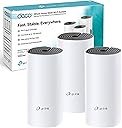
The TP-Link Deco M4 (3-pack) is a powerful AC1200 dual-band mesh WiFi system designed to deliver seamless, lag-free internet across up to 4000 sq ft. Equipped with Qualcomm CPUs and gigabit Ethernet ports, it supports over 100 devices simultaneously, ensuring stable connections for work, streaming, and gaming. Easy to set up via the Deco app, it features smart adaptive path selection for optimal speeds, robust parental controls, and Alexa compatibility, making it the perfect upgrade for modern smart homes craving reliable, whole-home WiFi coverage.


| ASIN | B07NH1J543 |
| Antenna Location | Home |
| Antenna Type | Internal |
| Best Sellers Rank | 878 in Computers & Accessories ( See Top 100 in Computers & Accessories ) 3 in Whole Home & Mesh Wi-Fi Systems |
| Box Contents | 3 x Deco M4 Router |
| Brand | TP-Link |
| Brand Name | TP-Link |
| Colour | White |
| Compatible Devices | Gaming Console, Mobile Devices, Personal Computer, Streaming Devices, Wi-Fi or Ethernet Electronics |
| Compatible devices | Gaming Console, Mobile Devices, Personal Computer, Streaming Devices, Wi-Fi or Ethernet Electronics |
| Connectivity Protocol | Wi-Fi (802.11ac, 802.11a/b/g/n), Ethernet |
| Connectivity Range | 4000 Square Feet |
| Connectivity Technology | Ethernet, 802.11ac |
| Control Method | App |
| Controller Type | App Control |
| Coverage | 400 sq. ft |
| Customer Reviews | 4.5 out of 5 stars 6,536 Reviews |
| Data Transfer Rate | 1167 Megabits Per Second |
| Frequency | 5 GHz |
| Frequency Band Class | Dual-Band |
| Frequency band class | Dual-Band |
| Has Internet Connectivity | Yes |
| Is Modem Compatible | Yes |
| Item Dimensions L x W x H | 22.5L x 10.5W x 47.3H centimetres |
| Item Type Name | TP-Link Deco M4 3-Pack Whole Home WiFi Mesh System |
| Item Weight | 1.3 Kilograms |
| LAN Port Bandwidth | 1000 Mbps |
| Manufacturer | TP-Link |
| Manufacturer Part Number | Deco M4 (3-Pack) |
| Maximum Upstream Data Transfer Rate | 600 Megabits Per Second |
| Model Name | Deco M4 |
| Model Number | Deco M4 (3-Pack) |
| Model name | Deco M4 |
| Number of Ports | 2 |
| Operating System | OpenWRT |
| Other Special Features of the Product | Alexa Compatible, Guest Mode, Parental Control |
| Product Warranty | 3 Years |
| Router Network Type | hybrid |
| Security Protocol | WPS |
| Special feature | Alexa Compatible, Guest Mode , Parental Control |
| Wi-Fi Generation | Wi-Fi 5 |
| Wireless Compability | 802.11a, 802.11ac, 802.11b, 802.11g, 802.11n |
| Wireless communication standard | 802.11a, 802.11ac, 802.11b, 802.11g, 802.11n |
G**W
Reliable fast WiFi around the whole house
After a pretty terrible experience with a Tenda mesh system (an app that didn't work), and cheap powerline systems, the TP Link Deco is miles ahead. I really wanted a simple plug and play system and was a bit apprehensive about using an app to set up and control everything but I'm glad I went with it as it's pretty damn great tbh! The setup procedure was simple to follow and units updated all via the app. I turned my Virgin hub into modem mode and let the Deco do it's thing. I have full fibre but not the highest speed package. The speed increase from the main unit alone (connected to the virgin router via ethernet) was twice as fast with a solid 290 Mbps downstairs of a 4 bedroom house. I have the two other Decos upstairs which run about 100 Mbps. Complete house coverage and also the garden with no dropouts. Anything outside the lounge with the Virgin router and the speed and reliability would drop like a stone so the Deco is a game changer in our house. We can stream 4K downstairs while the kids can game and listen to music with no complaints. The app is really good too. I can set up profiles and all devices to different ppl and set up bedtimes/internet access for each child and outrite block WiFi if I need too and any device on the network. You can get right into the settings and prioritize devices etc.. but I'm not that technical. It seems to do everything we need it to without changing much. You can set up a guest network so your not giving out passwords for the main one and the app will tell you when new devices try and connect. Very happy we got this and really good value.
D**.
This Really Is Whole Home WiFi
It does exactly what it says on the tin. It covers your entire home with a stable full speed Broadband coverage and no dead spots. Be ready to set up a new WiFi Network and password that will work with your new TP-Link Deco units. (so you will need to change Network and Password for all your connected devices and appliances). Your old router will no longer be in use (although see note below). As the name suggests, each of the Deco units mesh together to provide one seamless WiFi network throughout your home. You can add as many Deco units as you need, and you can connect up to 100 devices. As well as providing WiFi, each Deco unit is also equipped with 2 ethernet ports. Set up is very straightforward, just download the Deco App onto your device (phone or tablet) and follow the on screen instructions. Once you have the main Deco unit connected to your existing modem (ethernet cable supplied), you can add other Deco units throughout your home wherever you need them. This review relates to the Powerline Mesh system which provides additional connectivity by using the electric wiring circuitry in your home. Useful if you have lots of obstacles or thick walls in your home. This next bit is for Virgin Media customers. If your existing Broadband is with Virgin Media, and like me you had one room (where your hub is) with superfast broadband and the rest of your house was next to useless, then TP-Link Deco P9 Mesh system is for you. As one other reviewer said, this is what Virgin Media should be like. But here is the word of caution if you also have your TV with Virgin. Many people will say to you to switch your existing Hub to "modem only" mode, so that the Deco unit takes over the sole job of router in your home. Well I did that and got into a lot of difficulty. If you have a V6 cable TV box, it needs to continue to receive its broadband signal from the Virgin Media Hub (either through ethernet cable or WiFi). You will lose that signal if you switch your Hub to "modem only". (Note: The Ethernet ports on the Hub are supposed to continue to work in "modem only" mode, but they don't). To my knowledge, a V6 cable box will not work connected to another provider's router (such as TP-Link). But don't quote me on that. Also, for apps such as "Virgin TV Go" and "TV Control" to continue to work with your V6 box, they must also connect to the Virgin Hub. So, all of that said, I put my Virgin Media Hub back to "router mode" - so essentially I now have two WiFi signals in my home. And so far I have had no difficulties. The router from the Virgin Hub is used for the V6 box and its controls only, whilst the rest of the house basks in the wonderful WiFi of the Deco Mesh. Job done !
C**0
Impressive user experience
This networking solution is refreshingly easy to set up. You plug the first Deco in to a power outlet, plug an ethernet cable in to one of the two ethernet ports and then continue the installation process via the smartphone app. My first deco is plugged into a powerline adaptor's ethernet cable which is connected to a Three mobile router (4g), running in normal mode. No need to change it to bridge mode or cable only. I have 3 floors so I have 2 decos in opposite ends of the ground floor and the 3rd at the top of the house on the 3rd floor. Everywhere now has excellent wifi signal. The 3rd floor gives me a full wifi signal and excellent throughput, which was the weakest point in the house prior to the Decos arriving.. I am surprised at the throughput to, for example, my bathroom. The router is pulling ~60mbps and across the house I am now receiving ~55mbps...over wifi! Very impressive. If you are to unplug or restart the Decos they do take a little while to reboot and start working again. 3-5 minutes I would estimate. The app is solid though, a really good, clear and easy to use app showing you simple enough info to know whats going on at a glance. But its great at showing a little bit more detail (shows you what devices are connected and how much data they're pulling real time). The settings are the same too, simple stuff is clear and easy to find and change. Then the more advanced settings are a couple of clicks away. Anything you change has an explanation to tell you what the effects of the change will be. TP-Link's support material on the website is fantastic. I have one LAN/ethernet device connected. Its a grandstream SIP phone hub, which incidentally wouldn't work with the Decos on installation. 5 minutes later having consulted TP-link's support website, which told me to flick a switch in the settings menu (disable SIP), and my phone was back up and working. Only issues I have encountered are the power supply plug and cable. It is quite difficult to get the power lead into the back of the deco due to there being a small void to slot the power lead through and into the socket on the unit. Annoyingly tricky, albeit a minor issue. And the plug unit itself is quite bulky which can limit where you plug these things in. 2 of my locations were made difficult due to the size of the plug. Minor issues though. I highly recommend these.
A**L
Believe the hype, these are GOOD!
I have read a lot of reviews singing the praises about Mesh Network devices and always thought they were a bit over the top. Well - It appears they were all right! I had a few different Mesh systems in my shopping basket and had been doing research on YouTube, umming and ahhhing over whether to get one. My family members had been moaning a bit about our wifi being rubbish and when these came up on a daily deal, I bit the bullet. They arrived promptly as usual with Amazon Prime. Box was larger than expected and immediately they seemed like a quality product. The units are a little bigger than expected - about the size of a bottle of wine without the neck. Instructions are basic to say the least. However, they only really serve to get you to download the app which takes over the entire process. You have to use the app, this is the only way to interact with the system so download it on the main users smartphone (I call this the "Master Device"). It looks like you can assign other app users as co-administrators but I haven't tried this. You need to set up a TP Link account to use the app. I already had one as I have an HS100 smart plug and it recognised my details and logged me in without issues. This account is not a locally stored account, it is a cloud account which means that you can access and administer the system when you are away from home. The app guides you through connecting the first unit and sets up the SSID and security for your wifi. I turned the wifi off on my ISP's router before connecting the Deco via a network cable. I then gave the Deco unit the same SSID and password I had previously used. All of my devices started connecting straight away. The app then asks if you want to connect another Deco. Click yes and it talks you through setting up the next unit, which is as simple as plugging it in to the mains and letting the app find it and set it up for you! I had a three pack, so followed this process twice. I was quite quickly prompted to download a firmware update. You MUST do this as many of the features that are advertised are only available after the update. NOTE - This update will only affect the unit your "Master Device" (Administrators Smart Phone) is currently connected to. It doesn't tell you this. I walked into another room where one of the other units was and got prompted to download the update again once my device switched to the stronger signal. Make sure you go round all three (if you have the three pack) and either wait for the prompt, or go to the settings menu and "Check for Updates". Once all three are connected and updated, you get to play around with the app! The main screen shows you all of the connected devices. You can view each Deco and its status and it will show you which devices are connected to each unit. For every device, you can edit its name to give it something more user friendly. You can assign each device to an Owner too. For each owner you set up, you are able to control their access through Schedules as well as "Pause" connectivity for all of their devices an the touch of a button. Great if you want to stop kids playing Xbox or watching YouTube on tablets after 10pm for example! The app produces notifications when a new device joins the network. If one of my sons friends comes around and connects for the first time. I can quickly give the new device a name that identifies it to me and assign it to my "Guest" owner profile. (You can create a separate guest network if you wish, though I don't wish to do this). We have a few Amazon Firesticks, so I gave them priority over other devices on the network to ensure smoother streaming. You need to know your download speed, then you set how much of it should be reserved for priority devices. Anything added to the priority list then shares this portion of your bandwidth. Techie bit: My ISPs router was quite basic and I was not able to switch it to bridge mode. The Deco units come out of the box in "Router Mode". You can switch them to "Access Point Mode", though this removes much of the functionality as all they do is pass connections to your ISPs router to manage. If you want to use all of the clever stuff in the app that I mention above, they need to be in router mode. My Decos are on a different IP range to my ISP router. My ISP router provides one single IP address to the main Deco unit. This Deco is then the DHCP server for the rest of the network. I have one network lead coming out of the deco into an un-managed 8 port switch as I have some devices that need to be hard wired. The three Deco units use the default wireless backhaul to talk to each other. I was concerned that my two sons Xbox's wouldn't like this set up and present "Double NAT" errors due to jumping through two routers, each serving network addresses. For reasons unknown to me though, they don't! They connect to Xbox live without issue and online gaming has not been a problem. We did encounter one hiccup when one of the boys connected the network lead to his Xbox (which connected it to the unmanaged switch). Even though it was still getting its IP address from the Deco system, it didn't like this and DID complain of a double NAT. Switching back to wifi fixed this straight away. So - Not sure if modern kit/protocols are able to address double NAT, but I am pleased that I do not have to switch the Decos to AP mode to overcome it! Summary: My units have been running for a few weeks now and our wifi has been transformed. Yes we have had a drop out, but I couldn't tell you if this was the Deco units or our internet connection through our ISP, but I think you have to expect this once in a blue moon. Signal is strong throughout the house, including through a double skinned brick wall into our extension. We even get a decent signal in the garden. I get consistent speed test results no matter which unit I am connected to, so the wireless backhaul between the units is obviously up to the job. If you have stuck through to the end of this review, you are obviously serious about buying - DO IT! I would definitely recommend this product.
J**N
Wow! So much better! / hmm so so
We live in a 3 bed Victorian terrace (London) using SKY Q as our broadband provider. Internet speed test (c.30 download, c.7 upload) check your speed for free by typing โspeed testโ into Google. Internet okay downstairs but is choppy upstairs (sometimes download drops to 7!) and sometimes signal falls out. This has been a real problem regards working from home. Video calls have been horrific at times, loading software, opening emails, internet searches.. Urgh. No explanation, just some days it works ok (not fine just ok) but sometimes everything is slow (very). Yes, Iโm aware of actions to do, switching off every night, resetting sky box etc. but these have not fixed the problem. So.. I looked into this lots - wifi extenders, or this - a mesh system with โpower lineโ backup. First off, just plugging a single unit into the sky box made an immediate difference (I donโt know why but it did). Noticeably different - speed tests upstairs were better, connection stable, video streaming and calls whilst using multiple devices. I did set up the other two units anyway just incase as the box came with 3 units. Setup, really simple, and took no longer than 20mins. Performance - wow. (Re. Powerline - I should add we had our house rewired last year so electrics are good and circuits are clear - but as stated earlier, our internet performance worked with just one unit). So ยฃ150.. but given our change in performance (and what it has meant for productivity) and the simplicity of setup - more than happy. I have tried other devices in the past (Apple airport express, wifi extenders) none have worked as well as this. Delighted. /// Update July 2023. These are now disappointing. Why? Regular drop out, despite standing next to the unit and the app is not helpful nor is the support. I donโt know why these have stopped being useful, nothing changed but we were so fed up with our internet and service we switch provider and ditched these also. Keep in mind if your provider is not great, then these wonโt make a difference. FWIW we were with Sky but service was abysmal despite being on the premium package. Regular throttling and slower speeds than advertised so we switched to a proper fibre broadband and no longer need these units
D**N
Great piece of kit
Very happy with my purchase. It was very easy to set-up and the signal has been very reliable. Main router was installed centrally downstairs, 2nd router at the bottom of the stairs and 3rd router at the top of the stairs. Had the occasional signal drop when wi-fi calling using my Iphone. Not sure if the drop in signal is related to the TP-Link or something else.
G**Y
Our Wi-Fi issues have gone!
We live in a long, thin Victorian house and I despaired as to getting Wi-Fi to work everywhere in it. Due to the thick and numerous walls, the rear kitchen-diner has always been a particularly annoying dead spot. I have tried PowerLine adapters and Wi-Fi extenders but all have proved to be slow and unreliable. I have made a 1 gigabit hardwired LAN in the front of the house and this connects our printer, NAS, Smart TVs and YouView Box etc to our BT Home Hub 6 โSmartโ router. Beyond that, Wi-Fi fails about half way to the kitchen and extending the wired LAN would be, at best, impractical. In any case, it's Wi-Fi we want in a communal area with the family collection of portable gadgets, tablets, PCs and mobiles etc. Even at close range, we have always found the BT Router to be unreliable as regards Wi-Fi. We do live in the shadow of the Crystal Palace TV Transmitter, so I suspect radio interference is another issue for us. So, trying a Mesh Wi-Fi system was a last resort! I liked the TP-Link Deco M4 solution as it supports 1 gigabit LAN connections and that enhances the speed of transfer between, say, the NAS (on our hardwired network in the lounge) and Wi-Fi devices in the kitchen. The 3-device M4 option is also currently very reasonably priced. That said, I was still more than a tad dubious as previously nothing had really solved our issues. Well, I am very pleasantly surprised - everything works brilliantly. I disabled Wi-Fi in the BT Router and connected the first Deco box to it with the supplied short LAN cable (in the lounge). I then installed the Deco APP on my Huawei mobile and following the instructions, set the Wi-Fi SSID and PW to be the same as those previously used on the BT Router. It all seemed to work so I installed the other 2 boxes - one half way to the kitchen (spare room) and the other in the kitchen itself. They came up with 'white' LED's after being configured by the App - and we appeared to be all set. However, I then noticed a couple of issues. Firstly, internet speed from any Wi-Fi device was only about 20% of that we had before. Also, there was no communication between Wi-Fi and LAN devices (eg. We were unable to print or to access the NAS). I then realised that I needed to set the Deco boxes to 'AP' mode (rather than the default โRouterโ setting - as my BT Router is still our DHCP server). I did this easily and then noticed a firmware update was available. That took about 5 minutes to automatically download and install (using the APP). I then powered everything Off/On (including the BT Router) and it all burst into life. Everything works perfectly and connection speed is excellent. Also, for the first time, we can roam around the house with a mobile or tablet with no loss of connection. I have even found that the 'middle' (spare room) Deco box is not 100% necessary. If I power it off, we still get a usable (if just a tad slower) connection in the kitchen. However, I have left it in situ for speed and redundancy purposes. We also have no need for the optional โbackhaulโ LAN connection. So, thus far I am very pleased indeed. I don't write many 5-star reviews but this kit has far exceeded my expectation and one month later it is still working reliably. For the first time, we also have usable 5 GHz (and not just dodgy 2.4 GHz) Wi-Fi in the kitchen! As such, I am so glad I didn't pay over twice the price for some of the competitor's kits. This does everything we need. Notes. - When switching to 'AP' mode, some of the set-up options are no longer available. However, that's fine as they are mostly still available on the BT Router which, in our case, continues to manage our network. - Set-up can only be undertaken using the Deco App on a mobile. ie. There is no option to access admin pages via a browser. That may be an issue or annoyance for some. The App is not particularly intuitive so finding some settings can be somewhat tiresome....
D**R
Fast Stable Internet -TP-LINK Deco P9 Whole Home Powerline Mesh
This review relates to the TP-LINK Deco P9 Whole Home Powerline Mesh Wi-Fi System, up To 6000 Sq ft coverage. Amazon seems to clump all the reviews together for these type of devices, so to clarify it's the P9. I've been suffering slow patchy coverage and internet drop outs with my Virgin Media hub 3, connected to an Archer AC1900 router via powerline adapters. My Virgin router was upstairs in modem mode, and my Archer AC1900 router downstairs. This set up was less than satisfactory with a loss off internet speed as I move around the house and internet drop outs two or three times a day. This is a particular problem as I have Ring cameras that need a stable connection. My house is a sixties built larger than average semi with sound proofing in the walls and ceilings which adds to the problem. I bought the TP-Link Deco P9 Powerline Mesh system in the Black Friday deal for ยฃ169.00. It was incredibly easy to set up. All I had to ensure was that my router was in modem mode (just a tick in a box when I logged into the admin page of my Virgin Hub 3). The Admin credentials were on a sticker on the bottom of the router. It will save you a bit of time if you download the Deco app first and create a TP-Link account. You'll need this to set the TP-Link devices up from your phone. Once this was done I connected one P9 device to my Virgin Hub via an Amazon Basics Cat 6 Ethernet cable. The app walked me through set up which was just a case of connecting to the device and following the on screen instructions, and then changing the default SSID name and creating a new password. Once set up is complete it's a short wait until the light on the top of the unit turns white and the unit is now operational. The first device was upstairs near the Virgin router, the other two units were placed downstairs. One in my back lounge where my TV is, and the other in my front dining room. I just plugged the other two in and they automatically connected, no more set up needed. The devices are aesthetically pleasing and made of white plastic. Slightly taller than an Amazon Echo. They don't look out of place on a table top or shelf. The plug is a standard UK 3 pin plug (for the UK version), which means that the powerline element must be built into the unit itself. This was welcome as it means the small form factor plug fits anywhere (rather than the bulky powerline plugs i'm used to). Each unit has two ethernet ports, for connecting to a router, or for connection between each other or to other devices. As these units use just a single SSID (which I created at set up), my devices connect to the strongest signal and see the Wi-Fi as one connection rather than three. This should mean seamless switching to the strongest signal, unlike extenders which create separate SSID's. It also means that if one P9 goes down, your device can connect to the next available one. With my placement of these devices, I'm now receiving 112 Mbps download and 12 Mbps upload speed in every room with my 100 Mbps Virgin Internet package. It also works at near full speed at the bottom of my garden which is impressive. The app is simple and doesn't give you full control over the router, but does have some handy tools such as monthly reports, blacklists, parental controls (even being able to see internet pages visited by other phones or computers), high priority devices, adding managers, fast roaming (newer devices switch to the fastest connection quicker), and a few more settings. I believe the powerline element of these are to enable 'Backhaul' communication. That is, communication from the three devices back to the router via your electrical wiring, so keeping the Wi-Fi less clogged with traffic. You can't use the powerline feature to connect other powerline adapters. It's a hidden network just for the three units to communicate. It also helps through thicker walls where Wi-Fi might be weak, to keep all the devices talking back to the router. This has transformed the Wi-Fi in my house giving me fast full speed coverage everywhere. It has great flexibility for moving the devices around to test where they work best (all you need is a plug socket). Of course, if you can link these together via ethernet cable you'll get the best connection. But for me, locating them on different floors and in different rooms, just plugging them into a power socket and using WiFi, they have been brilliant. Full speed everywhere and not one known drop out of internet so far. Highly recommended.
V**T
Excellent product
Excellent product
P**O
Attenzione che l'articolo arriva con le prese UK e non italiane EU
Attenzione che l'articolo arriva con le prese UK e non italiane EU, dovrete poi acquistare dei commutatori e/o direttamente dei trasformatori compatibili.... Peccato che questa informazione non sia riportata tra quelle importanti da sapere.
P**.
Excellent coverage and speed.
Easy to set up, works perfectly so far. App is decent as well.
M**N
ุฑุงุฆุน
ู ู ุชุงุฒ
G**Y
Seamless Wi-Fi mesh kills dead-zones dead!
Solid and easy-to-configure. The TP-Link Deco creates a seamless Wi-Fi mesh that envelopes my home leaving dead-zones dead.
Trustpilot
4 days ago
2 weeks ago