We remain fully operational. Our teams are working around the clock to ensure your deliveries continue safely.

DOWNLOAD THE APP


Customer Services
Copyright © 2025 Desertcart Holdings Limited
DOWNLOAD THE APP


🔥 Level up your game with stunning clarity and silky smooth speed!
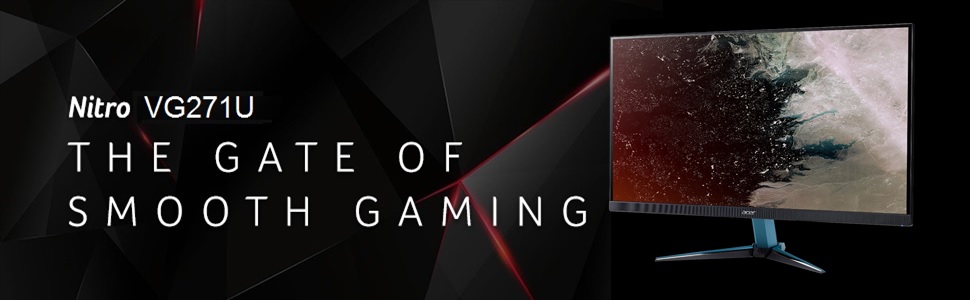
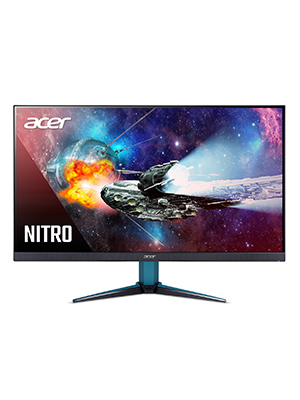
The Acer Nitro VG271U is a 27-inch WQHD (2560x1440) IPS gaming monitor featuring a blazing 144Hz refresh rate and 1ms VRB response time. Equipped with AMD Radeon FreeSync, it delivers tear-free gameplay synced to your GPU. VESA DisplayHDR 400 certification ensures bright, vivid HDR visuals with a wide DCI-P3 color gamut. Connectivity includes 2 HDMI 2.0 ports and 1 DisplayPort, all wrapped in a sleek zero-frame design perfect for multi-monitor setups. Ideal for millennial professionals seeking a high-performance, visually stunning monitor that balances work and play.




| ASIN | B07NFK9XST |
| Best Sellers Rank | #196,154 in Electronics ( See Top 100 in Electronics ) #3,903 in Computer Monitors |
| Brand | acer |
| Color | Black |
| Customer Reviews | 4.6 4.6 out of 5 stars (762) |
| Date First Available | January 12, 2019 |
| Item Dimensions LxWxH | 24.2 x 9.4 x 18.7 inches |
| Item Weight | 10.7 pounds |
| Item model number | VG271U Pbmiipx |
| Manufacturer | Acer |
| Max Screen Resolution | 2560 x 1440 Pixels |
| Product Dimensions | 24.2 x 9.4 x 18.7 inches |
| Screen Resolution | 2560x1440 |
| Series | VG271U Pbmiipx |
| Standing screen display size | 27 Inches |
E**Z
Nice monitor if are conscious it will be 1080p
I wanted a nice budget 1080p and after reading for a while I decided for this one. Good choice if your want an easy job for your video card if you're in a budget and cannot afford enough juice for 1440p. Pros: - Nice color gamut - Excellent contrast and bright (a bit more than 480nits actually) - Default profiles are nice, but it will be better to use your own. - Big screen, no dead pixels. -165hz refresh rate using the included HDMI cable. - Big panel, nice desing and aesthetics. - VESA mounting. Cons: - You will see pixelated things or even the pixels if you sit too close to it due to the fact 1080p pixel density it too low for a 27" inch monitor. - The monitor stand/support is a bit weak and your monitor may bounce from one side yo another if you hit your deskt accidentally.. but it will do the job. - IPS glow from corners, which can be attenuated lowering bright or sitting a bit far. - Don't expect too much from its speakers, they are quite small and not too powerful but they are enough to help in a no-sound situation. - Freesync premium, not premium pro. By this, I tell you it will have bright flickering (going up and down) if you decide to use HDR in games or even browsing some sites while using freesync.. it may be solved if you use HDR with Freesync off and enhanced sync from the AMD config, which is kinda absurd. - Acer widget app is limited in many ways and it will reset your user profile every time you change to another profile without applying anything which is annoying. - Support site is terrible. Conclusion: - If you can buy a powerful video card for 1440p, go for that res... If you can't, you won't be disappointed at all with this monitor but it will take time to get used to it. Good choice if you want to upgrade later but you need something nice and not too expensive for some time.
Z**N
Great IPS panel monitor that checks every box
-Factory set at 170hz (wonderful surprise) -IPS panel with wonderful and accurate color -HDR option available (not important to me, but nice that it's there) -Huge 27'' monitor w/native 1440p resolution makes for a stunning photo with sharp images and text -Great viewing angles -Can get very bright. I have it set at 90% brightness(360 nits I believe?) and it's more than acceptable to me. At both well lit daytime or middle of the night Only downside is the stand. It can wobble if you shake your legs during some downtime or if you have restless legs. But this can be remedied with the monitors being VESA mounted. 5/5 stars, planning on buying a third one when a 3080 inevitably becomes available.
J**O
Absolutely a great buy (for the price)
So I'm a few days in and will have two parts to this review. The first will be regarding specs, initial reaction, picture/HDR/performance and quality for the monitor I received. The second part will be an update after more use time to bring up any issues that arise down the road. So first off I would order an HBR2 or 3 rated Display Port cable to go with it. Its much better than the HDMI cabled included and DP can take better advantage of 10bit/1440p144hz (or 10bit-4k 4.4.4)(not that this monitor supports either, I'll get to that in a moment) The stand is also pretty okay, it seems well made and doesn't seem to flimsy compared to some other I have seen. I feel its likely the weight of this monitor that can make the 3 point stand design seem like a bad choice. Given the tips of the stand are much thinner and can bare the most stress if the monitor has any lateral force applied to it. Combined with the monitor being a bit on the heavy side compared to similar in its same but more expensive class. I do love the looks/finish of the monitor though. Great aesthetics all around. The UI is pretty okay, better than some others that are even more expensive than this one, It give you the option to save 3 presets of your own. Has a good range of control, only drawback I felt is there is no sharpness adjustment at all. It only includes a "Super Sharpness" on/off option. Which can be hit or miss. Looks great on with basic web browsing. Gaming, I would keep it off. The factory calibration was near perfect. I have tried adjusting it every which way, tried a few profiles others have used. It honestly looks best for me right out of the box. Note that the 8bit+2 FRC is only possible when in 120Hz. For me that isnt a huge issue. I didnt expect to being going over 120hz at all because I like to keep my graphic settings as high as I can. And prefer that over 24 extra hz. But thats just me. I went through the whole list of tests for monitors... All of them actually performed way above what I expected. Except 2. The pixel walk test. Failed all of them. And I can really notice pixel walk if I try. But given the last monitor I had for 6+ years had it bad. It doesn't bother me a bit. It's something you will likely never know was there. The second was ghosting. It was VERY VERY SMALL. It was mostly noticeable in 10 bit HDR. With 8 Bit/HDR off/All stock. Honestly it was so minimal like I said earlier. If I didnt read about it and test for it. Likely would never know what it is. The newer Innolux panels have fixed a lot of ghosting and flickering issues. The AOU panels are said to be the bad ones. (CHECK YOUR MONITORS MANUF. DATE BY HOLDING THE BUTTON ABOVE THE JOYSTICK THEN PRESS POWER BUTTON. A SMALL RED "F" WILL APPEAR IN THE UI MENU AT THE TOP. ANY DATE AFTER NOV/2018/SHOULD BE AN INNO. PANEL. YOU SHOULD BE FINE.) With IPS you are going to get ghosting no matter what. Just adjust your settings to balance picture quality,refresh, with limiting ghosting. No dead or stuck pixels. I have had zero flickering at all so far. Back Light Bleed is also pretty damn good. Its just a tiny tiny part of the bottom left corner of the screen In the BLB test. (SMALL UPDATE: Seems it has near zero Bleed, what I was seeing was IPS glow at certain angles. Like a bit of ghosting dude to the lower pixel response times. You can expect a small bit of IPS glow.. As long as neither are excessive and too noticeable under normal use. Less likely to have it with the more expensive IPS monitors though The picture/color quality is pretty damn good. The colors are very rich, the brightness is also really bright. I actually prefer to tune mine down to 75 from 80 stock. As some websites with white layouts may be a bit too bright. Contrast is pretty great also, didnt need to adjust at all. Colors are best at standard/HDR on/10 bit for basic use. After a few hours in elite dangerous/insurgency sandstorm/CSGO/BFV I can tell that set up does have a small ghosting affect on sharp textures/text in game. But it was very minimal and only in certain situations. 144hz/Standard/8 bit/ HDR off/Super Sharpness OFF/ ACM off seemed to give the best performance in that regard. picture quality was honestly the same in my opinion. It "almost" eliminated ghosting or kept it to a minimum. Viewing angle is also pretty okay. UP/DOWN I would say that 178 degree claim is accurate. LEFT/RIGHT its more like 45 degrees then you start getting affected by it. Note that this monitor only displays 10bit Color Depth at 120Hz. For some that may be a problem. But dont let it be a deal breaker. For $350 this monitor was honestly a lot better than expected. Some comments/reviews may scare you. But Acer did iron out a lot of kinks last year and a lot of those reviews are from this monitors initial release or shortly after. It DID have a lot of issues with flickering/ghosting/etc. The color accuracy is pretty dang good for the most part, however if you do any work that requires absolute color accuracy. This isnt a true 10bit monitor, It fakes it using an 8 Bit+2 FRC. Meaning it pretty much simulates it by using the high refresh rate to flash between the 2 seperate colors to simulate another color. For example if you need a green thats 7.5, it will flash a lighter green pixel at 7, then a darker green pixel at 8. For an average of 7.5. (in a nutshell) Im not well versed in color accuracy for those that edit video/photos but this monitor may not be the best for you. But as of right now for the price and only if you can find no other better IPS monitor in the same price range, this is a pretty solid bet. I love it, the colors just pop and is just night and day compared to my Samsung TN monitor. I'll admit I was VERY nervous at the time of purchase. Thats why I felt a bit compelled to to give a full review, and why It ended up being the longest review I have every written. This is why, at the moment this ips monitor is easily in the top 5 for $350 1440P IPS monitors. The other <$350(sometimes) options being the Pixio,BENQ,Viewsonic,Viotek, and maybe Nixeus. All have their pro/cons. I wouldnt get the AOC one its VERY dark. And if your wondering the difference between the Nitro VG271U and the Nitro XV272U is just the stand, every single exact thing. The entire monitor, is the exact same. If the VG is cheaper grab it. Its VESA compitable and use the money you saved to pick your own wall mount/stand. The XV just has an adjustable stand. And different letters on the box. That's it. Anyway, if your thinking about it. Its a safe bet, and really does have great color/gaming performance. Just make sure you look up the tech specs for any monitor your looking at so you don't get hit with surprises. For example this product page doesn't show that it can only support 8+2 color depth @ 120Hz. I almost feel that deserves a solid star being taken off the review.
Trustpilot
2 weeks ago
3 days ago