We remain fully operational. Our teams are working around the clock to ensure your deliveries continue safely.

DOWNLOAD THE APP


Customer Services
Copyright © 2025 Desertcart Holdings Limited
DOWNLOAD THE APP

📸 Unlock timeless memories with pixel-perfect precision!
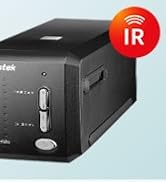
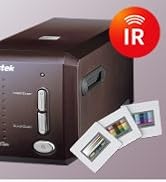
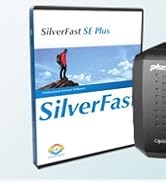
The Plustek OpticFilm 8100 is a high-resolution 35mm film and slide scanner delivering up to 7200 DPI and 48-bit color depth. Bundled with professional SilverFast SE Plus 9 software, it offers advanced image processing including dust and scratch removal. Compatible with both Mac and Windows, it’s lightweight and portable with a custom carry bag, making it ideal for professionals and enthusiasts digitizing film archives with stunning clarity and color fidelity.












| ASIN | B009PHCWL4 |
| Best Sellers Rank | #178,418 in Office Products ( See Top 100 in Office Products ) #78 in Slide & Negative Scanners |
| Customer Reviews | 3.9 3.9 out of 5 stars (201) |
| Date First Available | October 12, 2012 |
| Is Discontinued By Manufacturer | No |
| Item Weight | 3.52 pounds |
| Item model number | OpticFilm 8100 |
| Language | English, French |
| Manufacturer | Plustek |
| Product Dimensions | 4.72 x 10.71 x 4.69 inches |
Y**C
Plustek OpticFilm 8100 High Quality Film Scanner
I am quite satisfied with this product. I was debating whether to get the Kodak Slide N SCAN scanner or the Plustek OpticFilm 8100. I am glad that I chose the Plustek for its scan quality (higher resolution) and flexibility (more adjustments and control) over the Kodak. This product was very well packaged. It comes with good installation structions and user guide, both quality prints and online video (via YouTube & QuickTime). The scanner itself looks and feels well built. The software (SilverFast 8.8) provided (on CDROM, or can be downloaded) is not difficult to installl. Once you have gone thru the user guide (I watched the online videos), you can master its usages after a few test runs. I found the software fairly easy to use and quite powerful to get the scan results you need. For each key program function or control adjustment, you can click a menu button to open a PDF help document or QuickTime tutorial movie to show you how to use it. I found these very helpful. I have used the scanner for about a week now, had scanned over 100+ film negatives (40 years old) into JPG files for restoration and safekeeping. I am very delighted with the results. For each film, I can adjust the scan resolution, sharpness, contrast, color etc. controls manually, or use the Auto Image Optimization feature of the software. One nice surprise for me is the Dust and Scratch Removal (SRDx) function of software. It removed these impection automatically, once I had set the Detection level and Tile size that I want . I thought I will need to buy the more expense model that has a built-in infrared dust/scratch detection for it to work. The OpticFilm 8100 works just fine without it. Overall, I am very happy with this scanner. It produces high qualiy film conversion into digital media. The only wish I have for it is a faster speed. With scan resolution set at 3600dpi, it takes 2-3 minutes to complete each scan plus the file generation.
J**X
Great Kodachrome slide scanner
This is about the Plustek OpticFilm 8100 scanner. I am very happy with it. I've used it thus far to scan Kodachrome slides and save the scans to jpeg files.Those I input into Gimp. The scans are very accurate. The ability to crop images prior to final scan is quite handy, especially if you want only a part of a sharp slide -- you can scan at a high precision without using hundreds of MB for the jpeg file. To get started, you need to go to the Plustek website, create an account (you need the scanner's serial number), and download version 9 of the SilverFast scanning software. I floundered a bit, because the instructions for a CD-less Macbook told me to get version 8. That failed because my serial number was only for version 9. Anyhow, I got the software loaded and it works fine.
K**4
Slow, a bit glitchy, but works. But is it worth your time?
In summary, it works. However, it slow and very very tedious. Seriously consider using an outside service to digitize your slides and negatives for you rather than doing it yourself, and future proof your treasured photos by making sure to get HDR or RAW scans if at all possible. Note I have 30+ years' experience in digital photography and computer graphics, so I sort of know what I'm doing. Sadly, I also know that I'm also doing lots of things wrong using this scanner, and there is no easy way for me to address these problems by myself. Given my background in photography, I have a zillion slides and old pictures I want to digitize and preserve, so bought yet another scanner to do so. I've started this a couple of times over the last few decades, but always gave up due to lack of time. And after a bunch of years, the old ones are no longer supported on my newer computers or I've lost the software, so I buy yet another one. In this go around, the Plustek OpticFilm 8100. I do have to say, the Plustek is pretty solid and works most of the time. But the scans are slow. At the high resolution I use (after all, I want the best), it takes at least a few minutes per slide. So, I can only get through perhaps 30 or 40 a night. Given I have several thousand slides, this is going to take a bit of time, and I question is it worth it. Ask yourself the same question before buying a scanner yourself. Also, the 'SilverFast' software used to scan is proprietary and licensed locked. Given my past experience with film scanners, I know the drivers will go out of date and hence the scanner will worthless within the next 10 years. It's also licensed, meaning that I had to set up an account on their site to enable it. Given I'll probably change PC's before the decade ends, this means that unless I'm really careful, I'll loose track of the license and end up with yet another boat anchor even before the software goes out of date. As for those drivers - they're not perfect. About 1 in 10 scans, they glitch and I need to restart it. I will say they're less buggy than my previous scanners, but still, you'd think that they'd be bug free by now. (I really do not understand why the USB scanner drivers have any bugs left in them at all after all these years.) The amount of data in each scan, while large, is nothing compared to what the PC can now handle. The SilverFast software is also way to complicated, but not flexible enough. It does have a 'easy' mode, which works well enough. However, it's too easy to flip on some of the more complicated features like dust or colorcast removal trying to get the perfect scan. These aren't at all easy to use, sucking up huge amounts of time just fiddl'n. Probably not worth the time sink, but way hard to resist the urge. Finally, I really worry I scanned the images so they look good on my PC, rather than good everywhere. After all, I haven't calibrated the colors in my screen, the room lighting isn't great, and I'm exactly sure what 'best' is anyway. Hence my overwhelming urge after each long evenings of scanning to just chuck the scanner in the trash and pay someone who knows what they're doing (or at least as done it alot and knows what not to do) to scan my pictures for me. If you do take my semi-advise and get someone to scan your precious pictures for you, ask for RAW or HDR format results, if at all possible, in addition to easy-to-use JPEG or TIFF. These will provide better results. Sadly, normal PC's and software aren't quite able to support HDR everywhere yet. But give them 5 to 20 years - cell phone photography is already driving this support. Hence HDR support will become far more common, and you'll thank yourself you spent the extra cash and time now. The negatives or slides won't last that long to let you scan them again.
K**N
Great product once you get the downloads sorted. Much easier if you have a CD drive as without it is a very confusing download. Allow time to get used to the machine but once mastered it is great to reminisce over old slides and negatives.
J**C
El hardware de esta empresa esta bien. El software que recibí es un fracaso. Viejo, y aún ellos mismos después de muchos contactos o me pudieron ayudar, aunque el que me contesto lo hizo rápidamente y con el mayor empeño de ayudar. Yo uso otro programa profesional, por lo que pude usar el equipo, pero no con el programa proporcionado por el fabricante. Mucho cuidado con este equipo. Jorge M. Peón
S**R
I have lots of slides from the 70s through to the 90s and got the scanner to digitise them as a lockdown project. I did have a little trouble setting it up and had to make two calls to Plusnet's helpdesk - but the staff there were terrifically helpful, and now it is working really well and I am delighted with it.
D**T
Excellente performance. Trèes beau système! Ça vaut la peine que l'on étudie bien pour ensuite avoir des heures de plaisir à recouvrer de vieilles diapositives et les remettre en valeur avec des couleurs très proches de l'originale sinon même meilleures.
J**.
Se trata de un muy buen escáner para película y diapositivas. Buena relación calidad-precio. Lo entregan con el software SilverFast, que permite sacar todo el rendimiento al equipo. Muy recomendable.
Trustpilot
1 month ago
2 months ago