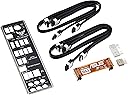
🖥️ Forge your fortress of performance with ASUS TUF SABERTOOTH 990FX R2.0 – where durability meets precision power!
The ASUS TUF SABERTOOTH 990FX R2.0 is a premium ATX motherboard designed for AMD Socket AM3+ processors, supporting up to 8-core AMD FX CPUs and 32GB DDR3 RAM. It features advanced thermal solutions like CeraM!X ceramic coating and TUF Thermal Radar for superior heat management, military-grade components for exceptional durability, and DIGI+ digital power control for precise voltage regulation. With extensive connectivity options including USB 3.0, SATA 6Gb/s, and multi-GPU support, it delivers a stable, high-performance platform ideal for demanding gaming and professional workloads.
| ASIN | B008B6ONXK |
| Best Sellers Rank | #1,430 in Computer Motherboards |
| Brand | ASUS |
| CPU Model | Athlon |
| CPU Socket | Socket AM3+ |
| Chipset Type | AMD 990FX |
| Compatible Devices | Personal Computer |
| Compatible Processors | AMD Athlon, AMD Sempron |
| Customer Reviews | 4.4 out of 5 stars 798 Reviews |
| Global Trade Identification Number | 00801947281121 |
| Graphics Card Interface | PCI, PCI Express |
| Item Weight | 3.4 Pounds |
| Main Power Connector Type | 24-Pin |
| Manufacturer | ASUS Computer International Direct |
| Memory Clock Speed | 1333 MHz |
| Memory Slots Available | 4 |
| Memory Storage Capacity | 32 GB |
| Mfr Part Number | 90-MIBIT0-G0AAY0VZ |
| Model Name | M5A99FX PRO R2.0 |
| Model Number | M5A99FX PRO R2.0 |
| Number of Ethernet Ports | 1 |
| Number of Ports | 20 |
| Platform | Not Machine Specific |
| Processor Socket | Socket AM3+ |
| RAM Memory Technology | DDR3 |
| Ram Memory Maximum Size | 32 GB |
| S/PDIF Connector Type | Optical |
| System Bus Standard Supported | SATA 3 |
| Total PCIe Ports | 4 |
| Total SATA Ports | 7 |
| Total Usb Ports | 16 |
| UPC | 691111372010 809385676752 610839187430 807030506188 809186281919 804904085442 115970725775 808112551003 041114789207 809185825282 805100141574 804066786706 796594141518 191120014227 801947281121 |
| USB 2.0 | 6 |
S**G
DELICIOUS, powerful, and a slick BIOS. So worth it!!
Great product for the money, great quality, the BIOS is awesome (you can actually use a mouse in BIOS), and the board kind of "talks" to you. So I'm installing this board in a case, adding memory, cpu, video card, and connections everywhere, when I first turn on the system the board has these onboard LED lights that light up (very different for me). There's a video light, memory light, another CPU light all of which will tell you something about the boards status as you troubleshoot/build the board up. PRETTY COOL. ASUS thing? Some folks mentioned memory compatibility issues, no problems with the 4 sticks of G.SKILL Ripjaws X Series 32GB Memory F3-1600C9Q-32GXM. I did have to increase the memory to 1600 in bios from 1333, but still no real issues. Bios was already upgraded to 2501 so no need to flash the bios. Included disk for drivers and utilities worked fine, in fact it was better than any Gigabyte board utility disks I have used in the past. Definitely recommend adding SATA cables first before you place a video card on this board because you will not be able to reach behind the video card to plug in most SATA cables for your drives (someday someone somewhere will place the SATA connections away from under the video card). Another bonus for this board... they give you a nice plastic extension for the section where you connect board to case for HD lights, power switch/lights, reset switch lights, and others. In the past few Gigabyte boards I have owned, you are hard pressed to get your big fingers to adequately plug these connections onto the board and I usually resort to tweezers or needle nose pliers to get those plugged in. But this ASUS board gives you a plastic extension where you can add the connections externally and then add the extension to the board area where these plug in... VERY NICE and easy. Regarding BIOS: Very nice and SLICK graphic screen when you first get on bios telling you things you usually really need to know right off the top (amount of memory and frequency, boot sequence, temperature of cpu, video, and board temps, and 3 very useful performance options), NICE. Did I mention you can actually use a mouse in the bios? NICE, what took so long for folks to make it happen? The bios has advanced features galore that I will never likely touch but the basic caveman over-clocking options will be used soon just to add spice to my life and yes, ASUS makes it painfully easy to overclock a notch or two above normal. Onboard sound is great for me, just add external speakers that add amplification and you are good to go. The USB 3.0 on this ASUS board rocks! Easy and works once you install the drivers at initial set-up, way easier and more functional than Gigabyte boards. Regarding my AMD cpu socket: no need for a back plate on this board because this ASUS board has easy connections for the liquid cooling setup that does not require a backplate for the board. NICE. The manual is fine, helpful, and useful regarding most things you might bump into or need clarification on. Highly recommend solid state drive (SSD) for your boot drive and you will get on Windows 7 from power up to desktop in about 20 seconds. NICE.
S**C
GREAT board!
I'm FINALLY starting to build my new computer. This board replaced an Asus A8NSLI I've had for years matched with an AMD Phenom X2 555 (socket AM3) in a mid ATX Antec case with a 500W PS with Win7 Ultimate 64 bit. Board arrived on time, well protected, and in perfect condition. VERY easy installation and hookup. Fired up and posted without issue using my old CPU, 8GB of older Kingston Hyper X 1333 RAM and same HDD I've been using for a long time (I checked compatibility on pcpartspicker before I ordered ANYTHING). UEFI bios was a very pleasant surprise compared to old style bios - very intuitive and mouse controlled. Only have had 2 MINOR glitches: 1st was that I needed to get into the advanced mode and change my SATA HDD to IDE so my Win7 would load - easy. Second glitch was my fault. I decided to try performance mode in the bios . . . OOPS. It was evidently too much for my older components which are being used until I get the new ones. The performance mode stopped even bios from loading. A quick call to Asus (SUPER nice) and it was back up and running. If you happen to make this mistake, the solution is to unplug the computer and carefully remove the battery for about a minute, reinstall it, re apply power, and you're "back" except for, in my case going back to advanced mode to change my HDD (see above) as this procedure resets ALL bios to original factory settings. Being on a strict monthly budget, my upgrade needs to be done in phases and the motherboard was the best place for me to start. AMD 8350 Wraith CPU is next component (coming soon). I was surprised what a difference this board has made in my entire computer. I'm VERY picky about keeping my system "clean" (scanned and defragged OFTEN). With the A8N, my "cold" boot averaged about a minute to a minute and 5 seconds. Using the moved components from my old board to this M5, it dropped my "cold" boot to between 36 and 45 seconds with NO changes to my (mostly clean) startup setup from the hard drive. It also has improved the speeds in my fiber 100Mbs internet. Before the change I was downloading, on average, around 87-92 Mbs. With the change, the download is hovering around 98.5. (being a little facetious) These results make me wonder if, when done, my computer will cold boot immediately as soon as I press the power button once it's finished with the planned SSD, and other new components LOL. Bottom line is that, while I'm NOT a gamer, it would seem the final build will turn out to be a "flame thrower" which makes me VERY happy. It's also a build that should last me through at least 8k UHD which is on its way with the graphics card I've chosen (also a bit in the future). My computer is my only source of entertainment as I have no satellite, cable tv, etc. I use a 4k UHD 43" tv for a monitor. You can imagine how important the end results of this build will be for me now, and into the future.
A**5
Good Board, but my inexperience didn't allow this board to work right out of the box
Final Review: I'm giving this board a 4/5. The board works flawlessly with the other components I purchased along with it. The only issue I had below was that I had to flash the BIOS right out of the box. This turned my two hour build time into an eight hour build time (due to the research I had to do on the problem). Note - I've built a couple of systems in the past, and this is the first time I've had to flash the BIOS on any of them right out of the box. What threw me off was that the LED indicators stated that it was the Video Card, not the Bios. With that being said, once I flashed the BIOS, the rest of the build took me about an hour, maybe hour and a half tops. The review also is a 4/5 because when I called Amazon Support, I really wasn't given an answer on what the problem could have been. This resulted in me opening up a return order (which I cancelled after I found out what the problem was) and wasted a little time there as well. I'll be contacting ASUS as well to let them know about the challenges I had during this build. All in all, it was a huge learning experience for me - I haven't built a system in about three years, and technology has changed since then. I am happy because now the system is purring like a kitten. UPDATED: Shows what I know, LOL. After doing some research online, I discovered I had to flash the BIOS. Didn't think I had to because the version was beyond the 1006 BIOS, but I guess I don't know as much as I think I do. Once I did that, the system posted just fine. I'll be installing Windows 7 later today, hopefully, and will update my rating accordingly. FIRST POST: So, I ordered this product along with a Gigabyte GTX650, 16 GB of Ballistix 240-pin UDIMM, and a AM3+ FX-8320 processor. Also got a 750 watt PSU. I setup the board with no problems - put the CPU on with the included fan, installed the memory on A2 and B2 memory slots, and installed the video card. Hooked up the monitor with an HDMI cable. Installed the case speaker, expecting to hear the wonderful single boot test beep. Shorted the power pins with a flat head screwdriver. Nothing. No sound. The board started up. All fans started running. Video card started to run. But the LED light lit up next to the video card, and the monitor never started up. So, I unhooked everything and put the video card into another PC. Yep, worked fine. Not the video. Hooked the monitor up to my laptop via the HDMI. Yep, works just fine, not the monitor. I took the video card out of the older PC and put it on the newer mobo. Nothing. No post sound, nada. So obviously, to be on the safe side - I am sending back the memory (guaranteed compatible with Crucial), the CPU, and the Mobo. Geez, Amazon.
N**L
Wonderful board
Finally got to rebuild and put this baby in and I gotta say, it's a wonderful board. The BIOS is very well laid out and I went from a board without UEFI BIOS to this one, difference there is night and day. The only minor quibble I had with it was that the way you set boot order was a little weird to me coming straight from the ancient as hell BIOS on my Asus M4A78 Plus. It just seemed like the old way was more intuitive to me. That said you can do a LOT in this BIOS and it is very easy to use overall. Overclocking was a cinch and it recognized everything right away. The POST LED's are nice because it means I don't need a speaker. The way my desk is set up the motherboard is in the desk and I can just watch the LED's through the window, works wonderfully. Every piece of hardware I've plugged in works without a hitch. Even really old hardware is recognized right away...I threw an OLD 5 port USB 2.0 PCI card in (just because...I really didn't actually need the ports) no problems. Not *personally* a fan of where the USB 3.0 header is on the board, but that's purely related to my setup, normally it would be very well located for front USB ports, my ports are about 2 feet to the left of the board so the cable barely reaches. If you are doing a desk build like mine this is something to keep in mind if you designed the desk to take advantage of all the headers normally being at the bottom. Not a lot of people do that so not really a con though, just a note. This motherboard has no problem with the bracket on a Hyper 212 EVO, some reviews I have seen say that bracket is problematic on certain boards, this one is not one of them. Fit like a glove. Only mentioning it because it's a popular mid range cooler. First slot of the board WILL be covered with a fan on that side of the EVO though, unless you have very low profile ram, I have Mushkin Blackline and if I needed to put a stick there it would be about 3mm too high. Currently only A2 and B2 are filled which is recommended for two sticks anyway...when I upgrade I'll have to find really low profile stuff for A1/B1 though. BIOS was rather out of date when I got it, but it updated without issue so not really a problem. Currently still running my Phenom II X4 955, OCed to 3.8ghz for the time being. No problems there. Overall solid board, well laid out, plenty of fan headers (even though I'm only using 3 because my big fans are on a manual control) I did have problems installing AI Suite II...wanted to mess with Fan Xpert, installing AI Suite II somehow totally killed my network connection and it took about 2 hours to get it back...connection wouldn't release IP or anything, just wouldn't respond at all. So not messing with that anymore but the board itself runs great even if that software is junk.
H**S
Great but overkill for most
******Get the MFA99X if you only plan on using 1 graphics card - that's the only difference between the two is the transfer rate of data between the two GPUs. You will not see a performance boost by getting this one instead if you only use one GPU. (At the time, it was a $1 difference so I grabbed this).******* Asus delivers outstanding results. The features are immense which you can see here or youtube. There was a problem that I didn't see worth getting an exchange for which is the large cooling fins was loose. It has two rubber feet that attach it to the motherboard. I left it as is but I'm sure it could be pushed back in with a little force (I'm too chicken for that!). I think the design is worth mentioning. The SATA cables are great with how they positioned it - very unique. Also, you have plenty of room if you do use two graphic cards. You will find that if you add two with some MOBO's that they'll become too close. This board makes sure to address every issue you could think of and then some. My favorite part outside of no more BIOS and the really awesome app for Windows would be that it has 32 gb of ram capability. That's server level meaning if you're running virtualization for school or for whatever reason - this thing will allow you to have a TON of machines. More machines = better lab = better experience for your job. Gamers - this is more than enough. I see some bragging about spending $250 on a board to play BF4 on ultra as if a board like this could never even dream of doing that. Well guess again, it can. Videographer - Again, fast delivery for the cards and CPU you put in so video editing will do great with this board.. obviously you'll need other stuff to make that happen but as a foundation I think this is perfect. Home Theater / Home Server - This is fantastic for those things. It allows at the Asus level for remote file sharing (Andriod / iPhone capabilities) , media sharing, high security, great LAN features without the need for a separate NIC, Remote control the computer with a phone or tablet, and security at the CPU level. I really really want to say this board is perfect but the cooling fin (large one) has these little feet that attach it to the board. One was not attached properly but that should be an easy fix.
W**N
This motherboard...Just wow.
I'd like to preface this review by stating that I used to have an ASRock 970 Extreme3 motherboard. The VRM heat generated by that motherboard prevented me from even running my AMD FX 8320 CPU at stock settings, so I had to undervolt and drop the clock speed of the processor to make it work. Cooling wasn't the problem - I have a Cooler Master HAF 912 with 2x200mm CM Megaflow fans, one as intake and one as exhaust, and 2x120mm CM fans, also one as intake and one as exhaust, and a CM Hyper 212 Evo on the CPU. I will admit, it was my fault for buying a very budget board without doing any real research. When I got this motherboard, that all changed. My 8320 is now running at a base clock of 245, with a turbo OC around 4.3/4.55/4.8GHz. The CPU stays at 4.55GHz most of the time, with a few cores flipping to 4.8GHz as heat and voltage permit. Performance has, needless to say, been significantly improved in games. Planetside 2 doesn't look like a slide show during large engagements - it hovers around 35-40 FPS in big battles, generally. My core temps never exceed 45C. This motherboard does still generate some VRM heat, but unlike the Extreme3, it doesn't throttle my CPU multiplier to reign it in. It just doesn't get anywhere near as bad. I was actually worried that this motherboard would still have some VRM heat issues since it only has a 6+2 power phase, but the importance of VRM quality as well as quantity really shines through with this board. I also really like the BIOS. I really liked the offset voltage mode and its automatic settings. I didn't have to sweat voltages at all when I was tweaking my OC - lazy, I know, but it made things very easy on me. The fact that I'm running 4.55GHz with 4.8GHz max turbo without having to run Prime every night for a year is nice. I know it's not an exceptional OC, but it didn't take much time or effort, either. Overall, if you're looking for a mild and solid overclock with an AMD CPU, I don't think you can do much better than this board, especially for the price range. Asus just earned a new, and very loyal, fan.
J**N
LOVELY BOARD, WHAT A LOVELY BOARD!
I bought this used off of amazon and i tell you what, best decision ever, i got mine for 60 buks probably from somone trying to move theirs quick, and paired with a amd 8350 this thing screams, i cant figure out how to oc my ram that i bought specifically for its ability to oc to 2133 or whatever it says but i dont care is awsome, works good and fits my case yes! Now that the idiot in me is done talking lets do a proper review. I bought mine used because i like to take chances as well as most of the time the cd's and paperwork are useless anyways. This is a Large MOBO! so I suggest having a mid tower to actually have room to work on this while its in your comp, I had a small atx case by cooler-master and shoved this beast into it and then had to disassemble it to plugin my satas that were hidden by my PSU. I have since upgraded to whatever was cheap and a mid case by cooler-master, but before I did that I did have to put a 212 evo cpu cooler on by cooler-master and it does have an issue of hanging over some ram slots on this thing but im not worried about it and just used the other slots, no big deal, 16 gig is fine for my purposes. those who may have worries about how robust their mobo may be fear not, i have installed and disassembled this 4-5 times into 2 cases mostly due to me being impatient and an idiot and it still runs like a champ. PRO's -Shiney and CHROME -Built tough enough to pick up by the cpu cooler (but not so much that you can cook ramen on that sideways radiator) -plenty of hookups for today's peripherals CON's -its a huge b -socket location means that AIR COOLING arrangements may interfere with taller ram sticks, if you have to ask it doesn't fit. -cant figure out how to put ram to 2133 In the end, if you find this for cheap and are looking to build a budget AM3+ system this board is pretty good, it may not be the gaming board or have the shiney paintjob but its the same damn thing. VALHALLA!
B**N
The "Final Details" of their customer service killed all glory this card had for me (Updated)
I bought this to go in a gaming/editing rig. It was a good price from a brand name I'd used in the past. With the rebate, it put it down enough in price to persuade me into purchasing this item over other brands. I had carefully planned a budget and needed to stick to it so every penny with this counted. The reason for the 1 star: I've filled out my share of rebates in the past and have had only some small hiccups before. This was my first ASUS rebate, and although it's only 15 dollars, it was a horrible experience. First, the rebate forms were wrong on ASUS' website. I initiated a chat with Amazon and they were able to provide me with the correct forms. (The correct forms were not listed to the public at all directly from their website.) Second, ASUS' website didn't show my item on their rebate list and their customer support wasn't avail to help -- again, Amazon helped me confirm the rebate was good for my product. (Yay for Amazon!) Third, and definitely the worst of it: I got an email from ASUS a couple of weeks after sending the rebate in stating that my information had not been received yet. The email stated that I should resend my information if I hadn't heard back from them within 10 days. I emailed them back and asked what I should resend since I'd emailed my UPC code already. I waited a few days but only a confirmation email came back to me stating that they would answer my question (they never did.) So, after leaving ASUS with plenty of time to get with me via email, I decided to place a call. I was ran around a TERRIBLE automated system that refused to send me to a representative for at least 15 minutes. Once I got a hold of an actual person they placed me on hold for another five minutes before telling me that my rebate was rejected because the Amazon invoice did not say the words "Final Details" at the top of it. . . I then felt that the company was purposely giving me the runaround. I asked to speak with a supervisor who gave me the same shpill about not having the words "Final Details" at the top of the invoice. I asked her several times to define the meaning of Final Details and what they meant and she only said that it has to say it at the top of the invoice or they will deny the rebate. Frustrated and ready to file with BBB I contacted Amazon once again. They apologized for the inconvenience on their terrible seller's behalf, promised to escalate the issue, and provided me the support ASUS refused. As for the product? It's working. I can't say it's the best MB in the world, nor the worst, but it does appear to be made well. Pros AM3+ Pretty decent BIOS (Someone did a good job on some of the software here) I enjoy the color scheme and it has a great layout with numerous options. It's sleek and looks good in a windowed case. Cons Absolutely terrible rebate system Only 4 RAM slots (wish they were at least split 2 to each side of the processor) RAM limit of 32 GB Qualified Vendor's List needs updated for RAM compatibility And once again, the rebate customer service is terrible (Listed twice because it's honestly that bad) ***Update*** 11-27-2016 I appologize for my previous review if it sounded heated, and I'll admit that I was very upset with ASUS and still have refused to purchase any more of their products. However: I've been using this MB in my rig with an 8 core AMD processor, 2 sticks of Corsair's 16Gig ram, Corsair's water cooling all inside of an Enthoo Pro case. I've managed some upgrades as my budget has grown since first purchasing the rig, but for the most part I've been very happy with the performance of this rig. I've had several compliments from people who have seen the rig, all of them impressed with the appearance of the MB through the window of the case. I've upgraded the rating to a 2 for stability and reliability of the product itself. Even though I disagree whole-heartedly with the way I was treated by the company the product itself has been very good for my needs. As of a year there have been no restarts, only 1 or 2 blue screens (I won't blame the MB until I have reason,) and very few issues with getting things to work with it. It does appear that one of the USB ports is inoperable on the back. This hasn't been much of an issue due to the fact that I have several more. However, having a camera, phone, drawing tablet, speakers, mouse, exterior sound card, printer, and keyboard all plugged in leaves few options for the future without a USB hub.
M**R
TOP
Ein super Mainboard mit tollen Funktionen. Viel schneller als mein Altes. Und der Preis passt auch. Ich habe nichts zu bemängeln.
J**.
Una placa muy completa
Excelente placa base para amd, la tengo con un procesador fx 8350 y va de maravilla, bios muy intuitiva y fácil manejo, ademas en español, permite un overclock fácil y automatizado con solo hacer un click. permite dos gráficas en sli, excelentes acabados muy bonita.
K**E
Great Motherboard
I bought this board to do some upgrading in my PC. So far I really like it. I bought a FX 8350 to put it and overclocked it immediately to 4.5GHz. This board has an option to overclock although I don't recommend using it because it seems to throw inaccurate results. It would say 4.3 GHz in the the BIOS but then only show 4.0GHz in my system info once booted. With the board on auto my RAM also always got read wrong. By manually setting the overclocking configuration my RAM gets correctly read at 4x8GB at 1600MHz and I manually pushed my CPU to 4.5GHz. This outputs correctly once booted. There does not seem to be an automatic option to set them at their factory setting of 1600MHz. Other then that though I do not have any complaints. I have this motherboard in a Fractal Define R5 case and it went in easily. I was also easily able to get my hyper 212 evo cooler on it. The placement of all ports and headers are in good spots. I was able to neatly organize my cables in my case. I could see how the sata ports positioning might be an issue for some people but depending on your case it might not be too hard to plug them in. I have a EVGA Geforce GTX 960 SSC that I was able to overclock to 1600MHz as well so far everything has been running stable.
黒**子
ど安定
XPの終了が近いので、Windows7へのOS入れ替えに合わせて、パーツの入れ替えを行いました。結局、CPU、メモリー、マザーボード、ケースの交換となって、ほとんど新規に組んだのと同じになって、少しショック。 当初、サブ機で使用したASROCKのエクトリーム4を考えていたのだが、現在、市場にあまり無いようなので、ASUTeKを選択。SABERTOOTHと本ボードを検討して、こちらが自分の嗜好に合うので、これに決定。当初の予想通り、まったく問題なく安定しています。少しもの足りないくらいです。梱包の箱の中にも「おまけ」的なものがほとんどなく、ボードのブルーカラーだけがチャラ男で 、質実剛健です。マザーボート用のソフトは、ASUTeKの定番物で使い易いと思います。 面倒は「ごめんだ!」と言う人に。
K**S
Excellent MB. After one year use i am having ...
Excellent MB. After one year use i am having one usb3 port problem.It hangs the computer while booting. I have to switch off and on again for it to boot full. Most probably some capacitor problem at the port.
Trustpilot
1 day ago
3 days ago