We remain fully operational. Our teams are working around the clock to ensure your deliveries continue safely.

DOWNLOAD THE APP


Customer Services
Copyright © 2025 Desertcart Holdings Limited
DOWNLOAD THE APP
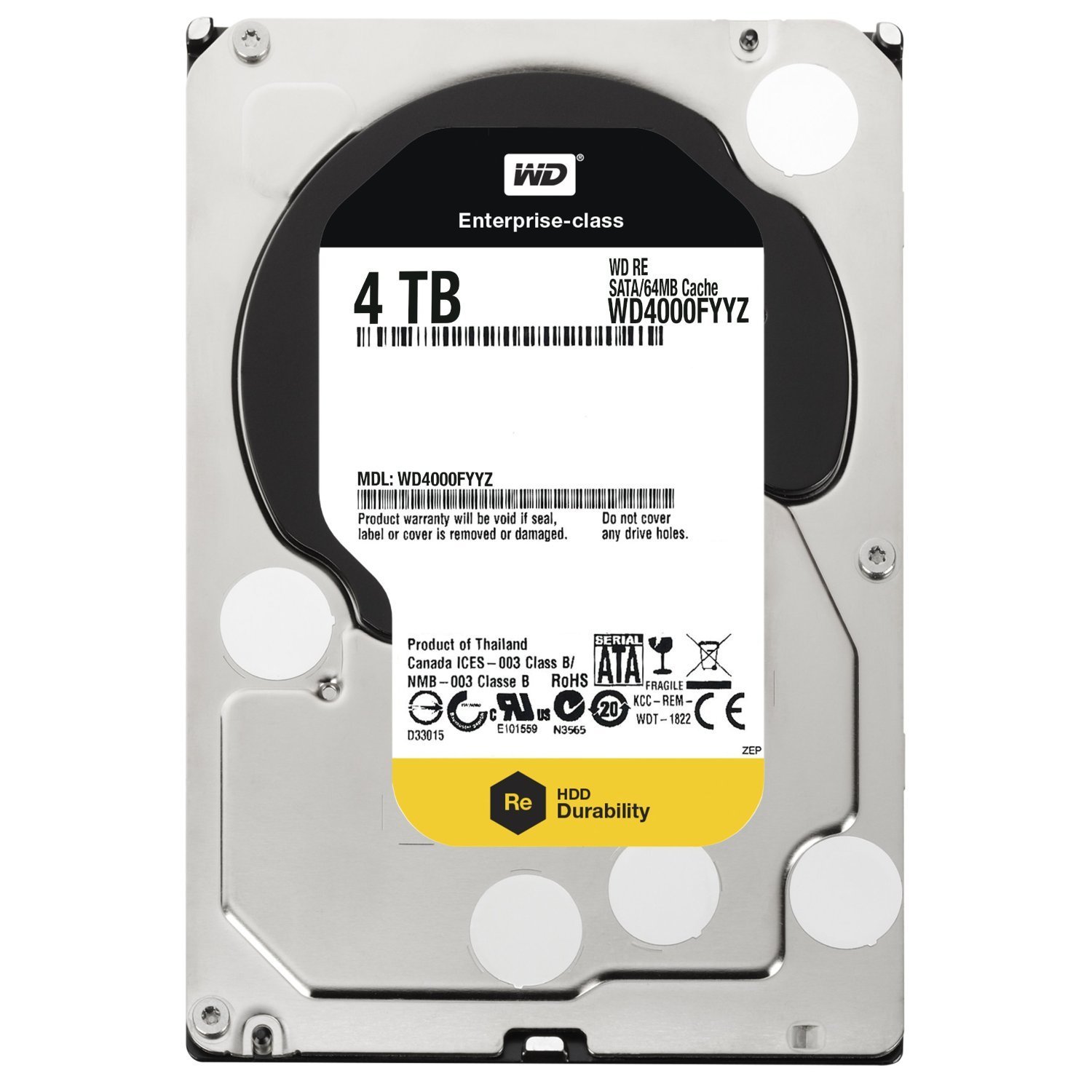
🚀 Elevate your storage game with enterprise speed and rock-solid reliability!
The Western Digital 4TB RE SATA III hard drive delivers enterprise-class performance with a 7200 RPM spindle speed, 64 MB cache, and 6 Gb/s transfer rates. Designed for 24/7 operation, it features advanced vibration protection and a dual-processor architecture, ensuring reliable, high-speed data access for demanding business and server environments. Backed by a 5-year limited warranty, this 3.5-inch drive is built to handle intensive workloads with confidence.


| ASIN | B0090UEQ8I |
| Best Sellers Rank | #775 in Internal Hard Drives |
| Brand | Western Digital |
| Color | Silver |
| Customer Reviews | 3.9 3.9 out of 5 stars (809) |
| Date First Available | August 3, 2017 |
| Department | hdd |
| Flash Memory Size | 4 TB |
| Graphics Card Ram Size | 6 GB |
| Hard Drive | 4 TB Mechanical Hard Disk |
| Hard Drive Interface | Serial ATA-600 |
| Hard Drive Rotational Speed | 7200 RPM |
| Hardware Platform | PC |
| Is Discontinued By Manufacturer | No |
| Item Dimensions LxWxH | 5.8 x 4 x 1 inches |
| Item Weight | 1.66 pounds |
| Item model number | WD4000FYYZ |
| Language | English |
| Manufacturer | Western Digital |
| Product Dimensions | 5.8 x 4 x 1 inches |
| Series | RE |
| Standing screen display size | 3.5 Inches |
R**G
Works great
I must say that I love the packaging this HDD came in that's very securely protected from damage. This drive is new as it was never used that is evident by the packaging. However, it is not recently manufactured though because the manufactured date shows 2015 on the label. Nevertheless, it is still new as it has not been used before. In using it, on the other hand, at first I didn't know or understood loading it in Linux that HDDs over 2TB is not supported in Linux where partitioning is concerned. I am using Linux Mint 19 Cinnamon and it apparently doesn't seem to have support for using drives greater in storage size than 2TB so no GPT partition style support except MBR partition style. So when I saw that the drive was somehow automatically divided into 4 preset partitions that could not be removed, resized or addition ones able to be created I thought that something was wrong with the drive itself. But when I decided to see what would happen when using it in Windows Disk Management Console a prompt came up asking what partition style that I would like to initialize the disk with either MBR or GPT. Not too familiar with the difference or benefits of one vs the other I decided to do a little research on the difference and benefits of using MBR vs GPT partition styles. As it turns out once you are using HDDs with a storage capacity greater than 2TB you must use GPT partition style to initialize the drive and great your partitions. MBR only supports less than 2TB and up to 4 partitions on the drive so that is why when I connected the drive in Linux and it showed only 4 preset partitions and prevented me from editing, deleting or creating additional partitions then I understood what was the problem. It wasn't the drive that was the problem but Linux OS doesn't support GPT except MBR. Whether or not this can be mitigated to switch to GPT to initialize a HDD with storage capacity greater than 2TB is not necessary for me right now. However, once I used Windows to setup the drive with GPT partition style I was able to create the partitions I wanted with no problems and everything now works great now.
P**E
After blowing up 4 green drives, i took the dive into enterprise class...
A little over a year ago, i purchased a WD My Book World II edition NAS. These units come with the WD Green drives in them. Over the past year, I have managed to have to return 4 of these drives as defective (both original and a couple refurbs). With such important files (such as family pictures/video, music, etc), I felt it necessary to get best-in-class drives to run in this unit. The RE4 drives are enterprise class drives and (in spite of also producing the attrocious green drives) WD makes a very good high-end drive. After running in my MBWE for a few months, i decided that these drives in that device was complete overkill. I have recently upgraded my NAS to the QNAP 200 series device. These drives were compatible and have rocked in the new device. I finally have a strong, reliable, and great performance RAID 1 device. I've now had these drives about 2 months and couldn't be happier. SPEND THE MONEY and get enterprise class drives for reliable storage devices! IF/WHEN these drives fail, i'll be sure to update this post....
S**E
Failed hard at 2yr 10mo
Update Feb 2016 - I received a new RMA replacement drive from WD today. I plan to use it to store downloaded video and other junk - I would not trust it with anything important. Update Jan 2016 - this drive has had a sudden and total failure - it no longer undetectable by any PC. The drive reported no SMART errors and provided no other indication of a pending failure. I was better off with the Green drives, at least they gave an indication of failure and I was able to copy the data to another drive. With this drive my data is gone, gone, gone, never to be seen again. WD lists it as still under warranty so with any luck I'll get it replaced with a similar low quality piece of hardware. -- original review -- I purchased 2 WD Green drives thinking they'd be great for my network-attached photo collection which needs to be available but has relatively infrequent read/write activity. Within 2 years both began reporting SMART errors. So 20 months ago I replaced both with these WD RE drives - one 1TB and one 2TB. So far there has not been one issue and now I plan to purchase two more of these drives. It is difficult or impossible to get a true measurement of hard drive reliability. The URE rate is a useful, although non-holistic representation of drive reliability. WD rates their Green and Black drives the same at 10^14, yet Amazon.com review comments suggest Green drives are less reliable than Black. Amazon reviews are some of the best data we have, given due scrutiny. Since WD indicates the reliability of the Black drive is just as bad as that of the Green (WD would have phrased this differently), I decided to steer away from the consumer line all together. This WD RE drive has a URE rate at 10^16, two orders of magnitude better than the Black. At first glance these numbers seem too large to be meaningful, but analysis can be found online using real-world models to illustrate the significant difference of even going up one level of magnitude in URE.
W**R
Alles gut
F**I
Ottimo prodotto. Consegna veloce (prima del previsto) e imballaggio a regola d'arte per preservare gli oggetti
A**E
Di HD wurde als Ersatz für eine 2 TB WD bestellt, um den Speicherplatz zu erweitern. Lieferung erfolgt schnell und die HD kam gut verpackt in der ungeöffneten Originalkunststoffumverpackung an. Bisher waren alle Western HDs sehr zuverlässig.
X**C
produit conforme et livraison rapide
F**O
Ho acquistato questo disco per montarlo dentro ad un Synology DS115J (è tra i dischi considerati compatibili dal costruttiore). La sceltra era tra questo ed un WD serie RED. Ho alla fine scelto questo della serie RE per i 5 anni di garanzia e per l'affidabilità essendo progettato per carichi maggiori. Per ora la scelta credo sia stata quella giusta: molto veloce e tempi di accesso ridottissimi. Montato dentro il NAS devo dire che in lettura non è silenziosissimo, quando legge e scrive si sente di più rispetto ad altri dischi ma è comunque accetabile. Niente da dire nemmeno sull'imballaggio per la spedizione: ben protetto e scatola adeguata come si può vedere dalla foto.
Trustpilot
1 month ago
2 weeks ago