


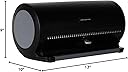
Atlantic 85012055 Disc Manager
Product ID: 1419653
Details
- ColorBlack with
- MaterialPlastic
- Number of Shelves80
- Shelf TypePull-Out Shelf
- Special FeatureScratch Space
💽Holds 80 discs
📏Space-saving design
🛡️Anti-static protection
Desertcart purchases this item on your behalf and handles shipping, customs, and support to Sri Lanka.
🎉 Elevate Your Media Game with Atlantic's 80 Disk Storage Manager!
The Atlantic 80 Disk Storage Manager is a durable and stylish solution for organizing and protecting your media collection. With a capacity for 80 discs, including DVDs, CDs, and Blu-rays, it features patented anti-static protection, a convenient pull-out index for easy access, and a space-saving design that fits perfectly in any living room. Weighing just 2.2 lbs, this hard plastic storage manager combines functionality with modern aesthetics.


| ASIN | B004RLOPE0 |
| Additional Features | Scratch Resistant, Space saving |
| Best Sellers Rank | #1,629,261 in Home & Kitchen ( See Top 100 in Home & Kitchen ) #739 in DVD Cases |
| Brand Name | Atlantic |
| Color | Black with Gray |
| Customer Reviews | 4.6 4.6 out of 5 stars (4,291) |
| Finish Types | black |
| Global Trade Identification Number | 00031742120558 |
| Included Components | Disc Manager |
| Item Weight | 2.2 Pounds |
| Manufacturer | Atlantic, Inc. |
| Manufacturer Warranty Description | Standard 1 year warranty |
| Material Type | Plastic |
| Mounting Type | Freestanding |
| Number of Shelves | 80 |
| Recommended Uses For Product | Storage |
| Required Assembly | No |
| Room Type | Living Room |
| Shelf Type | Pull-Out Shelf |
| Style Name | UPDATED Version |
| UPC | 999993347530 696582458416 765042428341 172302664638 523161153540 086000369477 808112586272 716080024255 031111822199 617407300703 102930683640 806293929918 100177467016 071020382964 031742120558 182682374874 080000280862 804067415742 722651211382 132017641188 809187146323 041114703692 778295309411 163121138929 012302297798 168141302688 021111618939 999993751139 151903420300 999992319866 0720910936… |
| Unit Count | 1.0 Count |
C**S
Very good space saver
** Edit : At the bottom of this review I'm going to address some of the one star reviews. I don't usually do this but I was taken aback by some of them and thought they should be addressed. ** This thing has a very simple mechanism that I can't see failing. It's just a small, spring loaded protrusion that holds the disc in place as you open the case. As such, there is no contact with the face or label side of the disc. I do suggest loading it in a well lit area 'cause those slots are really close together and everything is black (maybe a white or gray plastic interior would have been better) and it's tough to make sure you're not skipping a slot when you're initially filling it. I also suggest checking your index number every 15 to 20 discs to make sure you're still lined up. I haven't used (or even gone to) their website to print an index so I can't say anything on that. In my situation I have close to 400 discs so I'm using 5 cases and wanted to be able to find my discs easily across all 5 cases. So I just made a spreadsheet so I can resort it any time I add a disc so the list of titles remains alphabetical and all you have to do is see which case and slot the movie is in. If this were done on the site then you would be printing individual indexes for each case and would have to pull out each one and look through the listing of movies for one case at a time. I would definitely recommend this to anyone looking to save space in their DVD collection. As a side note, if you're someone like me and you want to save your sleeve inserts, then you can find plastic sleeves online that perfectly fit the cover art from DVD cases. I, personally, just went with regular sheet protectors $0.88 for a 20 pack at my local big box outlet. I drop the cover art in those along with any other inserts and I pop them into a 2" D ring binder. I suspect each binder will hold about 120 to 160 covers. 1 star reviews : "Plastic is cheap" - The unit feels solidly built to me and had some weight to it before I put discs in. "CDs rattle around" - The slots are about 1.5 times the thickness of a disc. If they weren't then the discs would be super difficult to insert and would get stuck. Mine is sitting on my shelf right now and the discs aren't rattling around. If you shake it, sure. "No way to lock it closed" - This one is accurate. There is no catch to latch it closed. Be careful when handling it. "The CD edges rub together" - No, they don't. They are spaced apart by a small ridge that is half the thickness of a disc. The discs never touch each other unless you're doing something wrong and the case NEVER touches any of the writable area of the disc. "It only holds 1/5 of my CDs" - If you owned 5 cars and you built a 1 car garage, would you complain that it only held 1/5 of your cars? You knew how many CDs you owned and you knew the capacity of the case. That's not a reason for a bad review (Unless you're reviewing your lack of mathematical skills) "Not simple to work" - You press a button, move a slider, let go and open a case. Not too difficult there. "Unless you know the exact order you're putting your disks in and which number you're placing it in, good luck finding it" - Did you miss the part where there is a tray that slides out of the bottom and has an index card that lets you write down what disc is in what slot? And if you place your discs in the desired order before putting them in the case then there's no problem. Disc destroyed? Changing the order? Their website has templates for the index card so you can print new ones. "CD's get stuck" - How in the world are you getting your discs stuck? I'm starting to think people are cramming two discs into one slot or something. The mechanism on this device is incredibly simple. I can't imagine how a disc could get stuck. "Price gouging at $25 for a few oz of recycled plastic" - 1) it's $19.95 now 2) You say you are "still loving this product" so the poor PRODUCT review is because of price, not function. 3) You've obviously never purchased a cell phone if you think $25 is too much for a few oz of recycled materials. "Won't pick up discs" - Literally the only things that could fail in this regard are 1) The small spring somehow broke so the "claw" that lifts the disc doesn't protrude anymore or 2) You somehow managed to break said "claw" off. (Pro tip : There is a tiny "claw/finger/tab" that sticks out under the disc you've chosen, you then pull the disc out to use it. When replacing the disc you should drop it down into the slot and not try to push it back in at the top as that could damage the "claw." Pro tip 2 : Press the release button down and keep it down when moving the slider. Otherwise you'll be raking the "claw" across the discs potentially damaging it and the discs. "I bought two of these. The first was perfect. The second one is missing the tray that identifies the discs" - Okay, so you admit that the item is perfect. It functions well, etc. But you're giving ONE STAR because of a random issue that could have been a manufacturing or assembly issue and could, I'm sure, be easily rectified by simply contacting the company or seller. "Discs constantly get stuck on the lid" - HOW? Seriously, what ARE you people doing to these things? 1.5x disc thickness for the slots and .5x thickness for dividers. I'm not going to do the math but I'm going to bet that it's physically impossible for the disc to lean at a sufficient angle to wedge into the next slot over. And aside from that I'm actually wondering if they're unaware that the organizer works by "sticking: (holding) the selected disc against the top of the case for removal. "Returned it . . hard to find discs" - Did you use the catalog? "We didn't care for the product. We returned it. Everyone has different preferences, we prefer the cloth zipper cases. Even though it didn't work for us, it doesn't mean that it won't work for others... just depends on what you like." - So you prefer cloth cases but you bought something you don't like. Then, because of your personal preference, you give a product 1 star that has nothing to do with the product or its funtionality. "This thing is all plastic, feels like its going to break and I feel like it will scratch my discs" - Oh! The feels! DID it break? DID it scratch your discs? Or did you just FEEL like it would? It's obvious from the pictures, description, and price that it's "all plastic" (except for the metal spring and the paper index card of course.) And it physically can't scratch your discs due to how it's built. No part of it ever touches the writable area of the disc. "They only send you one sheet to fill out" - I'm getting confused here. These things are made to organize your discs. How often do you re-organize your discs and need a new index sheet? If you're doing that then use a spreadsheet. Faster, easier to edit, and you can sort it. (I, for instance, have several of these organizers so I've labeled them A, B, C, etc. I use them for DVDs. I have a spreadsheet that has the name of the DVD, the Genre, the Rating, the Running time, and the location (B-17, C-58 etcetera.) I print four lists. One sorted by title, one by genre, one by rating, one by running time. And the location sorts along with everything else. So after I've added a few movies and want to reprint my lists, I just add the movies to the case with space in it, mark their location and add that to the spreadsheet. We are living in the 21st century, right? Excel has been around for a few decades? "One star" "This produce meets me need." - It meets your needs but gets a one star rating. "not in anyway automatic, it's 100% manual. Do not recommended, a binder is better than this." - Nowhere does this product say it's automatic. How would this even BE automatic? "Hey Google, get my Symphony And Metallica disc out for me" And people confuse me...A binder is better than this...So many reviews with the FEELS saying it FEELS like it's going to scratch the disc. I've used those "better binders" and after inserting and extracting a disc a dozen times they don't just FEEL like they're going to scratch your disc, they DO scratch it.
I**S
I Can't Think of a Better Way to Organize DVDs or CDs!
We love this item (the Atlantic 85012055 Disc Manager 80 Disc Storage Device)! We have a bad habit of taking movies out to watch them and then just stacking them loosely in a stack by the television, so the disks are at risk of getting dirty and scratched and are not at all organized of course. We looked at various options for storage and settled on trying this method, as we didn't want a chunky "binder" of DVDs and we suspected that we wouldn't be any more inclined to keep them organized with a binder. With this method, you insert your DVDS (or CDs or both) in to the slots (there are grooves along the inside bottom that the DVDs easily rest in). When you want a DVD, you pinch the little lever that is attached to the top cover and slide it to the number of the DVD that you want (with the lid closed at the time) and release your pinch and the DVD is "grabbed" inside of the unit and you then lift the lid of the unit and the DVD has been "lifted" out away from the others. The bottom half that the DVDs sit in has numbers listed along the bottom edge, so that you know where to release the lever. The number are listed by two's, which I assume is simply to conserve space. Nonetheless, it is still easy to identify whether you are selecting 2 vs.3, for example. The organizer comes with a slide-out tray on which to keep a list of the DVDs and you can hand write on it or you can follow the included instructions and register on a site and use the existing templates available to print a list from your computer. It takes just a little work to set up because you have to write/enter all of the titles. We alphabetized ours before creating the list, but I think that the templates might also alphabetize the titles for you, if you just enter them in any order and then sort them alphabetically online using the template (I'm not positive on this, though). Once the list is printed, it slides under a cover on the bottom tray, so that it does not get dirty, begin rolling up or anything like that. We also used circle "yard sale" stickers and put the numbers 1-80 on the circles and put a numbered sticker on each DVD, so that we know at a glance where to return the DVD to (i.e., which slot) in the organizer without having to consult the list on the tray. If you are more disciplined than us and do not leave any DVDs out of the organizer, then it would be easy enough to lift the lid and visually see which slot is "open" and where to return the DVD if no others have been removed too. We also copied the DVD cover images for our movies to a spreadsheet/Microsoft Word table and numbered them correspondingly and cheaply had a little book made/bound at a local UPS store, so that our little ones could thumb through the book and pick out DVDs by seeing the covers/titles in the book. Again, a little setup work, but it has been so practical and very useful since we implemented it! My spouse seemed to think at first that it wasn't a "necessary" change, but he has since said, "This is so much better!" Not only are the DVDs more organized and stored more responsibly, but our children are happy to look through a book and pick out movies rather than relying on us to thumb through stacks calling out random titles. They can even access the disks on their own even though they can not yet read, as they simply need to match the numbers from the titles in the book to the numbers on the organizer. They seem to watch a larger variety of movies now.
A**F
s una solución bastante buena, pero no tanto como otras que había en el mercado. La ausencia de mecanismo de bloqueo es un gran fallo. Si puedes encontrar el Box81 de MediaRange, cómpralo. Es mejor en todos los aspectos: Cierre/apertura suave y bloqueo para el transporte. This is a pretty good solution but not as good as others that used to be on the market. No locking mechanism is a big miss. If you can find MediaRange's Box81, buy that instead. It's better all round: Soft close/open and it locks for carrying.
R**R
Ich bin bisher mit allen Bestellungen sehr zufrieden. Nur eines ist mir unklar, warum gibt es keine 100er Boxen mehr? Ich hätte sie notwendiger gebraucht.
S**Y
Great little item to keep your CDs,DVD, Blu-Rays, games organized and safe. I used this to store my old movies and games and get rid of the bulk of all those cases. The pull out list for your CD's makes it super easy to find the one your looking for. Will definitely be picking up a couple more in the future
J**S
Buena calidad, practico, cómodo y buen precio Cumple su cometido para organizar tus discos Ahorran espacio y conservan tus discos y la aplicacion de Internet de deja hacer y modificar tu coleecion
え**ん
多くのディスクをまとめて収納できました!
Trustpilot
2 weeks ago
1 month ago