🚀 Expand Fast, Store Big, Stress Less!
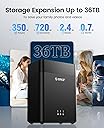
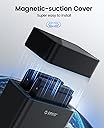
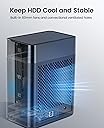
The ORICO DS200U3 is a sleek 2-bay external hard drive enclosure supporting up to 36TB total capacity with ultra-fast USB 3.0 transfer speeds up to 5Gbps. Its magnetic tool-free design enables quick installation, while active cooling and multi-protection features ensure reliable, secure data storage for professionals and families alike.


| Hard Disk Form Factor | 3.5 Inches |
| Compatible Devices | Laptop, TV, PC, Game consoles, Router |
| Data Transfer Rate | 5 Gigabits Per Second |
| Maximum Number of Supported Devices | 1 |
| Hardware Platform | PC/Mac/Linux |
| Memory Storage Capacity | 36 TB |
| Hardware Interface | USB 3.0 Type B, SATA 6.0 Gb/s |
| Item Dimensions L x W x H | 5.51"L x 1.97"W x 7.28"H |
| Material | Plastic |
| Color | 200U3 |
S**R
Good customer service
UPDATE: Orico contacted me and offered a full refund for the issues I reported below. They also sent a firmware update file but I'm not sure I want to tinker with the device settings.******************************************************This enclosure works ok but has two major flaws:1. It won't come back on after a power outage and requires the user to press a button to get it on. Why? Really annoying if you need reliable remote access.2. The drive will go to sleep and become completely inaccessible to the computer until it is rebooted. This is the deal breaker for me, since I can now never shut down the machine connected to the drives without causing them to be disconnected.If you're thinking about using this for any kind of file server or media server that isn't on 24/7 forget about it. This enclosure is only good for casual users or occasional backups.
B**H
It works fantastic.... when it's not going to sleep
I bought this enclosure to use for the parity drives for my SnapRAID setup. After opening the package, I immediately mounted 2 Seagate Exos 20TB drives and put it to work. Yep, it had no problems with the 20TB drives.I had previously been using a combination of single drive external enclosures with mixed success. It's tough to find a good, quality enclosure for 3.5" HDDs that is adequately cooled so that the drive can run continuously for hours without overheating. So far, neither drive has gotten over 42 degrees C. I was concerned about the enclosures ability to max out both drives simultaneously over 1 USB 3 connection but I did a couple simultaneous, multi-GB file transfers and both drives cruised along at 140-160 MB/s, so the USB connection isn't going to limit spinning drives.My one complaint is the sleep "feature". The enclosure goes to sleep after 30 minutes of inactivity and the only way that I can wake it up is to turn the enclosure off and turn it back on. That is simply not gonna work. I run my server headless as it sits in the cool basement and I don't want to have to run to the basement every time I want to run a parity sync. There is no way to disable this that I am aware of.If this going to be a problem for you, too, go to GitHub and download a program called "KeepAliveHD". Install it and set it up to write to each HDD in your enclosure every 29 minutes. Under the Settings Tab set it to "Auto-Run at startup", "Minimize to tray instead of taskbar, "Minimize on close button", "Start minimized" and "Delete text file after it has being written". This will result in the program automatically loading when you startup but is automatically minimized to the tray so you'll never see it. Then it will write a small .txt file to each HDD every 29 minutes and then deleting it. This will keep the enclosure awake constantly.It works, but I wish they would just give us a way to adjust that automatically.
L**Z
Randomly disconnects, possibly harms drives
I tried using this enclosure to connect a couple drives to a home server. It turns out the enclosure will put itself to sleep and then refuse to wake up without being physically unplugged and re-plugged, which doesn’t work when you’re using the computer remotely.It may work if you’re just trying to clone a drive, but if you’re trying to permanently attach one, this isn’t going to work.It’s also incredibly loud and the drives are very loose inside the enclosure. Concerning stuff.
N**E
PERFECT on Mac, Windows only reads 1st slot.
Yes, all the 2.5” sata drives are formatted correctly to ExFat or Fat32 (I’ve tried both) and disks 1-4 can all read/write on any Mac from OSX Mavericks all the way to Big Sur, windows 7,10 & 11 only see the disk in the first slot. It’s great and easy on Mac, plug and play on Mac, the read and write speed is also great even for just the 1 disk windows can see.
M**.
READ ALL REVIEWS!! TEST WITH SPARE DRIVE!!
Make sure you read ALL the reviews!! 1st use a spare hard drive when trying it out. If you put your computer in sleep mode that's where I (along with many reviewers) lost their drive contents. YES you should turn off( in USB controller) " do not let this sleep" in device manager. Right now I physically turn it off when Im not using them. I have 3 drives in 2 cases. Listen.... it works great BUT the way I'm using it is not as I initially wanted. Wanted it as a server case drive) I have a back drive if it wipes everything.If it does that to you then you know why. Just format and copy spare drive.I'm waiting to see what happens in the summer months. Still on "TEST MODE" for now but wanted to write this review.
Trustpilot
2 months ago
1 day ago
1 month ago
2 weeks ago