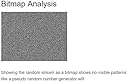
This is a unique product in that it is supposed to provide actual (true) random numbers, not pseudo random numbers from a diode as the root source and it is only $60 USD.....amazing. I HIGHLY recommend you download the latest (not beta) version of realterm software. I found the 2.0.070 is stable. I had problems even with the non Beta v3.X.X. It is a free and very mature serial port application. I tried a couple other applications without much success. Follow the settings on the TrueRNG3 FAQs for realterm. This is a long post since I wanted to save anyone with Windows some time and learn from my work and effort getting myself up to speed. Some lessons learned at least with Windows10: 1. Select port 0 (zero) and then the COM# on realterm that the TrueRNG3 is plugged into. You can do all this from the actual windows terminal, but realterm has some super nice and easy features. See my picture upload for Port. 2. Select "capture as hex" on the Capture tab - see uploaded picture, otherwise you will get "giberish" which is ascii extended set. I did not select it on the screen shot but always do. The 2-digit hex displayed on the terminal is independent of the capture. 3. The TrueRNG3 outputs random numbers in binary (ascii extended) from 0-255. realterm can capture them as that or is you select to download/capture as hex you get hexidecimal. The ascii will look like junk on the screen since it uses codes, etc. 4. Hexadecimal numbers are two digits for a single byte (8 digit binary numbers or 8 bits). They range from 00 (zero zero) to FF for zero to 255 respectively. Lots on the web on ascii to hex to decimal to binary, etc. 5. Hexadecimal saved via realterm to a text file will be all mushed together. Even if you select the terminal output on the first tab to hexidecimal with spaces (which outputs two digit hex bytes to the screen) the actual file will be all mashed together. I uploaded the screen shot of the Display tab and you can see I selected Hex(space). You will need to extract or parse the file into bytes in your application, excel, etc. Very easy to do if you can program and search up how to do this on your language on stackoverflow. 6. You have to turn the port on and it is better to toggle the switch as noted in the TrueRNG3 FAQs to stop the flow of data from the USB COM port to the realterm window. I uploaded a screen shot of the Pins window, it is the DTR (4) set and clear that you use. Clear stops the flow to the application and window and Set starts it. 7. You can set to overwrite your text file or append to it and also very nicely how many bytes you need to download. I needed to plus up the number about 200-300 bytes to get the number I wanted but this is not an issue since you can trim the excess when you use it. See the Capture tab I uploaded. 8. I attached a simple random plot of 16,000 bytes I downloaded directly from the TrueRNG3 in like 1 second. It seems very fast to me, at least for my needs and can generate data very quickly with realterm. 9. I plotted the numbers 0 to 255 (a total of 255 random numbers) on the y-axis in the order they were generated across the x-axis from 0 to 16,000. I converted the hex output or realterm (which as I noted above converted the ascii binary/raw output to hex by selecting the hex output box) to decimal. 10. The attached excel plot is this and shows good random spread. 11. I will run several 100,000 bytes next and run the Chi squared tests for random quality and independence, etc. They did this on the TrueRNG site already but I want to learn how to do it and try it. I have the right and very powerful statistical software to do this. I will edit this post with my findings, but based on the initial simple plot I think it should be OK. When I plot pseudo random numbers like this you are shocked at the patterns you can see as the seed is recyled, etc. like from windows, R, MATLAB, Python, etc. 12. Very happy with the purchase. Stick with it. It took me several hours playing with the TrueRNG and the realterm to get it all to work and provide a nice steady hex stream of bytes, but am very happy now. 13. Also, thank you to TrueRNG3 who packaged the device in a very robust labeled plastic wrapping that was heat sealed on the only open edge, i.e. tamper resistant packaging. 14. Thanks to AMAZON for making this a Prime item.