

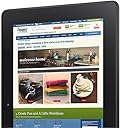

Kindle Fire HDX 8.9", HDX Display, Wi-Fi, 32 GB - Includes Special Offers (Previous Generation - 3rd)
Product ID: 177892
⚡2.2GHz quad-core
📱8.9" HDX display
📸8MP rear camera
📚 Elevate your reading experience with the ultimate tablet companion!
The Kindle Fire HDX 8.9" features an exclusive HDX display with a remarkable pixel density of 339 ppi, powered by a robust 2.2GHz quad-core processor. Weighing just 13.2oz, it offers a lightweight design for on-the-go convenience. Capture high-quality images with its 8MP rear camera and enjoy video calls with the front-facing HD camera. Plus, with the innovative 'Mayday' button, live tech support is always just a tap away.
M**R
Excellent Screen Display and All Around Nice Tablet
To sum up what I will tell you about in the details below, for $379 you are getting a good deal on a large tablet computer - especially if you compare it to the $399 for last year's base unit of the first-generation 8.9” Fire HD and the $500 or more you can spend on a Wi-Fi base version of the iPad; if your pocketbook can afford it, I would recommend upgrading to the one with 64 GB of memory. Overall, if you consider the price and the functionality I think this is a great tool / toy if you watch a lot of video or play a lot of games on your device: the video quality is outstanding and you can really tell a difference between this and last year’s 8.9” HD Fire. If you are a first-time tablet buyer looking for the larger screen size, or where price vs. value is a key consideration, I'd recommend the "regular" Kindle Fire HD that is only $269. If you're comparing last year's 8.9” model to this version and it is operating fine, I'd say save your money and continue to get your money's worth out of that one because other than screen size, for what I am using it for, I can only tell the difference between the video playback and playing a couple of games. I’ve been playing with this for over a week now, and my review below compares a lot of the features of this version of the 8.9” Fire HDX to the original 8.9” Fire HD as well as this year's model of the “regular” Fire HDX, but also some of the features for a first-time user. Initial setup of this year's model of the 8.9”Kindle Fire HDX was pretty easy – that’s saying a lot as this year’s versions of the various models had significant crashing issues due to operating software updates. While this unit did update the operating software, it ran quietly in the background with no issues at all. Screen Display / Video Playback: If video is your thing, this version of the Fire has the absolute best screen display of any Fire model to date: I’ve been comparing various episodes of the first season of the “Breaking Bad” TV show to each of the previous Fire models and I am very impressed at the picture quality. Looking at the technical specs Amazon made some major changes in the display / resolution, and the picture appears more crisp. The display on this Fire was one heck of a lot better in terms of sharpness than last year's model as well as this year's model of the Fire HD. For you technical folks out there, the display is 2,560 x 1,600 (25% better than the HD version of the 8.9” Fire) with 50% more pixels per inch at 339 ppi than the 8.9” Fire HD. Wi-Fi Connectivity: It was fairly easy to connect to the Internet via Wi-Fi. My standard test for trying out new gadgets is to see how fast they run side-by-side with a known piece of equipment doing the same test at the best place of Wi-Fi in my house and the worst place where it drags. In this comparison, I had this HDX version sitting next to last year's HD version and this year's version of the 7” HDX Fire, Motorola RAZR smartphone, my iPad (yes, the Kindle guy uses an iPad for work), and the first-generation 7" Fire (the model from two years ago) all just using a Wi-Fi connection vs. cellular connectivity. My "normal" website test is to hit the mobile websites of CNN, FoxNews, my personalized Yahoo page, Google, and the Houston Chronicle. The ones that were usually slow on the other devices were faster on the HDX (Houston Chronicle and CNN), and for the other sites I couldn't tell a difference in speed at the location closest to my router. When I went to the slowest / worst reception location of my house, the speed did have a slight difference in the other devices as this one was a little bit faster than all but last year's model of the 7" Kindle Fire HD; yes, it was also faster than this year's model of the Fire HD but I attribute the increase in speed to the dual antennas on the HDX. Sound / Music Playback: The two speakers are located in the back of the Kindle Fire in two not-noticeable ports: one on the top and one on the bottom. My usual test of this feature is cranking up Van Halen's Panama to maximum volume (I always want to see if it could really play the guitar licks and hear the bass), and I would alternate covering one speaker up over the other: you have true stereo sound with no degradation of the sound that makes you think you are about to blow the speaker. The Dolby speakers sound nice and you do get to hear the bass. However, I am still of the opinion the speakers aren't going to do very well being placed in the back as I am in the front: I want to be able to hear whatever I am listening to without really having to crank it up and disturbing someone else in the room (that's what happens when you start losing your hearing like I am). To have the sound throw back at you, you need to have a cover on it as the sound reverberates from the back of the Fire off of the cover back to you (hopefully, you followed that). One thing to point out is there is not a default equalizer with this Fire: everything sounds the same. To get the most out of the bass and treble, as well as to turn down the mid-range, I highly recommend you downloading and installing one of the many free equalizer apps here from the Amazon app store as it makes a huge difference, especially if you are listening with headphones. The X-ray feature is pretty neat as it displays the lyrics on the screen if you are so inclined; if you are not, it is as simple as the tap of an icon to make the lyric feature go away. Email Setup: Consistent with previous versions of the Fire, email setup was very easy for my main Gmail account with the software came with the Fire. Previously, I had to install and use an existing app called Enhanced Email I purchased here in the Amazon app store because like many of you I have more than one email account: Amazon eliminated the need for this aftermarket app because you can now switch back and forth between your various email accounts and it was very easy to setup my particulars. The lazy person in me appreciates that as I don't like getting out of the lazy chair once I'm settled in! New Tabs and Screen Layout: In addition to the normal tabs Amazon has continued to make tweaks with the look and feel to the overall display such as more things to scroll through to find what you are looking for in an easier manner. Interestingly, and consistent with my experiences with this year's model of the Fire HD, I purchased the one with special offers and the only ad I have seen so far is on the main screen saver vs. being overwhelmed with ads like last year's model. The last tab on the top right contains a link to various deals on Amazon you can tap to open (or not) as you see fit. Reading Books: Turning pages is pretty darn easy - just tap the side of the screen to go to the next page or back a page, or you can swipe your finger across the screen to do the same. Amazon did add the feature to see the book's description for books on your device like they have with the e-Ink Kindle (always an annoyance with last year's model), which is a plus as I can't remember what each book in my digital to-be-read pile is about; getting to the book description, requires several taps on the screen to eventually get to where you want to be. If there is an easier way to do it, I can't find it and maybe I should be one of the first guys, ever, to crack open the electronic user's manual to figure it out (doubt it). For those of you who have wondered, you still can't organize your books into categories unless you purchase a third-party app here in the Amazon app store. Bluetooth There is a Bluetooth connection, and I did my usual test of this feature by taking it out to my car and having the Fire stream music through my car stereo. There were no delays or skips with the connection, and it paired up in about a minute. Just make sure you give it a device name so you can recognize it and be recognized. Camera: There are two cameras on this model - one faces the front or toward the user / reader and one in the back. Focusing and taking a picture is pretty easy, and Amazon will by default store your pictures in the Cloud - which counts against your storage allotment. I'd recommend turning that automatic storage feature off unless you are sure you want it, because if you go over the limit that will provide Amazon another opportunity to collect a monthly revenue stream from you. I really don’t like the positioning of the back facing camera – primarily because if you use the Origami cover purchased here from Amazon (about the only one available as I type this review), the cover hides not only the camera but the LED flash. That makes the back camera essentially worthless to me. Game Apps: Playing most of the games I play on my tablet is a much better visual experience than the 8.9” HD model. Now if this device would help me move up faster with Candy Crush I would be even happier! Charger: Unlike previous models of the Fire, this one DOES include a charger! Better yet, it is the “power fast” charger that charges your Fire faster. If you're scratching your head with that comment, in previous models you had to purchase a charger separately for $20 which always seemed kind of silly for Amazon to do. Amazon touts it takes about 5 hours to charge this version of the Fire when the battery is completely empty. I’ve charged it several times when it was in the 20% - 22% remaining charge, and it took about six hours. "Mayday" button: A new feature with this model, and not included on this year's "regular" model of the Fire, is the introduction of the "Mayday" button. Basically, you can touch the button and a video screen will pop up and you can actually see - and talk to - a live customer service agent. I pressed the button but felt pretty dumb: when the person who answered asked me how can they help, I basically said "Hi, I just wanted to see if this works and just stopped by to say `hi' for purposes of this review." They laughed and I promptly let them get back to work answering other “I just wanted to try this out” queries. What I Wish it Had: a screen protector that was ready to go. With all of the tapping, sliding, etc. on the screen, you can easily scratch the unit. The screen protectors have been out of stock for a while now and I hope mine gets here soon. Overall, I think this is a good deal for someone who really uses the video / apps feature. Kids will love it as they can read books, play games, watch TV and movies, and a whole lot of other things. Adults should like it for the exact same reasons, but while I try to minimize the amount of work-related stuff I do at home with the business apps that are available here in the Amazon App store and other places around the Internet I can also work on Excel and Word-compatible files when I have to without having to fire up my work laptop or whatever the case may be. If you've never owned a tablet before, or are looking to upgrade from an earlier model Fire, I would recommend this one if video and apps are your thing - but I would recommend you purchase the higher memory one vs. the minimum 16 GB. If you're comparing last year's HD model to this version and it is operating fine, or looking for a tablet for your younger children, I'd say save your money and continue to get your money's worth out of last year's model or get this year's model of the 8.9” Fire HD at $269.
C**C
In Love
I decided that my older 2012 Kindle Fire HD 7 wasn't big enough for my fast changing school needs. As technology is progressing, more and more of my classes are offering ebooks or online access to supplemental software/programs. This semester 2 of my required books were only available as an ebook. I did purchase them for the Kindle Fire HD 7, but it was a pain to use them. I had to zoom in and out to see different areas of problems and pages and read ok. Being accounting themed books, I was doing a lot of zooming and scrolling and shrinking to see the whole problem I needed to do for homework. This of course took up a lot of time. I also only got my Kindle in 8gb at the time and I was running out of storage room for items I wanted at all times on my kindle (music, movies, books, etc). So I decided with my school refund I would apply it towards the Kindle HDX 8.9. What a smart move! I have only had this 2 days and I am in love. Even though it is "8.9" inches bigger, it seems to me like double the size. I can see 1 whole accounting problem on the same page in a font that is easily to read. Makes my homework much easier to get done. The screen clarity is much clear. This was not a huge importance to me, but a big plus. HD movies are crystal clear. On the Older fire I had the HD movies were a smudge blurry. In addition, it processes much faster. I feel like my old kindle fire was "dial up" and this is "cable'. The sound quality is impressive. I feel like I was sitting in an i max theater watching an episode on prime last night. For the size this is very light. Yes it weighs a few ounces with the case on than my previous fire, but overall when I hold it in my hand (most likely because of the larger size and more balanced weight) it feels lighter. I got the Trident case to go with it. (If you go with that case I do suggest a zippered tablet case in addition just to protect the screen.) The onscreen keyboard is much easier for me to use vs previous model kindle fires I have personally owned. The front and rear cameras are amazing. The rear camera does take some very nice quality photos. I had a fun time today going around the apt complex snapping various shots. It is very nice we can download some of the prime movies and shows now to watch at a future date when we aren't or may not be connected to the internet (or maybe a really slow connection). I did go ahead and get the 64 gb. I was going back and forth between the 32 and 64. But honestly for the $50 difference, I knew I would be happier with 64. I have many cd's and movies that I purchased. I travel via train and plane often so like to load the kindle up with enough movies/music for the trip. My parents are 7 hours away, so depending on what deals I get, I either fly or take amtrak. It's nice to have the room to put enough entertainment onto the kindle for the trip. My grandparent's don't have decent internet (they are still dial up) so I put enough for the length of my trip when I travel to them. And with technology going towards e books I do have the room to put all my school books on there. I am not disappointing with my purchase at all. When I have more funds I will be ordering a second for my roommate. She was eying one long before I gave it though. Just made it into PTK (International Honor Society for 2 year colleges) and she got me a nice gift when I got into PTK, so I figured would be well worth a gift for her. This would make a very nice gift for a graduating high school student or someone in college. Like I said, technology for college is going towards all electronic. All of my classes had e book options this semester...but 2 classes I could only get e books. I am going to rent the e book for the other 2 classes just so I don't have to lug heavy books to/from school any more. The only one downside I want to share is Amazon put the $500 charge on my account as a "hold" and then charged again when shipped. I was a little upset by this as I"m still 2 days later waiting for that "hold" to clear. I have ordered hundred of times off of amazon over several years and never has this happened. So be aware this may happen to you.
A**R
Kindle Fire HDX 8.9, it's dead Jim! **UPDATE 8**
[UPDATE 8]More than a month since my last update. Seems to be going along OK for now. I have done all I want to do. It has crashed a couple of times but no more annoying than Microsoft Windows used to be. Reboot and all is well. To be clear, it does not happen often. Two or three times since the middle of December 2013. So not bad since it runs all the time. The cool thing is that you can mirror the Kindle on an HDTV using a Miracast device. I used the Netgear PTV3000 and it worked great. I am getting less and less gun-shy as time goes on. Now I will start exploring other features. [UPDATE 7]So here it is, Christmas day, and this Kindle has only crashed once and was recoverable using the 20 second power button trick. I have downloaded single movies, watched them, then deleted them, and the thing didn't brick on me. A good thing. However, I am still gun-shy. I am invested in the Amazon experience so will keep on using it. I am at version 14.3.1.0 of the system. [UPDATE 6] Up to three stars from one. This is tablet number III. I am gun-shy about loading any movies to watch. Don't like being on pins and needles. I will give it a go sometime in the coming week. Right now I am busy loading up music. Since all my Windows Media Player files are wma, I have to convert to mp3. Been doing that and almost done. Copy onto the Kindle, some of the music doesn't integrate well. It will play but there is no album cover for some of them. I wonder if there is a way I can do that myself. Used to be able to do that in iTunes and then update the iPod. Any way, it showed up Friday afternoon, earlier than originally expected, which was cool. So far it has been been working rather well. But, like I said before, a little gun-shy. only Netflix videos so far. [UPDATE 5] Customer service is sending a new one. Hope this one works. First thing I will do is load it up and delete movies. I should take bets on the outcome. I am going to give another star for the customer service. [UPDATE 4] BRICKED AGAIN!! This time it is the oft reported deleting a video crash. I'll update after my upcoming customer service adventure. Two crashes gets it from four stars to one star. If I can't use it, it is not useful to me regardless of the specs. [UPDATE 3] New odd behavior today. I used a set of headphones for the first time today. They worked fine. However, I pulled the headphones and turned the display off and went about my business at work. Later, at home, I wanted to watch video with no headphones. No sound, none, zero, zip. I tried turning it all the way down and up using both the hardware buttons and the slider bar on the display. Nothing. I restarted it to try again. Still nothing. So I put the headphones back in. Audio is working through the headphones using the video streaming (did not check other stuff). I pulled them and no audio. This time though, the display slider showed it on mute. I was then able to bring up the audio with the display slider. Did not test physical buttons. Very odd. AMAZON, I HOPE YOU ARE LISTENING! Lots of odd behavior and yet, I still like the device and will leave it at four stars. [UPDATE 2] I have now used the new HDX 8.9 (64gb no adds) for five days. While it has not bricked, it has crashed a few times. Several while using Silk, the web browser. In this case the browser crashed on its own, leaving the OS running. This was usually when viewing videos embedded within a web page. The other times all had to do with trying to use the embedded iMDb capability within video streaming. In this instance it is a hard crash forcing a reboot of the device. This is what originally bricked my first HDX. I had much more memory used (probably around 80 to 90 percent) when it bricked the first one. The trend here seems to be trying to use apps and streaming video at the same time. Like others, I realy realy like the platform. What I do understand is that first adopters generally get to be beta testers to a certain degree. No amount of testing will ferret out what a broad base of users will try to do. Amazon has been very responsive so far and I for one can work with that. Your mileage may vary. [UPDATE 1] New one arrived on Monday,as planned. So far it is working great. I have not fully loaded it yet. Upgraded to 4 stars since the Netflix app does seem a little wonky. Movies, books, web, all seem to work very well. What I really like is that the time charging web tool for my job now works. As a matter of fact, so far all my work apps have been fine. Even the books 24x7, which is very cool. [ORIGINAL] When it arrived, I was psyched. Started up, got online quickly, was able to start syncing all my stuff. The transition from my old Kindle to this was going swimmingly. Got to stream a movie. While this was not a new thing, it truly was painless. Got late, paused the movie and went to bed. The next day, I got home and all my movies were synced. BTW the uber high res movies take up a boat load of space. Played around with it for a while, sat back to watch the remainder of the movie and it finished, scrolled credits, then I rewound it a bit to a particular scene I wanted to get info regarding the actors with the integrated iMDb (cool), and *POOF*, it died, dead, as in past on, is no more, ceased to be, expired, etc. etc. (I'm a Python fan, what of it?) So did all the regular tricks to resuscitate it. It has met its demise. Got in touch with a very nice person on chat, it was o dark thirty here so based on the name, India comes to mind. I don't care. A synopsis of the chat: Them: Huh! You've tried all the tricks and it still doesn't work? Me: Yes. Them: Um.... It's dead Jim! Me: Are you a Trekky? Them: ? Them: Let's process you a new one. Me: Works for me. OK, it didn't go exactly like that. I like the device, it's a nice size, uber light, easy to figure out, the screen is bright and sharp, the audio is also very good and it all fits with what I want to do with it. Three stars because it died in two days. Hopefully this is a one off. But they are being very responsive. Of course they don't want to see problems with the flagship device. I'll update this with additional info when the new one arrives.
A**B
Miracast and other misc.
So, I love my new Fire HDX (64Gb, wifi only with ads), but all the positives have already been reviewed at length by others, so I will concentrate on what I have not yet seen discussed elsewhere in a lot of detail: 1) Display mirroring (with Miracast). I got the NETGEAR Push2TV Wireless Display HDMI Adapter - Miracast and WiDi (PTV3000) and finally managed to make it work, no thanks to Netgear who have just lost a customer. Well, not really since I never bought a Netgear product before and arguably I didn't this time either as I bought it refurbished, but still. Installation issues notwithstanding, after it started working, it was pretty amazing. I tested the Miracast functionality successfully with both my Win8 laptop and my Kindle Fire HDX. Yes, there is a very slight lag, but nothing major and I suspect the technology will only get better what with the rate of the firmware updates being pushed out by Netgear for this product, trying to keep up with their competition which I think will be fierce now that Amazon has put its weight behind the Miracast technology by doing away with the HDMI output port entirely in the Fire HDX models. Which means that if you are emotionally attached to using an HDMI cable to connect to your external screen or TV, or just do not want to put up with the potential pain in the neck the installation of the PTV3000 may turn out to be (though to be fair, some people had no trouble whatsoever?), you will want to stick with the HD models instead. If you are excited about Miracast and want a WiDi adapter for your TV, use some caution, because as my review of said item demonstrates, it can be a hassle to setup. A cheaper alternative is the Tronsmart T1000 Mirror2TV Wireless Display HDMI Dongle which performance is unfortunately not as good as the PTV3000 (noticeable time delays and pixelation when mirroring and requires use of their free proprietary app, EZCast ). 2) Customer service. I have never seen any company spend so much time and effort into ensuring customers were happy with their flagship product (the Kindles, I mean. When it comes to every other product and services, they are just as impersonal and crushing as you would expect). I have rarely -if ever- had to contact Amazon with any of my Kindle issues before, but I was forced to contact an Amazon representative three times since my HDX arrived and each rep was unbelievably polite, helpful (and downright nice! all three of them! What?) and went to extraordinary lengths to resolve my issues (minor hardware problems - I'll update this review upon final resolution). [UPDATED: my issues were resolved very satisfactorily, all it took was the guts to call Amazon support in the first place... All the customer service reps I spoke with -all 6 of them by now!- were helpful, patient, reasonable and even technically competent!? I don't understand this minor miracle, but it's certainly no coincidence and I was very glad to be able to take advantage of it. This great level of customer support is available for all your Kindle issues, not just HDX models, by the way]. One of my calls was made while testing the Mayday feature and I was stunned by how amazingly good the concept and execution of this idea was! Kudos to Jeff Bezos, this new feature is brilliant and will gain him major customer loyalty, especially among the older set (this is not meant to be insulting as I am no spring chicken myself). 3) Accessories. This tablet is a thing of beauty and a joy forever, granted, but it is also a fingerprint magnet -especially its display which is a touch screen, of course- and the rubberized back, which was so convenient and comfortable in the 7" original Fire, seems to have become a sponge for natural skin oils with the 8.9" HDX model? Fingerprints are everywhere and stay obstinately attached to every surface, not just the display, and personally I never figured on wiping them off as a full-time occupation. My solution? DecalGirl skins (check their website for a dazzling number of choices or why not, the original DIY look: DecalGirl Skin - 'Create Your Own' ): no, I do not work for them, I just spend a lot of time and as little money as possible trying to get the right accessories for my Kindles. They are a tad expensive ($20), but they are unbelievably easy to apply, of superior quality, extremely durable, come in a huge variety of designs from colorfully eccentric to classically elegant and DecalGirl often offers up to 25% discounts on their website. They will keep your Kindle looking and feeling like new. Note that most cases easily fit over these skins but remember that if you also want a screen protector (I did!), it should be applied before the skin is applied to the body of the Kindle (front and back). By the way, covering the front of the Kindle (the bezel around the screen) makes holding your Kindle a lot more comfortable... This is no ad for DecalGirl: if you prefer one of their competitors (for instance: MightySkins Protective Skin Decal Cover ), do your research and go for it, I am merely pointing out that I believe getting a good quality skin for your HDX is more important than buying a case. Also a lot cheaper than an Origami case, Amazon's preferred solution which at $50+ is just too rich for my tastes (sorry, this bon mot was just too easy)! Speaking of accessories, since I cannot recommend any one case wholeheartedly, I can at least recommend the Targus Mini Stand (AWE65US) . It's surprisingly practical and elegant for a simple block of transparent acrylic! Designed for any smartphone or tablet up to 10", it's perfect if you like watching videos on your HDX from a desk or a table rather than balanced in your lap. 4) Downloading videos. The limitations mentioned in B. Tarbuck's review could be a problem for everyone who purchased the 64Gb model with the new downloading features in mind, which was my case... but a few months of heavy usage later, I can confirm that the points he raises are not necessarily a big deal. - First, you'll want to keep in mind that not all Prime videos are available for download as licensing rights limit what Amazon offers and which videos are Prime and downloadable is liable to change without notice. - Second, there is indeed a 25 downloaded videos maximum at any given time which personally I find is acceptable, even though I would have preferred to have heard about it beforehand rather than discover it afterwards. - Third, the Viewing Period limitation (48 hours or so depending on the video) is a lot easier to swallow when you realize it only starts applying to videos once you start watching them. So the Viewing Period limit is actually quite comparable to the Lending Library's limitations: you just need to remember that Prime Videos are not available for streaming while you are traveling outside the US which is why you need to download them to your Fire HDX before leaving the US. Or if you are an overseas customer: yes, this IS discrimination! Just kidding, it's due to the same licensing rights limits referred to above which Amazon negotiates with the content owners (Warner, Fox etc.) themselves, ie the same people who insist on different DVD regions etc. [IMPORTANT: the 'Viewing period' limit actually applies only once you've STARTED watching a video. As long as you simply keep your downloaded videos on your Kindle Fire for later viewing without starting the playback of the file, the Viewing Period limit is irrelevant. Now, that's more like it! :) ] Personally, I invested in the 64Gb model because I am often in the position of traveling overseas for months, with very little personal internet access. Let's not get into a discussion of what most hotels overseas -ahem UK, I am looking at you here, not that Italy or Germany or Japan have a leg to stand on either- think is 'free internet access' or the availability of English-speaking entertainment media outside the US. Can you believe that some countries expect you to understand their own non-English language to get your entertainment?! Just joking: English is not my native language... My point stands, however. Therefore purchasing the 64Gb model may be worthwhile if you like to load up your Kindle with lots of videos in preparation for a long overseas trip: just remember that once you start watching a video, a fairly short Viewing Period time limit starts running - about 48 hours (more or less depending on the movie/show in question). This is similar to the time limit you run into when downloading Prime Videos to your PC or renting vs. purchasing movies from Amazon, by the way... Please also note that movies and TV shows take up a huge amount of space when downloaded from Amazon, even when you do not choose the HD version, compared to your own personal videos (ripped from your own DVDs, I mean) which usually take up no more than 1 or 2 Gb per movie. Plus, your own videos have no such intrinsic Viewing Period time limit and can be re-watched as often as you want, forever, just like the videos you actually purchase from Amazon. Remember, if you are willing to actually pay money to purchase a video from Amazon, you can then download it to your device at any time (while you are in the US), and keep it on the hard disk of your Kindle Fire -and any other Kindle Fire you own, past and future- forever (or you can re-download it repeatedly). Which is what Amazon is hoping we'll do, in fact... That's the whole point of selling the Kindles at near cost, after all. One more relevant item of information when it comes to choosing your Fire HDX hard disk size: the micro USB port is not OTG compatible, so you cannot simply use an OTG USB key (like this little beauty for instance: Patriot Stellar Series 64GB USB 3.0 OTG - PSF64GSTROTG ) to easily increase the size of your Fire HDX hard disk. Oh well... 5) non-Amazon content and apps: let's just reiterate a few points which most official reviews I have seen rarely make. - you can totally get non-Amazon apps from the Google Play store. Or any reputable website, as long as you are careful and do a bit/a lot of research first if you don't want to be sorry later. Download the .apk file (all Android apps are really files with an apk extension), then transfer it to the appropriate folder on your Kindle. Opening the apk file then installs the app on your Kindle Fire and the app will afterwards appear in your Fire's Apps section. It's that easy! This simple process is called sideloading and no, it's not difficult or complicated and does not require rooting and does not invalidate your warranty or anything: the internet is full of simple how-tos on the subject, just begging to be read. And Amazon is perfectly fine with your sideloading non-Amazon apps, especially free apps. Obviously Amazon will not refer to it or explain how to do it and they will avoid even mentioning it, but Jeff Bezos is well aware that lack of flexibility on this issue would be a deal breaker, even if he'd rather not admit as much officially. Which is why it's a fairly straightforward process, even though it would have been quite easy for Amazon to prevent us from sideloading non-Amazon apps. - you can easily get non-Amazon ebooks (pdf or epub or any other commonly used ebook format, free or otherwise - B&N etc.) to your Kindle: just install the Calibre software on your computer and it will handle all the format converting and transferring to your Kindles, from the oldest Kindle e-reader to the latest HDX. Plus lots of other neat and amazing features, including tagging or helping with the rental of ebooks from your public library system. Calibre is free, it's got heaps of documentation and technical help, it's regularly updated and it can and will handle your whole ebook collection beautifully while synchronizing all your e-Readers easily. It's like iTunes for ebooks! If iTunes was easy to use, efficient, inclusive of formats and platforms. And came with helpful free add-ins like Firefox does. And did not lose your full media library the way iTunes loses mine all the time. - comic books/graphic novels/mangas and magazines in pdf format. This is a seldom mentioned advantage of the 8.9" HDX: its larger screen size and higher resolution makes it a great way to read comics in pdf format with the built-in pdf reader! It's a bit less practical in cbr or cbz format (as opposed to reading comics on a PC where using a free cbr/cbz reader is best), but easily doable and well worth it for facing the hours of tedium that travel often requires. No need to use a comic book reader app, especially since the best such apps are not free, if your comics are in pdf format! But if your non-pdf comics library is just too extensive to convert, then you can check out ComiCat which costs $2.99: it handles most comic formats, organizes your collection nicely on your Kindle HDX and allows easy synchronization with cloud services like Dropbox, which is pretty nifty - compared to having to copy your comics files to your HDX yourself. - other external content (music, photos, audiobooks and videos): nothing is to stop you from ripping your favorite DVDs and CDs (reliable free and paying tools are all around you) and transferring them to your Kindle Fire. It's even easier with an HDX than ever before! I've been doing all of the above since the Kindle Fire 1st gen all the way to the HDX without any trouble via the USB port of my computer: a simple USB to micro USB cable -the same type of cable you use to recharge your Kindle- and you're all set! Or send your ebooks attached to an email to your Kindle's email address: Amazon Help pages are full of detailed descriptions about it... this email method incidentally lets you share your non-DRM ebooks with your friends and family simply by emailing them with your ebook. Assuming their own Kindles have been set up to accept documents from your email address - this last requirement is a security measure to avoid spam. Personally, I use this nifty 'sending books via email to a Kindle device' functionality to guilt my relatives into reading edifying books I think they would benefit from (passive-aggressive stuff about healthy diet, exercise and the like... ) and it helps with their insomnia issues, if nothing else! Google will lead you to numerous helpful how-tos explaining which folder you should copy your video/audio files to on your Kindle Fire and which free apps to use if for some reason you do not want/cannot use the default app. Videos and Photos will show up in your gallery under your Photos section and your uploaded music and audiobooks, naturally enough, in your Music section. If your files are in a format your Kindle Fire cannot open and you don't want the headache of having to convert your files, just use one of several apps that open most files: personally, I use ES File Explorer to navigate the hard disk of my Fire and open all my non-Amazon content. You can also check out MoboPlayer which plays any video file format, not just only mp4 files like the Fire default video viewer app. These two apps are both available free on the Amazon app store and are very popular for good reasons. Again: all of the above in point 5 works for all Fire models, not just the HDX. 6) On a different, UNRELATED topic: if for some reason you want to root your Amazon Fire in order to run the non-Amazon version of Android and be able to control the look and feel and functionality of your tablet, please be aware that you will lose all Prime membership advantages on this Fire tablet (though not on your computer or any other Fire you may own). Such as free Instant Prime Videos and the Lending Library. And Mayday functionality, also a bonus of the FireOS. I just want to emphasize the fact that sideloading has nothing to do with rooting: the amount of ignorance and misinformation floating about this topic is simply astonishing. And by the way, I really don't recommend rooting a Kindle Fire, though yes, technically speaking, it is doable. By anyone with nerves of steel. And at least several hours of free, preferably uninterrupted time for in-depth research beforehand... Just be prepared to take responsibility for the waste of hundreds of your dollars if you do brick your Kindle device.
J**L
Beautiful, but does lack a little.
First, I am giving this 5 stars because it really is beautiful, has an outstanding display, and is very light. However, it does have some limitations. What I like: The display! I have had an original iPad, a 4th generation iPad with Retina, and an iPad mini - this display blows them out of the water. The speed: This pad works flawlessly. There are no hangups, no freezes, and no stuttering during video playback. iCal CAN sync with this: Many will say that your iCal cannot sync with your Droid based devices. YES IT CAN. All of my computers are Macs and I love iCal. Furthermore, my Macs store all of my contacts and task lists. There are apps that will sync your contacts, calendar, and your tasks. I use CalDav-Sync available via Kindle store and Google play and everything I update on my Mac shows up on my Note 3 and Kindle HDX. I do not care for the included Kindle calendar (I am a big calendar person) so I also bought AwesomeCalendar and it is a great calendar app. CalDav also works to update this calendar with all of my information on my Mac and I never have to do a thing to make it happen. Reading Features: I considered the following before purchasing this Kindle: iPad mini with retina, Samsung Note 8.2", and a Kindle HDX 7. I am pretty tired of Apple products. I am not saying they aren't great, and it is the only computer I will buy, but I like new things. Each time I purchased a new i-product it seemed so much like the previous that it just didn't feel new. Therefore, even though the new Mini with retina is beautiful, I ruled it out. I really like the size, shape, and feel of the new Samsung Note 8.2." Samsung went back to black and moved away from that strange brown decision and I love the ability to use the stylus. Plus, I also switched from an iPhone to a Note 3, so this means all of the Apps I have purchased in Google Play would be available for my pay as well. So, this being said, the Samsung Note 8.2" was almost my new pad. However, it is very similar to my Note 3 and the the Kindle beats everyone in one area: READING. Yes, you can get the Kindle app on your other products, but you can't get immersion reading. I have not built my library via iBooks, luckily I have purchased all of my books via Kindle. So, when I opened my box and pulled out my new Kindle, they were all there. I am a PhD student in the dissertation phase, so I read A LOT. not all of my books have been available via Kindle, but when they are they are less expensive and I love the note taking features. I do think the note taking features and highlighting works better on the Kindle than it does through the Kindle app. You are allowed multiple highlighting colors to choose from, it keeps track of my notes and reading on all of my devices, and you can get the audio versions of the books (if available) for very good prices. I have been an Audible fan for a long time. I know many do not care for audio versions, they prefer to read. Immersion reading combines them! This is WONDERFUL for me because I like to accomplish tasks while listening to a book, but if I need to highlight something, the immersion reading will show me where I am and I don't have to hunt. This is a big upgrade and what tipped my decision to make this purchase. Now, at the time I was not thinking about actually carrying this thing around while I listened, and the 8.9 is a little large for that, perhaps the 7 would have been the better choice, but the 8.9 isn't too heavy and I can always listen on my sisters 7", or i-product if I am moving around and it will sync with my 8.9" to let me know exactly where I left off. The organization of the Home screen: I really like the carousel and the folders that you place apps in. Unlike Apple app folders, the Kindle allows you to place many apps in a folder (this may have changed in recent Apple IOS updates, not sure). Weight: Very light! I like the feel of this pad. It is lighter than the iPad air and does not feel cheap to me (the 7 inch does not feel substantial enough to me). Aesthetics: I love the all over black! I find this to be a beautiful pad. Comparing it to the iPads, I cannot say that one is better looking than the other because I think they are both beautiful in their different ways; however, this has a rubberized back that makes it MUCH easier to hold onto. I also prefer the shape. iPad is a little wider and I don't think it is necessary. I prefer the more 16:9 shape. I had a very difficult time deciding on whether to buy this because of size. I found that an 8" display was perfect. The full size iPad was too large and too heavy. The iPad mini was just right, although I still prefer the more rectangular look of the Kindle 8.9" and Samsung 8". I felt the 7" Kindle was just too small. The 7" feel a little cheap to me and there just isn't enough screen for reading. Moving back up from the 8" mini made me nervous. I will say that I do wish this Kindle was slightly smaller. Even moving down to an 8.3 - 8.5 would probably help, but it is not overwhelming. I am still happy that I chose the 8.9" over the 7" and I really do like the size and shape when viewing movies. Ability to download free content: One of the big pluses of a Kindle is Prime. I know you can download content from iTunes and get movies and such that way, but I have NO DESIRE to pay $20 for a download I will watch once. We take a road trip every summer and WiFi/4G is not always available. Plus, streaming via 4G eats up a lot of data. So, I wanted to be able to download movies and TV to watch on the road. You can do this with Prime and they do have free content (I'll also discuss this more under what I don't like). Amazon also gives away a free paid App a day. This is pretty cool. I log in every day and download most of them. Most are games, I would like more variety, but they are free :-). Origami Case: if you buy the Kindle HDX 8.9 or 7, I highly recommend the origami case. For my previous i-products I have purchased multiple cases and contraptions to hold them where and how I wanted them. Never has any case been as nice and met all of my needs like this one. I did and do not like the price of this case. It is about even with Apple brand leather iPad cases, but those are incredibly overpriced as well (and I do not like Apple smart covers, they are far inferior to this case). However, this case, at least, does a GREAT job. I did choose the leather and I am glad I did. It feels like a very nice quality leather, has not scuffed, smells good, and the Kindle fits it perfectly. The case also allows you to easily push the Kindle up to take photos, control power, and control volume. My sister bought one of the non-leather origami cases for her Kindle HDX 7, and while the case functions just the same and is a great color, I really prefer the leather - it just feels better, looks nice, and has a leather rather than chemical smell. The magnets in this case are great, holds very securely, and they turn the unit on and off. The case folds back flat, or holds the unit vertically or horizontally; and, if you like to read it bed, it does a great job of holding the Kindle up on your stomach or on a pillow. Again, while I agree this case is expensive, I do believe it is the only case I will need to buy for my Kindle. What I don't Like: Number one biggest complaint - DESKTOP BACKGROUND and Home screen images. You cannot change them! This is crazy to me. I did not expect this and I am disappointed. This in no way has anything to do with the function of the device, but I really like personalizing. I chose no advertising - there is enough of that in the world - and I removed the Amazon recommends section on the home-screen; but, that is where my choices ended. I cannot change the black background and I cannot choose what images greet me when I open my cover. I don't know if Amazon chose to do this because of their advertisers and/or for ease of help via MayDay (which I have never used, it isn't a complicated tablet), but I DO NOT LIKE IT. I want to open my pad and be greeted by my Boston Terrier, not a generic picture (although the lock screen images are pretty nice looking). I think this could be easily fixed via software update, but I also assume Amazon left this common feature out on purpose and doesn't plan to include it. Amazon Prime Free Content: I stream via Prime and Netflix and between the two I get most of what I want. However, I wanted to be able to download shows and movies and take them on the road with me. First, know that this EATS YOUR MEMORY. I chose the 64GB pad and it doesn't take much to fill it if you choose HD - a couple of movies and a few episodes of a show and you are full. You can choose lower quality, but it does look inferior on this exceptional screen. Downloading HD is also incredibly slow. I have pretty fast connection, but HD takes forever! That being said, the worst part is that there really isn't much to download. Sure, Prime offers a lot, however the majority of Prime cannot be downloaded. Hopefully this will change, but this is a feature that I was hoping to get a lot more out of. Size: The jump from a 7" to an 8.9" is pretty big. I wish they would offer an 8.2 - 8.5." It would be a little more slender, easier to fit in a large pocket and easier to hold with one hand. One thing I like about the 7" is that I can hold and control it with one hand. The 8.9" requires two hands. Still the size it much better than the full size iPad. App Store: I don't feel the app store is all that lacking. It is pretty extensive and serves most of my purposes. Unfortunately I have had to purchase duplicate apps because my iTunes purchases obviously don't transfer and Kindle does not use the Google Play store. The perfect device would allow purchases from all of them, but I get that this won't work. There are apps in all three app stores that are not available for one or the other. So, there are still apps on my i-products that I can't find for my Android devices and there are apps via Droid that I can't find for my i-products. Final thoughts: The perfect pad for me would be around 8.3 inches, include a Samsung-like stylus, have the power and performance of i-products, work with an app store that has all apps for all platforms, be very customizable, be very light, and include all of the reading features and Prime features of Kindle. It would also fit in an Origami case because it really is the best case I have used. That being said, at this point, Kindle simply offers more of what I am looking for in a tablet. I don't know if my perfect pad will ever exist, but, in the mean time, this one is pretty great!
B**Y
The Fire 8.9 HDX exceeded my expectations and equals or beats the Ipad Air in many respects at a cheaper price! Love it Amazon
I normally do not post reviews as most of the time I am not that impressed with a product to take the time to write about it in detail. This is the exception The Kindle Fire HDX 8.9. I have had all of the previous versions of the kindle fires and thought they were good for movies, books, shopping at Amazon & music along with a few apps that were popular, but they lacked the hardware/spec/polish to be a great internet browser and tablet overall. I have used the Ipad 1 & 2 in the past and even those older versions surfed the net better than the previous Kindle Fires most of the time. With the addition of all the apps for Ipads and the straight android market it was tough for the older Fires to compete directly as a top quality tablet. I never bothered in the past to side load apps as I figured it was difficult and a bother and back then I was just using all the apps I needed on my Samsung Galaxy 3 from the android market. (More on Side loading apps later on the Fire) NOW...the new Kindle Fire HDX 8.9 changes everything that I did not like. I was able to purchase it at Staples with a $50 off coupon and for $329 I received the 16 gb version that now come with a charging kit. The old ones did not. That is a difference of $170 compared to an $499 Ipad Air 16GB. Even at $379 it is still a saving of $120. First impression was WoW the amazing light weight of the new tablet...Awesome! Next the screen is amazing. When I say that, I mean the best I have ever seen on any tablet including the new IPAD Air (more on that direct comparison later). I was hoping that these 2 improvements would not be the only thing that was upgraded as the software, apps and processor needed to be drastically improved to compete with the other new tablets coming out. The great news is that the silk browser is much improved as well as the whole operating system. Fire HDX 8.9 vs the Ipad Air I tested the Kindle Fire HDX 8.9 against my friends new Ipad Air in surfing the internet 1st. Side by Side i would go to various sites on both tablets to see if there was a big difference in speed. They were both going over wifi and to my surprise the speed was basically the same (really good). Sometimes the kindle was slightly faster and sometime the Ipad was, but it was so negligible in most cases that I would not even notice it if not comparing them side by side. The great news to me was that the New Kindle was equal to the new Ipad Air in surfing the net which in the past it was not! My next comparison was to look at the screens while surfing and also watching movies. The Kindle Fire screen was indeed brighter and clearer in both movies and web sites in almost all cases. The Kindle Fire's screen is slightly smaller, but for watching movies in HD horizontally they were the same size on both devices because the Ipad has the black bars that limit it on I am assuming HD formatted movies. (I could be wrong in that maybe it is not always the case with the formatting). The Kindle Fire's coloring, brightness and clarity in side by side streaming movies with the Air was just plain and simple better. In darker scenes you could clearly make out details on the fire that I could not on the the Air. The Fire's screen looked brighter and clear with great colors that just stood out! I tried several scenes in 2 different movies and the result was always in favor of the Kindle Fire. I was shocked at the advantage as it was quite a bit better. (the Air has a good screen, just not as good as the new fires!) Also the Kindle with a Prime Membership lets you download some movies/tv shows for viewing offline later. It is not all movies/tv shows but there is enough for now to keep you occupied for several trips and hopefully they will continue to add more in the future. They let you chose the standard size or 720 or 1080 but each step up takes up more room on your tablet and takes longer to download. I have also heard that some have time limits as to how long you can have them downloaded but I have not yet experienced that with the shows I have downloads. (one negative is they do not tell you which movies are downloadable??? So you have no way of knowing until you click on it. Hopefully they will add that to the search option in the future in Prime) I just also want to mention IMDb for movies is something I thought I wouldn't use much, but I am really starting to like it. It tells you all about any actors on screen and also add's trivia about the movie or scene. It makes me want to rewatch older classic movies just to learn more about them! Ok, so far the Fire is lighter in weight, with a better screen and the speed when surfing the net was equal! I am really impressed so far. Now comes the area that bothered me in the past and almost had me going for an Ipad Air..lack of Apps in the closed off Amazon market. Now do not get me wrong Amazon has a ton of popular Apps that I am guessing would satisfy 75% of the people who would consider buying a Kindle Fire in the 1st place. They have all the popular games and apps that most people use. But they also do not have some that Google and Apple do provide. For example Amazon had my CBS sports fantasy Football app, but did not have ESPN's fantasy football app. along with Direct TV Sunday ticket! This drove me crazy as I wanted both on my new amazing Fire screen! So I decided to try to side-load these into the Kindle and they worked! I will not go into that process, but It was relatively easy to do in just a few steps. This process gives me access to most/all of the android apps!!! This is a great way to get all the apps you might not find in the amazon Apps store. I will always use Amazon apps 1st (since they approve them), but then sideload ones they do not have in their store. This really solves one of the biggest complaints you will hear about the Kindle Fire from techie/experts! It may take a little work at first to figure out how to sideload the apps, but once you do it is a pretty simple task. Lastly, I just received the OS update 3.1 for the fire and it added Goodreads and also Collections to the Fire. It added more improvements but I did not have a chance to use the others to this point. Goodreads is great if you like reading and seeing what others recommend or are reading! Collections lets you add Books or Apps into Groups which makes it much easier to find things on your tablet. The apps collections can go right on the Home Screen of the Kindle which is a nice touch that other tablets already maybe have (apple?). There are other improvements that I will try to come back and update at a later time when I have a chance to use them. In summarizing the Kindle Fire HDX 8.9- It has surpassed my expectations period. I find it can go side by side with the new Ipad Air in almost every respect and even beat it in screen quality, weight and price $170 less!!!! You can almost buy the smaller HDX 7inch for that if you catch a sale. I cannot recommend the 8.9 enough as I am for the 1st time really impressed with the whole package. It can do everything well and has the screen, processor, OS and price that puts it ahead or at least equal to the new IPAD air. Amazon with Prime & the HDX 8.9 is a killer combination of great Hardware/Software/2 day free shipping/Apps/Games and finally Great Amazon Support! The Mayday Button (Help) is amazing. I am pretty good at using technology and I used it a few times to help change a few settings on the tablet instead of searching for the settings. The customer service rep. was online in a video box on my table in 20 seconds and help me find the settings quickly. Another amazing aspect of this tablet is that it is great for novices as well as people who like technology and want to try to sideload apps for example. I just do not see anything on the market at this price with this many great and unique features that comes close to comparing to the HDX 8.9 Fire.
G**N
Amazon, I am so disappointed...Three times{Updated}
[UPDATE 2 11/17] - #3 Failed. I can't believe that it is anything I am doing as all I am doing is downloading. I'm done. If this issue can be fixed, maybe I'll try again, but I really don't think so. I'll wait for the next refresh. ________________________________________________________________________ [UPDATE 11/17} - After a week or so working with Amazon CS and their tech team to get my second HDX working, I decided to go one more time (I know, I said I wouldn't, but I REALLY love the form factor). Received my new unit on 11/15 and put it through its paces. So far, it has been working marvelously with no detectible issues at all so far. It did a random reboot for some reason, but I only caught the unit in the loading page so I'm not sure why it did it, but it has been working very well for the last couple of days. The screen is amazing, the ability to download certain Prime content is a very nice option, and the speed is incredible. I'm sure that some of the minor issues will be worked out as time goes by and more updates are done. Until then, this is the best Kindle I have used (excluding the previous two failed units). I hope that third time is the charm, because if this one fails anything like the others, it will be going back ASAP. ______________________________________________________________________________ [UPDATE 11/9] - Replacement unit arrived and I went through the same procedures as before, downloading books and videos like before. Everything was going fine until my storage got low. At that point I went to delete some content and the screen went black and won't start up. I am returning this for a refund and reducing my star rating. If I could go to negative stars I would. This is the most disappointing piece of hardware I have purchased in a long long time. Physically, this is amazing, software is absolutely awful. I'm just going to keep using my HD until it dies, it was reliable from the very beginning and I have had NO problems at all with it. _______________________________________________________________________________ [UPDATE 11/8} - I contacted Customer Service and they are expediting me a new unit so I will get it MUCH sooner than anticipated. This is more like the Amazon service I am used to. I have increased my review to what I would give the actual hardware (as long as the new one works...I'll update again if not). ________________________________________________________________________________ MASSIVELY disappointed. I got the new HDX FINALLY after pre-ordering on the day they were announced. It worked fine for a few hours and then took a massive dive into the disappointment pool. First, something positive; Pros - Very slim & light. The screen is beautiful and it is Very fast While downloading videos, and watching one on Prime, I went to the Brightness settings and the HDX went to a black screen and wouldn't turn back on. I plugged it in and it rebooted. I thought; "Well, I just won't do that again". Started the download and the video again and then clicked on some X-Ray trivia. The Kindle locked up and went black again. I plugged it back in, no dice. Tried the 20 second reset, no dice. Tried to do a return so I could get a replacement and was informed that I needed to call a 877 number for "special handling". So, I called the number. The first person I spoke with wasn't familiar enough with the HDX units so he had to send me to another department. Good news - I am getting a replacement unit sent to me. Bad news - I won't get it until after 11/15 or 11/20... UNACCEPTABLE. The device is defective and a new one should be sent out IMMEDIATELY not in a week or two. That is not the kind of experience I expect from Amazon. Any other device or item wouldn't be a problem, but this is an AMAZON device and should be handled MUCH better than this. If I had purchased this at Best Buy, I could have gotten a new one same day or the next day. Now I have to wait for some techs to actually come and pick up the (granted, very light) paperweight within the next 24 hours. Why they couldn't bring me a replacement at the same time is a bit befuddling. Amazon, your service is normally second to none; but in this case I cannot believe that this happened, both with the HDX unit I had and with the handling of a replacement. Needless to say, I will be contacting Customer Service directly with this complaint.
W**Y
KF HDX 8.9 is ok; do homework on Prime download before you buy
Updated 12/8/2014 One year in... This review is for the the no-ad 64 GB wifi-only HDX 8.9. I use a Galaxy S5 Android smartphone so the HDX is for media / web surfing / offline viewing for travel. Since I had already been using Amazon Prime and Prime Music it was a no brainer for me to use the HDX to fill the role of media / web surfing on a tablet. Be informed about the download limitations to this device. Amazon has been adding clarification to this which should help would-be purchasers make a more informed opinion. This wasn't as obvious as it should have been when I ordered mine so they're listening which is good. Be aware that their most popular Prime content *may* not be available to download (and save) to your HDX. You can save certain videos to your HDX but you won't know which ones until you buy an HDX and try it out. *** Edited 12/21/2013 You can now see a list of Prime movies and shows that can be downloaded to the device. That's an improvement and more clearly shows the available downloadable Prime content. +1 for Amazon. *** I was also under the assumption that you could download as many videos as you'd like with the limiting factor being the memory capacity of the HDX. Also NOT the case. So again, I bought the larger capacity HDX under this assumption. That was dumb on my part as it turns out because you're not limited by storage capacity. You're limited the NUMBER of downloads you can have on your device. Kids' content can be really short so you may find yourself running into that limitation, but most people never will. Many people will opt up for the 64 GB device like I did only to find that 16 GB would likely do fine since it would be hard to download enough content to fill 64 GB, particularly on 'standard' resolution. As another commenter pointed out if you downloaded long movies in full HD perhaps you'd really want the bigger device. Which brings me to the final point. The final criticism is that once you start watching content you have to finish watching the content within 48 hours or you need to reconnect to the internet. Again, I was surprised to find out that the content I downloaded expired. This is odd since you'd download because you were likely traveling to a location that didn't have wifi. Hopefully these criticisms lead to a more informed purchase decision on your part. Here is the official word from Amazon which is indeed on their site and the purpose for my edit. I was unable to find this prior to my purchase and learned about it only after I acquired the device. * Many (but not all as I note above) Prime Instant Video titles are also available for download on Kindle Fire HD 2nd Generation and Kindle Fire HDX devices. The detail page for each Prime Instant Video title indicates whether the title is available for download. You can download available titles to only two separate devices at one time. If you have already downloaded a title to two devices, you need to delete it from one of them before downloading it to another device. * You can have a maximum of 25 total Prime Instant Video titles downloaded at a time across all devices associated with your Amazon.com account. While not all Prime Instant Video titles are available for download, the same videos may be available for rental or purchase from Amazon Instant Video, and rented or purchased titles can be downloaded to compatible devices. * Viewing Period: If you have a Prime membership or Prime free trial, you can stream any video that is currently designated as a Prime Instant Video title on its detail page. You can watch Prime Instant Video titles that you've downloaded within a limited viewing period, which varies by title. A typical viewing period is either 48 hours after you start watching the title or 15 or 30 days after the download, whichever is earlier. We'll typically notify you when the viewing period for a title is close to expiring. After your Prime membership or Prime free trial expires or is cancelled, you cannot watch any Prime Instant Video titles unless you've also rented or purchased that title. For about 9 months the camera on this device caused it to take weird pictures. It seems that along the way a firmware update fixed the camera problems I had earlier so this should not be a concern for users who use their tablet to take photos. Amazon has made subtle improvements to this device over the past year. It's not 100% Android compliant and doesn't always run YouTube videos very well. Just hangs and you need to restart it. Other times w/ the same YouTube content it works. Weird. The interface has been improved and it has been reliable for the last year as an intermittent toy. This is the perfect device for a person new to tablets or heavily invested in Amazon Prime. The Prime interfaces are outstanding and the device is intuitive and easy to use. Is it better than an iPad? It's different. If you use Amazon a lot I'd give the HDX a try. If you use Apple all the time, an iPad may be a better choice. It's very personal and subjective. Amazon really owes it to their faithful customers who purchase these devices to continue to clarify the Prime download experience and this will be a home run. I hope these comments help you ask good questions and help Amazon continue improve their product and content experience.
Trustpilot
5 days ago
1 month ago