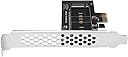
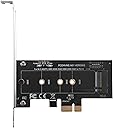
🚀 Elevate Your Storage Game!
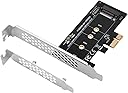
The SIIG M.2 NGFF SSD to PCIe 3.0 x4 Card Adapter allows you to connect M Key PCIe M.2 SSDs (both NVMe and AHCI) to your computer, ensuring ultra-fast data access. It supports a range of M.2 sizes and is compatible with various PCIe specifications, making it a versatile addition to any setup. With easy installation and visual indicators, this adapter is designed for both efficiency and convenience.


| ASIN | B07KWGZKW6 |
| Best Sellers Rank | 278,359 in Computers & Accessories ( See Top 100 in Computers & Accessories ) 601 in External Solid State Drives |
| Guaranteed software updates until | unknown |
| Item model number | SC-M20111-S1 |
| Manufacturer | Siig |
| Product Dimensions | 8.99 x 11.68 x 1.57 cm; 31.75 g |
V**V
works very good. a little problem when I was installing it on my DELL5810 not too much pace there Unfortunately Dell 5810 has no Slot like Dell 3620 and I was needed to buy the card. Good luck to everyone just I will let you know nVME is 6 times faster than SSD and 32 times faster than HDD IT IS AMAZING SPEED!!!!!
B**2
I have been using this SIIG NVME adapter for 7 months now and it works great. I use it to add a Samsung 970 EVO NVME to my Gigabyte z97n motherboard. It works great! Ubuntu Desktop 16 boots to the login prompt in about 3 seconds (after the BIOS screen displays, of course). I already had the most up to date BIOS on the motherboard, so the NVME hardware was recognized by the BIOS and worked with no additional driver or tweaking necessary. In the past, when using a 3.5" hard drive, it took nearly a minute to boot Ubuntu 16. I am very pleased with the performance and also the build quality of this SIIG NVME adapter. The Samsung NVME fit perfectly with no problem during installation. I am going to buy another one. Update: I bought another SIIG NVME and paired it with a Samsung 970 PRO NVME 512 SSD. I installed Windows 10 from a USB drive. Initial installation phase of Windows 10 took about 10 minutes. After rebooting, I completed the rest of the setup/configuration in about another 10 minutes. Windows10 boots in less than 10 seconds and applications launch almost instantly. This is a fantastic improvement over a typical Hard drive with spinning platters. Update June 2019: I bought a 3rd card and installed it in an external pciex expansion chassis for a couple Apple Mac computers that run Mac OS High Sierra. This card works perfectly with the Apple computers and operating system.
H**G
Excelente adaptador se complemento muy bien con un NVME 2800 de SAMSUNG que adquirí, Lo recomiendo al 100%.
G**Z
Muy útil para adaptar a esta tecnología de almacenamiento.
C**M
Based on initial impressions, I would definitely recommend this for anyone needing an additional M.2 slot. I wanted to use 3 M.2 drives for my build, 1TB 970 EVO Plus as OS & programs drive, 1TB Intel 660p storage drive, and my old 512GB 970 Pro for commonly used files & media. However, my motherboard only has 2 M.2 storage slots, so I bought this to be able to still use my 970 Pro SSD. SIIG reader didn't need any drivers installed (already have the Samsung NVMe 3.3 driver installed), just attached my old 512GB Samsung 970 Pro NVMe SSD to the reader, and plugged it into a PCIe x8 slot. Out of the box, it's getting better synthetic benchmark performance Vs plugged into the 2nd M.2 slot on the motherboard which now houses my 1TB storage card. I've attached 2 photos, the first one is with the 970 Pro card plugged into the motherboard M.2 slot, second is the 970 Pro plugged into the SIIG reader. I was surprised to see slightly better benchmark performance out of the SIIG reader. Motherboard: EVGA Z370 Classified K running Windows 10 pro all software and driver updates installed. ONLY con: Cannot be setup to boot from the SIIG board on my computer, not sure if other motherboards can boot from it or not.
Trustpilot
1 month ago
3 weeks ago