⚡ Unlock instant file freedom between your Apple devices and PC!
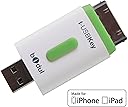
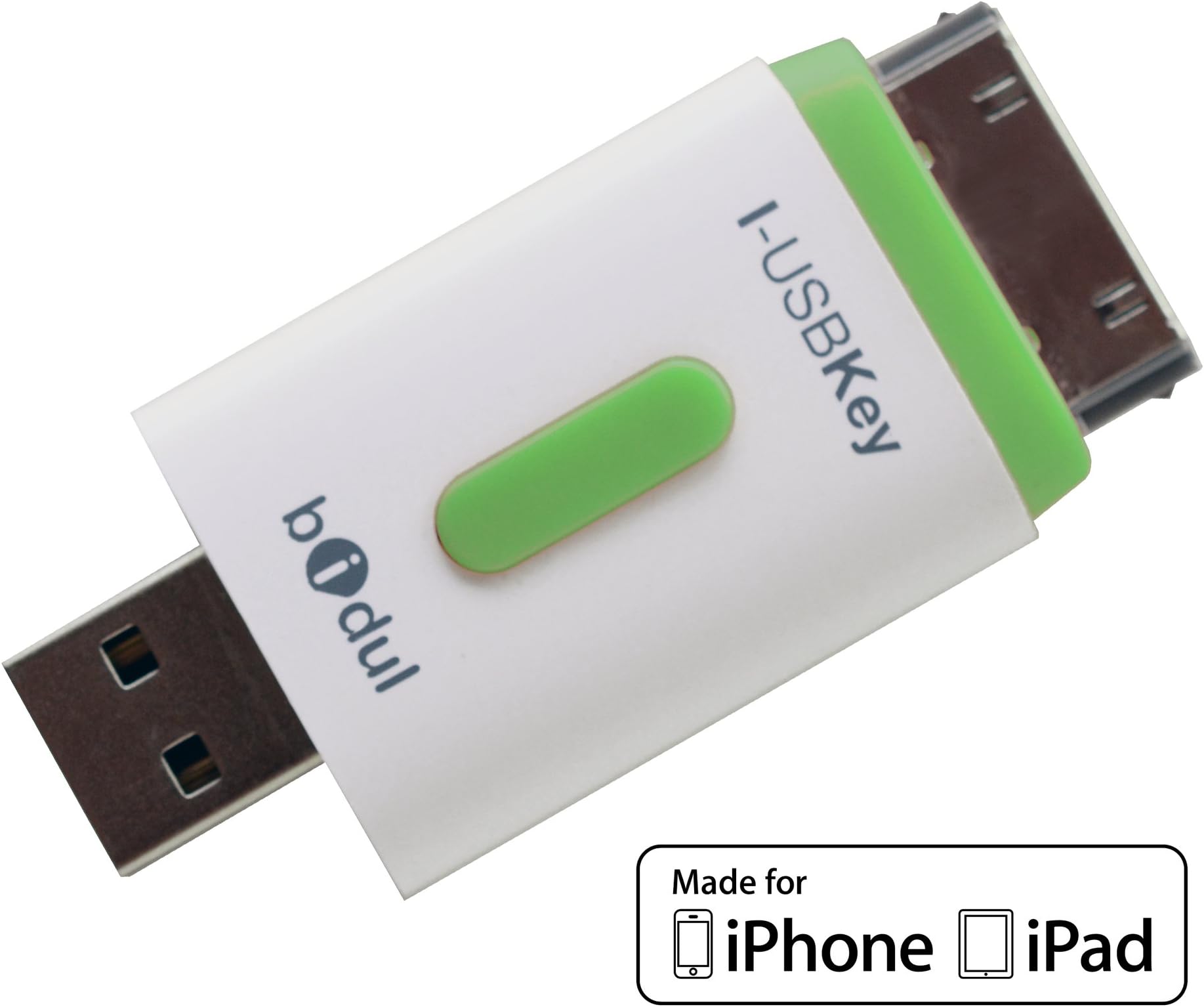
The I-USBKey 16GB is an Apple-licensed USB flash drive designed for seamless file transfers between PC/Mac and iPhone/iPad. Featuring dual Lightning and USB-A connectors, it offers plug-and-play convenience supported by a dedicated app for easy file management. Its compact design and competitive pricing make it an essential accessory for professionals seeking quick, reliable mobile storage.
| ASIN | B00C7PNUNK |
| Customer Reviews | 3.8 3.8 out of 5 stars (228) |
| Date First Available | April 9, 2013 |
| Flash Memory Type | USB |
| Global Trade Identification Number | 00608729254225 |
| Hardware Connectivity Technology | Lightning, USB Type A |
| Hardware Platform | Mac, PC |
| Is Discontinued By Manufacturer | No |
| Item Dimensions LxWxH | 3 x 0.2 x 6.3 inches |
| Item Weight | 0.48 ounces |
| Item model number | Bidul-I-USBKEY16GB |
| Manufacturer | Bidul |
| Model Name | I-USBKey |
| Product Dimensions | 3 x 0.2 x 6.3 inches |
| RAM | 16 GB |
| UPC | 608729254225 |
J**Y
It does what it should
It works like a charm. Now I have a universal USB that can easily transfer files, movies etc, from my laptop to any iPhone, iPad, that I download the app onto. Its great for what I needed it to be. And far better priced, than its competitors.
J**S
Great way to carry files you want to review but don't need to edit - and at a reasonable price!
This is a great product if you need to carry files you don't need to edit. It is also a great way to save your contacts on your iPad and iPhone and transfer them to your computer.
K**X
A few problems with this flash, please read my comments before purchasing.
This is a good product, and it does work. You need to download their app for it to work on your old iPad, I have ipad2. The only problems I found is that there is no thumbnails to the images or videos you save. So, when you are searching for a specific photo. You have to look at all of them individually to find what you're looking for, a real pain in the butt. Also, another downside is it frequently corrupts my files and I then have to format the drive and start over. Once you have 30 gigs if pictures uploaded, one by one and renamed so you can find them, it's a terrible thing to have to format the drive and start again because of a corrupted file. I wrote to the makers and they said they will soon come out with thumbnails, which doesn't help me now. Also, they know about the file corruption error, and they say it's because I didn't unmount the flash drive properly, which I did unmount it properly each time. It's a good product but it needs some work still. The second time I got the corrupted file message, I didn't bother with it anymore because it took me weeks of working on renaming files and moving them individually, I didn't want to start over again. Pretty expensive, it's probably best to pay Apple to upgrade your icloud and buy a regular flash drive and download individually from the cloud.
M**A
DISCOVERED A PROBLEM
At first I thought this product was exactly what I'd been looking for, but I've since discovered it doesn't work quite as well as I thought. I was able to transfer videos that were recorded on my iPad from my iPad to the flash drive, but when I tried to view them again on the iPad from the flash drive, the video did not stream smoothly. The video plays for a few seconds, then I have to wait quite awhile before the streaming catches up. The videos that were recorded on my Android phone and saved onto the flash drive stream perfectly when I view them on the iPad from the flash drive and all of the videos saved on the flash drive play perfectly when I view them on my Windows 8.1 desktop. Maybe there's a conflict between USB connection speeds?
A**Y
I love this, I am giving it 4 stars because ...
I love this, I am giving it 4 stars because it does take awhile to download more than 20 pictures at a time.
R**S
Good for some things, not so great for others.
Update: i am now downgrading my rating from 3 stars to 1 star; since the ios got updated to 9.1, either the company no longer exists, or is too lazy/negligent to update their app; i can no longer upload/download from my flash drive to my ipad through their app (you need the app to work for the flash drive to work). -original review below- Those of us who are used to the ease and versatility of USB drives on our computers might be a bit disappointed with the way these drives work on an iOS. Am I thankful some companies have started to create them? Yes, but they don’t work with the same ease that they do on your computer. Your best bet to extract a file from your iOS or to add a file is still, IMO, to install a program like iExplorer on your computer, connect your iOS to your computer, then browse and copy the file you want. Anyways, onto the product review… The way this USB drive works is that after purchasing it, you need to install the free i-USBkey app. When you connect your flash drive, it will open up the app, and allow you to transfer files to and from your USB drive and iOS. Here’s probably the best way to transfer files: If you have a Microsoft office-type app, and you want to transfer a word document from it onto your flash drive, open it up, select the word document, then choose “Open In Another App,” and choose the i-USBkey app. Once in, return to the main page, and then you can open the i-pad area of the app to copy and paste the file into the USB drive. To transfer a word document from the USB drive to the iOS, you need to do something similar; select the file from the i-USBkey app, then select the “Open In Another App” option, and then choose your favorite office app, and then it should be in your inbox (if your app doesn’t have an inbox, you can always just save the document, and then you can bring it up when you want). So why is this product lacking? If you like watching videos with subtitles (like anime or foreign films), and you’re thinking this will allow you to fill up your USB drive with anime and just watch it with your favorite app and keep your iOS’ memory unfilled, keep looking. It will not allow you to open any video (like .mkv) with any app on your iOS; you HAVE to watch it using the i-USBkey app. So it’s a decent product, and has its uses, but I can’t say it’s everything I want in a USB drive for an iOS like an iPhone. If you are just using your iOS for work or school and need to transfer something like a word document file, or a picture, when you’re outside and not near a wifi hotspot or your home computer with itunes on it, this works great. If you want something that will let you load up on .mkv files with subtitles and watch it using your favorite video app, keep looking (or badger the company to update their app maybe?).
F**T
Five Stars
works fine...iFlashDrive purchased at same time no longer works
B**R
Portable, Easy to use, Very slick
I bought this at another retailer.. Amazon is still out.. Love it..Portable, works slick. Watched two movies while on the plane-No internet.. I have an older Ipad but a new Iphone-Going to buy an adaptor.
F**E
Cette clé fonctionne très bien. Elle permet de télécharger facilement des photos, vidéo de l'iPad vers un ordinateur ou de l'ordinateur vers un iPad, ce qui permet aussi d'augmenter la capacité de la tablette, ce qui avant n'était possible qu'avec les tablettes sous Androïd, puisque l'on peut aussi laisser les fichiers dans la clé et les lire depuis celle-ci sur l'iPad sans les télécharger dans l'iPad préalablement. Je n'ai pas encore trouver comment télécharger des documents texte pour l'instant, mais d'après la notice c'est possible. Seul bémol c'est le coūt de la clé élevé, comme tout les accessoires pour l'iPad, sinon, c'est super, cela pallie les manques qu'avait l'iPad face aux tablettes Samsung par rapport à la connectique et à l'extension de Go
★**★
J'utilise cette clé pour lire des vidéos sur mon Ipad 2 et sur mon iPhone 6 (avec adaptateur lightning). L'application associée est très intuitive et permet de classer les fichiers en dossiers. On passe d'un PC à l'Ipad sans souci. On peut aussi transférer les fichiers de la clé vers l'Ipad et vice-versa. Bref, j'étais un peu juste en mémoire sur mon Ipad et cette clé apporte une extension plus que bienvenue. Plus besoin d'investir dans la version avec capacité de memoire supérieure, ce dispositif fait le job. En plus, la société, basée à Lyon a fait preuve d'un professionnalisme hors pair, ayant procédé à l'échange de la clé lors du passage à IOS 8, car le micrologiciel de la clé achetée auparavant n'était plus compatible.
P**.
Ottimo prodotto devo aggiungere che è molto utile per dividere i file dal pc allo smartphone al mac perfettamente funzionante....
B**E
Excellente façon d'enfin pouvoir transférer des fichiers sur un ipad (ou iphone), elle compense l'absence de port usb sur les i-bidules. L'application qui va avec (I-USBKey) permet de transférer les fichiers vers les applications dédiées (fichiers Page vers Page, etc). Pour les fichiers pdf, jpg, mpg, possible de les lire directement depuis la clé ou depuis l'appli I-USBKey. Donc, gestion ouverte de ses fichiers (lecture depuis la clé, depuis l'appli i-usbkey ou depuis l'application de son choix). Les seuls défauts de cette clé sont sa relative fragilité (pas de capuchon pour préserver l'embout usb, le porte-à-faux est assez important, donc faire attention à ne pas trop appuyer dessus quand elle est insérée, ça bouge un peu). Elle est aussi un peu trop large, ce qui oblige, sur un Macbook air (par exemple) à ne rien avoir à côté du port usb pour l'insérer (obligé d'enlever l'alimentation ou la carte SD). Et enfin, elle est un peu chère. Mais c'est un accessoire MFI (donc, certifié par Apple, ce qui garantit que ça marche). Fonctionne parfaitement avec un adaptateur 30 broches-lightning (même si ça rallonge le truc, et ça augmente le porte-à-faux), si on a un i-pad air ou un iphone 5. Il y a une vidéo en ligne qui fait la démo : [...] Pour mémoire, c'est une boîte lyonnaise qui a créé l'objet. Bravo. Une petite boîte pour la ranger, et c'est parfait.
G**O
Es cierto que es compatible con ipad, que es para lo que yo lo quería, que ya es un triunfo. Las instrucciones están solo en inglés y en francés, por lo que, si no conoces los idiomas, toca probar ensayo/error. Puedes intercambiar archivos entre pc /ipad aunque no todos. Te sirve para ampliar megas de tus dispositivos sin tener que descargar su contenido.
Trustpilot
4 days ago
3 weeks ago