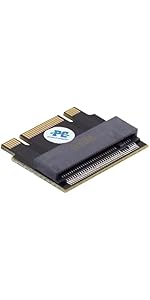
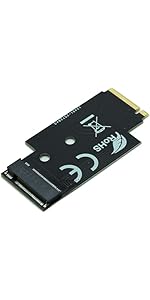
🚀 Upgrade your WiFi slot to turbocharged storage—because your data deserves the fast lane!
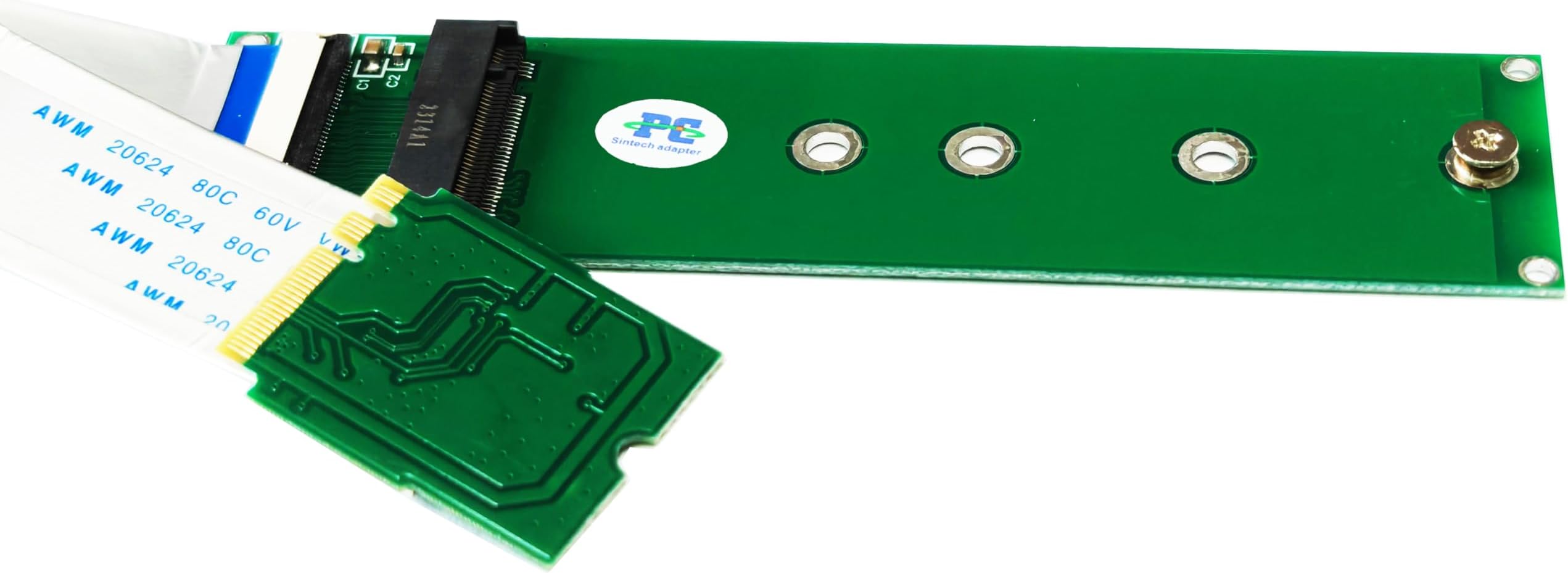
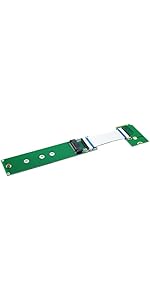
The Sintech M.2 NVMe SSD to M.2 A/E Key WiFi Port adapter enables professional users to repurpose their M.2 WiFi slot into a high-speed NVMe SSD interface. Compatible with leading SSD models and supporting plug-and-play on Windows 10, it offers a simple, driver-free solution to dramatically expand storage capacity, especially in laptops with non-upgradable main drives. The included 20cm cable ensures flexible installation, making it a must-have for tech-savvy professionals seeking efficient, high-performance storage upgrades.


| ASIN | B07DZF1W55 |
| Best Sellers Rank | 84,018 in Computers & Accessories ( See Top 100 in Computers & Accessories ) 491 in Internal Solid State Drives |
| Guaranteed software updates until | unknown |
| Item model number | VAR7416 |
| Manufacturer | Sintech Electronic |
| Package Dimensions | 14.5 x 6 x 1.1 cm; 10 g |
J**O
great adapter
I bought this to use as an adapter in a laptop with a wifi socket but the main HD was soldered to the board and not upgradable. I use a USB wifi adapter and the adapter inside has gone from 128GB to 1TB! great stuff.
A**A
Worked perfectly to connect an NVMe SSD into an E-keyed slot
Used to convert the E-keyed M.2 slot (which usually hosts the WiFi/bluetooth card) inside the Lenovo ThinkCentre M630e Tiny into an M-key slot to take an additional NVMe SSD. Worked perfectly and the BIOS/UEFI picked up the drive with no problems.
A**Y
Doesn't work with Dell Optiplex 7070 SFF
A great idea, but unfortunately, this doesn't work with Dell Optiplex 7070 SFF PCs.
T**G
I had lots of doubts as to whether this would work in a Dell OptiPlex 5060 Micro Desktop because the only literature available stated that the M.2 WLAN slot was only for WiFi and Bluetooth. I verified visually that it is an E-key slot. The description on this adapter says it will work for an E-key slot only if the SSD is NVMe. It also requires a PCIe lane in the slot, which I was not able to verify. The only M.2 SSDs I had are SATA, so I bought a cheap Samsung PM991 M.2 NVMe SSD to go with this adapter. I assembled the adapter and NVMe SSD and the UEFI recognized it on the first boot. I installed Windows 10 from USB as a test and everything worked perfectly. Now I have 2 SSDs in my Dell Micro Desktop. (3 are installable if I use the SATA port.) Now the obvious question: Why would I want this? I'm setting this PC up as a VMware ESXi host. Using all 3 native storage slots allows me to use the slowest SSD (the one using this adapter) as boot, scratch, and coredump; the SATA port for a hard drive for a local vSAN capacity tier; and the fastest M.2 SATA SSD in the M.2 SSD slot as a local vSAN caching tier, without having to disable USB Arbitrator and use slower USB storage.
C**G
Usato con adattatore *** pcie x4 to m.2 key "M" *** insieme ad una GPU con alimentatore dedicato, su un laptop dotato di attacco key A+E. Perfetto.
M**O
It transformed my older GB-BACE-3000 mini compact PC kit (SBC) (equiped only with m.2 a+e key slot) into *fast* fanless personal home cloud server in minutes. Works flawlessly and with no problems with new m.2 SSD NVMe 3D only-m key slot drive. I didn't notice any performance degradation in disk i/o. Great adapter - great product. More than satisfied. (The delivery was also fast, it arrived before schedule.) I just don't understand why the vendor states that it only works with Windows 10 (for use with NVMe drives). Debian with linux kernel 4 recognized my NVMe drive instantly.
R**6
Used this to go from the M.2 slot to Oculink. Its dirty but works.
H**H
Only issue is the fact that ribbon cable faces forward for some reason- having it face backwards would be much better.
Trustpilot
1 month ago
1 week ago