
DOWNLOAD THE APP


Customer Services
Copyright © 2025 Desertcart Holdings Limited
DOWNLOAD THE APP

⚡ Upgrade your workflow — faster, cooler, smarter memory!
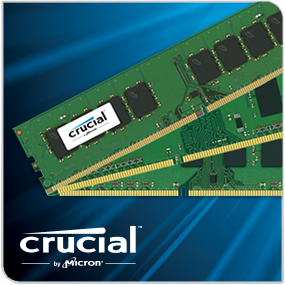
The Crucial 16GB DDR4 2133 MT/s DIMM is a high-performance desktop memory module designed to accelerate your system’s responsiveness. Featuring a 288-pin form factor, it delivers fast data transfer speeds, reduces power consumption by up to 40%, and supports dual-ranked architecture for improved throughput. Ideal for professionals seeking a reliable, energy-efficient upgrade to handle multitasking and data-heavy applications with ease.



| ASIN | B015YPAZPU |
| Additional Features | Ecc, Lightweight |
| Best Sellers Rank | #499 in Computer Memory |
| Brand | Crucial |
| Column Address Strobe Latency | 15 |
| Compatible Devices | Desktop |
| Computer Memory Size | 16 GB |
| Customer Reviews | 4.5 out of 5 stars 1,750 Reviews |
| Data Transfer Rate | 2133 MHz |
| Form Factor | Desktop |
| Global Trade Identification Number | 00649528773456, 00649528773586, 05054629927298, 06495287734566 |
| Item Weight | 0.03 Pounds |
| Manufacturer | LEXAR MEDIA INC |
| Memory Speed | 2133 MHz |
| Model Name | CT16G4DFD8213 |
| Number of Pins | 288 |
| RAM Memory Technology | DDR4 |
| RAM Size | 16 GB |
| Special Feature | Ecc, Lightweight |
| UPC | 649528773456 649528773586 |
| Voltage | 1.2 Volts |
B**K
The case is strong and good quality has space for CD drive and internal hard ...
I thought of keeping a dedicated computer for streaming and watching movies and that should be near to my AV receiver and considered the below points a. The HTPC size should considerably the same size as my AV receiver. When I search on Internet I come to know that HTPC cases which accommodates miniATX, miniITX mother boards that is suitable for my space. b. Also I have 7.2 Ch home theater system and decided that the mother broad should have 7.1 Ch output with 4 K Video support over HDMI. c. I want to upgrade the RAM later and want 4 DIMM slots. d. If I want to upgrade the storage then I should have option to add internal hard drive inside the case. e. Don't want to over clock the CPU and decided to go with H170 intel chipset motherboard with 1151 socket. f. Front panel USB g. Economical but don't want sacrifice the features Considering all the above I compared Asus, Gigabyte, ASRock and cost and feature that I was expecting I end of choosing the below parts 1. Motherboard: http://www.amazon.com/dp/B012N6LM1Y?ref_=pe_584750_33951330 This above mother board is a MicroATX board has 4 DIMM slots. This H170 intel chipset with 1151 socket board has HDMI with 7.1 Ch Audio and 4K video support along with 2 more display ports for computer monitor. Totally 3 display support. Doesn't have WIFi and Bluetooth and will not support over clocking. 2. Case : http://www.amazon.com/dp/B004EMSH9Q?ref_=pe_584750_33951330 This case supports MicroATX mother board and comes with 300W FlexATX power supply and one case fan. The case is strong and good quality has space for CD drive and internal hard drives. The power supply cpu connector has only 4 pin, Still it is suitable for the mother board's CPU's 8 pin connector(just plugged in only 4 of 8 pin) 3. CPU: http://www.amazon.com/dp/B0136JON7M?ref_=pe_584750_33951330 The above CPU is Intel's 6th generation processor, Supports gaming and 4K video. This CPU comes with the Intel cooler. I think we no need any third party cooler for my purpose. 4. DDR4 RAM: http://www.amazon.com/dp/B00MMLUYQK?ref_=pe_584750_33951330 As per the above mentioned motherboard that supports only DDR4 on 4 slots, better to go with DDR4 which will give faster processing of the application tasks. I bought 8+8 2 DDR4 RAM as above and kept in 2 slots for now, later I can upgrade to another 8+8 DDR4 RAM later when price drops. Mother board manual says there 4 DIMM slots supports up to 64 GB, But the processor manual says it supports 32 GB max. So I decided to stick with 32 GB max. 5. SSD M.2:http://www.amazon.com/gp/product/B00NY4VIPA?psc=1&redirect=true&ref_=oh_aui_detailpage_o03_s04 The above SSD is very tiny and go with mother board itself with m.2 connector. For better booting and rebooting and faster application response M.2 SSDs are very good and this is latest compare with SATA/eSATA. 6. Operating System - Ubuntu 15 (Linux based) This OS is free and open source. It has nice look and navigation. No need to install any driver software for the above components or motherboard. The OS detects all of them fine. The media player comes with the OS doing great and able to install and play with Kodi and Plex.
T**O
Yes they work
Works as intended. Been using then in my PC for over a year now with no issues.
J**F
Scandalous Naked Ram!
Who needs their Ram to be flashy and look like you could throw it across the room into the eye of an assassin climbing through your window? Answer - You Don't! It sits upright on the motherboard and your only ever going to see the top of it 99.99% of the time anyway, unless your the type of person who actual takes their computer apart to show your friends each part individually. Since I am not that kind of person this Ram was perfect for me! It's the same great Ram that Crucial makes just missing the aerodynamic qualities of the plastic sheath that allows it be used as mentioned before, but even more important than that is that its cheaper! This kit comes with 4 total sticks, 2 separate boxes each containing a compatible pair of Ram. This means, and I'm sure your going to be putting these onto a motherboard that actually has a minimum of 4 ram slots, that you want to keep the sticks "together". So when I installed these onto my motherboard I opened one box, removed the two sticks and installed them into slots 1 and 2, because that's where the manual that came with my motherboard said to put them. Then I opened the second box and took the other two sticks of Ram and installed them into slots 3 and 4, again because that's what the manual said to do. It is very important to keep the two pairs of Ram "together" on the motherboard because they were tested to be as compatible with each other as possible, within specified parameters, so mixing them up isn't going to do you any favors once they're in the computer. You may have noticed that I kept putting quotations around the word "together" in this review, and that's because not every motherboard is built the same so you need to read the manual that came with it to determine how best to install 4 sticks of Ram on it so that way they stay paired.
R**.
Satisfactory quality and performance for basic 'home' build.
Installed 1 stick and it's playing nicely with my ASRock AB350 Pro4 motherboard. Since I'm using an AMD A89600 APU, the max supported RAM speed is 2133, so I didn't have any need for 'faster' RAM. If I were running a higher-end CPU in my build, I probably would have picked up faster RAM to go along with it, but for a basic home build where 4GB is an adequate amount of RAM, I see no reason to quibble about this RAM's performance. I can run 1080p video alongside iTunes, two web browser windows, and a few other things running as well on my Win10 build without going over 3GB of actual RAM used. For gaming or highly intensive (such as image editing) builds, 4GB wouldn't be adequate, but for basic home use, this is an excellent way to start an 'upgradable' build. Unfortunately with RAM, there isn't much to say about it unless I was overclocking with it or if it were faulty. But I have no intentions of trying to overclock with this RAM, and it's working flawlessly at the moment, so I'm completely satisfied.
M**S
... until I could figure out what quad channel kit best fit my needs as well as to keep as ...
Purchased a single 4gb stick to test and use my new system until I could figure out what quad channel kit best fit my needs as well as to keep as a back up should I have had any problems with the quad kit. The stick functioned well and I was even able to run BF4 on ultra settings minus AA. The only small issue I had was the stick was at the very edge of being to long to fit the slot,,, kind a wierd cause new quad kit went in the slots perfectly. My System CM Cosmos II ROG Rampage 5 Extreme I7 5960X Noctua NH-D15S 32gb Vengeance LPX 2400mhz
J**N
Pro-tip for successful installation!
Great price for the RAM chip, and installation is exactly as you'd expect. Make sure you remember to shut down the computer, unplug everything including the power, install the RAM , and then REMOVE THE BATTERY FROM THE MOTHERBOARD! I personally keep it out for 60 seconds, even though typically 5 seconds is enough time for the capacitors to fully discharge, because I know this made a difference sometimes back in the day. Anyhow, after 10-60 seconds go ahead and put the battery back in. This is important because that battery lets the motherboard remember all the machine addressing for the memory, the processor, the hard drives, etc... and if you don't clear it out it will often be a mixed jumble of addresses from the old configuration and the new. This will lock your computer, and you'll think you've ruined it even though all you have to do is remove the battery for a minute and then restart. Don't click on any restore options or ANYTHING if this happens to you... just shut down again, using the power button if you have to, and then go through the battery removal process I just listed. That will fix the problem pretty much every single time.
C**R
Nice mem modules. I would buy again.
Solid replacement product with no issues after 10 months of pretty heavy computing on a home PC. Simple installation.
G**N
1/2 good kit
ordered kit. put it in and found 1 card bad. New build so when it wouldn't even start up, it took time to find this one bad card. Once it was working, it wasn't worth pulling the good card out to send back to get a replacement. just using the good card, threw away the bad. Crucial usually good memory. first time I've had any issues with Crucial memory.
Trustpilot
3 weeks ago
1 month ago