🚀 Elevate your home WiFi game—never miss a beat or a binge!
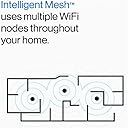
The Linksys MX8000 Velop Mesh WiFi 6 System delivers ultra-fast AX4000 tri-band wireless connectivity, covering up to 5,400 sq ft and supporting 80+ devices. Designed for seamless setup and intelligent mesh expansion, it ensures stable, secure, and high-capacity WiFi for streaming, gaming, and smart home integration—all managed easily via the Linksys app with a 3.5-year warranty.


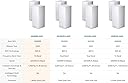

| ASIN | B08NCRC48P |
| Antenna Location | Business, Home, Office |
| Antenna Type | Internal |
| Best Sellers Rank | #13,368 in Computers & Accessories ( See Top 100 in Computers & Accessories ) #245 in Whole Home & Mesh Wi-Fi Systems |
| Brand | Linksys |
| Built-In Media | 1 Ethernet cable, 2 Parent nodes, 2 Power adapter, Documentation CD, Quick Start Guide |
| Color | White |
| Compatible Devices | Alexa Devices, Apple Homekit, Iphone, Personal Computer, xbox |
| Connectivity Protocol | wi-fi |
| Connectivity Technology | Wi-Fi |
| Control Method | App |
| Controller Type | vera |
| Coverage | Covers the entire home with high-speed WiFi connectivity |
| Customer Reviews | 4.0 out of 5 stars 642 Reviews |
| Data Transfer Rate | 4000 megabits_per_second |
| Frequency | 6 GHz |
| Frequency Band Class | Tri-Band |
| Item Dimensions L x W x H | 4.49"L x 4.49"W x 9.61"H |
| Item Type Name | Wireless Router |
| Item Weight | 4.2 pounds |
| LAN Port Bandwidth | Gigabit Ethernet |
| Manufacturer | Linksys |
| Maximum Upstream Data Transfer Rate | 4000 megabits_per_second |
| Mfr Part Number | MX8000 |
| Model Name | AX4200 - Speed |
| Model Number | MX8000/MX8400 |
| Number of Antennas | 3 |
| Number of Items | 1 |
| Number of Ports | 4 |
| Operating System | RouterOS |
| Other Special Features of the Product | WPS, Guest Mode |
| RAM Memory Installed | 512 MB |
| Security Protocol | WEP, WPA2 |
| Special Feature | WPS , Guest Mode |
| UPC | 745883809967 |
| Unit Count | 2 Count |
| Voltage | 12 volts |
| Warranty Description | 3.5 year manufacturer |
| Wi-Fi Generation | WiFi 6 |
| Wireless Communication Standard | 802.11ax |
| Wireless Compability | 802.11ax |
L**.
Best Wifi 6 Mesh router with a great price!
My smart 1400sqft multi-story Townhome suffered for a very long time with Wi-Fi issues and couldn't reach the rooftop! Winner is ((( Linksys AX4000 Smart Mesh Wi-Fi 6 Router Whole Home WiFi Mesh System, Tri-Band AX Wireless Mesh Router MX8000 ))) I have 43 connected devices including products from Apple, HP, August, Hue, Zigbee, Z-Wave, Samsung, LG, Google Home, and Lutron. They all work great together! Covers my entire house. Zero network issues. Guest network is flawless. Amazing Mobile app, easy to use and very fast. My HomePods by Apple, which I use daily no longer suffer from latency and connection issues streaming music I get all my internet speed at 5Ghz close by and about 300Mbps on 5Ghz within 35 feet, rooftop gets 2Ghz at 60Mbps which isn't as fast as the Asus where I was getting 300Mbps on 5Ghz but I like that it's a lot more stable. Door lock is snappy fast just the way I like it! Believe me this is the best Wifi 6 mesh you will get at this point in time if you have this many devices like myself. I tried: # ASUS ZenWiFi AX6600 Tri-Band Mesh WiFi 6 System (XT8 2PK) Pros: Lightning fast (Fastest I have tried so far) Reasonable price. Cons: Guest Wifi DOESN'T work. Worst Mobile App I have tried. Disconnects with my devices A LOT. Very bad with Apple Homepods, music stops out of a sudden. Old look. Wifi name adds an extra character automatically and can't change that except on web. # Amazon eero Pro 6 tri-band mesh Wi-Fi 6 router with built-in Zigbee smart home hub Pros: iPhone app looks great and very fast setup Cons: The slowest Mesh system I have tried to date Only ONE ethernet port Just don't get it. # NETGEAR Orbi WiFi 6 Router with DOCSIS 3.1 Built-in Cable Modem (CBR750) Pros: Speed is consistent but doesn't go over 550Mbps on 5Ghz for Wifi Two in one Modem and Router Nice Mobile app Cons: Setup is pain and using the App is very annoying Devices disconnect all the time Issues with August Issues with Apple Products and Homepods Device is too big - TP-Link AX6000 WiFi 6 Router(Archer AX6000) - NETGEAR Nighthawk 8-Stream Tri-band AX8 WiFi 6 Router (RAX70) - ASUS AX6100 WiFi 6 Gaming Router (RT-AX92U) Pros: TP-Link is the best here and consistent with speed, others are fine too but noticed some issues Cons: They never reach far distances with single point and issues with over 20+ devices I hope this review helps out. I only wrote it because I spent 5 months trying to find the best network for my house! :)
T**Y
setup is easy AFTER you figure out the app has a place for swapping to a new router
I was pretty surprised by a few things. if there had been any instructions beyond the quick start guide, this would've been an awesome swap. I moved from an older Linksys router to this one and I chose this one specifically because I have a child node from LInksys that would work with this new unit. anyhow, the swap from the old router to the new one could've been a lot smoother (no instructions on swapping). the app that goes with the Linksys hardware has a spot that makes adding or replacing hardware seriously easy. didn't know that till I was over halfway through the process. I've also got one PC that is hardwired to my router and that one PC wouldn't access the internet through the hardline and any browser would immediately redirect back to the "get the app for your phone here" page. pretty annoying. with all of that said, once the app decided, "oh hey, are you swapping the router?" and then it was a seriously quick process. the child node that came with it also set up pretty quick. the firmware update took about 15 minutes but the unit stayed active and usable nearly the whole time. speed to my phone definitely feels faster but, I've not run any speed tests to prove it. I haven't use the parental controls (I just don't need them) but, I can say they are there in the menus along with a guest network if you so need it. the range is at last as good as what i had so I can't really swear to the overall range limits.
G**N
Some things I wish I knew in advance about the Linksys AX4000
The secondary unit can backhaul via ethernet at 1024 Mbps, which can be confirmed in a web browser with http://192.168.1.1/sysinfo.cgi All of our WiFi-AC devices achieve ~280 Mbps with 490 Mbps internet service. With an ethernet connection the speed is the full 490 Mbps. I assume future WiFi-AX devices will achieve better. But, I FIRST needed to connect these to each other via WiFi. The phone app did not work for me for set-up, but tech support with the Linksys web browser was more than competent, albeit with a foreign accent. Hint - The devices should be next to each other when you set them up and remain there until you complete the firmware update. Then they can be unplugged, moved to their new locations and preferably linked by network cable for the best speed. For $300 for two, they are tremendously better than two of the $140 each Linksys Tri-Band Max-Stream AC2200 MU-MIMO https://smile.amazon.com/gp/product/B06X9CPC45/ which were overwhelmed by the WiFi demands in our home. Media Prioritization for up to 3 devices (for us a laptop and two phones) eliminates response delay in a household filled AC devices including a lot of Alexa and "smart-home devices". Moving a prioritized device from the parent AX-4000 to the child device or reverse, does not always guaranteed an immediate connection with 5Ghz rather than 2.4Ghz, but it does switch over. I tried naming the5Ghz band differently, but you cannot rename only one of the two 5Ghz antennas, as you can with the Linksys AC2200. So it works better over all with a single SSID for both bands. I look forward to using AX devices in our home.
A**I
Do not buy this device.
I bought it about six months ago. I have a NAS and needed to move it far from the Ethernet connection, so I decided to get a mesh system. A friend recommended Linksys as a brand, although he used a different model. At first, everything was fine — good internet speed and solid local network performance for the NAS. But then I started noticing internet lag. I thought it was my provider’s fault, so I switched to a different one. Again, it worked well at first, but then I began experiencing issues where certain websites or apps (like Instagram or Google Maps) wouldn't load. After some time, I realized the problem occurred during the initial load — sometimes it would take 30 seconds to a full minute to load a page or app content. It’s incredibly frustrating. I even found a subreddit discussing this exact issue with this model. The common suggestion was to disable IPv6, but that didn’t fix the problem for me. Another issue is that after the router runs for a couple of days, Wi-Fi speeds can drop significantly — from around 800 Mbps down to 100 Mbps. This is clearly a router issue. Restarting it helps, but there’s no option in the software to schedule automatic reboots, so I have to manually unplug and plug it back in. I do not recommend this product. Consider looking for a newer or more reliable model instead.
R**T
Linksys AX4000 Smart Mesh
Picked up the two pack thinking I could easily find another child node easily. I have had trouble even figuring out what the right matching model number would be. I am surviving with two but a third would be nice. This purchase was to replace a Linksys AC router that was aging and to cover a few dead spots in the house. It was easy to setup. I did have an issue getting it setup because I had initially connected both Ethernet cables from my NAS. After realizing I needed to do this afterwards, setup was a breeze. It takes a little time getting used to a mesh when you are used to a single router. It just acts different. But it works just fine. I have a 3200 sq ft L shaped two story house and coverage is good. Back haul is still wi-fi. The app has always needed work and has always needed more features with regards to granular router settings. I've used Linksys for a couple decades and haven't seen a real improvement in all that time. Uploading large files to my NAS is very fast. I am a heavy streamer and have had no buffering that I could blame the mesh for. I have seen random disconnects from some Motorola mobile devices but that could be the phones themselves. I would recommend to a friend and already have.
H**E
Improved Wi-Fi in my home, but has issues
Ultimately, I think this system improved the Wi-Fi experience in my home for the better. I was previously using a Linksys EA8300 which was working very well for me for about 4 years before a storm messed it up. It was still working but was giving us a lot of random signal drops/loss without warning, randomly disconnecting and reconnecting or forcing us to switch from 2.4 to 5Ghz to get it to reconnect. Anyway, this system cleared that problem up immediately. Signal has been rock solid for a month and a half without any random drops or having to reboot the router. However, I think any competent router or mesh system would have fixed my particular problem, so I don't think "working as intended" is worthy of a 5* rating. Overall, inside the house, this system is great. It covers every room without dead zones. Outside the house is a different story. The old EA8300 would give us signal to all corners of our yard. This new mesh, not so much. The signal can almost get to the ends of the yard, but it's very unreliable. Building/wall penetration is abysmal, in my opinion. I can literally stand on the other side of the wall from the router -- less than 2 feet away but with a little bit of wood and siding in between (it's a new house, so it's not like there's a bunch of concrete or brick, et cetera) and I'll barely get half the signal strength as inside. Also, the "client steering" is completely illogical. It's supposed to "intelligently" switch you between each mesh point as you move about the house, but that only works sometimes, and when it does, it doesn't make much sense. I can stand with my phone touching one mesh point, and it will connect to the other one. Huh? And the setting in the web interface don't elaborate much about how it works. One good thing is that you can separate out the bands, which I understand you cannot do on all mesh systems these days. Why present people with less options? I don't understand. Also, the web interface and the app interface are different, so you can't change all the settings you may want to change in each. You might have to change one setting on the web and a different one on the phone app. How silly is that? And nothing in either one of the interfaces will tell you that ethernet backhaul is working. I have my child node wired to the primary one, but is it working on ethernet? I have no idea! Signal is pretty good and there's no throughput loss, so I have to assume that it is, but there's no way for me to tell definitively. Which brings me to another plus, which is the amount of ethernet ports. I wish there was one more on the back of each, but with three on each, that's like 1-3 more than most of the other systems I was looking at. Good grief, does nobody wire their devices together anymore? I really appreciated this feature of the Velop. Very helpful to have more ports. And I haven't used the USB ports, but I understand that that is a desirable feature for a lot of people when most competitors don't have them. So, I think, ultimately, these things are "good enough." I am not blown away by the performance to recommend them, but they are working for me currently. I think the big issue with these Wi-Fi 6 (or 6e) systems is prices. I do have Wi-Fi 6 capable devices, but nothing I've experienced so far is a massive improvement over the previous generation. But we're paying $300 to $1,000 for systems like this and I got my previous router for $100. And if it hadn't died on me, I don't feel like I'd be missing out on anything that I paid 3 times the price for here. So, yeah, it works as intended, but for the high prices, that only gets it 3 stars.
B**E
One of the best Mesh systems on the market
I'm a network engineer and wanted good WIFI coverage though out my 2000 sq ft home. I tried every popular one out there before I selected Linksys as the winner. Of course if this didn't work I would have to pony up big bucks for a n enterprise level system. The things I like about this system is the tri-band function. You have 2 bands for clients and 1 band for AP communication. This is where I found most systems to fail and loose a lot of BW between the complete mesh. Other products share the management bandwidth with clients. This causes a huge derogation in your signal. I also wanted WIFI 6. Others had it but Linksys was the only system that would be able to offer it across the mesh. I've owned my Velop for over a year now and just added 2 more APs in the house to support all my WIFI devices. My house, although not very big. did experience signal loss between rooms for unknown reasons. I would use a WIFI scanner and notice my signal drop from the main location to the farthest one which caused a weaker signal to my clients. I have a total of 4 APs in my house now and I placed them all in areas where 5Ghz would be lost. Now I get WIFI 6 from my garage to my pool and it is a consistent strong signal with minimal loss. However a house my size should have been able to get away with 2. With a Mesh system you should only get what you need because you can actually hurt your signal strength with too many APs. This system is pricey but if this doesn't work your next option is going to an Enterprise size system that will cost a lot more. My next steps would have been TP-Link or Ubiquiti Uni-Fi.
R**R
Awesome & mix & match
I now have 4 of these in use with a 5th on standby. My home isn’t huge, per se, above average for my town, below average for the next town over. I could probably get by with 1, 2 max. But they seem to work well as s cluster, not all exactly the same version. I have them where my fixed devices can wire network into them, such as my Smart TV in my room, which only has 2.4ghz wifi or cat 5 wired… makes the old TV stream like a new TV. My mobile devices connect without issues also. I am planning the 5th connection in my garage, where I have computer numeric controlled devices and don’t want to cut holes in the wall to connect wires… prior wifi to the garage waa spotty due to the age of the PCs driving things… These have been excellent! I bought them little by little over 3+ years…
Trustpilot
1 week ago
1 day ago