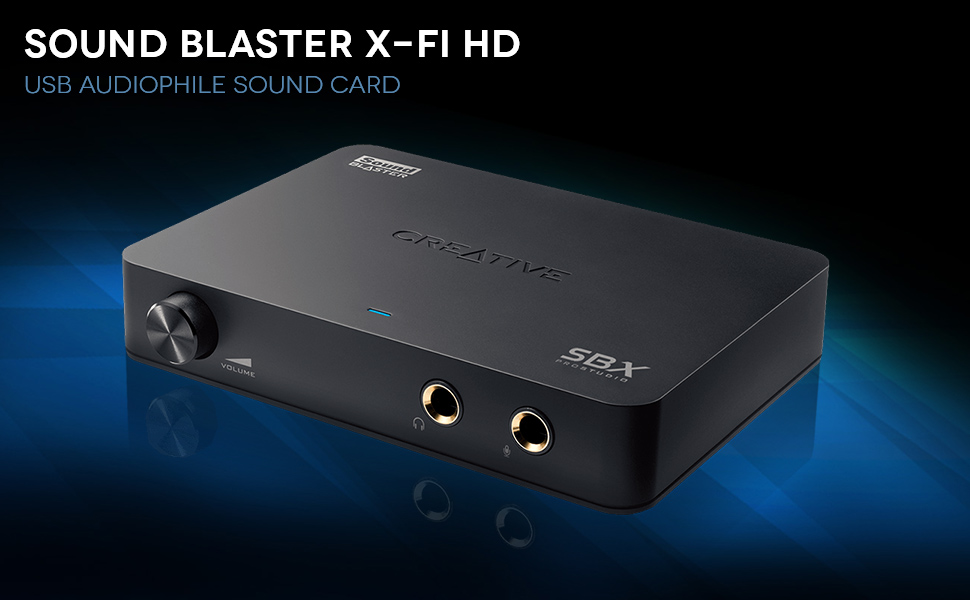
๐ถ Elevate your sound gameโbecause your ears deserve the VIP treatment.
The Creative Sound Blaster X-Fi HD USB Audio System is an audiophile-grade external sound card featuring a 114dB signal-to-noise ratio, THX TruStudio Pro technology, and a built-in phono preamp with RIAA EQ for direct vinyl-to-digital conversion. It offers gold-plated USB and RCA connections for superior signal quality, front-mounted headphone and microphone jacks with volume control, and comes bundled with Media Toolbox software for recording and organizing digital music. Perfect for professionals and music enthusiasts seeking premium PC audio performance.


| ASIN | B004275EO4 |
| Audio Output Mode | Stereo |
| Audio output mode | Stereo |
| Brand | Creative |
| Built-In Media | USB Audiophile Sound Card |
| Compatible Devices | Headphone, Personal Computer |
| Compatible devices | Headphone, Personal Computer |
| Customer Reviews | 4.1 out of 5 stars 389 Reviews |
| Global Trade Identification Number | 00054651170742, 00546511707422 |
| Hardware Connectivity | USB 2.0 |
| Hardware interface | USB 2.0 |
| Item Type Name | Creative 70SB124000001 Sound Blaster X-Fi HD USB Audiophile Sound Card |
| Item Weight | 1.1 Pounds |
| Manufacturer | Creative |
| Maximum Sample Rate | 192 KHz |
| Maximum sample rate | 192 KHz |
| Mfr Part Number | 70SB124000001 |
| Model Number | 70SB124000001 |
| Platform | Windows 7, Windows Vista, Windows XP |
| Signal-to-Noise Ratio | 114 dB |
| UPC | 809186266510 661901287718 666669986033 041114201594 012300428651 801200935020 806293524021 100012778314 808111675014 809185809909 054651170742 809385661505 546511707422 786453978423 801940086921 012304314998 163120594931 493212295096 804066559881 044112736259 172302806458 807030491002 168141621574 763615974950 012302900544 804892145852 052590680193 257637837930 |
F**N
Amplificador y DAC que hace justo lo que tiene que hacer
Use este combo de Amp/DAC para escuchar musica con unos BeyerDynamic DT770 Pro 80 Ohms. Funciona a la perfeccion. Antes con mis audifonos directo a la PC, cuando ocurria un sonido muy fuerte, el sonido se ahogaba. Con este combo no sucede mas eso. Ademas, el bajo es mucho mas potente y los sonidos mas claros. La instalacion fue sencilla, hay que buscar los drivers en la pagina de Creative, o mas sencillo instalarlos desde el CD o rippearlos.
T**B
Huge value, dont understand these low reviews.
The soundblaster x-fi can be had for around $70. I find a lot of reviews complain about trivial issues regarding this device. Yes, Creative is not well respected because it's not a "boutique" DAC. If they put this in a metal box that weighed 30lbs, with gold plated resistors, then audiophiles might respect it. I only care about performance and engineering, not fluff. I find X-Fi to have excellent sound quality, surpassing the limits of the ear's ability of hearing distortion and revealing the compression of MP3's. For the best sound, use WAV or FLAC files. WAV is the uncompressed format of cd's, but has large file sizes. FLAC is small file size like MP3's, but without loss of sound quality. With good headphones, you'll be amazed at the clarity and distortionless sound of your CD's played through the X-Fi headphone amp. In fact, it is so clear that some of the "studio fx" and vst's can be heard too clearly. I love neutral sound, and one can hear stuff in the mix you never heard on your speakers, because at very low wattage, speakers and amps are very distortionless. Most distortion comes after the first half-watt, which one never reaches with headphones. The headphone amp is superb. Modern OPAMP design has rendered all the babble about them to the dustbin. Many years ago, OPAMP's were not well regarded, but modern electrical engineering has solved the problems that plauged them 40 years ago. They can put out clean distortionless power in the right application. Some people getting bad sound out of these might be amplifying a terrible mp3 signal and expecting it to sound good. It wont. This great little amp will just magnify what you put in, gold or junk. I use a pair of AKG-701 reference headphones, but I also have a set of AKG-44 headphones which sound great with this card. It's a whole magnitude better and distortionless than anything you might hear from a speaker. However, you don't have the imaging of a speaker in your room. The card has .02% distortion out to 110 dB. It could be 20dB less and you still wouldn't hear any noise difference. Dead black and clear. This card trounces onboard sound. Just be sure to hook it to a USB-2.0 port. I had no trouble installing it, the THX TruStudio software is cool. It lets you apply reverb effects to the music with EAX, and has special settings for voice. I didn't care too much for too many FX, I like to hear the original mix, so I altered the reverb between 20-35% for some pleasant effects. WAVE studio is recording software included with the package, and in itself, is probably the easiest recording software I've used. I have ProTools, AbletonLive, Cubase 6, and Presonus Studio Artist Pro. When I can't get these to work, I fall back on Creative. It's the only DAW I can get working quick in an emergency when I need to start recording. It recognized a CAD U7 USB microphone immediately, and recognized the soundcard to record a meeting I had with great fidelity. If any of you have spent hours trying to get a soundcard working you'll know how frustrating it can be. It's not for multiple tracks, but when you need one or two channels quickly, its indespensable. RIAA phono equalization - I haven't tested this yet, but I have no doubt its another triumph of great engineering over worthless boutique parts. I'm not a big fan of Creative, they've gobbled up a lot of companies I liked and discontinued products I wanted from E-MU. but this a great little soundcard, with wicked fidelity and deserves every 5-star review it gets. In summary, this soundcard is an extreme value, and with good headphones is about as good as sound gets. SPDIF- I didn't test this either, nor do I have plans to hook this to my home stereo. I strictly use it with my laptop.
M**L
So much better than my internal sound card.....
This is definitely a product for audiophiles....which i am...I wanted to play my mp3's through my laptop and high end stereo....in a workout room - I love my bass, and my stereo is very high end - and I play things loud...rock concert loud and I expect near perfect sound- problem is my laptop sound card made everthing sound iffy at best ....I didn't have high hopes - but this thing works - and it is a very good buy - it has spectacular software that works with the unit as it will disable your internal soundcard. Superb bass - clear highs - and software that will emulate different halls or venues as well as an equalizer that actually doesn't suck. The unit hooks up to any usb port -which is also power for the unit. It does come with other software for organizing mp3s - that did not want to install - but no worries as I'm using musicmatch soundbox 10. Downsides - creative does not have call in tech support - it is all online and for some reason neither software would register properly with creative for warranty support - but it doesn't have to for the unit to use it.
P**R
Worth every penny!
I use the Logitech Z623 2.1 speakers. It makes a huge difference using the sound card the sound is crisp and the bass is deep.
P**H
Comments and instructions on how to use a great device
This is a great box for high quality playback and digitizing of LP's. However, make sure your system meets the requirements. These can be found on the Creative web site at the following URL: [...] Choose the Specifications tab and find the system requirements near the bottom. If you are still considering the X-FI after checking system requirements, this review covers the following areas: 1) The results obtainable for playback and phono cartridge recording. 2) Detailed instructions for recording from LPs at 24 bit 96 KHz resolution in Windows 7. (Creative does not tell you how to do it.) XP and Vista should be similar. 3) Troubleshooting playback hesitations if you encounter them. First, I found the quality of the DACs outstanding for the price. Others have commented on this at length, and I will not repeat their comments. I used this box for my first recordings of my large LP collection at 24 bit, 96 KHz. With high quality LP's (such as RCA living stereo or Mercury's Living Presence) and playback equipment, the improvement over 16 bit, 44.1 KHz should be apparent. The best recording I have found for comparative purposes is Fritz Reiner's performance of Beethoven's 7th Symphony. This is available on both LP and CD. When comparing the two, the LP sounds much superior; bit if you have the opportunity to try this, compare the digital copy of the LP made at 24bit, 96000 Hz with the LP directly. Definitely try this and enjoy the experience! Second, I will discuss how to achieve both playback and recording. Playback is easy. If that is all you want to do with these high quality DACs, simply plug in the USB connection to the computer, and then connect either headphones or speakers/amplifier. Windows 7 plug and play installs default drivers that work great. I successfully drove a Harman Kardon Citation V tube amplifier bypassing my old Citation preamp. The results were very impressive. If you want to record from a phono cartridge directly, do the following (under Windows 7). 1) Install the installation CD in accordance with Creative instructions (including the system reboot for which you will be prompted). 2) Right click on the Windows speaker icon and select Recording Devices. This will pop-up a Sound window where you will see a list of all the recording devices currently connected to your computer displayed one device per line. 3) Right click each device and disable each one except Phono-In (or Line-In if you want to use that instead). If Phono-In (or Line-In) is not enabled, right click on it and enable it. Both Line-In and Phono-In share the same input jacks. The only difference in using the Phono-In versus Line-In is that Phono-In provides RIAA equalization while Line-In is flat. You need the Phono-In when attaching directly to phono cartridges. (If you are using an external phono preamp that has RIAA eqaulaization built in, you would select Line-In rather than Phono-In. If you are using Line-In the 10 bar level indicator to the far right of the icon will be useful. Line-In devices may vary widely in output level. You will want to adjust the input level so that the top bar illuminates only on the loudest sound passages. Otherwise the DACs will overload and distort. On the other hand, using the full range on this primitive level meter will assure the highest recording quality). 4) Right-click on Phono-In (or Line-In) line and select properties. 5) The Phono-In (Line-In) Properties window will open. 6) Select the Levels tab. 7) Move the slider to 100 for high quality phono cartridges. 8) From the drop-down list select 24 bit. 9600 Hz (or whatever quality you want to use). 9) Hit the OK button on the Phono-In (Line-In) properties window. 10) Hit OK on the Sound window. 11) Connect the plugs from the cartridge to the Phono-In jacks on the box. You are now ready to record. Next, I will describe recording software setup for WavePad (free version) as an example. (You will need to provide your own recording software if you want to record 24 bit audio.) 1) Start WavePad and click the record button. 2) In the New File dialog box select 96000 and hit OK. (WavePad automatically records at 24 bit. You can reduce the sampling rate and bit depth when you save the file). 3) In the Record Control dialog select Default Sound In. 4) Move the slider all the way to the right (12dB). 5) Press the Record button on the Record Control dialog box when you are ready to start recording. A related consideration is how to play .wav files with this quality. I prefer Winamp for .wav playback. It works very well for different bit depths and sampling rates. The free version is good enough although I use Pro. The only thing that has to be done in Winamp to allow 24 bit, 96 KHz playback is to allow 24 bit. Select Options/Preferences/Playback and click Allow 24bit. Everything works fine after that. From this point on Winamp automatically adjusts for bit depths upt to 24 bits and sampling rates up to 96000 Hz. It displays the sampling rate of the .wav file being played. Third, if you have any problems with audio hesitations, and your computer meets the requirements specified by Creative, the following link should enable you to resolve them. [...] My reasons for giving this unit only four stars instead of five are the lack of adequate documentation and the lack of adjustable, analog preamps for recording. Creative bought and buried EMU, but didn't learn from them. The comparably priced EMU-0202, for example, had separate preamps and and LED level indicators indicators for the two input channels. The headphone output had a separate amplifier with analog volume control. I would like to have seen these features in the X-FI, but the X-FI is still a great device at its current price.
Trustpilot
4 days ago
1 week ago