Desertcart purchases this item on your behalf and handles shipping, customs, and support to Sri Lanka.
🚀 Elevate your workspace—connect more, do more, be more.
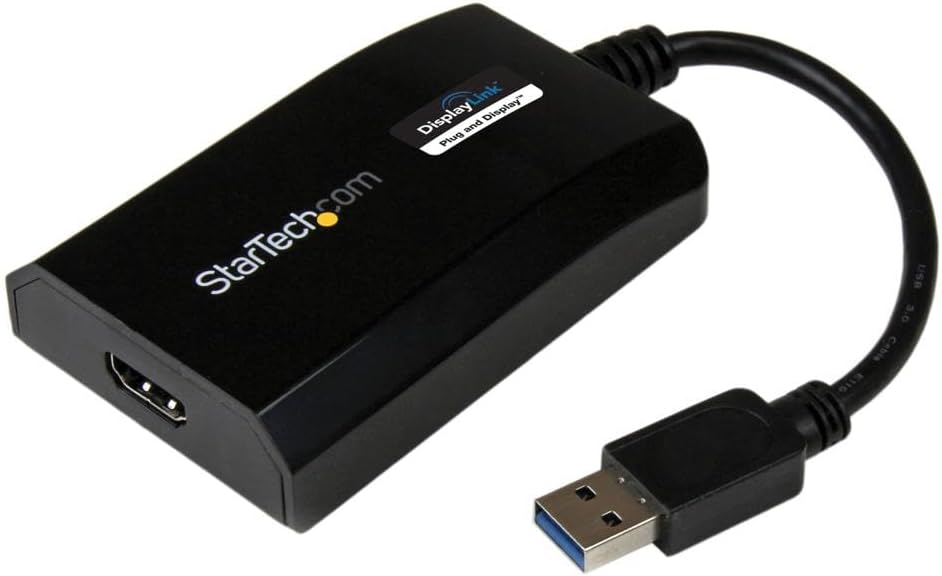
The StarTech.com USB 3.0 to HDMI Adapter is a DisplayLink certified external video card that converts a USB Type-A port into an HDMI output supporting 1080p resolution and 5.1 channel audio. It enables users to add multiple monitors to their Windows or Mac systems with easy plug-and-play setup, powered solely via USB without extra adapters. Compact and compatible with USB 3.0/3.1 devices, it’s ideal for professionals seeking enhanced productivity through multi-display setups.


| ASIN | B00O6G5ZGI |
| Best Sellers Rank | #4,959 in Computers ( See Top 100 in Computers ) #115 in Computer Adapters |
| Brand | StarTech |
| Built-In Media | User manual, cable or connector. |
| Color | Black |
| Colour | Black |
| Compatible Devices | Audio/Video Device, Laptop, Monitor, Personal Computer, Projector, Ultrabook, Workstation |
| Compatible devices | Audio/Video Device, Laptop, Monitor, Personal Computer, Projector, Ultrabook, Workstation |
| Connector Type | Hdmi/Usb |
| Connector type | Hdmi/Usb |
| Country of Origin | China |
| Current Rating | 1 Amps |
| Customer Reviews | 4.4 out of 5 stars 584 Reviews |
| EU Spare Part Availability Duration | 2 Years |
| External Testing Certification | CE, FCC, DisplayLink |
| Finish | Matte |
| Global Trade Identification Number | 00065030857505 |
| Input Voltage | 5 Volts (DC) |
| Item Dimensions | 8.9 x 5.6 x 2 centimeters |
| Item Type Name | A/V Cable |
| Item Weight | 0.14 Pounds |
| Item dimensions L x W x H | 8.9 x 5.6 x 2 centimeters |
| Manufacturer | StarTech.com |
| Mfr Part Number | USB32HDPRO |
| Model Number | USB32HDPRO |
| Nominal Power | 5 Watts |
| Number of Items | 1 |
| Number of Ports | 1 |
| Package Quantity | 1 |
| Power Plug Type | No Plug |
| Specific Uses For Product | Monitor,Projector |
| Specific uses for product | Monitor,Projector |
| UPC | 065030857505 |
| Unit Count | 1 Count |
| Warranty Description | 2 Year |
| Warranty Type | Extended |
B**Y
Works perfectly with my Mac Mini M1
Bought this for my Mac Mini M1, to be able to connect three monitors to it. Setup was easy, and device works perfectly, no lagging at all. Only tiny flaw is, that Mac's night shift is not working on the monitor connected through this device. Highly recommended to Mac M1 users.
S**R
Working fine
Working fine. If you connect it on USB 3 device it will work on Windows, Linux, Ubuntu 17.10 (Download latest driver from displaylink website). USB 2, currently it working only on Windows. Very good device. I have 3 monitor and my NUC has only 2 video outputs, this will help me to connect 3rd monitor.
D**S
Works as it said it would. Plug and Play!
I was having a challenge getting three screens in expand mode with my lap top as the main source. This was plug and play! Amazing.
P**K
Android Tablet verbinding naar hdmi monitor
Werkt perfect met samsung tablet samen met progamma DisplayLink app Om via hdmi naar monitor aansluiten
M**L
parfait pour un ajouter un 2nd ecran externe a un pc portable
je m'en sers pour ajouter un 2nd ecran externe à mon pc lenovo. celui ci n'a qu'un port hdmi et son ports usb c ne gère que le transfert de données. j'étais un peu coincée et pour travailler il me fallait augmenter la surface de mon écran donc soit acheter un écran nettement plus grand et mon écran est déjà grand soit ajouter un second écran (que j'avais). le moins couteux était donc cette solution. Après avoir cherché longtemps la solution ce petit élément est fantastique. je regrette juste de ne pouvoir étendre sur les 3 écrans, je suis obligée de dupliquer l'écran de mon pc sur un écran externe et d'étendre ensuite sur les deux écrans mais cela ne me gêne pas plus que cela puisque dans la configuration poste de travail je ne travaille que sur les deux écrans externes.(mais ceci dit je vais creuser quand même cette option, j'ai peut être mal cherché). en tout cas ce produit me sauve la vue à moindre coût.
コ**ー
2021年1月購入のiMac(M1)でも使えてます。
2021年1月購入のiMac(M1)のモニターの表示が縞模様やチラツキなどの異常表示が突然出るようになりました。 iMacはモニター画面の異常以外はCPUなど正常動作していました。 それまでThunderboltから外部モニターに繋いでiMac本体モニターとの2画面表示で使っていたので、どうしようかと。 検索したところ、DisplayLinkのこの商品を使えば、USB-Cと繋いでThunderboltから1画面、USB-Cからもう1画面で2画面表示ができるということで、購入しました。 現在、iMacをMac mini状態で使っています。 動画視聴やゲームでは使わないので、特段問題なく使えています。 ただスリープ状態から復帰する際に固まっていることがあるので、再起動する必要があるシーンがよく起こります。 そこは不便です。
Trustpilot
1 month ago
3 days ago