


๐น๏ธ Level up your living room gaming throne with zero lag and total control!
The Couchmaster Lapboardยฒ is a premium lapboard designed for couch gamers, featuring six USB 3.0 ports including a fast-charging port, zero input lag for competitive play, and smart cable management. Co-developed with German engineering expertise, it offers ergonomic comfort and broad compatibility with PC, PlayStation, and Xbox consoles, transforming your living room into a sleek, high-performance gaming hub.
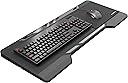
| Antenna Location | Relaxed games and computer activities on the couch |
| Are Batteries Required | No |
| Asin | B07WFTN2CC |
| Brand | Couchmaster |
| Color | Black/Red |
| Compatible Devices | PC, Game Console |
| Compatible Operating System Family | Windows |
| Connectivity Technology | Usb |
| Customer Reviews | 4.4 4.4 out of 5 stars (525) 4.4 out of 5 stars |
| Hand Orientation | Ambidextrous |
| Keyboard Backlighting Color Support | Single Color |
| Keyboard Description | Gaming |
| Keyboard Layout | QWERTY |
| Manufacturer | Couchmaster |
| Mfr Part Number | NT-CM-CASE-00-Black-002 |
| Model Number | NT-CM-CASE-00-Black-002 |
| Movement Detection | Optical |
| Number Of Keys | 84 |
| Operating System | Windows |
| Other Special Features Of The Product | Ergonomic, Wrist Rest |
| Power Source | Battery Powered |
User
Exceeds my expectations
This product is well designed and has more features than I was expecting. I look forward to many hours being able to game on my couch with it.
User
Worth the money
I like it.Im using it for a few days but until now iโm happy with
User
Hard price to accept but it's so nice to use...
I really wanted this thing to suck so I could send it back, but, it's awesome and works great. Super sturdy, holds my Corsair K100 no problem and still has plenty of room for the mouse pad. I think even my special edition K100 with 18 G keys would easily fit. It is very well engineered and I was very surprised the cable was so well built and long enough to reach across the room. I think they should update it to maybe add on some USB C and extra more external accessible USB A ports. Since it sort of sucks to unscrew/screw the back open to add anything I just added a small USB hub for my HOTAS setup. I have a Wart Hawg HOTAS and I don't even have to power the hub I added on. Is it worth the cost? I think so, I sure couldn't find anything to compete with it and it does the job. It makes playing ESO and Star Citizen much better with a solid foundation under the controls.
User
Second version is great
I bought the CYCON2 version, not the original. From what I read of previous comments, it looks like the manufacturer actually read all the cons in those reviews and went down the line and fixed them all.1) The hub is now powered and 6 ports (2 ports on each side of the inner pillar and 2 on the top in the middle above where the numpad would be on the keyboard).2) The holes for cables are no longer round and too small for bigger keyboard connectors (like the ones that have 2 USB cables together). The new parallelogram shaped holes seem to have plenty of room to shove cable ends through.3) The 2 back panels are held on by 1 large Philips screw in the center and 4 small magnets on the corners of each panel, so you unscrew the one screw with a wide flat head and then pull gently to remove the panel. When replacing the panel, just pop it in place and the magnets held it until you put the screw back in. The screw point and another protrusion on each side form a cable manager under each panel that you can wrap excess cable around for the mouse and keyboard.4) The cable coming out of the board is 2 parts: an internal cable that plugs into the hub in the central inner pillar and can be routed to either side and ends just beyond a hole on the side of the board; and a very long cable with a custom connector that plugs into the first cable at the side of the board and has a USB A (the standard PC connector) on the other end. A power cable comes out the back of the USB connector and ends in a round power connector that the wall wart AC adapter plugs into.5) The cushions are separate, so I only need one for the right side (left side of the board sits on the couch arm). I think the cushions are perfect sized and comfortable to rest my arm on.6) Comes with a mouse pad with double sided tape on the back. I installed it on the right and it works great with my mouse. It can be installed on either side depending on your preference, or you can toss it and buy a gaming mouse mat to put on it.7) There's plenty of room for a full sized keyboard and the mouse pad, though I bought a tenkeyless gaming keyboard to use with it. My keyboard has removeable cable with USB-C connector on the keyboard, so it is really easy to pop the connector off and remove the keyboard without messing with the cable management or back panels. I highly recommend getting a keyboard like that (mine is HyperX) and also a mouse with removeable cable if you don't use a wireless mouse; otherwise you need to keep the board more or less level wherever you store it to keep the keyboard/mouse from falling off or hanging by their cables.Overall, I initially thought it was pretty expensive for a lap desk, but after getting it and using it I am completely satisfied with it and don't regret the price at all. It is vastly superior to the lap desk I was using previously. If you are going to do PC gaming from a couch or la-z-boy, I would definitely recommend it. I would also recommend getting a keyboard and mouse with cables that also detach at the device to make storing everything easier.
User
Game on PC with comfort!
Love this product, I'm happy to game comfortably with a more laid back position similar to what you could do with a controller/console.It is well built, setup takes about 15 minutes.Just awesome!
Trustpilot
2 months ago
1 month ago