Buy anything from 5,000+ international stores. One checkout price. No surprise fees. Join 2M+ shoppers on Desertcart.
Desertcart purchases this item on your behalf and handles shipping, customs, and support to Sri Lanka.
🚀 Mesh Your Home, Master Your Network — Stay Connected, Stay Ahead!
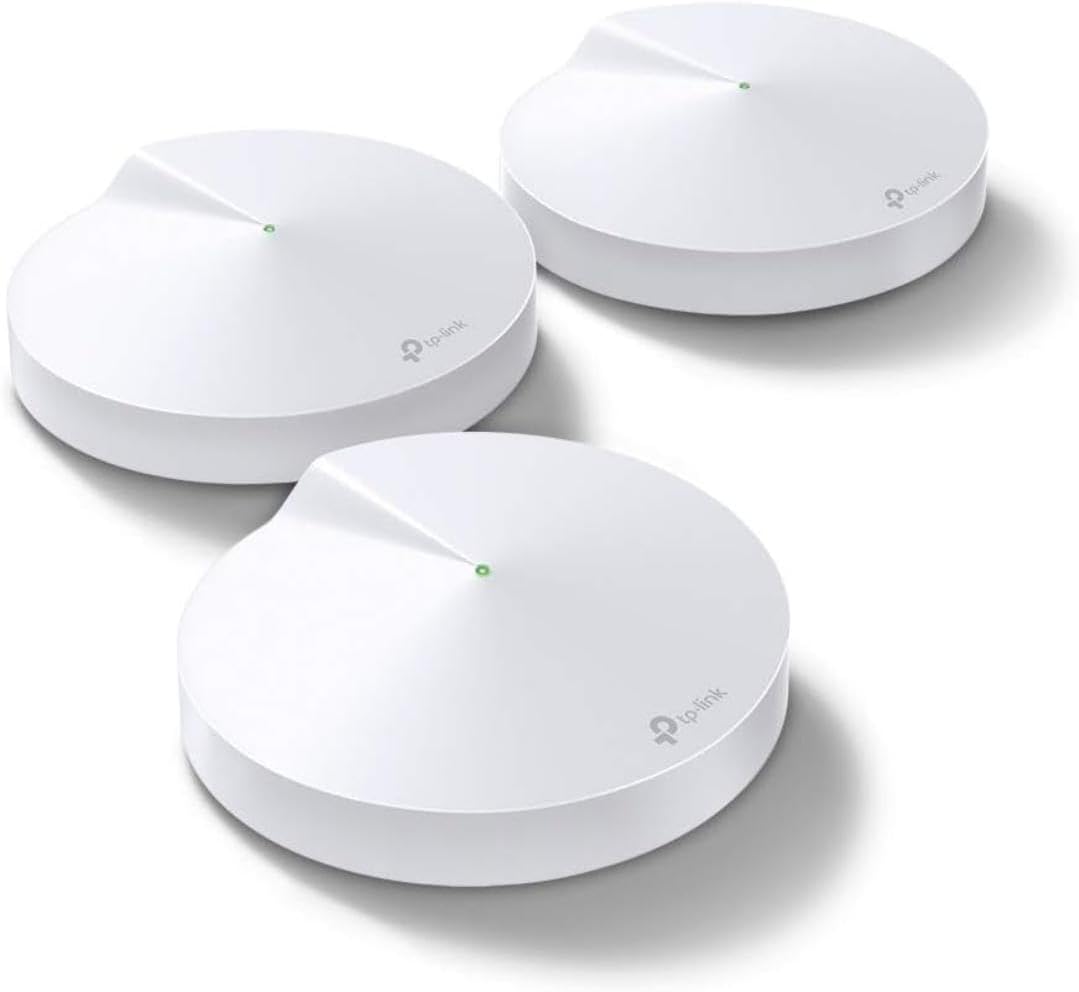
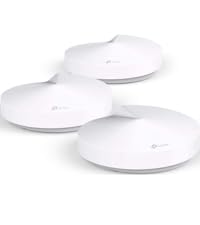
The TP-Link Deco M5 Mesh WiFi System (3-pack) delivers robust, seamless Wi-Fi coverage up to 5,500 sq.ft, supporting over 100 devices simultaneously. Featuring adaptive routing technology and a free lifetime subscription to TP-Link HomeCare for advanced security, it replaces traditional routers and extenders with a single, easy-to-manage network. With dual-band speeds up to 1300 Mbps, 6 Gigabit Ethernet ports, and Alexa compatibility, it’s designed for the connected professional’s smart home or office.


| ASIN | B06WVCB862 |
| Antenna Location | Home |
| Antenna Type | Fixed |
| Best Sellers Rank | #9,306 in Computers ( See Top 100 in Computers ) #179 in Routers |
| Brand | TP-Link |
| Built-In Media | 3 x Deco M5 units |
| Color | 3 Pack |
| Compatible Devices | Android 4.4 or later iOS 9.0 or later |
| Connectivity Protocol | wi-fi |
| Connectivity Technology | Ethernet, Wi-Fi |
| Control Method | App |
| Controller Type | amazon_alexa |
| Coverage | up to 1500 sq. ft. Coverage |
| Customer Reviews | 4.6 4.6 out of 5 stars (26,017) |
| Data Transfer Rate | 1300 Megabits Per Second |
| Frequency | 5 |
| Frequency Band Class | Dual-Band |
| Global Trade Identification Number | 00845973080839 |
| Has Internet Connectivity | Yes |
| Has Security Updates | Yes |
| Is Modem Compatible | No |
| Item Dimensions L x W x H | 12L x 12W x 3.4H centimeters |
| Item Type Name | Deco M5 Whole-Home Wi-Fi System |
| Item Weight | 600 Grams |
| LAN Port Bandwidth | 1000 Mbps |
| Manufacturer | TP-Link |
| Maximum Upstream Data Transfer Rate | 1300 Megabits Per Second |
| Mfr Part Number | Deco M5 |
| Model Name | Deco M5(3-pack) |
| Model Number | Deco M5(3-pack) |
| Number of Antennas | 4 |
| Number of Ports | 6 |
| Operating System | RouterOS |
| Other Special Features of the Product | Homecare Support |
| Router Network Type | wireless |
| Security Protocol | WPA-PSK;WPA2-PSK |
| Smart Home Compatibility | Smart Home Compatible |
| UPC | 845973080839 |
| Unit Count | 3.00 Count |
| Voltage | 100240 Volts |
| Wireless Compability | 802.11a/b/g/n/ac |
S**K
it really works!!
In one room we got 1 bar on our wifi and now it is full bars - i was sceptical but it really works.. excellent product
W**E
Great product - well worth the investment
I have 6 of these units covering my 500m2 house. Works brilliantly!
A**R
Original product
Very practical / efficient for multiple floors
S**A
It’s ok
Internet is decent from the main. A bit slow from other extensions. It doesn’t communicate with smart devices such as those xiaomi or other. There are better mesh systems for the price.
A**I
Great
Great product Easy to use
K**N
Easy to setup: Download the app and follow the instructions on your phone. Excellent feature set inside the app. Parental controls, Port Forwarding, and comes with a 2 year anti-virus. However, it does NOT have all the advanced features of a standard router - this is not a problem for me and won't be for most people out there. If you're so inclined, you can still control the advanced settings at your home Internet router. No wiring requirements beyond plugging each unit in and attaching an Ethernet CAT5 cable from your Internet router to 1 of the units. The other units will connect wirelessly. If you have ethernet backhaul throughout your home - that will work too. But it isn't necessary if your home wiring is as bad as mine. Speed and coverage is excellent. Every inch of my home has coverage (about 2,300 square feet over 3 levels) with no noticeable connection lag. Some of my plaster walls are difficult to transmit through and this system overcomes that no problem. Your devices are unaware of which unit they are talking to, the Deco's will take care of all that for you. You just set up one network SSID and connect your devices to it. NO connecting to an EXT network or switching around your wifi network to extended areas. It's completely seamless. I have about 20 devices connected at any given time. No issues whatsoever. I really love this system! On price and quality, it's a 5 star from me. Highly recommended to anyone that wants to cover their home in wifi.
S**L
This is a great device. I used Singtel and had so many issues with the WiFi. However with TP Link deco the connections don't break and mpr ver I get better speed. Throughly recommend for anybody having WiFi issues in Singapore and tryin to get a mesh. Btw I spend a lot on buying silly extenders which never worked.
D**N
I started my working career with my own typical Silicon Valley tech startup. This was in the early 80’s, just when the first PCs appeared and quite awhile before internet. I’ve gone through just about all techie equipment setup issues. Wow! Have we come a long way. My recent setup of the TP-Link Deco Whole House Mesh Router was by far the easiest in this guy’s tech experience. First: The Problem. I had a DSL modem/router/WiFi in my basement office. The WiFi was OK throughout the whole house for email etc; but my FireTV and Chromecast streaming dongles were intermittent. Two issues with them: 1. They were upstairs in a Den. 2. They were hanging off a Flat Panel with some radiated interference. Sooo, I decided to have some sort of additional WiFi generated in the Den. I could have just put another router upstairs, but, I’ve found that having new routers with the latest and greatest firmware perform better and save trouble in the long run. Solution: Researching new routers, I realized that the newer ‘Mesh Routers’ filled the bill. Excellent whole house coverage and the same SSID and PW for all devices.. Specifically I selected the TP-Link Deco Whole House mesh router because of other reviews and especially because it seemed to have a full set of setup features (allowing static IP - more on that later). It was priced slightly higher than less featured competitive products, but not a big deal. My Setup: The downstairs Modem/router/WiFi router is setup via the home network, 192.168.0.1 URL. Over years many home and guest devices use this router’s SSID and PW. My problems were only related to streaming devices therefore I decided to setup Deco with a new, streamer only, SSID and PW and keep the old WiFi running. I realize that this is under utilizing Deco and I could shut down or changed the WiFi downstairs and set Deco to the Home Network SSID and PW; but I’m OK with running two networks in case one goes down for some reason, or maybe I was just lazy. . Setting up the Deco was easy. The Android TP_Link Deco App ‘talks’ to the Deco router via Bluetooth so I didn’t have to go through ethernet or WiFi and could just use my android smart phone to setup Deco. All the other phones/tablets/printers still use the old SSID so no changes to devices other than the streaming ones.. My phone can use either network and is the only device setup to ‘talk’ to Deco. Results: m-labs speed test in Den Old, single point downstairs WiFi - Download 23.5 MBPS UpLoad 4.95 MBPS New, Deco mesh router - Download 34.5 MBPS upload 4.5 MBPS. After using FireTV to stream movies all of the old intermittent problems were gone! (It may be that not having competing ‘traffic’ on the streaming WiFi network may have been a factor). Anyway - PROBLEM SOLVED! The TP_Link setup App is very full featured. It has many advanced options: built in speed check, parental controls, blacklisting, and advanced networking mods. With regard to the later, I’ve found that our printer gets ‘lost’ periodically with dynamic IP and device changes. To circumvent this problem I’ve reserved a static IP address for my printers and cloud storage in the Home Network. The TP_Link Deco App has ‘Address Reservation’ that would support this same static IP setup if I decide to use Deco exclusively in the future. All in all, I’m very pleased with Deco and recommend it to anyone wanting to have reliable whole house WiFi coverage, and easy but full featured setup.
A**R
Post firmware update speeds have dropped. Do not buy
R**I
Fácil de configurar via o app que manda instalar. Internet é extremamente estável e conseguiu entregar a velocidade máxima da minha Oi Fibra (500 Mbps). Sobre a distância, realmente, não é perfeito. A uma distância de uns 20 metros sem obstáculos diretos (só indiretos tipo uma parede que evita visada direta do sinal mas sem obstruir diretamente o sinal) cai uns 20%. E se no final desses 20 metros (cômodo), tentar acessar de um dos cantos do cômodo que fica fora da visada da porta de entrada do sinal (sinal ficou entre 30 e 50%). Mas valeu a pena, sem dúvidas! Só que o preço é realmente salgado. se custasse até uns mil reais eu teria comprado 2 kits para dar de presente, mas nesse preço, fica difícil.
Trustpilot
1 day ago
2 weeks ago