


Desertcart purchases this item on your behalf and handles shipping, customs, and support to Sri Lanka.
🚀 Stay connected anywhere, secure everywhere — the ultimate 4G VPN router for pros on the move!
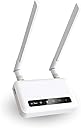
The GL-X750V2 (Spitz) is a rugged, AT&T and T-Mobile certified 4G LTE VPN router designed for reliable internet in rural and offshore locations. Featuring dual-band AC750 Wi-Fi, pre-installed OpenVPN and WireGuard for enhanced security, and an open-source OpenWrt platform with expandable storage, it offers professional-grade connectivity and privacy. Perfect for IoT applications and remote work, it supports micro SIM cards and includes a 2-year warranty.


| ASIN | B08TRCSSZ4 |
| Antenna Location | Home |
| Best Sellers Rank | #7,625 in Computers & Accessories ( See Top 100 in Computers & Accessories ) #258 in Computer Routers |
| Brand | GL.iNet |
| Built-In Media | GL-X750V2 (Spitz) 4G LTE smart router, power adapter, Ethernet cable, user manual |
| Color | GL-X750V2 |
| Compatible Devices | Personal Computer |
| Connectivity Protocol | Bluetooth, Ethernet, Wi-Fi |
| Connectivity Technology | Wi-Fi |
| Control Method | Remote |
| Controller Type | App Control |
| Coverage | Rural areas and limited network coverage |
| Customer Reviews | 4.1 out of 5 stars 341 Reviews |
| Data Transfer Rate | 750 megabits_per_second |
| Frequency | 5 GHz |
| Frequency Band Class | Dual-Band |
| Item Weight | 86 g |
| LAN Port Bandwidth | 10/100M |
| Manufacturer | GL.iNet |
| Maximum Upstream Data Transfer Rate | 433 megabits_per_second |
| Mfr Part Number | AUB08TRCSSZ4 |
| Model Name | Spitz |
| Model Number | GL-X750V2C4 |
| Number of Antennas | 4 |
| Number of Items | 1 |
| Number of Packs | 1 |
| Number of Ports | 2 |
| Operating System | OpenWRT |
| Other Special Features of the Product | WPS |
| RAM Memory Installed | 128 MB |
| Router Firewall Security Level | High |
| Router Network Type | wireless_router_with_4g_lte |
| Security Protocol | OpenVPN, WireGuard, Cloudflare DNS |
| Special Feature | WPS |
| Unit Count | 1 Count |
| Warranty Description | 2 Years |
| Wireless Communication Standard | 802.11ac |
| Wireless Compability | 802.11ac |
R**E
Nice device to use as a secondary, failover Internet connection....
Purchased this to use as a second Internet connection to backup my main connection on a TPLink Omada network. I am using a Google Fi data only sim, and it connected no problem. Google Fi uses T-Mobile towers, so I have found any device that supports T-Mobile will most likely be able to use the Fi SIM card. The data only sim is basically a free connection that comes with my Google Fi subscription. The GL-X750 uses a micro SIM, not a nano SIM, but once I found an adapter the SIM card installed and connected, no problem. I connected the GL-X750 to the second WAN port on my router, configured failover, and done! Tested and failover was smooth, and while not a fast connection, it will definitely keep me connected if my main Internet goes down. We will see how it does in the long run, but for now I am pretty impressed. For the price of this unit, configuration was easy and it seems to work as promised.
L**E
Works well in jamaica
Perfect
Z**R
Additional features aren't exactly user friendly
I had this working fairly easily with T Mobile. Since I have an AT&T tower much closer I had to dig quite a bit to make it work. That being said it is an amazing piece of hardware for the price and works well. I had high hopes of testing outdoor directional Yagi antennas but have gotten good enough performance to not justify any more cost. Top tips: *First, install the luci interface for advanced features. This will allow you to mount and combine SD storage for additional space to have a file share, or to install additional packages. *Second, adjust TTL to hide "hotspot data" usage *Third, overwrite the modem's IMEI from a phone that is valid for use on the network you choose that you do not plan to continue use again. Use that phone device to activate your SIM card first. *The second and third changes probably break the terms of the contract with your carrier. But they work! If you're still getting throttled, set up the VPN feature.
A**N
Did not expect this
The first router I got was no good, it could not recognize T-Mobile sim card. I spent about 3hrs with T-Mobile support only to realize the sim card is OK so it was the router. Sent it back, received a replacement, put the sim card in, and it started working immediately! Results: in a very crowded environment (Port of Everett WA marina) I'm getting ~7mbps down. My boat is surrounded by thousands of other big boats (it's the largest marina on the West coast) thus the speed is just OK. However, once I get out on the water in Puget Sound - I'm getting consistently 25mbps+. Tried it up north around San Juan islands and it performed like a champ with 5-10mbps down! Could not believe it can do this but it really works well without any interruptions so far. The reason for 4 stars: 1. First unit was DOA, to me it's a QA problem 2. It's reeeaaaalllyyy slow to boot, it takes at least 4-5mins to boot 3. No real support except user-forums and online docs which is quite good I have to admit; still a ph# to call would help in cases like #1 4. It takes 2 clicks to save settings so do not trust that "Saved" msg box after you changed values, you need to go back and review modified settings to ensure they are saved. In my case, the router UI can only save 1 setting at a time which is time-consuming but not a deal breaker. My $0.02: this little gem is a true budget champion packed with features (and even VPN). The most surprising is the speed it provides being just CAT4, simply amazing for the money. Versatility, features, and SPEED is the key for me to really like it. The CONS are manageable.
A**A
Decent Unit, Serious Upgrade Issues
I would not advise buying this router if you plan to upgrade the unit's firmware. Amazon's stock is filled with a unit that holds firmware 3.104, and that unit cannot be upgraded. I bricked 2 units with the manufacturer's guidance, trying to upgrade the firmware. The issue with older firmware is that you will miss important connection and unit security updates. You will be stuck to the firmware forever, or you will find yourself entangled in a very frustrating upgrading process that will take days of your time, and in the end, you may end up with a bricked unit. I have to say that GL.INET does not focus on retaining configuration when upgrading their firmware. When they have a major upgrade, your router config usually is not ported into the firmware upgrade, and you have to redo all your router's configuration after a firmware upgrade. I learned that the hard way with GL.INET products. I suggest that when you configure your router, write down what you did or move on to another brand. As far as support, they have improved their response speed. However, many of their units in the market have older firmware, and if you get one of those, you will be in big, painful trouble.
C**L
Great Rural Option
Edit: 03May24...tried to run manufacturers recommendations (UBoot) for "un-bricking". Unit still not functioning after the update. It's still within my 30 days of purchase so requested a replacement which should be here 05May24. We'll try it again then...if that one fails I'll ask for refund and go with a different manufacturer. Edit: reduced to 3 stars. My device is currently "bricked". So now I have to order a USB/ethernet adapter so I can connect the device to my laptop in order to "un-brick" it per the manufacturers forum. More to follow... My place will never have hardline internet as an option, too far in the woods. Starlink is an option but rather pricey. We had an extra unused phone line in our cellular package. Pop that SIM in, make appropriate changes in the software, and we had unlimited internet.
S**X
Failover for Unifi Cloud Gateway Ultra (UCG-Ultra) using Google Fi
I'm using this router as a failover connection for my home ISP, backing up my fiber line. In the event of an outage, my camera VLAN remains online, ensuring recordings continue uploading to the cloud for added security. The performance is solid, with speeds around 55 Mbps down and 11 Mbps up, which is sufficient for my needs. I'm utilizing one of the 4 data SIMs provided by Google Fi, offering up to 50GB of data, and it's working seamlessly with this router. The setup was straightforward—I left the network mode on "Router," inserted the SIM card, and followed the prompt for automatic setup, which was quick and easy. However, the device does take a while to reboot. This router runs OpenWRT, which is a great feature, though I don't personally use the interface. After updating the firmware, I connected the LAN port to the WAN2 port on my main Unifi gateway, and it’s been smooth sailing ever since. If you need faster speeds, their 5G model might be worth considering. However, for my failover needs, this 4G router performs perfectly. Since my Google Fi SIM card is a nano SIM and this device supports a micro SIM, it did take two attempts before placing the SIM card into the router correctly until it recognized my connection.
E**G
Some of the best money I've ever spent!
I was hesitant to get this because it just seemed too good to be true. Turns out it's not. Plugged my mint mobile Sim card in (which runs on tmobiles network) and boom I've got wifi for all my devices without needing to buy a separate home internet subscription. Only word of advice is to make sure you ask Google how to properly set this up to ensure that your connection doesn't get mislabeled as Hotspot data by your carrier. Also having a VPN will help a lot. Over all, once I have it all set up, I was beyond pleased with the quality of life improvement I made with this thing on an off grid property I'm currently working at.
Trustpilot
2 weeks ago
1 month ago