⚡ Unlock lightning-fast SSD power for your classic machines!
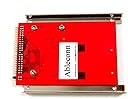
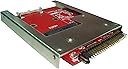
The Ableconn IIDE-MSAT adapter converts any full-size mSATA SSD into a 9.5mm 44-pin 2.5" IDE drive, enabling vintage laptops and desktops to enjoy modern SSD speeds. Featuring an open aluminum frame for optimal heat dissipation, it supports plug-and-play across Windows, Mac, and Linux without drivers. Designed for easy SSD swapping and built with high-quality RoHS-compliant materials in Taiwan, this adapter breathes new life into legacy systems with rock-solid stability and up to 2.6x faster read speeds than traditional HDDs.


| ASIN | B017VQT5YW |
| Best Sellers Rank | #298 in Enclosures |
| Brand | Ableconn |
| Color | mSATA SSD to IDE |
| Compatible Devices | Laptop |
| Current Rating | 0.5 Amps |
| Customer Reviews | 4.2 out of 5 stars 345 Reviews |
| Finish | Aluminum |
| Finish Type | Aluminum |
| Input Voltage | 94 Volts |
| Item Dimensions | 3.9 x 2.8 x 0.4 inches |
| Item Weight | 1.9 Ounces |
| Item dimensions L x W x H | 3.9 x 2.8 x 0.4 inches |
| Manufacturer | Ableconn |
| Model Number | IIDE-MSAT |
| Number of Ports | 1 |
| Package Quantity | 1 |
| Power Plug Type | No Plug |
| Unit Count | 1.0 Count |
| Warranty Description | 1 Year Manufacture |
K**N
Works well in a 2005 Mac Mini G4
I have three Apple Mac Mini G4's. Two I bought recently as New Old Stock with Leopard loaded. I wanted to convert the two new ones to run Linux, but also wanted to swap out the 80GB 5200 rpm hard drive for an SSD. Like most laptops of the era, the 2.5" hard drive interface is a 44-pin IDE (PATA). These hard drives are getting harder to find since most manufacturers stopped making PATA drives and switched to SATA over 10 years ago. Finding an SSD with a 44-pin PATA interface is basically unobtainium. I looked at the white and black enclosed models that are cheaper. Two issues from viewing photos. The mSATA SSD sits inside a closed case with no air circulation. And most designs have a voltage regulator very close to the SSD. The Mini is already a tight design. I worried that the lack of air flow would make the SSD run hot and shorten its life. This unit has an open frame design, and no voltage regulator near the SSD. The mounting frames also looked rugged. I bought one to try, along with a new Samsung 850 EVO 250 GB mSATA SSD. Installation was easy (once I cracked open the Mini's case). The adapter fit perfectly, and I could easily reuse the mounting screws. I inserted the SSD onto the adapter without a problem. One advantage of this design - you can easily change or upgrade the mSATA SSD without having to remove the adapter. I had no problems with the SSD mounting retainer. From the Linux livecd install disk, I was able to format the disk to hold five partitions. There were no bad blocks found. When Linux booted, it showed the Samsung 850 EVO as present with support for ATA-7 and UDMA/133. The Mini's controller is limited to ATA-6 and UDMA/100, but it does support LBA-48. hdparm measured 92.0 MB/s reads; the hard drive measured 35.4 MB/s, so this is 2.6x faster (and about 3x more capacity). The computer feels peppy. I clocked booting (from selecting the kernel to login prompt) at 13 seconds. WOW! I was quite pleased with the results. So much so, I bought a 2nd unit to convert the other Mini. The computer has been running for several weeks now, uptime for 10 days at one point, with lots of long compile jobs (I'm running Gentoo Linux, which builds from source). Stability is rock solid. This solved a problem I had quite well. My only concern is the future life of mSATA. New laptops appear to be transitioning to M.2 and MVMe. Some manufacturers, such as Crucial, have stopped making mSATA drives. Others, like Kingston, have come out with new designs (the KC.600) with higher densities. Prices have fallen due to competition and transition to newer technology, so there are lots of good deals out there (I picked up the Samsung SSD new for $40, used ones are about half that). I'm quite satisfied with this product, glad Ablecomm made such a device for a rather niche market, and happy I could buy it on Amazon.
F**S
Revived 15 year old laptop
I have a 15 year old Dell 700m laptop that I really liked. It has apps that I accidentally deleted from other PCs plus some apps that don't run well on WIN 10 in compatibility mode. It was too old for a Chromebook upgrade. It was not upgradable to WIN 7. The BIOS did not support AHCI and would run the mSATA transparently thru the IDE/PATA interface . I had a 32Gb mSata card pulled from another laptop, found the Ableconn IIDE-mSATA and figured that I could put the mSATA in the Ableconn, connect it to a 44pin USB 2.0 adapter that I had and connected it to the Dell. It worked, I was able to format the mSATA and I bought a 128Gb mSATA card (Zheino M3), repeated the effort on the larger mSATA. I had to buy AEOMI Backupper Pro ($39; the freebee won't clone a disc) and replicated the 80Gb Hitachi HDD. Installed the Ableconn w/mSATA in the 700m. It replaced Hitachi HDD perfectly, no need for the provided screws. It booted immediately, ran beautifully for a day, then slowed down. the barely ran. Pulled the mSATA and did some homework: Removed the master/slave jumpers from the Ableconn, left the unused portion of the mSATA unformatted, (I had created a partition in this space) and downloaded SSD Tweaker (free) to set the WIN XP parameters for optimum SSD performance. Re-Cloned the HDD > mSATA, reinstalled in the 700m and the PC has been running beautifully since. Not sure what fixed the original problem but its 20 sec to Logon, another 20 sec to useful work. Outlook 2007 takes a long time to startup, but then just fine. It's not as fast as native mSATA since its running thru the 44pin EIDE interface but its a much more useful PC and I don''t dread the wait time when I boot it up. I also upgraded to SSD Tweaker Pro ( $9) get the Trim function. This cost more than expected, primarily due to the software needed. I consider the Ableconn IIDE-mSATA adapter an elegant solution to providing longevity to an old,still useful and I will say it, a beloved PC. PS: After a day of heavy use I had another recurrence with the slowdown at startup and was going to revert to the HDD, left it to do the next day. When I sat down to revert to the HDD, just to check, I pressed power and the 700m booted up immediately and ran with no problems. I'm not sure what the problem was but recall an old item I read online: letting a PC with an SDD 'idle' before shutdown, say after Windows logoff, so it can reorganize itself. (Finnicky little devils aren't they?) Also my battery is only good for an hour + so the 700m is usually plugged in, which might get power to the mSATA before the OS is up. Either way, I am satisfied with the Ableconn, it did the job.
J**L
Finally an adapter that works perfectly, Marvell inside!
I have tried the white adapter which are abundantly available from ebay and it caused my Satellite A70-S259 to lock up when formatting my 128gb Samsung msata drive during Windows 7 32 bit home premium installation. So I tried the clone method which seemed to work ok and had read speeds around 74mbps and write speeds around 69mbps. Then when it came to restarting the laptop it would lock up again but this time at the windows boot logo. Doing some more research I found that the generic white ebay adapters typically have the JMicron chipset in them which causes a lot of compatibility in issues between certain laptops and msata drives. One person from a forum recommended to purchase an adapter that has the Marvell chipset which this adapter does have. This adapter is pretty much identical the Aleratec version but sold out cause I waited too long to make a decision whether to invest into an old laptop. Thankfully this Ableconn's version worked out PERFECTLY and fit like a glove in my Toshiba! Windows installed fast and without a hitch! Now I'm getting 94mpbs and 77mbps writes speeds! Boot times are just over 15 seconds, outstanding! Boot time with the original IDE 60gb 4200 rpm hard drive was around 1 1/2 minutes. Get yours today as I worry about if these great adapters will be eventually be phased out as old technology relics of the past have. Was shipped quickly but unfortunately USPS decided to throw the packaged envelope on my front lawn and was buried underneath a few inches of snow from a storm that just rolled through that same day. Couldn't find it until 2 days later with a flashlight but obviously wasn't Ableconn's fault just the delivery person must have had a bad day I guess. Nonetheless, it survived being out in the cold and works flawlessly! Thank you Ableconn, your adapter is fairly priced and breathed new life into my gently used laptop! P.S. Keep making these things, I'm sure people will continue to buy them! Take care!
S**M
EXPENSIVE JUNK
Did not work with two different SAMSUNG 860 EVO mSATA SSDs. One was brand new, just to make sure the problem is not with the SSD. Tried with three different computers to no avail. Does not show even in the BIOS. This adapter not only does not work, but could damage your drive by the stupid sprig-loaded retainer, which requires three hands, or assistant to remove the drive without forcing it. I may have gotten a lemon, but do not want to go through sending multiple times and find out it is a design flaw. Not that important, but the carrier is not aluminum as stated in the description, but plated steel. I ended up buying Aneew mSATA SSD to 44 Pin IDE Adapter, which is three times cheaper and works without troubles.
M**A
Works as a drive, just does not work as a BMW CIC drive replacement.
Works as a drive, does not work as a BMW CIC drive replacement, at least not anymore. The car never detected it, not with it set as CS, not specifically set as slave. In fairness, it may have been the mSATA card I used, no way to tell. (A Transend TS128GMSA230S) I'll just try a compact flash to IDE now I guess.
G**N
PC's: Ablecomm adapter Keeps 'em Rolling!
Form factors seem to change for many instruments at shorter intervals nowadays. It's conceivable that in the not-too-distant future internal SSDs won't be made in the rectangular enclosures which have been predominant; a changeover to the smaller form factor of mSATA, m.2 NGFF SATA & ever-evolving small-form plug-ins will predominate, to fit into the slimmer laptop PCs which have been gaining an increasing presence in stores, & in users' hands. There are too many fine older-form laptops with strong user allegiance (including this reviewer), and Ablecomm is one of a few makers of adapters which will put the newer 'SSD's on cards', so to speak, into the typical size PC's of most recent (and, some older) build. What makes Ablecomm's adapter for the 2.5" SATA space a champ is a combo of features: 1. its solid aluminum frame; 2. it has room for either a mini-size mSATA drive, or a M.2 NGFF 'long-stick'-shape SSD, resembling a RAM form for desktop PC's. You can insert both types at the same time, but only the M.2 form will operate. The only reservation I have about this item is that it is 'open-shell', like a car chassis with no body. However, the SSD cards will fit snugly, in any event. I've used another version of this to insert a SSD into an IDE-form Dell Inspiron 600m (an old workhorse from around 2004, along with its Vostro equivalent). I'm going to use Ablecomm's contender in a few Inspiron 15's at home. All in all, Ablecomm has made a quality item, soon to become a necessity for those of us who fight the good fight against planned obsolescence --successfully.
P**R
Works great in my iBook G4
I'm using this with a Kingston 256 GB mSATA SSD in a 2004 iBook G4, replacing the old IDE internal hard drive. I had to remove the primary/secondary jumper, as the iBook's IDE cable covers all of the pins on the adapter, including the jumper pins. This is working without a problem; I have successfully installed and booted the OS from the SSD with the adapter so connected. Images: the manual that came in the box; the box; the adapter with my Kingston SSD mounted in it (before I took the jumper off); XBench disk speed results. Regarding my benchmark (XBench) results: My iBook G4 has a UDMA100 IDE interface, so it is limited to about 100 MiB per second theoretical maximum. Empirical results of 80–90 MiB per second mean the SSD (and adapter) are saturating it—i.e., they are faster than my computer is, and should perform faster in a computer with a faster interface.
T**X
Great device that works very well even with ancient hardware!
This device worked flawlessly in a project I just completed replacing a 4.8GB Fujitsu 2.5" IDE hard disk from 2001 in a giant CNC mill, which has a 486 Single-Board-Computer in an ISA slot running the vrtx32/386 real-time OS on top of MS-DOS for Embedded Systems! Yes, I said 486! Mind you that most mSATA cards would be far too large, and cause this ancient system's BIOS to choke, so the card I used was a 32GB model from Silicon Power, and I had to resize the "apparent size" of the card to make it look like a matching 4.8GB disk (the BIOS would have allowed a bit larger, but not much, and the mill is only using 200MB or so...) The important part is that this device, and the Silicon Power mSATA chip supported the ATA commandset enough to allow the resizing process (which I attempted and failed to do with CompactFlash, Disk on Modules, several IDE SSDs, etc). "Resizing" as I say it really just means creating a Host Protected Area (HPA) on the disk that the BIOS can't see, leaving behind the remainder in a size you want the system to see. I used hdparm for that: sudo hdparm -Np123456789 --yes-i-know-what-i-am-doing /dev/sd_X_ With "123456789" being the LBA sector count that you want the drive to appear to have, and "_X_" being set to (a,b,c, etc for whichever disk this is) Definitely, *do not* use these commands if you're not sure what you're doing, and definitely don't expect any data to remain intact on the card afterward (it might- but don't plan on it).
Trustpilot
5 days ago
2 days ago