

🔐 Unlock the future of home security—keyless, sleek, and always in control.
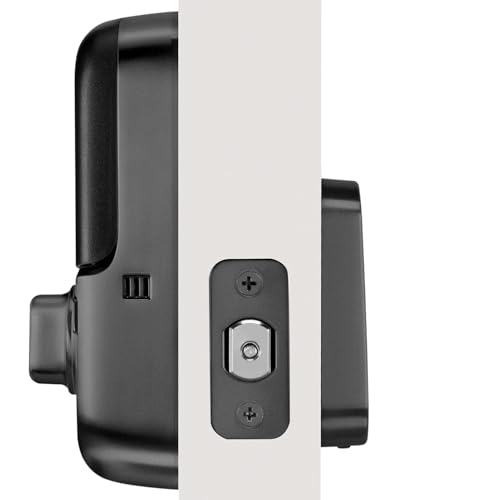
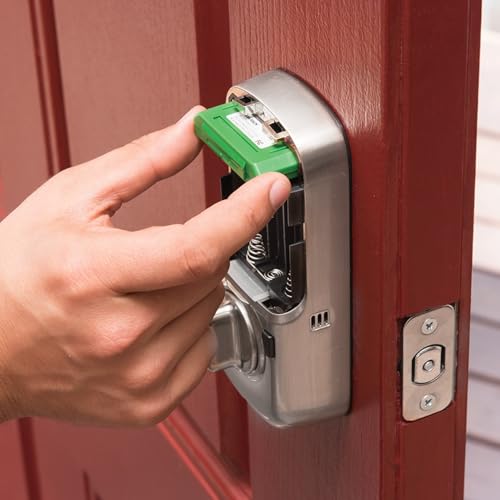
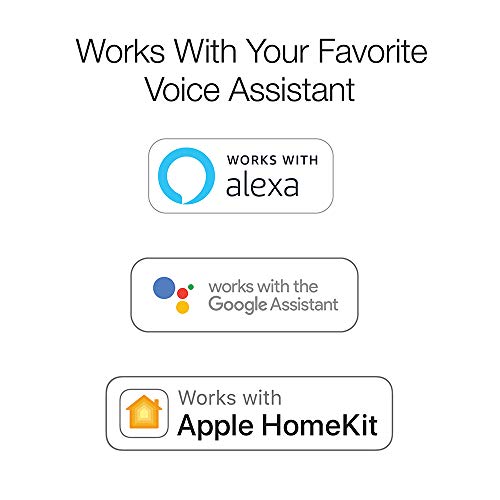
The Yale YRD256-NR-BSP Assure Lock SL is a sleek, black suede touchscreen deadbolt designed for key-free entry using a secure 4-8 digit code. Featuring auto-lock for enhanced security and easy DIY installation on standard doors, it offers peace of mind without the hassle of keys. While Wi-Fi smart home integration requires an optional upgrade kit, this lock delivers modern convenience and style right out of the box.


| ASIN | B07XMJL4KK |
| Batteries | 4 AA batteries required. (included) |
| Batteries Required? | Yes |
| Batteries included? | Yes |
| Battery Cell Type | Alkaline |
| Best Sellers Rank | 1,082,434 in DIY & Tools ( See Top 100 in DIY & Tools ) 1,022 in Dead Bolts |
| Colour | Black Suede |
| Customer Reviews | 4.1 4.1 out of 5 stars (851) |
| Date First Available | 20 July 2017 |
| Delivery information | We cannot deliver certain products outside mainland UK ( Details ). We will only be able to confirm if this product can be delivered to your chosen address when you enter your delivery address at checkout. |
| Finish | Black |
| Head Style | Lock Only |
| Included Components | Yale Assure Lock SL Lock, Deadbolt Strike and Mounting Hardware, 4 AA Batteries, Installation Manual and Door Template |
| Item Package Quantity | 1 |
| Item Weight | 1.59 kg |
| Item model number | YRD256-NR-BSP |
| Manufacturer | Yale Security Inc. |
| Material | Stainless Steel |
| Number of Pieces | 2 |
| Part Number | YRD256-NR-BSP |
| Pattern | No Key |
| Product Dimensions | 13.97 x 13.97 x 25.4 cm; 1.59 kg |
| Shape | Rectangular |
| Size | No Wi-Fi |
| Special Features | Auto-Lock, Back-Lit Keypad, One-Touch Lock |
| Style | No Wi-Fi |
| Usage | Outside;Amateur |
M**S
NOT MADE FOR THE UK
Can’t use the smart function in the UK (smart module almost unobtainable here)… Talked to Yale, they asked why it was being sold here! It’s made for the US…
G**R
This lock was simple to install and set up. It connected easily with my Smartthings hub and works with all of my automation plans. This is stark contrast to the three Schlage Smartsense locks in my house that are less than 3 years old. They were difficult to connect to Smartthings and are often "unavailable". Two of the locks have failed and have had to be replaced. The Yale lock appears to be a great alternative in terms of price, installation and ease of use.
J**.
Works great for my entrance door.
G**O
Instale esta chapa en mi entrada principal, fue muy sencillo (teniendo la herramienta adecuada) y quedó perfecto! Se configura muy fácilmente y funciona perfectamente. Súper recomendable
H**K
This review is for the YRD-216 (keypad version) and it's absolutely excellent... Except for some issues with the setup instructions that are explained below. It's only been on the door for a week so I haven't yet had to deal with wintertime door swelling or anything like that, but when things are aligned it's great. The bolt moves quietly and quickly (less than 2 seconds). The buttons work perfectly. The rubber gaskets between the lock and the door are a nice touch. I was concerned that the buttons would look tacky (compared to the super cool touchpad version) but they also look really nice. The form and function are really top notch. The only quibbles with the design are that the buttons are hard to read when you're standing up, and the beeping is super loud. I recommend to disable the sound via the menu options after you've got everything set up (it uses different tones to let you know that your programming was sucessful so it's nice to use the sound during setup). The physical installation instructions were excellent, BUT the operation and setup instructions were not correct for the keypad version (maybe they were carryover from another model but there were several serious errors on this model). Optional extra info in case you buy this same model: First thing, the instructions say to push a button to wake it up. Don't do that, the lock registers each button push regardless of whether it's "awake." However, during programming you should first open the door and then manually turn the bolt to extend it (Normally when you leave the house, you just need to push any button to engage the bolt... So if the bolt is unlocked when you try to start programming, it will assume that you've left the house and your first button push will serve only to lock the bolt). OK, so the door is open and the bolt is extended. For some reason the manual does not tell you explicitly that mode 1 is the mode to reset your master programming code. In the future if you want to change your master code you would enter your old master code, then hit the button that looks like a gear (let's call it "G"), and then hit "1" for the master program mode. Strangely the lock ships with an empty master code, and if you use the hard reset button it also reverts to empty, just FYI. So the first time you use the lock instead of entering your master code and then "G", here's what you do: after the bolt is manually extended, just hit "G" and then "1" and then whatever code you want, and then "G" again to finalize the new code. Now you can use modes 2 and 3 to set up your daily door entry codes as the manual explains (except as mentioned above, do NOT press a button to "wake" the lock, just leave the bolt extended and type in your master code). Hope this helps, the lock is really great once you get it set up.
M**.
Great lock, added wifi, works great
Trustpilot
1 month ago
4 days ago