
DOWNLOAD THE APP



Desert Online General Trading LLC
Warehouse # 7, 4th Street, Umm Ramool, Dubai, 30183, Dubai
DOWNLOAD THE APP
Desert Online General Trading LLC
Warehouse # 7, 4th Street, Umm Ramool, Dubai, 30183, Dubai


📡 Upgrade your WiFi game — because buffering is so last decade!
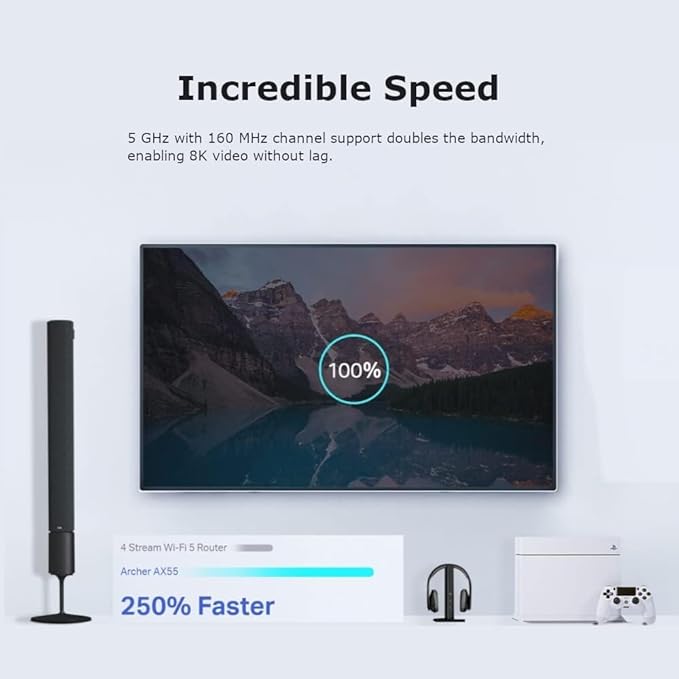
The Archer AX55 WiFi 6 Router delivers next-gen AX3000 Mbps dual-band speeds with ultra-low latency and 160MHz bandwidth. Featuring OFDMA technology, it supports simultaneous connections to multiple devices, while four high-performance antennas and Beamforming ensure expansive, reliable coverage. Enhanced with TP-Link HomeCare security and a USB 3.0 port for fast file sharing, it’s EasyMesh compatible and works seamlessly with Alexa for smart home integration.




| Brand | TP-Link |
| Product Dimensions | 26.1 x 13.45 x 4.1 cm; 2 g |
| Batteries | 1 Lithium Ion batteries required. |
| Item model number | ARCHER AX55 |
| Manufacturer | TP-Link |
| Series | Archer AX55 |
| Colour | Black |
| Connectivity Type | Wi-Fi |
| Wireless Type | 2.4 GHz Radio Frequency, 5 GHz Radio Frequency, 802.11ax |
| Voltage | 220 |
| Operating System | Windows |
| Are Batteries Included | No |
| Lithium Battery Energy Content | 2 Kilowatt Hours |
| Lithium Battery Packaging | Batteries packed with equipment |
| Lithium Battery Weight | 2 Grams |
| Number Of Lithium Ion Cells | 5 |
| Number of Lithium Metal Cells | 5 |
| Item Weight | 2 g |
| Guaranteed software updates until | unknown |
J**L
A Solid Midrange Beast That Just Works
I’ve been running the Archer AX55 for a week now, and honestly — it’s been one of the most stress-free upgrades I’ve made in years. Here’s the lowdown: 🛠 Setup Plug it in, open the app, done in under 10 minutes. The TP-Link Tether app is actually decent (rare for router apps, which are usually garbage). You don’t have to be some networking wizard — it’s super intuitive. 📶 Performance The Wi-Fi 6 speeds are excellent. My old router was choking with more than 6–7 devices online; this one easily handles 10+ (laptops, phones, smart TVs, a couple of cameras) without flinching. — 5 GHz band is rock solid — great for streaming, gaming, Zoom calls, whatever. — 2.4 GHz still covers the house for low-bandwidth stuff like smart bulbs. I’ve got about 1,600 sq ft, and it covers the whole space, even spilling into the garden. ⚡ Stability What surprised me most? Stability. I haven’t had to reboot this thing once since installing it. No random disconnects, no weird drops at night. It just sits there and does its job quietly — which is exactly what you want from a router. 🌟 Extras It’s got decent QoS, OFDMA, and WPA3 support if you’re nerdy enough to care. But even if you’re not, it comes preconfigured smart enough for 99% of people. 👎 Any downsides? — No multi-gig WAN/LAN ports. But if you’re not running fiber >1 Gbps, you won’t care. — The UI in the browser could be prettier, but eh — minor gripe.
C**W
📡 TP-Link Deco BE9300 – Wi-Fi 7 Performance That Blows Away Expectations
Having tested the TP-Link Deco XE75 Pro recently, I was disappointed by poor IoT connectivity and misleading port upgrades. I needed a better-performing mesh router—and the Deco BE9300 turned out to be exactly that. This Wi-Fi 7 powerhouse brings outstanding speeds, seamless device connections, and full 2.5Gb Ethernet support—all at a lower price than the XE75 Pro while delivering superior real-world performance. 🛠 Setup & First Impressions Just like previous Deco models, setup was effortless—plug it in, connect via the app, and you’re online in minutes. ✔️ Straightforward installation—fast and simple via the TP-Link Deco app. ✔️ All devices connected instantly—no frustrating dropouts like the XE75 Pro. ✔️ Solid build with a clean design—compact enough to blend into any space. I set it up as an Access Point, and everything worked flawlessly—no hidden config issues, no tweaking needed. ⚡ Performance – Faster Than Netgear Orbi, Stable Across All Devices The Wi-Fi signal strength and speed were outstanding. In every corner of my house, I had strong coverage, and all devices connected seamlessly—a huge contrast to the XE75 Pro’s frustrating IoT issues. ✔️ All four Ethernet ports are 2.5Gb—no misleading upgrades, unlike the XE75 Pro’s single high-speed port. ✔️ True Tri-Band Wi-Fi 7 speeds—streaming, gaming, and smart home devices all ran effortlessly. ✔️ Smart cameras now load instantly—no buffering delays like before. ✔️ Even faster than my Netgear Orbi RBR50/RBS50, which had been my benchmark for years. Whether on wired or wireless, performance was consistently excellent. 🔍 AI-Driven Mesh Stability & Real-World Usability Unlike the XE75 Pro’s band-switching issues, this system handled smart home devices perfectly. IoT gadgets stayed connected, avoiding the dropouts I experienced on the previous model. ✔️ AI-driven optimisation enhances multi-device connectivity—everything feels faster and smoother. ✔️ Multi-Link Operation (MLO) delivers low latency, especially for streaming and gaming. ✔️ Works seamlessly with older devices—full backward compatibility with Wi-Fi 6, 5, and below. No frustrating network instability, just smooth and reliable performance. 🏆 What Makes This Better Than TP-Link Deco XE75 Pro? ✔️ Lower cost but significantly better performance. ✔️ Four full 2.5Gb Ethernet ports—no misleading "Pro" branding. ✔️ Wi-Fi 7 delivers speed and reliability—IoT devices stay connected. ✔️ Network cameras now stream instantly, instead of buffering. The XE75 Pro’s connectivity flaws and misleading port marketing made it a disappointment—this router fixes every issue and costs less. 🔧 What Could Be Improved? ❌ Still limited network customisation—same software restrictions as other Deco models. ❌ Single unit version lacks full mesh expansion—but a 3-pack is available. And it works harmoniously with other Deco units ✅ Final Verdict – TP-Link's Best Prosumer Wi-Fi Mesh Yet ✔️ Outstanding Wi-Fi 7 speeds & stability. ✔️ Every device connects seamlessly—no IoT dropouts. ✔️ Four full 2.5Gb Ethernet ports for future-proof networking. ✔️ Cheaper than XE75 Pro but vastly better in performance. ✔️ Handles streaming, gaming, and smart home automation effortlessly. ❌ Still lacks advanced network controls found in competitors. 👉 If you want a no-fuss Wi-Fi 7 upgrade with premium speeds and reliability, the Deco BE9300 is easily one of the best options on the market today. 🚀📡✨
Y**Y
Decent wifi6 router
I spent several weeks changing settings as the router was crashing every few days after running out of memory, but now it is working well. TPLink support was ok once it was escalated, but I’m not sure how often the firmware is updated to fix issues as the last one was quite a while ago. I have one as an access point and one as a router and the wifi signal is good, plus the wpa3 and 802.11ax are nice to have, as well as some other features like scheduled reboot, parental controls and remote access. The original advert said it had new device notifications but it didn’t, however this was since corrected and isn’t a major problem. I had hoped the mesh feature would work with a router and access point, but this wasn’t supported so I just set it up the old way with sensible channel numbers. Does the job, just a shame it took a while to work reliably as my network settings are not really unusual and I like to see issues like this properly fixed.
C**Y
Must have upgrade if you have an Older Deco System
I added the BE65 as part of an upgrade to my old Deco X20 system as it is compatible with all the other new Deco BE9300 3 pack. The Deco App automatically recognised all of my new units and asked me if I wanted to automatically transfer all of my information like SSID and Password securely to the new units which it did. Setup took a maximum of 10 minutes and I was back online. The signal strength was immediately better as I needed 6 units to cover the very thick brick walls in my home before whereas 4 are no more than sufficient. The new units are compatible with All of my connected items including IOTs. On testing the download speed I was more than impressed, it was nearly 3 times faster than my X20s, they also have better built in security features with better notifications of attempted intrusion. They are expensive but in my opinion well worth the price as they will last for many years to come with OTA updates.
E**R
Very good
this rather expensive piece of kit is fantastic. Easy to set up and works like a dream. It handles high speed internet very well. We have 4 units that provide good coverage to a big house. It replaced an old Orbi system that kept dropping.
D**F
Excellent
J**N
Prosty, ale świetny router!
M**M
Perfect
A**U
only downside it cant be used as a repeater.
R**N
I've used TP link powerline adapters for a while now. I bought this router as I wanted to set up a mesh network. The router is very easy to set up via the app ( I set it up in access point mode). Reading reviews before I bought it, I thought that 2 units will cover my entire house. I was wrong. I have a new built one storey house (ground floor and first floor)... Don't know if my walls are particularly difficult to get through (cement floors) but the signal dropped to less than half in the room just above the ground floor room where the router was located. The adjacent bedroom on the same side of the house (top floor) got next to no signal. I've deducted one star for this because the wifi 6 modem/router combo the ISP sent had the same coverage and it is half the price of this unit! To cut a long story short I ended up getting 3 of the BE25 units and created a mess network with this unit.. All well now and the units were very easy to set up via the app.
Trustpilot
1 month ago
1 month ago