๐ Unlock your dataโs full potential with Yottamasterโs 270TB powerhouse!
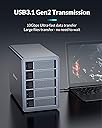
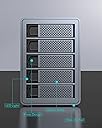
The Yottamaster FS5C3 is a premium 5-bay USB-C hard drive enclosure designed for professional-grade storage expansion. Supporting up to five 18TB SATA HDDs or SSDs, it delivers ultra-fast 10Gbps transfer speeds via USB 3.1 Gen2 Type-C ports. Its daisy chain capability allows connection of additional devices, scaling total storage up to 270TB. Crafted with an aluminum alloy shell and equipped with an intelligent silent fan, it ensures efficient cooling and quiet operation. Compatible with Windows, Mac, and Linux, it offers versatile, high-capacity storage ideal for demanding workflows. Note: This model does not support hardware RAID configurations.


| Asin | B08DLTKXCP |
| Best Sellers Rank | 170,009 in Computers & Accessories (See Top 100 in Computers & Accessories) 717 in Enclosures |
| Box Contents | NO |
| Brand Name | Yottamaster |
| Colour | USB3.2 Daisy Chain |
| Compatible Devices | Laptop, Computer, Server |
| Customer Reviews | 3.0 3.0 out of 5 stars (83) 3.0 out of 5 stars |
| Data Transfer Rate | 10 Gigabits Per Second |
| Enclosure Material | Aluminium |
| Hardware Interface | USB, USB Type C |
| Hardware Platform | Universal |
| Item Dimensions L X W X H | 26.5L x 13.7W x 20H centimetres |
| Item Weight | 4.54 Kilograms |
| Manufacturer | Yottamaster |
| Manufacturer Part Number | Yottamaster FS5C3-GB-GY |
| Memory Storage Capacity | 80 TB |
| Model Number | FS5C3 |
| Network Connectivity Technology | USB |
| Number Of Items | 1 |
| Number Of Packs | 1 |
| Supported Devices Quantity | 5 |
| The Standard Size Of The Hard Drive Or The Bay The Hard Drive Is Compatible With In Inches | 2.5 Inches |
| Unit Count | 1.0 count |
User
Good hardware let down by dodgy firmware
Bought a pair of these (which I'm about to return) to replace some Orico enclosures that only suffer from bad airflow. Physically these are very nice, the cooling is a lot better, and the (no key) locking bays feel nice and secure. Build quality is really nice, and they *feel* very good.Sadly they are unusable. Despite anything you may find online there is no way to turn off the sleep timer on these (non-RAID) - directly contacting Yottamaster had a reply from them stating that they do not support that option, and the official software / firmware for this does nothing.Additionally plugging known good drives (Toshiba 10tb) in has resulted in generating actual SMART disk errors on most of them (even to the point of Linux marking them as read-only) - this was not related to the drives being awake or otherwise, and placing them back in the Orico bays (and a new Orico bay that I just bought for data migration) has resulted in no further errors (where they were gaining up to 20 errors per day!!)If they sort out these issues then I really like them - the features would make them very useful if they fix these issues - but I know I won't be buying from the brand again as a result of this...
User
Easy to use
A bit expensive but does a stellar job.Currently operating with 5 18TB HDD very quiet and fast access to the files, also used the second USB-C port to daisy chain with a enclosure of a different brand and works fine.
User
So far works ok
Bought as a need for a solution to access and making use of old mechanical 3.5' hard drives thats been accumulated over the years storing data.Build quality is very good and seems robust enough.Set up is easy and OS picks up the loaded HDDs.About the sleep mode - behaviour varies. Am running dual boot Win10/Linux Mint. On windows 10 it doesn't go to sleep mode if not in use/accessing and even after shut down, you can hear the drives still spinning...until you flick the switch off at the back of the drive bay enclosure.On Linux Mint, all the drives initially were mounted, but then dismount those that were not being accessed/used.Strange behaviour patterns.Will need to use it for a longer period to understand how all this works and see if any changes when tinkering with settings.Overall, a good solution for my needs.
User
Avoid - will constantly corrupt your drives!
Avoid at all costs. As others have said - used as a straightforward DAS and once under load for a while it will corrupt at least one drive requiring a reformat and loss of data. Thus useless for Plex etc.Return window is only 90 days and customer service is a joke - email to a Chinese rep who stopped replying after the first two emails - have been trying every couple of days since but donโt hold out hope.Now an expensive paperweight and shelling out for a more reputable brand - should have done that it the first place.Choose something else.
User
Keeps dropping connections to disks.
Returned: I put four WD 8TB drives in this device and one 6TB Seagate. Over the space of a few days, drives would randomly disappear from the list of those available. Then, after restarting Windows, they would report as having bad sectors and become innaccessible. I removed them from the Yottamaster and put them in a single external unit and then ended up having to reformat and scan them for errors. All drives are actually perfectly ok, but most of the data was irretrievable. Basically 3 years worth of backups. OS / Photos / music libraries and so-on were lost. Luckily I have other offline backups, otherwise, this experience would have been catastrophic for me. To my mind, this device is not fit for purpose. Hopefully, it was just a defective unit.
User
Some slots won't open
The product looks nice, however I couldn't open 3 of the 5 slots. Therefore I will be returning it.
User
OK for a raspberryPi powered NAS
I was looking for an enclosure to run a NAS powered by a raspberryPiI am overall happy with the results.My 2 existing drives where recognised instantly from previous setupNoise level and heat is acceptable
User
Does not work with Mac OS 11 or 12
Total waste of time. The information said Mac compatible but only with versions 10 or earlier. The model I ordered did not have the switches on the back so it could be configured to Raid 5. The instructions didnโt relate to the equipment in the box. Instructions showed the switches to set for Raid but the device didnโt have the switches and had to be configured using software. Main problem the software doesnโt work on current versions of Mac OS 12. Totally useless so sending it back.
User
Vale a pena demais
Muito bom!
User
This just works!
I know what you're thinking. I thought the same thing. You're wondering if you should trust a brand you've never heard of. Yes, absolutely. If you need a non-RAID enclosure that is reliable and very quiet, you really can't go wrong with this. It is solidly built, fast, and is easy to use. I've bought off-brand drives and enclosures in the past, and I have to say they were only as good as what I paid for them. The Yottamaster is well-priced and is at least as good as some name-brand alternatives. Don't hesitate to give this a try if it meets your needs. Like me, you'll end up pleasantly surprised.
User
ZFS Pool Issues
Maybe it's just me, but I'm having a nightmare of a time with this enclosure. Before you comment, I did follow the arcane instructions to disable the sleep feature of the firmware. However, it seems to be impossible to tell if this feature is in fact disabled or not. There is no indication that the feature change was successful after 'clicking ok' in the last step. There is no indication of firmware being updated or anything.My personal setup is with Ubuntu Server 24.04, using all five drive bays in a ZFS Pool. At first it seemed to work just fine, though transfer speeds seemed to be a bit on the slow side. I have confirmed that it is configured to use the USB 10G capability, so it should not be an issue.My problems started when trying to replace a drive in the ZFS pool. During the re-silvering process other drives started to spontaneously drop off of the pool and fail. I finally got the new drive resilvered after several attempts, but then my pool had one other drive that became unavailable. I scrubbed a couple of times and had many, many errors (which I have never seen before in this pool). It finally completed a scrub with another drive becoming unavailable.Looking at both these drives with smartmontools, it appears they have experienced some DMA errors, possibly associated with ICRC LBA which might imply cabling, or the backplane (in this case, the enclosure).I'm currently trying to replace one of the drives that went unavailable during the initial resilver, in the hopes that I can salvage this ZFS pool. I've reached out to Yottamaster, but haven't gotten a response yet. Thus, I'm here in the review section to see if I can get some attention. I don't want to buy a different enclosure, as I know most are based on the same chipset... but I might have to if this one gives me this much trouble.
User
Works well once set up, lots of quirks
I bought this to house 5 SSDs for a NAS Mini PC. Unfortunately when looking for a DAS with 10gbps USB ports and 5 bays, there's not a ton of choices. The good news is once I got it set up and worked through the quirks, it's actually working really well and I'm happy with it.In terms of the quirks:- Sleep mode: The sleep mode that it ships with is absolutely awful and problematic. If you don't write to the disk periodically, the disk is put to sleep, which results in long stalls for the drive to wake up. Sometimes the drives fall off the USB bus instead of waking up. To disable this sleeping behavior, you must use a Windows-only tool to flash firmware onto the DAS. Not only do you need Windows, but the instructions are fairly vague, and the tool is not very intuitive. You have to click a few extra buttons to flash each of the 5 bays' USB to SATA controllers, which by default it doesn't do. If you can work through all of that, the sleep issue can be resolved- The DAS appears to cache the partition table and there's no way to clear it without hot plugging the drive bays or cycling the power to the DAS. I tried multiple different hdparm/sdparm commands to no avail. So if your use case involves needing to remotely repartition the DAS, this may not be the device for you. But luckily I just needed to initially partition all the drives.Other than that, it's been stable and survived several ZFS scrubs, overall throughput with 5 SSDs is around 1000MB/s.
User
A good value for the money.
So far, I've bought a total of 3 of the 5 bay devices (FS5C3) and connected them to a Linux box running Ubuntu. The all 3 units are daisy chained on one USB 3.1 port.The products were well packaged and included all the needed cables, hardware and a manual. I was able to get up and running quickly.I put 18T drives in all 5 bays of each of 3 units with no trouble so I'm sure these devices will work with smaller hard drives. I asked support about installing the new (for now) 20T hard drives and they expressed some concern about these larger drive's power requirements since they had not been tested but I got the impression that they felt confident that the larger drives would work fine - and I think they probably would as well but make no assurances. I need dependable drives that I can set and forget so I opted to go with the slightly smaller drives which Yottamaster said they had tested and passed.The Yottamaster FS5C3 was simple to install even though attaching drives to the trays required screws which they supplied along with a screwdriver. Very easy.Support was very responsive and got back to my email within 1 business day and remained engaged until my concerns/questions were answered. Good job, folks!All-in-all, I like the Yottamaster FS5C3. I'll buy more if the need comes up.
Trustpilot
2 weeks ago
2 weeks ago