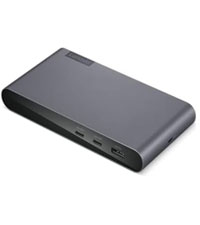
⚡ Elevate your desk game with the ultimate all-in-one Thunderbolt 4 powerhouse!
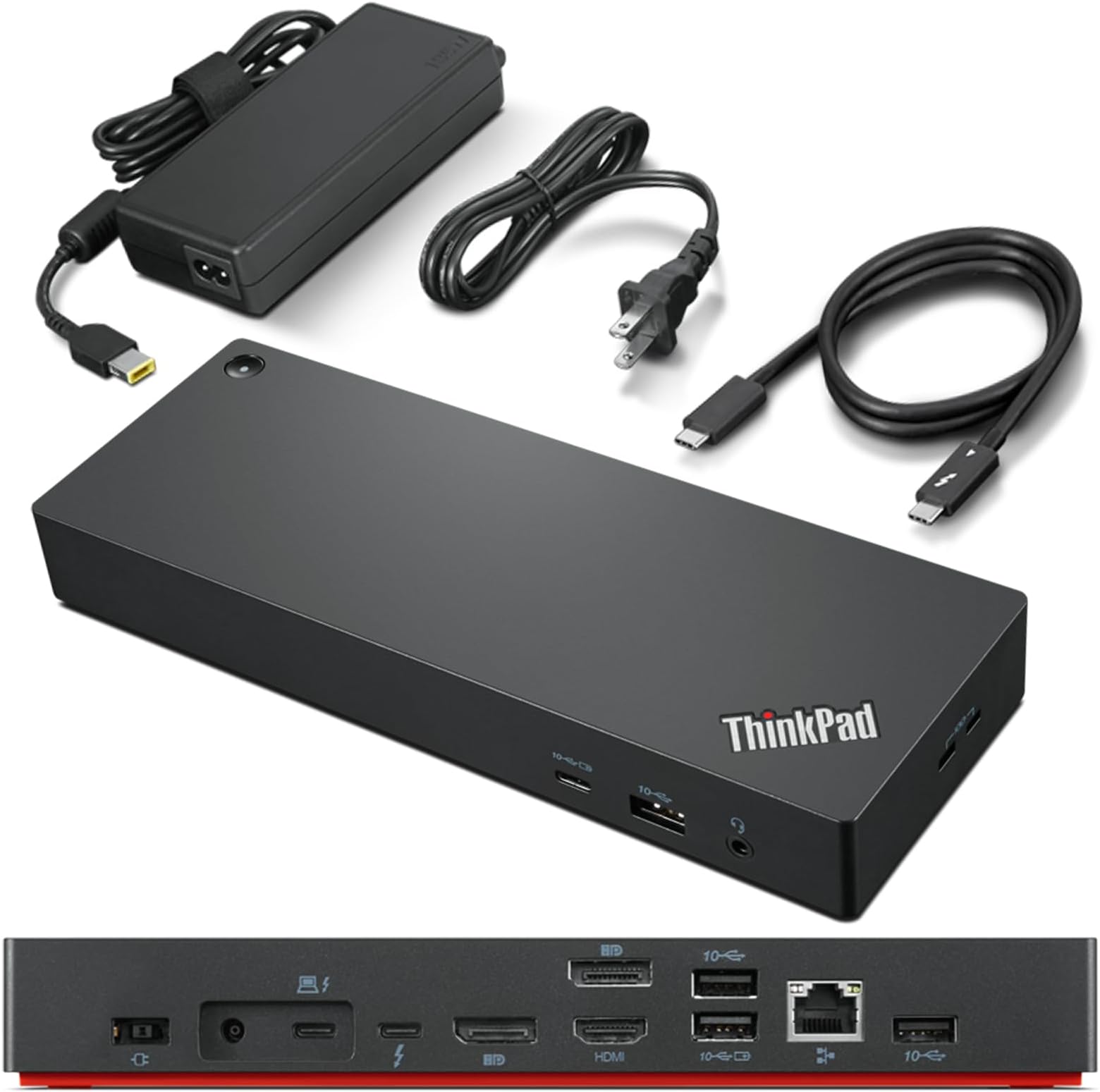
The Lenovo ThinkPad Universal Thunderbolt 4 Dock is a premium docking station designed for professionals seeking seamless multi-display setups, ultra-fast 40 Gbps data transfer, and dynamic 100W power delivery. Compatible with a wide range of Thunderbolt and USB-C laptops, it features smart remote management and a robust port selection, making it the go-to hub for maximizing productivity and future-proofing your workspace.


| ASIN | B09GJJ5C32 |
| Best Sellers Rank | #2,856 in Electronics ( See Top 100 in Electronics ) #46 in Laptop Docking Stations |
| Brand | Lenovo |
| Color | Black |
| Compatible Devices | MacBook Pro |
| Customer Reviews | 3.8 out of 5 stars 288 Reviews |
| Hardware Interface | Thunderbolt 3, Thunderbolt 4 , USB Type C |
| Item Dimensions L x W x H | 6"L x 3"W x 1"H |
| Item Type Name | Lenovo Thunderbolt 4 USA Docking Station (40B00135US) With 135W AC and Power Cord |
| Item Weight | 1.16 Pounds |
| Manufacturer | Lenovo |
| Number of Ports | 11 |
| Product Dimensions | 6"L x 3"W x 1"H |
| Total Number of HDMI Ports | 1 |
| Total USB Ports | 5 |
| Total Usb Ports | 5 |
| UPC | 195348677516 196271925361 195348677271 |
| Unit Count | 1.0 Count |
| Warranty Description | 3 year manufacturer |
| Wattage | 100 |
M**K
This is the best dock I've owned by far
So I've got both Ryzen and Intel laptops and even though many of my docks worked okay, they had one or more issues with my dual 34" 3440x1440 144MHz setup. Most won't output the 100W PD I need. Others would have graphic issues or audio cutouts - all sorts of things would crop up. This Lenovo dock has worked really well for me. I did run into some issues where my webcam mic would just stop working on calls, but a firmware update a month or two ago fixed it and it has been solid. Really pleased with this unit.
C**.
Works Fine
I was torn between the Lenovo and Dell docking stations because I wanted one that was easy to use and worked well with most laptops. I ended up going with the Lenovo since my current work laptop is the same brand and it was cheaper. Works fine with no monitor glitches.
E**K
Need to have products for the US if sold in the US
I bought my first Lenovo ThinkPad Universal Docking Station in November 2023, when I bought a new Lenovo Laptop. I registered my ThinkPad with Lenovo and it had a 3 year warranty on it. They thought is was odd because it was set up for Australia they told me by the serial number. I was told to just update the firmware & drivers and it should work fine. Lenovo didn't know much about it, but updated drivers and firmware and told me I had to deal with ThinkPad if I was having issues with it. When I contacted ThinkPad they refused to help me and told me Lenovo had to help me. Went round and round for 6 months. I wasn't certain it was the docking station and not the laptop, but eventually got there. I remembered a week or two ago, when it wasn't working right (The ports on the docking station worked intermittently, and it was getting worse and worse.) that I had an Asurion Policy on it. Asurion took great care of me and had me mail it to the manufacturer. They kept it for over a week and the end of the 2nd week Asurion sent me an email saying they couldn't fix it and sent me my money back. So, I bought another one from the same seller and this one when I registered it said it was for Germany. It was starting to goof up on the same way and I returned it. I bought a used on ebay that is registered for use in the US and still has some warranty left on it. A lot of good that will do with ThinkPad refusing service, but at least I know it is for U.S. use. If you get one for the US it is an great little docking station, but my older HP docking station did better than two made for other countries.
A**R
Functional on Macbook M1 Max 16 inch 2021
I normally don't write reviews, however I had to do quite a bit of research before I landed on this one. Disclaimer towards all my views here, I bought this "Very Good" condition used on Amazon for around 140$ shipped. My attitude and rating reflect that price point. I am able to connect this to my Macbook, it charges my laptop and I am able to get two DISTINCT external screens. It took some fiddling to do this. I have two external monitors I use, a Samsung Neo G8 32inch 4k 240HZ and LG 27inch 4k 144Hz. My initial setup was to use this dock to power my mac and run the Neo G8 through the display port with a seperate thunderbolt input for the LG direct into the laptop via DP to TB cable. I was not able to get the Neo G8 to start up with either DP port on the dock. Neither the standalone nor the one that shares its chipset with the HDMI. I tried installing the DisplayLink drivers but it didn't recognize my monitors. I realized it may be my settings and permissions, but I'd have to weaken security too much through the kernel to do this just for DisplayLink. However, I found that the port was able to support DP to my LG monitor. So using DP to the LG, and then connecting my second monitor to the TB4 port on the dock via a DP to TB cable, I was able to get two distinct screens out of this. So before you go thinking that it doesn't work from one of the DP ports, check against another monitor. And use the DP port that's standalone (not stacked with HDMI) for testing, that one runs on a better chipset. Note that I believe that if you want to drive two screens on this, one of them must use the TB4 port. The others will all mirror each other if you're using a Mac. The Macbook works with this, but it doesn't play well. For my needs it's sufficient after passing the setup headache. Things I still have to watch it for. I use my dock with my laptop in clamshell mode, laptop lid closed. Sometimes it wont wake from sleep using my keyboard, meaning I have to open the laptop, login. Sometimes an additional step of replugging the port in is needed. The audio jack in the front works from single port mic and audio. It's well powered but dont plug your headphones in and out all the time when it's docked. The system has to re-register that there is an audio device present and sometimes it takes a bit. That all being said, I believe this is one of the better TB4 ports that you can make work with the Mac M1. If I had to spend 300$ on a dock, I'd probably go with Caldigit, more straight forward especially with everything having a thunderbolt converter cable these days. But for that price I could buy two of these at today's price. Best of luck.
R**W
Lenovo Thinkpad Thunderbolt 4 Dock does support HDMI 2.1 output with 4k@120hz to LG CX
Recently want to upgrade my Lenovo Thinkpad TB3 dock to this new version, but I found even it fully support Lenovo's own legion laptop with HDMI 2.1 over 4k@120hz. I checked the display info, it shows the card is wired through 'display port' internally. confirmed in game, it's just 4k@120hz, no G-sync, I think it's a limitation on LG CX, it's a special protocol used by LG and nvidia to arrange G-sync compatible. It couldn't output any HDMI signal from my Intel 2019 MacBook Pro 16. I had to use a downstream TB4 port on this dock then connect another USB-C to HDMI 2.0 cable and output to my tv, of course it's limited to 4k 60hz However, it does support my Intel 2020 MacBook Pro 13 and 2021 MacBook Pro 16 which is very strange. Of course, all of them are HDMI 2.0 due to limitation of MacOS And it does USB PD charge with 92w to MacBook Pro but it can't deliver any power to its own Lenovo Legion 7i, even though Legion can support 100w PD charging from TB4 port. Now I'm very confused by this dock. btw, firmware updated to newest 1.07 on lenovo website. Update on 6/5/2023: After a firmware update a while ago, it finally support M1 MacBook output 4k@60hz directly from HDMI port, but too bad due to Mac limitation, it's only HDMI 2.0 signal so no 4k@120hz. But I do "solve" this problem by recent hack from community using a special adapter to convert TB/DP alt signal to HDMI 2.1, I won't go into details, just search Thunderbolt -> HDMI 2.1 solution for M1/2 Mac for solution
M**S
Stable and fast
I switched from a HP G5 dock and my connectivity and performance improved dramatically. Monitor turns on in no time when moving mouse or using the keyboard. Exactly what I was looking for
P**Y
Almost Great. Has some bugs. Tech Support wasn't for me. The Search Continues...
I returned a Dell WD19TBS dock to get this one. The Dell one was super-stable and had zero bugs, but I needed a removable Thunderbolt cable. And this one was less expensive, and was rated for TB4. However, I have some regrets... This is a good dock. It checks all the boxes and runs relatively smoothly. But with my setup (triple monitors at 1080p), on my machine (HP EliteBook 840 G7), and with the latest computer drivers & dock firmware, there are some bugs: - HDMI monitor stays blank after Windows unlock (but is recognized by OS) and only comes back after power cycling the monitor, re-plugging the monitor from the dock, or re-plugging the dock to my computer. - The Lenovo Dock Manager Windows app - intended to keep the dock's firmware up-to-date - has a "phantom" window whenever pressing Alt+Tab or Win+Tab, even when the actual window is closed. Tech support was difficult to get through to. I had to create a Lenovo account, register my product, and only _then_ was I shown a form to submit a request. And when I heard back the next day, I was asked to repeat info the form already collected: - Serial #: - Primary contact: - Phone number: - Email: - Company Name (if applicable): - Shipping Address: Since I put placeholder info for phone number and address, I was told they wouldn't open a ticket for me. So, the search continues for a great TB4 dock.
M**T
It actually works
I have both a Lenovo X1 Carbon Gen 9 and 10, and I am able to run two external 4k displays (3840 x 2160) at 60Hz over DisplayPort (in addition to the built in display). It also handles all of my USB devices just fine. I'm running Ubuntu Linux on both laptops. I was pretty confused about USB-C vs Thunderbolt, and I had been using the "Cable Matters 8-in-1 Portable 40Gbps USB4 ... , Compatible with Thunderbolt 4" dock but I was only able to reliably get one external 4k display working at 30 Hz. I could occasionally get 2 external 4k displays working at 30 Hz, but I couldn't reliably reenact the magical incantations necessary for this.
Trustpilot
3 days ago
2 weeks ago