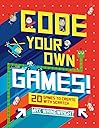
Code Your Own Games!: 20 Games to Create with Scratch
Product ID: 41619795
Desertcart purchases this item on your behalf and handles shipping, customs, and support to Sri Lanka.
Become a super-coder and create your very own computer games using Scratch—a free software developed by MIT. Calling all creative young gamers! With its easy-to-follow, illustrated step-by-step instructions, this book will teach you key concepts—like drawing shapes—so you can code your own games. By the end, any kid will be able to make 20 popular games, from Snake to Brick Bouncer. Review: Good for introduction through intermediate game programming - This is a good one. It successfully goes from basic beginner to more advanced concepts. Let me compare it to some other Scratch books: DK Workbooks: Coding with Scratch Workbook --- this is a short book with only an introduction and the most basic projects. It would be ideal for younger children (6 or 7) or as a self-learning introduction to Scratch for kids (9-10). It should be followed up with another book. Coding in Scratch Games Workbook; DK --- this is another good one to introduce Scratch and create some fun games that build skills. Compared to Code Your Own Games, the DK book starts just as easily, but has more beginner and easy games and doesn't progress as far or as quickly. Coding Games in Scratch; DK --- this is a bigger book and progresses to more sophisticated games by comparison. Although it includes more, it also costs more. My kids are learning through a combination of teaching themselves through the book, experimenting with their own ideas, and some coaching from me. One of the problems that came up because of Coding Games in Scratch (DK) and could have come up with this book, happened when my son was attracted to a more advanced game and built it by just copying the code out of the book. Because he didn't fully understand it, he ran into a lot of difficulty and frustration troubleshooting it. I helped him with that, and then directed him back to some projects that build the basics. If you're not supervising their learning, you might choose a short book that teaches only the basics and then follow up with a book that goes farther, after they've spent about four to ten hours coding, which might be in a day or after a few weeks. This book (Code Your Own Games) or Coding Games in Scratch (DK) are both good to introduce Scratch or to follow up after an introduction. After either of these and about 40 to 80 hours coding, they could move on to "Advanced" Scratch books or other languages. If you're supervising their learning or doing classroom-style work, consider "Learn to Program with Scratch: A Visual Introduction to Programming with Games, Art, Science, and Math" Review: Highly recommended - Bowen's been playing a number of computer games during the summer, and would frequently ask questions like: "How come this boss monster could change his shape?" That sort of thinking led me to believe that he was ready for the next step: learning to program a computer so he could make his own games. I had originally thought of building a "game construction kit" out of something like Unity, but a few attempts at the tutorial made me realize that this was way too complex. I'd heard about Scratch before, but the online tutorials left me cold. It wasn't that I couldn't figure out the programming language, it was that I was bereft of ideas as to what to do with it that would make interesting projects for Bowen that wouldn't bore him to death. (For whatever reason, it takes a heck of a lot more than "Hello World" to interest a kid used to modern computer graphics!) I bought Code Your Own Games! with relatively little expectation that it would actually be good. It's relatively cheap, and was spiral bound so it would lay flat, and with desertcart purchases I figured returns are easy if it's a piece of junk. When the book arrived, Bowen picked it up, and with the alacrity of a child flipped past the "introduction to scratch" page and jumped straight to the first project. My heart sank when I saw that the book was simply of the format: "Step 1: draw this sprite. Step 2: drag this code to the script tab". Then I noticed that each piece of code was explained with text (not that Bowen would bother reading those!). The projects immediately always did something fun, and half of the project would involve drawing rather than coding (which is about right when it comes to modern game implementation). What was interesting to me was that Bowen didn't learn so much from the book's coding, but from finding "bugs" in the resultant game behavior and modifying the project so the game behaved the way he wanted it to! For instance, in project 8 (Catch the Donut), he noticed that even when the game was over, you could keep clicking on the donut and score points. So this became an opportunity for him to learn how to implement boolean flags in a language that didn't have them, and how to use those flags. In project 4 (Drive me Crazy), he didn't like that the car would move when the throttle wasn't pressed down, so he fixed the code so that the throttle would have to be down for the sprite to keep moving. The language is never formally taught. It's used and the child's expected to pick it up (which is great, that's how programming languages should be taught). Scratch is an object-oriented language with event-driven features, and the unstructured nature of the "drag and drop" code tab gets kids used to the idea that multiple things could be happening at the same time for a sprite. The environment is kind of crude, with copy/paste, etc not really implemented well, but it works. Everything happens online, but you have to manually do your own saves and backups, and more than once Bowen lost some work because he forgot to manually save. Overall, for a 5 year old, this is not a book you can just give to him and expect him to solve major problems. You'll have to help and coach him (including teaching him to make backups), and lead him through some of the problems. But for $7.12, this is a great introduction to programming, doesn't require a powerful computer, and has shown Bowen that the only thing more addictive than a video game is writing one. Highly recommended.
| Best Sellers Rank | #1,085,226 in Books ( See Top 100 in Books ) #84 in Children's Computer Software Books #194 in Children's Programming Books |
| Customer Reviews | 4.6 out of 5 stars 712 Reviews |
W**R
Good for introduction through intermediate game programming
This is a good one. It successfully goes from basic beginner to more advanced concepts. Let me compare it to some other Scratch books: DK Workbooks: Coding with Scratch Workbook --- this is a short book with only an introduction and the most basic projects. It would be ideal for younger children (6 or 7) or as a self-learning introduction to Scratch for kids (9-10). It should be followed up with another book. Coding in Scratch Games Workbook; DK --- this is another good one to introduce Scratch and create some fun games that build skills. Compared to Code Your Own Games, the DK book starts just as easily, but has more beginner and easy games and doesn't progress as far or as quickly. Coding Games in Scratch; DK --- this is a bigger book and progresses to more sophisticated games by comparison. Although it includes more, it also costs more. My kids are learning through a combination of teaching themselves through the book, experimenting with their own ideas, and some coaching from me. One of the problems that came up because of Coding Games in Scratch (DK) and could have come up with this book, happened when my son was attracted to a more advanced game and built it by just copying the code out of the book. Because he didn't fully understand it, he ran into a lot of difficulty and frustration troubleshooting it. I helped him with that, and then directed him back to some projects that build the basics. If you're not supervising their learning, you might choose a short book that teaches only the basics and then follow up with a book that goes farther, after they've spent about four to ten hours coding, which might be in a day or after a few weeks. This book (Code Your Own Games) or Coding Games in Scratch (DK) are both good to introduce Scratch or to follow up after an introduction. After either of these and about 40 to 80 hours coding, they could move on to "Advanced" Scratch books or other languages. If you're supervising their learning or doing classroom-style work, consider "Learn to Program with Scratch: A Visual Introduction to Programming with Games, Art, Science, and Math"
P**A
Highly recommended
Bowen's been playing a number of computer games during the summer, and would frequently ask questions like: "How come this boss monster could change his shape?" That sort of thinking led me to believe that he was ready for the next step: learning to program a computer so he could make his own games. I had originally thought of building a "game construction kit" out of something like Unity, but a few attempts at the tutorial made me realize that this was way too complex. I'd heard about Scratch before, but the online tutorials left me cold. It wasn't that I couldn't figure out the programming language, it was that I was bereft of ideas as to what to do with it that would make interesting projects for Bowen that wouldn't bore him to death. (For whatever reason, it takes a heck of a lot more than "Hello World" to interest a kid used to modern computer graphics!) I bought Code Your Own Games! with relatively little expectation that it would actually be good. It's relatively cheap, and was spiral bound so it would lay flat, and with Amazon purchases I figured returns are easy if it's a piece of junk. When the book arrived, Bowen picked it up, and with the alacrity of a child flipped past the "introduction to scratch" page and jumped straight to the first project. My heart sank when I saw that the book was simply of the format: "Step 1: draw this sprite. Step 2: drag this code to the script tab". Then I noticed that each piece of code was explained with text (not that Bowen would bother reading those!). The projects immediately always did something fun, and half of the project would involve drawing rather than coding (which is about right when it comes to modern game implementation). What was interesting to me was that Bowen didn't learn so much from the book's coding, but from finding "bugs" in the resultant game behavior and modifying the project so the game behaved the way he wanted it to! For instance, in project 8 (Catch the Donut), he noticed that even when the game was over, you could keep clicking on the donut and score points. So this became an opportunity for him to learn how to implement boolean flags in a language that didn't have them, and how to use those flags. In project 4 (Drive me Crazy), he didn't like that the car would move when the throttle wasn't pressed down, so he fixed the code so that the throttle would have to be down for the sprite to keep moving. The language is never formally taught. It's used and the child's expected to pick it up (which is great, that's how programming languages should be taught). Scratch is an object-oriented language with event-driven features, and the unstructured nature of the "drag and drop" code tab gets kids used to the idea that multiple things could be happening at the same time for a sprite. The environment is kind of crude, with copy/paste, etc not really implemented well, but it works. Everything happens online, but you have to manually do your own saves and backups, and more than once Bowen lost some work because he forgot to manually save. Overall, for a 5 year old, this is not a book you can just give to him and expect him to solve major problems. You'll have to help and coach him (including teaching him to make backups), and lead him through some of the problems. But for $7.12, this is a great introduction to programming, doesn't require a powerful computer, and has shown Bowen that the only thing more addictive than a video game is writing one. Highly recommended.
M**N
Good enough 3.5 stars.
My kids love it but there were some very confusing instructions in some games. And some games did not turn out as well without some major tweaking on my part. I am looking at you splashy fish.
J**G
A must get book to give you and your child courage to endeavor on the fun and powerful world of coding!
At first I was a skeptic and thought the book would never be able to teach a child anything; there were too many graphics, visuals, colors, etc. that would distract from coding. However, when I actually went through the first 10 game exercises, I was amazed at the approach. The book takes you on very simple 2-3 page game coding exercises, with each being a full game, and from game 1 to 20, there is a natural progression (you build upon previous code/games). In two pages, a child learns to "code" (if you can call visual programming coding), and a full game is created; this gives the child a tremendous sense of confidence. Of course, I've had over 15 years of professional software engineering experience, and that may have contributed to my initial skepticism and eventual affinity (I had to ask myself, how would I teach a child through a book, and could not really come up with something competitive and found it near impossible!). It may be that teaching a child to program requires a reference point like this book and a patient, experienced adult to step through; I am not quite confident of how much the progress was due to me and/or the book; nevertheless, the book gave me confidence in teaching and guiding a child. Overall, well done to Mr. Wainewright, it was well worth the investment. There are two things I did not like about the book: the spiral binding and the difficulty in standing the book up (at an angle) to look at and use it while teaching/learning. I do wish in the future, books like these that focus on children learning to code are more ergonomic in their packaging/binding.
T**A
EXTREMELY FUN FOR KIDS and Mom as a result!
I have 2 boys, ages 9 and 11 who asked for this book. They have both done a very small amount of coding in school and knew what it was. As soon as this book came, my 9 year old was able to complete several games. I don't know the 1st thing about coding, so I wouldn't have been any help, I just stayed out of the office. But, the way the book is laid out, he didn't need my help! It was almost like going to Disneyland. For both of us. Both boys now work on their coding everyday. Still, with no help from me. Not even 1 little iota. They are super excited of their creations and are able to modify as they like. If you have a child who has expressed interest in learning to code, this hardcover, very neatly bound and colorful book would be a great place for them to start.
S**.
Worth it!
This book is great. We use it for homeschool with our 6 and 8 year old. There are 4 levels in the book. We have done several of the games so far and my 8 year old has made it to the level 4 games with no help from me. My 6 year old has completed 3 of the level 1 games so far with only a little help from me. They love the games and play them for quite awhile when they are finished making them. I think this is a great investment in their learning.
V**G
The Book is for an Older Version of Scratch (making some instructions incorrect)
It is a good beginner’s book to learn programing! However, my 8 year old daughter got frustrated because several of the instructions in the book are incorrect. I spent a few hours with her and realized that the book is outdated. The books instructions for Scratch online are for v2 but they released v3 on 1/2/19 (see the scratch wiki). The book instructions are therefore incorrect in many places. It took some trouble-shooting and searching online to solve issues. I hope that they will update this otherwise excellent book! Another issue is that the blue blocks are printed too dark, making it difficult to read the black text on it (need strong light).
C**R
Really good book for a 9 year old
Many books have too much text and try to explain to many concepts. This book gets them right into the process of making something work. I would give a 6th star if the book provided source for more ways to modify a game to give kids extra credit examples for how to keep going. I would give a 7th star if the book provided a little history of that type of game. Highly recommended if you have a kid and you want to teach them to program.
S**A
Loved it!
Very well written for young readers. Very engaging.
J**R
Awesome Coding book for kids
My 7 year old loved this book so much! He's Very much into Minecraft so coding is huge,he learned how to create his own games through this book and is even more eager to create more through coding. Highly recommended!
M**N
Great intro to coding for kids
My 8 year old loves this and has easily managed to work through the chapters. He has even been thinking about how to solve his coding problems in his sleep. The son of a developer :)
R**L
What is you see is what you get!
It is what I expected. Use it for teaching Scratch in computing.
A**U
Useful
My son likes it and uses it frequently to make interesting games, so I feel that it is worth buying.
Trustpilot
5 days ago
2 weeks ago