
DOWNLOAD THE APP


Customer Services
Copyright © 2025 Desertcart Holdings Limited
DOWNLOAD THE APP


🎮 Unlock timeless gaming with 120K+ classics in your pocket!
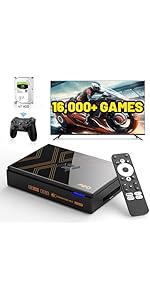
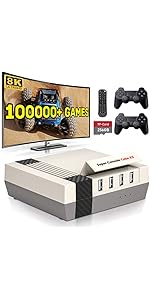
The Kinhank 2TB External Hard Drive doubles as a retro game console, preloaded with over 120,000 games and powered by Batocera 33. Featuring USB 3.0 for fast data transfer and compatibility with Windows, Mac OS, and Linux (x86 architecture only), it includes two controllers for instant multiplayer fun. Perfect for professionals craving a nostalgic escape without sacrificing speed or convenience.





| ASIN | B09FDXNBYC |
| Best Sellers Rank | #159,616 in Computers & Accessories ( See Top 100 in Computers & Accessories ) #474 in External Hard Disks |
| Country of Origin | USA |
| Customer Reviews | 4.0 4.0 out of 5 stars (113) |
| Item Dimensions LxWxH | 12.8 x 8 x 1.4 Centimeters |
| Item Weight | 204 g |
| Item model number | 768161864977 |
| Product Dimensions | 12.8 x 8 x 1.4 cm; 204 g |
J**.
I had problems Booting this to my PC... There's another Option... Download and Install the RetroArch to Either your Chromebook or Your Windows PC, (Windows 7, 8, 10, and 11)... Once you do that, Plug in Your Kinhank Portable HDD Super Console to Your Chromebook, Windows PC or Laptop, Get on The RetroArch App, Download the Cores of your Choosing, Load The Content of Each Core of Your Choosing and Start Playing... I Have a Windows 10 PC and a Chromebook and The Gaming Works Great... Try it... RetroArch is in Google Play Store and RetroArch has its own Website as well that you can Download and Install on Windows...
E**E
I want to say that the Kinhank 2TB with 2 Controllers is better than the Kinhank 500GB Version. I think that the 120,000 Games for £123 it is Very Good Value for Monry. It would make a Very Good Present for a Loved One. However, if you are Perfectionist I would Hoghly Recommend The PlayStation 5 Slim Console With a Disc Version and with a 4TB Heatsink Expansion Memory with a Cooler Fan.
J**Y
like it when get the thing to work Win 10 go to setting then update then recover start pc up give you the icon start usb pick then os should load. at least when starting pc be back in the window then repeat using the game usb hard drive
A**K
This HDD comes preloaded with Batocera and a ton of games. Batocera runs with a Linux operating system, so if you’re using Windows like most of the world, then it’s not the easiest process to boot it up. It seems most people in the reviews had a tough time just getting this thing to boot properly, and I’ll just talk about what I did to get it to work. It took me a while to be able to boot into Batocera, and I was ready to give up and return this thing, but I finally got it working on my HP laptop and a mini pc. Once in your device’s bios, I had to disable secure boot, enable legacy mode, and change the boot priority so number 1 was USB hard disk. I would also make sure this is the only thing plugged into a USB port just to be safe (so no flash drives or controllers). I didn’t get into a ton of gameplay, but most of what I tried worked well. The MAME section was a little hit or miss. I’ve used RetroArch before, and if the emulator (whether it’s MAME 2003 or 2010 or whatever) doesn’t match the romset, then it’s not going to work. I’m not sure if that’s what’s happening here when some games don’t load up at all. Most of the negative reviews on here were about not being able to boot up the device and I wanted to share what I did to get it working. It comes with a tiny instruction manual, which was incredibly useless. It’s no surprise people have trouble with this thing, but I hope my experience can help someone.
A**Y
The actual HDD itself seems to boot up fine at first. Just boot into your BIOS settings (usually by repeatedly pressing one of the F-keys on your keyboard when the PC is being turned on), change the boot priority to an "external USB" and reset the PC. It takes a few minutes to boot up. It uses EmulationStation/Batocera as the frontend. The issue is that none of the actual games work at all. Every time you try to play a game, it literally just freezes. I tried reflashing Batocera on a separate SSD I had sitting around, and it still didn't work. I believe that the actual Batocera install on the Kinhank HDD is corrupted, meaning that even if you reinstall it on a separate SSD or HDD, it will still refuse to function properly. This greatly upset me, as I bought it specifically to turn my mini PC into an emulation console. I actually ended up just using Linux Mint with the DIG frontend instead, which thankfully works flawlessly (which proved to me that it was 100% the HDD that was at fault, and not my PC).
Trustpilot
2 weeks ago
1 month ago