
DOWNLOAD THE APP


Customer Services
Copyright © 2025 Desertcart Holdings Limited
DOWNLOAD THE APP
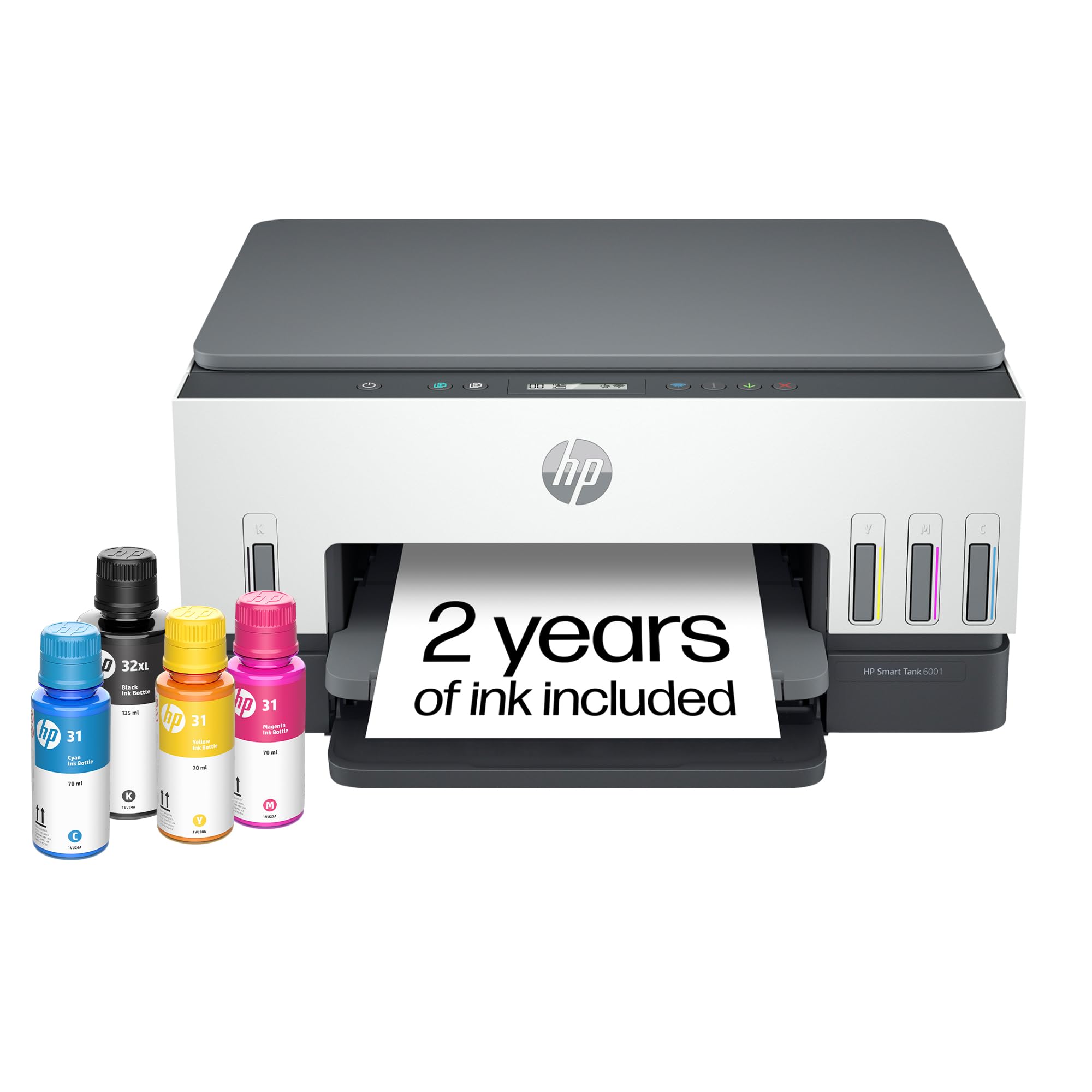
🖨️ Print smarter, save longer, and stay effortlessly connected.
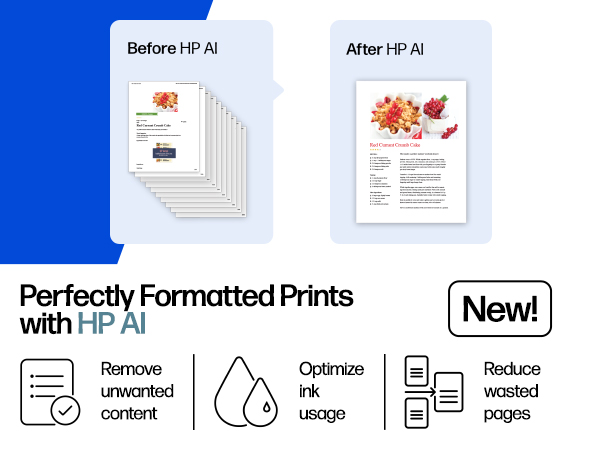
The HP Smart Tank 6001 is a wireless all-in-one ink tank printer designed for high-volume, low-cost printing with up to 2 years of ink included. Featuring cartridge-free refillable tanks, AI-enhanced print formatting, and seamless mobile connectivity, it delivers professional-quality prints, copies, and scans with minimal maintenance. Ideal for home and home office users seeking reliable, eco-friendly, and budget-conscious printing solutions.




| ASIN | B09TPZ3HLZ |
| Additional Printer Functions | Copy, Scan |
| B&W Pages per Minute | 12 ppm |
| Best Sellers Rank | #6,888 in Office Products ( See Top 100 in Office Products ) #17 in Ink Tank Printers |
| Brand | HP |
| Built-In Media | HP Smart Tank 6001 All-in-One Printer; HP 32XL Black Original Ink Bottle; HP 31 Cyan Original Ink Bottle; HP 31 Magenta Original Ink Bottle; HP 31 Yellow Original Ink Bottle; Ink caution flyer; Setup guide; Reference guide; Regulatory flyer; Power cord |
| Color | Gray |
| Color Depth | 24 Bits |
| Color Pages per Minute | 7 ppm |
| Compatible Cartridge | HP 32XL 135-ml Black bottle (~6000 pages), HP 31 70-ml Cyan bottle (~8000 pages), HP 31 70-ml Magenta bottle (~8000 pages), HP 31 70-ml Yellow bottle (~8000 pages) |
| Compatible Devices | Laptops, PC, Smartphones, Tablets |
| Connectivity Technology | wired, wireless |
| Control Method | App, Touch |
| Controller Type | HP Smart app, Apple Airprint |
| Customer Reviews | 3.7 out of 5 stars 2,942 Reviews |
| Display Type | LCD |
| Dual-sided printing | Yes |
| Duplex | Automatic |
| EU Spare Part Availability Duration | 2 Years |
| Hardware Interface | USB 2.0 |
| Initial Page Print Time | A4 Black 15 sec; A4 Color 18 sec Seconds |
| Ink Color | Black; Magenta; Cyan; Yellow |
| Item Dimensions D x W x H | 14.33"D x 16.83"W x 7.82"H |
| Item Type Name | Inkjet Printer |
| Item Weight | 14.07 Pounds |
| Manufacturer | HP |
| Maximum Copies Per Run | Up to 99 copies |
| Maximum Copy Resolution Black and White | 600 dpi |
| Maximum Copy Resolution Color | Up to 600 dpi |
| Maximum Copy Speed Black and White | 11 ppm |
| Maximum Media Size | 8.5 x 14 |
| Maximum Print Resolution Black and White | 1200 x 1200 Dots Per Inch |
| Maximum Sheet Capacity | 150 |
| Maximum print Resolution Color | 4800 x 1200 Dots Per Inch |
| Model Name | ST 6001 AIO |
| Model Number | 6001 |
| Model Series | Smart Tank 6001 |
| Number of Trays | 1 |
| Other Special Features of the Product | Auto-Duplex, Borderless Printing, Network-Ready, Refillable Ink Tank |
| Output sheet capacity | 100 |
| Paper Size | 3.5 x 5 to 8.5 x 14 Inches |
| Power Consumption | 2 Watts |
| Print media | Envelopes, Glossy film, Glossy photo paper, High-resolution paper, Paper (plain) |
| Printer Connectivity Type | wired, wireless |
| Printer Output Type | Color |
| Printer Type | HP Thermal Inkjet |
| Printing Technology | HP Thermal Inkjet |
| Processor Count | 1 |
| Resolution | Black 1200 x 1200 rendered dpi; Color 4800 x 1200 optimized dpi color (When printing from a computer and 1200 input dpi) |
| Scanner Type | Flatbed |
| Series Number | 6001 |
| Special Feature | Auto-Duplex , Borderless Printing , Network-Ready, Refillable Ink Tank |
| Specific Uses For Product | Home and home office |
| Total USB 2.0 Ports | 1 |
| Total Usb Ports | 1 |
| UPC | 196188310359 |
| Unit Count | 1.0 Count |
| Warranty Description | One year limited hardware warranty from the date of purchase; user replaceable parts have separate warranty periods |
| Warranty Type | Limited |
| Wattage | 2 watts |
M**E
Best printer I've owned!
I bought this printer after wanting to decrease my ink cost from a laser printer. I expect my print quality to be high, and I figured I wouldn't be able to find a quality printer. Boy was I wrong! After trying a few other brands with liquid ink, I bought this one and it did not disappoint. The ink is super easy to install, and the quality is near laser, but it's difficult to know the difference! I bought this so I could print my own cards for birthdays, anniversaries and anything else. Now I'm printing quality cards that I make myself, and I couldn't be happier! Once my husband found out I wasn't worried about ink consumption and how cheap the refills were, he's printed hundreds of pages of color for his classes, and they come out just beautiful! He wasn't too sure about me wanting to upgrade to a color printer, but now he loves it as much as I do! I have only used the scanner a few times because I have a document scanner that does more. However, the scanner works fine for larger or book scans. If you don't have another scanner, you will like at least having the option to scan. I especially like this printer over its larger models because the paper is SUPER easy to load! The larger ones need you to remove the entire front of the tray before putting paper in. This one you just take a stack of paper and slip it into the front of the paper tray. I can load it very easily from my chair without removing any parts. The printer connected to the wireless network pretty easy, and adding it to our phones and other computers was a breeze! I do notice every once in a while when the network is having trouble, it will scan for wireless networks and disconnect & reconnect. That usually isn't a problem, just something for you to know. After owning the printer a few weeks now and printing about 400 sheets of color AND about 50 greeting cards, the ink still reads full. I'm really looking forward to saving money on ink. I use the IP address to connect to the printers' interface, and I love that more than its software. Both work fine and similar. I highly recommend this HP SmartTank Printer for anyone who wants to save on money and have quality printed products.
C**R
broke in less than 7 months with very light usage
I think HP brand name is not something I can trust on now. I bought this printer in Nov 2023, and had some trouble with connecting to Wifi in between. But usually a reboot would fix the connectivity and was able to print again. Another issue was that the Attention LED used to blink occasionally when I try to print and until I disconnect power and power it on it was never able to print anything. I should have complained about it long back but I didn't. And yesterday it stopped working completely. Even factory reset could not make it work. Luckily I was still under warranty so I decided to contact Customer service last night. I followed the instructions and reported this, and got a Case Id. I was assuming someone would email or call me, but This morning I saw email notification that the case is closed. No update, no resolution. Nobody tried to contact me. What are they trying to do?? And today I was trying to contact the customer service, it took me 1 hr to navigate through and get past their stupid chatbot which cannot understand anything at all. Finally once the live agent started they were able to troubleshoot for the next 30 min or so and get an a replacement part ordered. I will update once I get the replacement part to see if it really gets fixed. Another thing with this printer is that you can keep hearing a small squeeling noise continuously from the printer, even when it is not doing anything at all. I am thinking this is one of the other hidden issues I may have to worry about soon. I asked the customer service person, but they just said to contact after the replacement printhead comes and is replaced. I feel they just are not interested in helping to fix issues. Overall I feel like I should stay away from HP printers from now on. (Its sad to see that once such a great brand is falling to this low). Update on 10/16/2024 I got the replacement printheads, and guess what, replacing them did not help to resolve the issues. the printheads are not detected or something else is wrong, I am not able to print anything at all. The LED display still shows the black cartridge missing icon flashing. Contacted HP customer care again today and spent > 1hr to explain this and try to get a resolution for this. And they are sending me a replacement unit, but to send the replacement, I have to get the old one returned first. (They will send me the box and label but its going to take a few days). And then another few days for them to get the printer. Only then they will send you a replacement printer. They said approximately 2 weeks, but I doubt. that. All these days I don't have a printer at all. And now once I get the replacement part, I get the warranty transferred to the new replacement unit, meaning only till the original warranty expires. If this new unit fails the same way or with a different issue after that I am on my own, throwing all that $$ down the drain. At the minimum they should have offered to extend the warranty for the number of days I did not have a printer (from the day the case was opened to a replacement was received). I have now made a decision to stay away from HP printers forever. My last Canon Inkjet was excellent. It never gave me any complaint at all since I bought it in 2009, till now. The only reason I bought a new one was because the Canon printer was end of life already and they dont have drivers that would work with the newer OS. Update 10/25: Waited for 3 days for me to send the box and label and they gave me conflicting information in each email one email with a fedex label said I have to send the shipment first to them, (no mention of box or anything that they promised to send me ). Right after that they send another email stating they will send me the new unit first and I can send back the old one in the same box once I get it. Both of these conflicted with what the customer service said, but I waited for 3 days and since I didn't see any updates I contacted customer service again. After some back and forth they said they will send me a box to send the old one back. But it was too slow, so I was able to scavenge some other shipment box, pack the printer and use the shipment label they sent via email to send the defective unit back. And they received it, but no update even on the next day. So I asked them via customer support chat again and they said it would be updated withing 2 business days. Still no udpate and when I contacted them again, now they are claiming that it will take 15 days for them to process the replacement and that time starts when they received the defective unit (Oct 23rd morning). Which means I am out without a printer till Nov 7th. In my opinion, with this kind of customer "service", there is no point in giving warranty for a product. If anyone out there is in the process of getting a new printer, stay away from HP. In my experience, their printer don't last, and they don't provide any customer service at all. All their customer service department does it create tickets for their service center and there is no way to contact anyone there to see what is going on with your repair order. Better go with any other printer and they should work. Even if it does not work after sometime, its cost effective to return it (and pay the restocking fee at amazon) or even thrown it away and get a completely new one. It would still be cheaper and less stressful than dealing with HP customer service.
E**E
GREAT PRINTER
I was burning through ink at a fantastic rate. My Wife downloads and prints Crochet pattern sometime 5-10 per day. I was buying an exorbitant amount of ink [$250.00+ per month]. Came across this printer, and have printed about 7500 pages or more in the last 3 years. The tanks are approximately 1/2 full. Easy to set up wireless printing. Print Speed, print Quality, etc is great! Really impressed!
D**R
Excellent Printer, Useless App
We ordered this printer because our 12-year-old OfficeJet Pro 8600 needed a new printhead and I didn't want to put $150 into a 12-year-old printer. I love the idea of having ink tanks instead of cartridges, and HP makes really good printers, so I had no qualms about ordering this one. The printer comes with enough ink to fill all four tanks - a LOT more ink than comes in any ink cartridge - and was pretty easy to set up. I like that the printer has automatic 2-sided printing built in , and that the paper loads and eject in front. I do miss the paper tray on my old printer, but I don't print as much as I used to, so that's a small compromise. My biggest complaint is that you have to use the HP Smart app to set up the wifi connection. I would very much prefer to do that manually on the printer or on my PC, especially since I'll probably never use the app again. My phone and tablet use the HP Print Services (which are also required to print using the Smart app), so I don't need the app to be able to print from them. Installing an app just to set up the wifi connection is absurd. Once I had everything set up, my Linux PC saw the printer immediately and prints to it no problem. It does not show the ink levels, but a glance at the front of the printer shows how full they are. My wife's Windows laptop and Android tablet also connected easily and she has no trouble printing from either, even without the HP Smart app installed. The print quality on this printer is quite good, although the ink can bleed through thin paper. I suspect there's some setting I could change to avoid that, but it doesn't bother me enough to worry about it. If I have to print something important, I'll use better paper. If you're concerned about the cost, keep in mind that it ships with a full load of ink. A set of cartridges for my old printer ran upwards of $70, and included MUCH less ink, so this printer will be less expensive in the long run.
L**L
Printer install not easy or quick
At the beginning of installation had difficulties getting electrical plug to stay plugged in. Finally have it taped down to table so it doesn't wiggle loose and give intermittent power to printer. The written instructions and pictures included in the box with the printer for installation were not helpful. I had to search Google for several videos to see clear pictures and instructions for much of the install. Setting up duplexing was a challenge as I kept getting paper jam message which wasn't true. Printer is now working well but it took a lot of work and time to get it set up.
M**E
I hate this printer!!
I am a homeschool mom who essentially prints out basic worksheets or recipes from online. Occasionally I want to print a photo from a vacation. My needs aren't crazy. This printer has been a booger from day one. To start, there isn't ANYTHING you can do with the information on the screen. It's useless. The only function that you can do from the printer itself is make a copy, either color or B&W, IF the button decides to work. If the printer is asleep or offline (I never understand how that's even a thing), it won't copy. I have to turn it off...but then I can't turn it back on with the same button. I have to unplug it and plug it back in. Then I can make a basic copy. If you hit the wrong button, or do the wrong button order trying to figure something out, all of the buttons start to flash. Again, unplug and plug back in to fix it. The HP app is the only way you can scan...and the program will either do a great job, or crash after a page, or make you start over for some reason, or...forget that it's supposed to be scanning and will just freeze. Again, unplug and plug back in to reset. Edited to add: as a photo printer, it's abysmal. I tried every way I could think of to print a few 4x6 pictures. It recognized the photo paper size, but it cut off the top of the picture once, created a 1/2" border on the top the second try...the colors were completely different on both. I tried a different picture, using a different program, and got the same issues. So no two pictures printed were the same, even though the settings for the printer were. Sad. Are you seeing a theme? This is the most un-user-friendly printer I've ever owned. I now miss my old Epson that I had before this that was about 10 years old. At least on that, I could manage things on its display screen. On a plus, this HP does seem to sip the ink, so I like the bottles instead of having to buy cartridges. It's also only lost wifi connection once. Buuuuttt, good luck making things easy if you want to switch networks. THAT was ridiculously convoluted (my situation was simply connecting to an extender that was closer to the printer). Would I buy this printer again? Heck no. I am no longer going to have a printer that relies solely on app programming. I want to be able to use a display screen. Would I recommend this to someone? Only if I wanted them to suffer with technology. This was absolutely not worth the ~$250 I paid for it. Boo.
S**O
Pleasantly Surprised!
I bought this with one eye closed, as I was leary about taking a chance on another tank printer. Until recently I've only owned HP, but when I started printing nearly 300 2-sided community newsletters each month and I became frustrated with the fact that I was having to wait up to two weeks for my ink to arrive through the subscription (hp became notably slower after I upped to 500 pages per mo). Once I started having printhead issues I was wasting even more ink & subscription pages. I bit the bullet and bought the Epson Ecotank 2850. HUGE mistake. The way they can maintain their claims of long lasting ink supplies is to severely limit you on your ability to adjust print quality. Unlike HP, you have very little control. I ended up keeping my old HP Just for color prints and fighting with it each month because the Epson colors looked faded and muddy compared to the crisp bright colors HP puts out. Sadly, it gave me the last of what it could offer me half way through this month's printing and I had no choice but to start shopping for a new one. I was insecure about another tank printer, fearing I would run into the same problem I have with the Epson, but WOW. The attached photo only slightly shows the difference in quality of prints but I promise you, the in person difference is striking. Plus, the HP ink bottles & tanks are substantially bigger than the Epson so I expect they'll last longer. The set up was a breeze. It connected automatically and the set up instructions were so detailed that a toddler could probably do it. If you're torn about whether or not to try this printer, I encourage you to go for it. It's really that good.
H**C
13 Months After Purchase
Many of us review products shortly after receiving them, but I am reviewing this product after owning it for 13 months. What prompted me to review this now? Well, I came to Amazon to order more black ink for the printer. It showed my purchase date as August 2023, so I figured it was time. Let me tell you that this is my first time I have needed to add ink to this printer, and I print a lot, like seriously, a lot!! I purchased this printer after staying in an AirBnB & needing to print some large quantities fast. The host had a similar printer (maybe exact same, but it was definitely HP Smart Tank) & we were told we were welcome to it. If I had tried to print this quantity at home with my Brother printer, that I was constantly having to replace ink cartridges on, Not only would it have used more than one cartridge it would have taken all day at the speed that the Brother printed at!! I could not believe the speed and the little amount of ink it took to print the quantity of booklets that I needed to print for this event I was going to! I was amazed & ordered one immediately upon coming home from my trip. I can tell you after 13 months, I have not had one problem, and it was the best decision I ever made for my productivity! I feel like I was living in the dark ages before! If you are even on the fence about this, don’t be!! You will be so glad you made this purchase! I’m not an extremely tech savvy girl (girl in my mid 50’s lol) But it was easy to set up and easy to use. No confusion or hours trying to figure it all out! I’m really a little ashamed that I love a product this much and that I didn’t come back a little earlier and tell you all how much I actually do love it. Shame on me! I’ll try to do better!! I didn’t include photos of the ink levels to show you where they are now after 13 months and printing, like a crazy person & in color always!
Trustpilot
4 days ago
2 weeks ago