Some deliveries may take a little longer than usual due to regional shipping conditions.

DOWNLOAD THE APP


Customer Services
Copyright © 2025 Desertcart Holdings Limited
DOWNLOAD THE APP
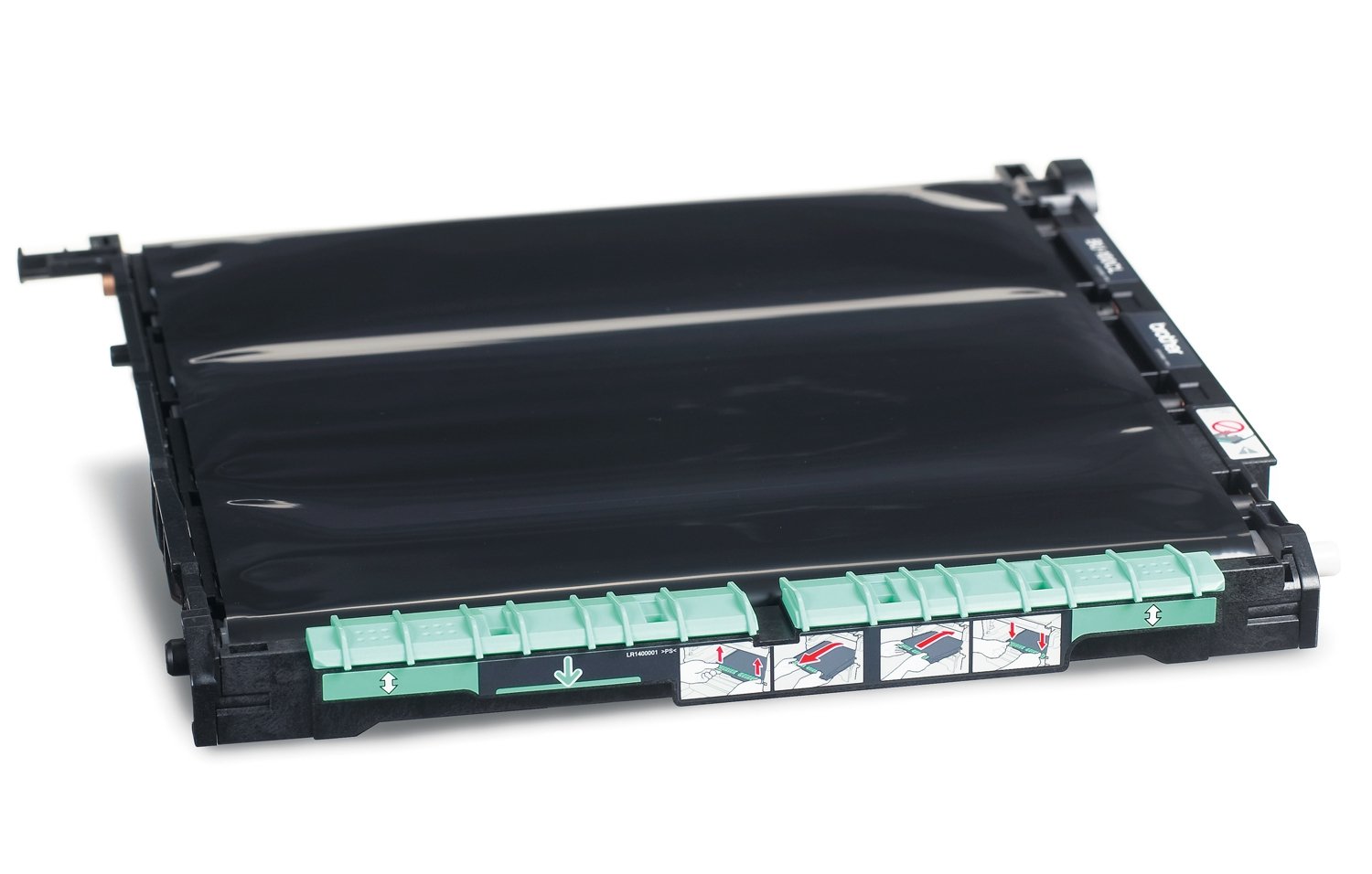

⚙️ Keep your workflow flawless with Brother’s powerhouse belt unit!
The Brother BU-100CL Belt Unit is an OEM transfer belt designed for select Brother laser printers, delivering up to 50,000 pages of high-quality prints. Engineered for easy installation and perfect compatibility, it ensures consistent, streak-free output while extending your printer’s lifespan. Ideal for professionals seeking reliable, cost-effective printer maintenance.
| ASIN | B000SC245E |
| Additional Printer functions | All In One |
| Best Sellers Rank | #546,561 in Office Products ( See Top 100 in Office Products ) #164 in Computer Printer Transfer Belts |
| Compatible Cartridge | Brother OEM cartridge model numbers or part numbers for the compatible printers |
| Compatible Devices | Printer |
| Control Method | Touch |
| Controller Type | Push Button |
| Customer Reviews | 4.4 4.4 out of 5 stars (277) |
| Date First Available | August 7, 2008 |
| Dual-sided printing | Yes |
| Duplex | Automatic |
| Hardware Interface | Ethernet |
| Included Components | Transfer Belt |
| Ink Color | Purple |
| Is Discontinued By Manufacturer | No |
| Item Weight | 4.25 pounds |
| Item model number | BU100CL |
| Language | English |
| Manufacturer | Brother |
| Max Copy Speed (Black & White) | 20 ppm |
| Max Input Sheet Capacity | 50000 |
| Max copy resolution black-white | 600 |
| Max copy resolution color | around 200 dpi |
| Maximum Black and White Print Resolution | [~200] |
| Maximum Color Print Resolution | around 200 dpi |
| Maximum Media Size | A4 |
| Maximum copies per run | 50000 |
| Memory Storage Capacity | 256 KB |
| Model Series | BU |
| Number of Trays | 1 |
| Print media | Labels |
| Printer Ink Type | Toner |
| Processor Count | 1 |
| Product Dimensions | 17.7"D x 17.9"W x 5.5"H |
| Scanner Type | Flatbed |
| Sheet Size | A4 inches |
| Specific Uses For Product | personal |
| Supported Media Sizes | A4 |
| Total Ethernet Ports | 1 |
| UPC | 012502617686 |
| Warranty Type | limited warranty |
B**J
Perfect fit - solved the printer issue.
I was happy to find that Amazon had the lowest price on this OEM Brother belt unit. The replacement was easy and took about 5 minutes with the included instructions. Once I closed up the printer and started printing again everything worked perfect. Two things to be aware of when changing the belt unit: 1. Take a can of compressed air and blow out the dust and toner residue from the interior of the printer, and 2. Make sure you follow the instructions to reset the END OF LIFE message for the belt unit as it does not disappear on its own, but that is printer related and has nothing to do with this purchase (just some advice).
I**T
Necessary part to change; easy to buy and easy to install
A broken belt unit can lead to bit of a clean-up job inside your printer, so replacing the belt unit is for peace. Changing the belt unit in the Brother duplexing color laser model HL4040CDN simple. With the power switched to "Off", open the front of the printer as if changing toner. Slide out the drum unit until it stops. Remove the drum unit and set it on a clean paper on a table top. Lift the old belt unit out. It lifts from this green tab at the front of the belt unit. It weighs only a couple of pounds so it is easy to lift up and out from the printer. Replacing is the reverse of the process. Note: If you are changing out the excess toner box, it sits right below the belt unit, and that is just one more step to replace. I changed out the excess toner box while changing out my belt unit because it was about due, too. Afterwards the instructions walked me through the procedure to reset the belt unit counter via the on-printer menu. The procedure took 9 minutes in total to change both. The price is about $25 less via Amazon--delivered--than it is to buy in the local Office Depot. UPDATE 11/6/2013 We have gone 37,000 pages printed thus far in two years. We are on the original drum. There is no toning, and no dots or streaks appearing on the image. The drum is behaving well thus far. Amazon's ordering process was easy. Order processing was by the next day. And delivery took 2 days--to Hawaii. And we had selected Super Saver Shipping which was free. 21 months later and we are being advised by the printer to change the belt unit again. $94 is steep; however, having read of several other experiences with broken belt units it is perhaps wise to change it. I've managed to stretch my usage by about 30,000 pages. That might be worth considering. While toner costs are strictly 1.5 cents per page in our use, the ancillary costs are adding up. So while ink printing may be more expensive; those new HP full page width ink cartridges can become cost-competitive since inkjet printers have far fewer parts of wear as compared to their laser counterparts. Your mileage may vary.
D**Y
When it's needed, it's worth having!
My Brother MFC9840CDW printer started flashing the error message that this unit needed replacing, so I ordered it. But knowing that many printer companies (HP, Brother among them) base such error messages purely on page count and never on actual need, I have held off from installing it. It's been 3 months now, and still my printer is working very well with the original belt unit in place. I consider my printer use to be medium, I use it in my home office and I would say my average monthly page count is between 300 and 600 each month, so if your printer usage is like mine, buy this unit when the printer starts to flash the error message but don't install it until you absolutely have to.
C**L
Definitely OEM
One reviewer stated that his/her belt unit did not arrive in the original box. Mine arrived in the OEM box shown. The install directions were very clear. The reset instructions were not exactly for my model (an old MFC-9840CDW) so talked about a +/- button while I have a "Menu" button. Regardless, with less than a minute of trial and error, I found the correct reset page and then hit "OK" twice as instructed. In the recent past, I've been getting black edges on both sides when printing duplex. Now, after printing just one page, I seem to be getting less black on the back edges and none on the front edges. The worst problem is that I ordered one belt unit, but received two orders, each with different order numbers, in the same large box (ie, each belt unit was in its own individual OEM carton, both were in one large box, and the large box also had two invoices). With a few clicks, I was able to print a free return label for the second drum unit.
G**L
Quality
Genuine product.
A**R
What I mean is I'd purchased the Drum unit and it was less than a year old when copies started to go bad again. I purchased this
Did not get what I expected when I purchased this product. What I mean is I'd purchased the Drum unit and it was less than a year old when copies started to go bad again. I purchased this unit as it had a lot of life on it and expected to see my printed copies to clear up this did not occur. I think my new drum unit may not have been as good as expected.
L**.
These will eventually have to be replaced. Look for loss of resilience along the inside (outer edge) of the belt. It hardens.
We needed a new belt unit, so I bought 2, just in case they became obsolete. How do you know if your belt unit is bad? I cannot find a good answer anywhere. Brother simply lets the counter keep track, and warn you when a magic number is reached. I always just reset the counter and kept using it. I do not think the print quality is affected by doing so, but I do notice that the belt tends of have more "slack" but keeps working. Eventually, however, I noticed a gummy fragment inside the machine somewhere. I check the belt unit, and noticed that on the bottom (each side, left and right) there is a ridge of this gummy material installed. Mine was becoming hardened and ready to break away in segments, one of which I was lucky enough to see. So...that was when I knew it was time to stop cheating the system and pay the piper.
桑**茶
MFC-9640CWで使ってますが問題有りません。国内流通品との価格差で何か違いがあるのかと勘ぐってしまいましたが、差異は見付けられませんでした。
A**A
REcibí el prodcuto en muy pocos días, incluso antes de lo indicado el dia de la compra, original tal cual las especificaciones. Totalmente fiable
S**S
The product lasts for a long time, so the replacement cost is justifiable. This particular item, which is actually made by Brother, was cheaper than another manufacturer's product that was listed as being equivalent.
B**M
Cette courroie est bien du matériel d'origine. Les performances correspondent à ce qu'on attend et le prix est tout à fait avantageux sur amazon.
P**T
It arrived early, well packed in a large box, it was easy to fit and improved the quality of my copies enormously
Trustpilot
2 weeks ago
2 months ago