

Desertcart purchases this item on your behalf and handles shipping, customs, and support to Sri Lanka.
🎬 Command your entertainment like a pro—never miss a moment!
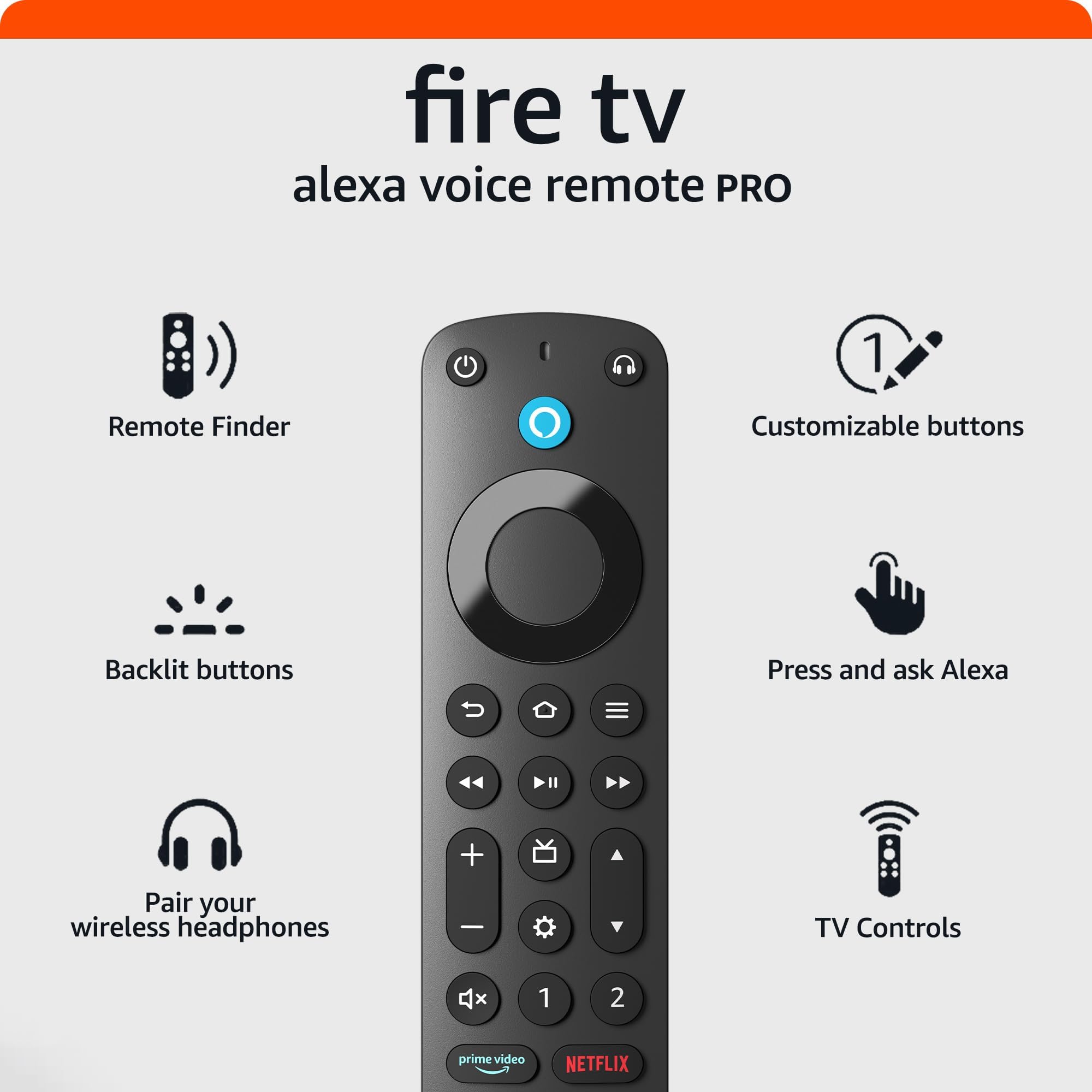
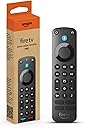
The Fire TV Alexa Voice Remote Pro combines Bluetooth and IR technology with motion-activated backlit buttons and customizable Alexa shortcuts. Featuring a remote finder, dedicated headphone pairing, and integrated TV controls, it’s designed for seamless, hands-free entertainment management on compatible Fire TV devices.
| Size | 38 x 148 x 18 mm |
| Weight | 54 g (without batteries) |
| Batteries | 2 AAA (included) |
| Technology | Bluetooth, IR |
| Compatibility | Compatible with most Fire TV streaming media players, Amazon Fire TV smart TVs, and smart TVs with Fire TV built-in. Check compatibility with Fire TV devices. |
| Warranty and service | 90-Day Limited Warranty and service included. Use of Fire TV is subject to the terms found here. |
| Included in the box | Alexa Voice Remote Pro, 2 AAA batteries, Quick Start Guide (PDF / Accessible HTML) |
S**S
“Better than I hoped it would be”
Ok, I have had this remote now for a good few months and I gotta say, I haven’t ran across any issues what so ever. The voice function works good. The (find my remote) alarm works great. And that function alone is worth buying this thing. These little fire remotes always seem to get lost. They can slide down in couch cushions, get wrapped up in blankets, fall behind beds, or just misplaced in general. So having the ability to ask Alexa where the remote is and she turns on an alarm on the remote itself so you can track it down is perfect. This remote also has back lit keys so you won’t be fumbling around in a dark room trying to make sure you’re hitting the correct buttons. Now the lighted keys only turn on when your fingers brush over the keys. So I’m sure that helps out with battery life, however, this is the only issue I have came across that does put a damper on the remote, is that this thing will drink up batteries very quickly. Not sure how often you will be using your remote, but I can drain a set of triple AAAs in a couple weeks in this remote. Now I shouldn’t have to tell you that batteries in remotes can last for many many months. I have even had some that last for over a year. So when I blow through a set in 2 weeks, you know it’s gonna start costing you. I decided to order a couple sets of rechargeable batteries so I always have a good set to toss in. One thing to note here is if you just leave your remote sitting on your couch or in your bed, some items coming into contact by brushing up against the keys, can cause the lighted keys to turn on. Now this is another reason the batteries can die out more quickly. All in all, looking past these personal things, I still think this remote deserves a 5 star rating. It is definitely better than the old stock remotes that came with the old sticks and cubes. And the added blank buttons that allow you to program in what apps you want to open for personalization is a game changer. Do I think this remote is a bit overpriced? Yes. But like most things, if you really want it, you pay the price. Would i suggest this to others? Yes. And I already have gotten a few of my friends to upgrade to this remote. They dig it also. Just make sure that if you buy a cover for this, that it is the correct cover to fit this remote specifically. Covers for the other fire remotes will not fit this one as they are about a half inch different in length, and the button layouts are different. I do hope this review helps some of you out trying to decide if this is worth buying.
F**D
Works Perfectly
Easy to connect to the Fire TV. Buttons are lit when I pick up the remote and Alexa will find the remote (make it chirp) when it's hiding in the couch. I bought it on sale and it's worth it as a spare and lit buttons in the dark. Took maybe 1 minute to pair through the TV settings.
A**R
Perfect replacement, especially when on sale
So one of my crazy cats knocked my remote off the counter and was throwing it all over the place playing with it. Somehow the internal microphone must have broken as it no longer responded to voice commands (everything else worked fine). I picked up one of those super cheap ($6) no name remotes that supposedly works with my fire cube (the pop-up message stated that it works with all my fire devices). It did technically work for simple commands but none of the multi-button press shortcuts worked. I use “voice view” amazons built in screen reader for the blind. There are many times when that feature needs to be toggled on or off and the easiest way is by pressing and holding down the “back” and “menu” buttons simultaneously for a few seconds. Anyway, it seems that only the legit Amazon branded remotes can perform these tasks. So I had to order up this one as it was n sale for less than the basic version at the time (still pricy considering that for a few dollars more you can get a fire stick and remote). This remote pairs instantly, much faster and easier than with the no name remotes. As soon as it paired, it immediately asked to update the remotes software so I did. It also immediately generated an Alexa app message on my phone that a new device was found. I’ve never had that happen with a remote before. Ends up that’s part of the “find remote” feature that this remote has. It’s also backlit which is nice. With an Amazon branded remote everything, including the multi-button shortcuts work flawlessly. The only thing that I miss (having low vision) was the colored app buttons as those were easily identifiable. These buttons have the app name printed over a standard black button. At least the microphone button is still colored blue so I know which way is up at a glance.
D**U
Without Doubt - The Best Fire Tv Remote Introduced Thus Far
I have tried many remotes from Roku, Apple & Fire Tv. Until this remote was released, Fire Tv had the most basic and 'uninteresting' remote with Roku Private Listening remote being the best by far. The private listening feature on Roku was Next Gen! However, I see the tables turning with this new Fire Tv Pro Remote. To start with the design, size and feel, is the best compared to others. The keys are very nicely laid and stands out amongst other remotes as a premium product. Pairing - Was pretty straight forward, just as any other FireTv remote. The technology packed inside comes to light once pairing is completed. Control - The buttons are nice and soft and feel is great. Backlit - The backlit function is very useful and lights up and illuminates well without too much of a brightness. The Backlit sensor is quite intuitive, so no more rambling in the dark and pressing the wrong button/s! Search Feature - using Alexa device, "locate my Fire Tv remote" is a clever and very useful piece of technology that is added. The locator alarm is quite loud and can be heard from far away! Head Phone button - Clicking the "headphone" icon/button leads to bluetooth Headset pairing mode. I was pleasantly surprised when my FireTv stick paired with my Air Pods Pro. Wow - now I can enjoy my entertainment using the Air Pods Pro. This is indeed a very useful addition. The two buttons marked '1' and '2' to setup any channel, app or scene operation is one very useful feature. I tried the pairing process of the buttons to varied applications and they all work like a breeze. The pairing procedure is also very straight forward. I particularly love the fact the buttons can be programmed to operate smart devices using scenes. I have paired one button to switch on my Fan and the other to change its wind speed. Works well and the feature is a very useful addition. On a slightly negative note, I noticed that after hours in sleep mode of the FireTv device, the two buttons fail to respond without first pressing the "Alexa" Voice button and waking the device. This happened to me after overnight - obviously the fire Tv has gone to deep sleep mode! This is only a minor inconvenience considering the many use case advantages this remote provides. Overall I give a thumbs up for this product and highly recommend this upgrade.
S**E
Great Remote! Great Price!
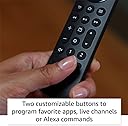
My original fire tv remote stopped working so I decided to upgrade. Its slightly bigger than the regular fire tv remote and has some pretty cool features. I love the motion activated backlit buttons and customizable 1 and 2 buttons. Also, the fact that i can use Alexa to call the remote if i lose it is a life saver. I've been using the remote for only a few days ao far, but im enjoying it. Zero complaints, especially for the price.
J**E
Back-lit buttons did it for me!
I recently purchased an Amazon Fire TV Stick 4K to eliminate an issue I had with my Vizio "Smart" 4K TV freezing up with apps, specifically Netflix. Problem solved (I'll review the Fire TV Stick 4K separately..it's great!). The remote that came with the Fire TV Stick 4k (on the left in the picture) worked great. Paired easily with my TV, Fire Stick and Alexa-enabled Echo Dot speaker. It really lacked only one thing that I wanted...back-lit buttons. I use this in my bedroom and at night in a dark room, fumbling to find the buttons was a pain. I could say "Alexa...rewind 30 seconds", etc and my Echo Dot would take over but I wanted to be able to make full use of the remote, separate from the Echo Dot so I'll concentrate my review on the remote itself. Here are the things that the "PRO" has that the "standard" Alexa Fire TV voice remote doesn't have: "Find My Remote": NOTE: If you already have an Alexa Voice remote, you will want to add the Pro as a second remote and keep your original to use this feature if you don't have an Echo Dot or other Voice enabled device. The "Find My Remote" feature is a definite plus. You just say "Alexa...find my remote" and the PRO will begin to beep until you find it and touch a button. It works with any Alexa device (including your old Alexa voice remote) and ALSO WORKS WITH THE ALEXA APP on your phone. The "beeping" isn't very loud, but it's loud enough to enable you to find the remote between sofa cushions. Back-lit buttons: My favorite feature, hands down. It lights up automatically when it senses movement or if you press any button. The other features are cool and useful, but I got spoiled having a universal remote with back-lit buttons. Bluetooth Headphone Pairing (top right button): Easily paired my Pioneer Bluetooth headphones with very good quality and no lag or delay in the audio. A nice feature, but I live alone so I don't use headphones for TV viewing, so it's nice to have, but didn't factor into my decision to buy it, but if it's something that you would use, it works great. In addition to the Volume Up/Down the Pro includes a Channel Up/Down button. I have no need for this very often but it's handy. Settings Button: The Pro has a button that takes you directly to the "Settings Menu" skipping the need to use the "Menu" button and having to navigate to Settings. I guess it's useful, but I don't see a need to access settings very often and using the blue Alexa Voice control button, you can just press it and say "Open Settings". 2 Programmable Buttons on the PRO (labeled 1 and 2): Basically any command you give to Alexa, you can use these as a shortcut. You can also assign apps to them, etc. I assigned Button 1 to open HBOMAX and Button 2 to open YouTube TV as an example. The 4 quick-launch app buttons (Prime Video, Netflix, Disney+ and Hulu) at the bottom came as shown in my pic. In the product pics for this item above they are shown as blank buttons for some reason? I also have a Blink camera linked to my Alexa and can see a live shot from the camera on my TV with a quick voice command ("Show Camera Name") or I could assign that voice command to one of the 2 programmable buttons. When programming the buttons (a very easy process) it will show you your recent Alexa voice commands to choose from, you can choose "Apps" for a listing of all of your apps, etc. Same for games, etc. My decision to buy this rather than stick with the Alexa Voice remote that came with my Fire TV 4K was the Back-lit buttons. The headphone connection is cool, but I don't need it. The settings button I don't see my needing to access it often, so I don't care. Channel Up/Down button, only useful for me when using YouTube TV and I rarely channel surf so, I can live without it The 2 Programmable buttons: I like that I can have 2 extra apps to launch using one touch but I could just say "Launch HBOMAX" so maybe I'll find more fun or useful ways to use the buttons. ****When pressing the Blue Alexa Voice Button on the remote you don't need to say "Alexa" before giving the command. I did that once and had my Echo Dot trying to respond as well as the remote. lol In the end, I basically paid $35 so I could see the remote's buttons in the dark (I only paid $24.99 for the Fire TV Stick 4K with voice remote). LOL Was it worth it? I switched back to using the original one for one night and yes, not being able to see the buttons after being able to the night before is worth the $35 to eliminate the frustration. LOL I hope you find this review helpful.
C**N
Thoughtful Upgrade for Fire TV Users – Especially with the Red Cover Case Combo
Amazon Fire TV Alexa Voice Remote Pro (newest model) with remote finder, TV controls, and backlit buttons Made for Amazon Remote Cover Case, for Alexa Voice Remote Pro (2022 Release) | Red ================================================================================================= Amazon Fire TV Alexa Voice Remote Pro and Remote Cover Case ALTERNATE REVIEW TITLE: Thoughtful Upgrade for Fire TV Users – Especially with the Red Cover Case Combo If you use your Fire TV frequently, this Amazon Fire TV Alexa Voice Remote Pro (paired with the Made for Amazon red cover) feels like a worthy and well-designed upgrade. The remote itself is a noticeable step up. The backlit buttons are something I didn’t know If you use your Fire TV frequently, this Amazon Fire TV Alexa Voice Remote Pro (paired with the Made for Amazon red cover) feels like a worthy and well-designed upgrade. The remote itself is a noticeable step up. The backlit buttons are something I didn’t know I needed until I used them—especially helpful during movie nights or in dimly lit rooms. The “remote finder” feature is also a true stress-saver. You just ask Alexa to find it, and the remote makes a sound to help you track it down. I’ve already had to use it more than once, and it works like a charm. The remote also includes programmable buttons, so I can jump straight to my favorite apps without navigating through the menus. The tactile feel is solid and responsive—not cheap or flimsy. You can really tell this is a “Pro” version. As for the Made for Amazon Red Cover, it adds grip and visibility. I personally chose the red version to help it stand out in the room (and against dark furniture), and it’s worked exactly as I hoped. The silicone has a soft, flexible texture, not too bulky, and it fits snugly on the Pro remote. Plus, it adds some basic drop protection, which is important in my household. I read a few reviews before buying where people mentioned wishing this combo came standard. I can see why. Together, they make the remote easier to locate, harder to misplace, and much more comfortable to use. Pros: Remote finder is a game-changer Backlighting is perfect for nighttime use Strong build and snappy responsiveness The red case adds grip, protection, and visibility Programmable app shortcut buttons Cons: Slightly pricier than a basic remote setup Would be nice if the silicone cover came included instead of being a separate purchase The remote is not rechargeable — still uses AAA batteries, which feels like a missed opportunity for a “Pro” device The red case, while helpful for visibility, may not appeal to everyone aesthetically (though other color options are available) Final Thoughts: This pairing—the Fire TV Alexa Voice Remote Pro and the Made for Amazon red silicone cover—feels like a thoughtful enhancement for anyone already invested in Amazon’s Fire TV ecosystem. The remote’s upgraded features like the remote finder, backlit keys, and customizable app buttons aren’t gimmicks; they genuinely improve the daily experience. And while the silicone cover is a simple accessory, it adds just the right amount of protection and makes the remote easier to find and handle. For those like me, who use their Fire TV every day — or live in homes where remotes tend to go missing — this combination makes sense. It's not just a cosmetic or comfort upgrade; it adds real functionality. If you're considering stepping up from the standard remote, this Pro version (with a cover that fits it perfectly) is one of those purchases that you’ll appreciate every time you reach for the remote and it’s actually there.
A**N
Pretty good for a device that should never be needed
07/23/2023: Bought these because I noted that over time, BOTH my Fire Cube devices (along with my Echo devices) seemed to be getting worse and worse in understanding voice commands. The fact that these "fixed" the problem shows clearly that Amazon makes their devices with mics which will fail over time so you have to purchase replacements. Obviously not thrilled with that sort of underhanded marketing, but what can ya do? The remote itself is thicker and heavier than the one that came with the Cubes, and with slightly more functionality - much of which I'll never use. For example, the channel guide and channel up/down buttons. The whole reason I cut the cord was because I detest commercials, and all the "Free" channels in the guide are THICK with commercials - so I ignore them. Very NOT-thrilled with having four permanently assigned buttons at the bottom. The PRIME button "seems" to make sense until you realize that it's completely unnecessary since the HOME button takes you to the Prime portion of the main interface anyway, so when would you ever use it? And of course, the other three are given to whoever pays Amazon the most money to get their name on the buttons. In this case, that's DirectTV, Peacock, and Netflix. So out of the four buttons, I might theoretically use ONE. Personally, I'd rather have four more programmables Speaking of which, there are TWO programmable buttons, and you can program them to run an app (Like Peacock or Netflix - so again making those dedicated buttons mostly useless). But you can also program them to perform commands. Programming them is easy. Hold down the button a few second and a menu appears to choose what you want it to do. The menu will include the last few voice commands you did, so you can just select the one you want, or you can go into "Your Apps" or "More Actions". Unfortunately, it doesn't seem to support "Routines", which would be nice. Personally, since my TV doubles as my screen for gaming I need to change to HDMI 2 pretty commonly. So the "2" button works perfect for that using the voice command "H.D.M.I. 2". There's no need for an HDMI 1 button, because the HOME button puts it back on HDMI 1 to display the menu The SETTINGS button does not take you to Settings. It takes you to a menu with several options on it, most of which I'll never use, and with the actual "Settings" furthest away. My most common use-case for this is to restart the Fire device, which takes 13 clicks the normal way, or 14 clicks using the SETTINGS button on the remote because you can't even go left to circle to the far right like you can on the main screen. So... another possibly great feature poorly implemented. The items on the SETTINGS menu button are (left to right) "Profiles", "Apps", "Sleep", "Mirroring", and "Settings". If you almost never use those, then the button is useless. So restarting is STILL easier using the other method, which is to hold down the "SELECT" and "PLAY/PAUSE" buttons for 5-8 seconds (by the time you get done clicking, you'll have used up that time anyway). The old remote had all the other buttons, except for the headphones button, which I'll probably never use either. So is it worth it? Well, if you have one of the older remotes without volume, mute, and power buttons, then it's probably worth it. If not, you'll have to make that call yourself. If you have one or two commands you use all the time, the programmable buttons might make it worth it to you. If you use the "free" (commercial-thick) channels, then it might also. Otherwise, probably not. One note. I have 2 TVs and 2 Fire Cubes, and replaced both remotes. In both cases I had to set the original remotes so they'd know what type of TV so they'd know which remote control (IR) codes to use. And in both case, the new remotes seem to have "learned" that from the previous remotes. Aside from pairing the remote to the Cube, there was no setup required (other than programming the #2 buttons for HDMI2 of course, since the old remotes didn't have that functionality). Aside from pairing them, there was zero set-up. I had fully expected to have to set the TV models again, so kudos on that. Oh, I almost forgot. The backlight feature is AWESOME! I know I'll have to replace the batteries sooner, but since I operate in the dark 90% of the time, it's really nice to be able to see the buttons. Also, the "Remote Finder" works fine, though I'll probably never use it. I think it's one of those function that I may never use, but if/when I need it, I'll REALLY need it. :-) So I'm glad it's there. Now Alexa can find either my Phone or my Remote. She so smart! Also, when I asked where my remote was, she asked if I wanted to find the First remote control or the Second, so that's nice.
Trustpilot
1 day ago
3 weeks ago