Desertcart purchases this item on your behalf and handles shipping, customs, and support to Sri Lanka.
๐ Tiny Tech, Massive Connectivity โ Stay Ahead, Stay Connected!
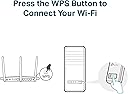
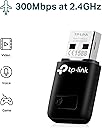
The TP-Link TL-WN823N is a mini USB WiFi adapter delivering up to 300 Mbps wireless speed, perfect for HD streaming, gaming, and voice calls. Its ultra-compact design fits discreetly into any USB port, making it ideal for on-the-go professionals. Featuring one-touch WPS security and SoftAP mode, it supports Windows, Mac OS, and Linux, turning wired connections into WiFi hotspots with ease. A reliable, plug-and-play solution trusted by millions for seamless connectivity.


| ASIN | B0088TKTY2 |
| Best Sellers Rank | 2,185 in Computers & Accessories ( See Top 100 in Computers & Accessories ) 19 in USB Computer Network Adapters |
| Box Contents | Quick Installation Guide, Resource CD, Wireless Adapter TL-WN823N |
| Brand | TP-Link |
| Brand Name | TP-Link |
| Color | Black |
| Colour | Black |
| Compatible Devices | PC&Notebook |
| Compatible Operating System Family | Linux, MacOS, Windows |
| Compatible devices | PC&Notebook |
| Country of Origin | Netherlands |
| Customer Reviews | 4.2 out of 5 stars 68,525 Reviews |
| Data Link Protocol | Puerto WLAN 802.11b, Puerto WLAN 802.11g, Puerto WLAN 802.11n |
| Data Transfer Rate | 300 Megabits Per Second |
| Data link protocol | Puerto WLAN 802.11b, Puerto WLAN 802.11g, Puerto WLAN 802.11n |
| EU Spare Part Availability Duration | 2 Years |
| External Testing Certification | ANATEL: 36481203177 |
| Hardware Interface | USB 2.0 |
| Hardware interface | USB 2.0 |
| Item Dimensions L x W x H | 18L x 7W x 39H millimetres |
| Item Part Number | TL-WN823N |
| Item Weight | 2.12 Ounces |
| Manufacturer | TP-Link |
| Manufacturer Part Number | TL-WN823N |
| Minimum Required Operating System Version | Windows 7 |
| Model Number | TL-WN823N |
| Product Warranty | 3 year |
| Product dimensions | 18L x 7W x 39H millimetres |
| UPC | 013342001307 |
| Unit Count | 1.0 count |
L**R
TP-Link reliability in a tiny package
Small enough that you can leave it in a USB port permanently without it sticking out and snagging anything. Setup on Windows 11 was completely automatic. Plugged in, recognised, online within a minute. Speeds are perfectly adequate for streaming and video calls in a normal-sized home. TP-Link have always been reliable for this kind of network kit and this is no exception. Sensible buy.
W**Y
Does work on Ubuntu
Worked as a plug and play device straight. out of the box on 26.04 LTS. Works as well as the PCI card that it replaced ever did.
G**E
excellent product
This little thing is awesome! It really, really works like mad. ** I get constant download speeds of 12Mbps+, which is close the the max of my internet bandwidth. - It's very cheap cost-wise for the great performance it gives you - It's small(ish), though it will look big connected to your laptop - Comes with a 3' USB extension cable which I definitely recommend using. It helps position the device, and keeps it from crowding your laptop or from being destroyed by being knocked out of your PC's front USB port. - Has a diffused green LED under the white plastic to let you know it's working, instead of the blinding blue LEDs that everyone uses these days. The light turns off when it's not powered (like when you hit Standby on your PC). NOTE: It's still annoying in a dark room when I'm trying to sleep, but a few post-it notes helps that. - The software is relatively simple to install and use, and allows you to use other products to manage your WiFi instead. - The current driver, software, and documents come on a mini CD and are all up to date with what's available on TP-Link's web site - The documentation is good, but it could use some more detail.
S**H
Best Usb Ever
I really loved the USB. It didn't work on my Windows 7 PC. But it did work with my Windows 11 one. It was the best service. Thank you so much for the service
W**E
Very Good includes older System compatibility
I purchased this dongle specifically for my spare PC for Windows 7 as another brand dongle did not work, it came in a nice package box with a installation CD, the application was easy to install. My old PC was revived and I found that worked as well with a browser called Supermium, allowing Google and most application to run smoothly.
M**T
The Amazon syndrome
***Update about 4 weeks later*** I downloaded the specific driver from the company (by default it had been using whatever driver Windows used). Initially this did seem to have improved things slightly. It was actually quite difficult to get hold of and use this driver: poorly designed user setup. Unfortunately, using the manufacturer's driver does NOT solve the problems. I still get dropped connections, and I still find that whereas my phones, TV, etc., have no problems picking up a full-speed Wifi signal from the router, this thing doesn't: all too often it clocks 2 Mbps, and occasionally drops Wifi connection. I confess that I find this utterly baffling: when you specifically design a Wifi adapter, and you produce your own driver, specifically for W10, how come it works far worse that the tiny device in a phone? There's no excuse for this. *** original review *** This worked OK to begin with. I've had it for about 40 days now and it no longer works properly, although there is a rock-solid Net connection and Wifi system (as regularly attested by my phone tests, for example). Although this is now (just) outside the "return window", I would consider challenging this on the basis that the kit is simply defective. But instead of getting rid of it I intend to a get a better, more expensive piece of kit with a couple of aerials sticking out of it, and keep this as a reserve thing (it is only ยฃ7). This is absolutely typical of Amazon: very cheap and very rubbish, the absolutely classic flaw being a fault that only comes to light after a certain time. For this reason I hardly ever buy anything from Amazon any more. I wonder whether Bezos is clever enough to understand that this business model is not sustainable and that tens of millions have now reached the same conclusion as myself.
F**N
It works ok...avoid cheap generic badge-branded
Works fine without hiccup, unlike generic badge-branded dongles (you know the ones, weird almost-Chinese-sounding brands you've never heard of before) which are hit and miss if they work at all, I've fallen into that rip-off trap more than once. Seems like I need new WiFi dongles every time Windows goes up a number...the whole industry must be in cahoots, making you buy new kit by not supporting the previous model with new OS releases. But at least most new kit, like this, is backwards compatible with previous OS releases. Just not future proof! Easy to plug and install, you need a CD rom, else download the drivers...which is daft if you can't get connected to do so ... If using with a WiFi hotspot generated by your mobile phone it doesn't always connect, needing pc reboot after all power off at wall socket to clear faulty cached settings, and a mobile phone total reboot too, this will clear any cache settings across all devices, but is a nuisance when you have to do it every time. But at least you can then use 4/5G data for pc internet instead of having to buy broadband as well.
W**S
Plug and Play on Windows 8.
Received quickly by post, well packaged. Came with a mini CD with installation software although the device didn't seem to need it as it immediately began working when plugged it. It would be worth checking if your router supports 5 GHz as it might be worth investing in the ยฃ14.95 5 GHz AC version of this USB Adaptor (with caveats). My speeds average out around 62 Mbps, I crossed referenced this with my phone and my phone had the same speed on the 2 GHz band, so it is performing as intended. I currently have a 200 Mbps subscription, on the 5 GHz band using my phone (S6 Edge) I was getting around 160 Mbps. You might be wondering then why I didn't go the the 5 GHz version, my reasons for this are that 5 GHz typically seems to have poorer signal quality over distance and lower penetration through certain materials, I live in an post war house that has a lot of steel beams through the structure and my 5 GHz signal, although faster tends to be less reliable and weaker. In summary I would say the best option for someone in my position would be to go for the 2.4 GHz version, if however you're router will be in the same room as your computer or perhaps only on the other side of a stud wall, go for the 5 GHz. I have had this adaptor for a while now and performance has been superb, the signal has not dropped at all since I got it. For the record I am using Windows 8. Great price for a quality product from a trusted brand.
F**L
Good
Good Working for desktop
T**N
Fungerar perfekt!
Fungerar perfekt!
P**N
Great wifi adapter
I bought a 2nd hand desktop PC but discovered it had no internal wifi. I bought the TP Link TL-WN823N 300Mbps Mini Wireless N USB Adapter and connected it to my Desktop PC. I installed the drivers with the C.D included. Setup was easy and it worked first time. I am using my smartphone as a wifi hotspot to this wifi adapter and it works perfectly. The internet speed is fast and i can watch Youtube videos with no issues. Highly recommend this wifi adapter if your PC does not have wifi or your wifi card is not working.
M**E
Top!!
Super handig in gebruik.. in mijn computer plug & play. Accepteer het device. Gelijk werkt mijn internet verbinding..streaming is top voor normaal gebruik pc gebruik.. zeer blij mee!
T**H
Great buy
Awesome for the price, works perfectly. Will purchase again if needed.
Trustpilot
3 weeks ago
3 weeks ago