
🔑 Unlock elite security and effortless access—because your digital life deserves OnlyKey.
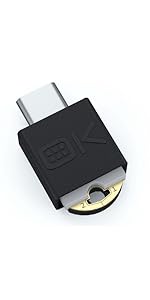
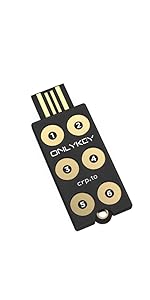
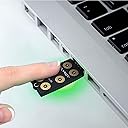
OnlyKey is a professional-grade, open-source hardware security key and password manager that combines PIN-protected two-factor authentication with universal compatibility across major platforms. Its rugged, waterproof design ensures portability and tamper resistance, while auto-login capabilities streamline secure access. Trusted by thousands, OnlyKey safeguards your online accounts even if your computer or websites are compromised.


| ASIN | B06Y1CSRZX |
| Best Sellers Rank | 47,929 in Computers & Accessories ( See Top 100 in Computers & Accessories ) 540 in USB Flash Drives |
| Brand Name | OnlyKey |
| Colour | White |
| Compatible Devices | Windows, Mac OS, Linux, Chromebook |
| Customer Reviews | 4.1 4.1 out of 5 stars (557) |
| Flash Memory Type | NAND |
| Hardware Interface | USB |
| Item Weight | 0.6 Ounces |
| Manufacturer | OnlyKey |
| Model Name | OnlyKey |
| Model Number | EF-7H5W-FQ6I |
| Network Connectivity Technology | USB |
| Product Features | Open-source, Verified, and Trustworthy; PIN Protected; Tamper-resistant Design |
| UPC | 633832116009 |
| Unit Count | 1.0 count |
A**E
The most important thing about security systems is that they are easy to use ... which this is
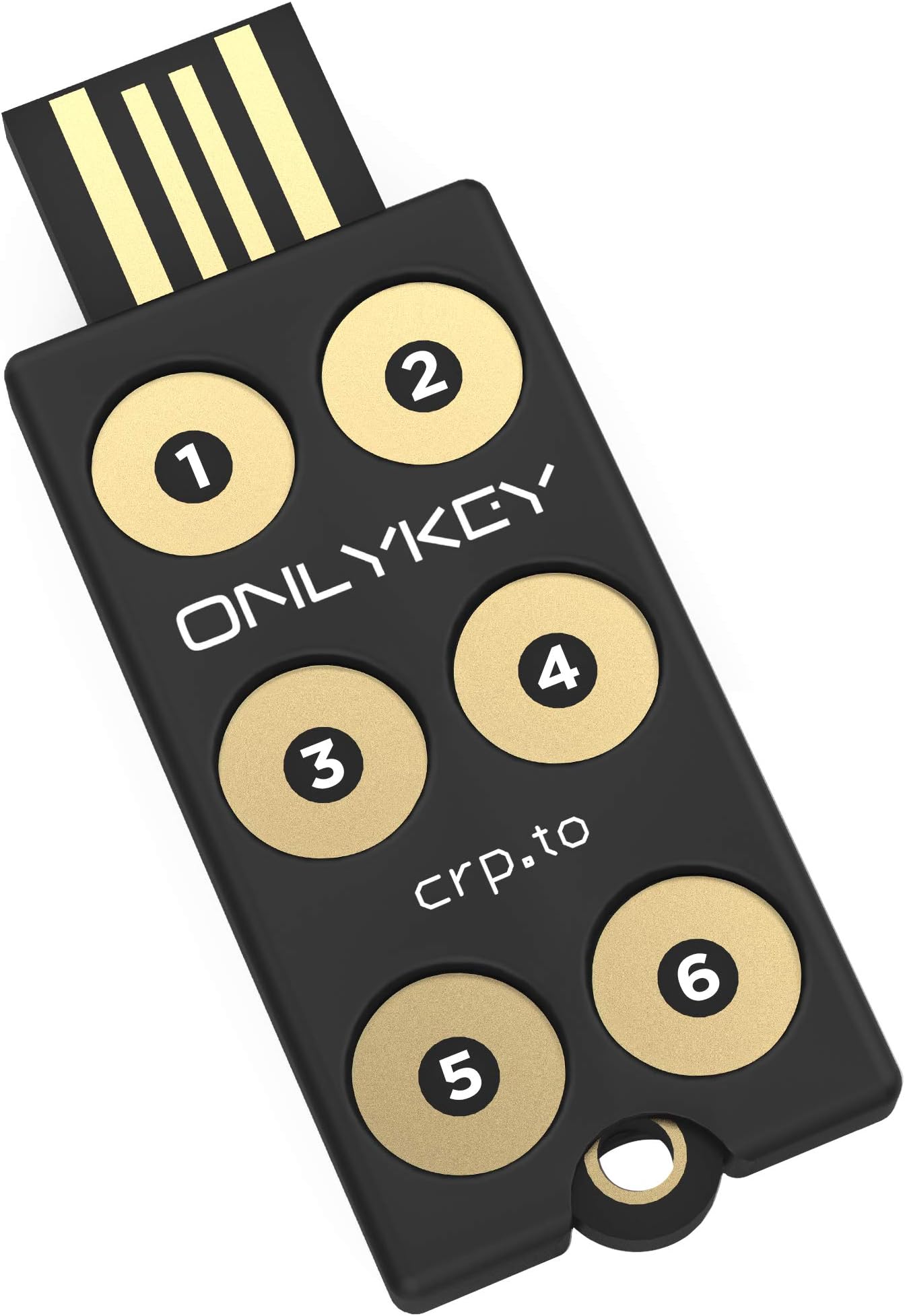
Sophisticated multifunction PIN protected security key and OTP generator. Also stores logins and passwords. The Onlykey is used to enhance security in IT applications. The key is supplied together with a silicone rubber covering (despite what some reviewers say) and a keyring attachment in a bubble packet. There are no instructions but detail of a website is provided that has extensive information about setup and use. I have little prior experience with this sort of equipment but found setting up the key very straightforward. There are many security keys available but their functions vary. The OnlyKey is the only one I have found that is protected by a PIN code which is entered on the device itself. Once the Onlykey has been unlocked it can be programmed to remain open until removed from the USB port or to automatically lock at any time between 1 and 255 minutes. I prefer not to have to keep re-entering the PIN so have mine set to a long time. When I leave my PC in sleep mode it still provides power to the USB ports but the OnlyKey can be locked by pressing number 3 for 5 seconds. OnlyKey can act as a simple security key; it can provide One Time Passwords at the touch of a button (like Google Authenticator codes), it can encrypt files and it can save password and logon information. It can also be used with W10 Hello but needs an additional PIN to be entered which to me is not ‘passwordless’. For this reason, I unlock windows by using the OnlyKey to input the Windows PIN, which it will do at the touch of a button. The OnlyKey allows storage of logon data and OTP’s in up to 24 slots. This is achieved allocating a slot to each of its six keys with a short press and another slot following a long key press. Following logging into the OnlyKey again with a different PIN code allows a further 12 slots to become available. The OnlyKey outputs data to the PC by acting like a virtual keyboard. This means its performance can be monitored by opening a text window on the PC and touching a button which results in the content of the slot being printed in the text window. Interestingly my PC is set up to come out of sleep when I press a key on my keyboard but activating the OnlyKey does not wake it up. The key’s software is a little clunky but it is very flexible. Features of the design could be improved. The key does not have a flat under-surface which means it rocks if buttons are pressed when it sits on a table top. The location of the LED is poor. The multicoloured LED feeds back invaluable information to the user about the state of the OnlyKey, such as whether it is locked or not, but cannot be seen when operated on a desktop. The key needs to be redesigned so the light is visible while the keys are being touched. I use the OnlyKey plugged into a USB extension cable and have it strapped to a piece of clear plastic that allows the LED light to escape and so be visible. The key is also supported so it does not rock. The OnlyKey is an invaluable and sophisticated security key. It is easy to use and has multiple functions. It comes into its own when paired with a password manger like BitWarden.
R**W
Exceptional, Versatile and Highly Secure Mix of Convenience and Efficiency
Introduced to me by "All Things Secured," the OnlyKey instantly stood out - it saves time, enhances security, and I wish I'd found it sooner. It's seamlessly integrated into my routine, and its convenience pairs well with its robust security features. This gem works across platforms, from macOS to Windows and more, affording peace of mind with each use. Setup is simple but doesn't limit advanced options, accommodating all user levels. I've found this product so beneficial and affordable that I've invested in a second as a backup. Thanks to Amazon's next-day delivery, immediate benefits await. In sum, this product uniquely combines quality, versatility, security, convenience, and affordability. I highly recommend trying it - you could be as delighted as I am.
A**S
Poorly written and amateurish documentation
I have successfully used this security key on a machine running openSUSE Leap 15.3, a Linux operating system. (Do not blindly follow any steps mentioned in this note if using a different operating system.) Given the provocative title of this review, I shall provide an example to justify it. One taken from the user guide that I downloaded. A direct quote is: "You can chain together multiple ‘ \t’ or ‘ \r’ in the fields. Its one space to start and one space to end so if your chaining together multiple tabs it would have a double space in between like: "\t \t \t \t \t password \r" Leaving aside details of punctuation, misspelling the contraction of “It is” and misspelling the contraction of “you are”; concentrating instead on the example. One quite literally won't be able to spot spaces at the beginning or end of the line in the manual, regardless of whether they should be there or not. This is completely unnecessary. A common device is to put characters in brackets: for instance, a space, followed by a slash, followed by a “t” and then another space could be illustrated by: {space} {\} {t} {space} Then one would have no difficulty spotting the leading and trailing spaces. Furthermore, given the vast universe of proportional fonts, one can't even be certain about the number of spaces between characters. This is not the only horror in the documentation. To install the app on my main PC I downloaded the Debian package and extracted using: ar xf OnlyKey*.deb tar xf data.tar.xz I then copied the files over to /opt/, /usr/share/applications/ and /etc/udev/rules.d/ as per the directory structure of the source. To activate the device rule, I ran: sudo udevadm control --reload-rules && udevadm trigger Which reported an error, one I thought I could ignore (later on I inserted key and it was properly recognised, justifying this optimism). I decided to run the simple install; which involved opening kwrite, inserting the key and pressing its #3 button for 5+ seconds. It worked a treat. Next I opened the app (the command is “/opt/OnlyKey/nw”) and was prompted to upgrade the firmware. I thought that doing this straight away would save me from creating a backup first. Unfortunately, this was when my problems started. I could get it into “config” mode, yet the firmware would not upgrade. I wasted a fair bit of time trying to get it to work (many motherboards have problems with usb connections, this applies, for instance, when connecting a mobile phone to a PC), but without success. Eventually, I wiped the key, using the destruct code, and started again, this time opting to install via the app. Upgrading the firmware straight away was a matter of seconds. I have successfully used the key. However, there are caveats. The app itself has a rather clunky interface. Furthermore, it is set to run automatically at startup (I stopped this). To use the authenticator facility one has to set the keyboard layout (in my case to UK). It would be more flexible to set the timezone directly. Furthermore, changing the layout in the app did not stick. I had to do it again using the command line tool. It really is strange running the app for this in Linux when a systemd unit would do the trick nicely (as I understand it, all the key requires for the authenticator is the clock time). The app would then be a pure configurator. There are other limitations, the Amazon log-in page has a very long address, too long for the OnlyKey. One could use a service such as tinyurl. However, that would open up security issues. Instead, I don't use the key for the URL, just username, password and authenticator code. A boo-boo is the decision to hide the existing entries when editing a slot. One can easily copy out these entries to a text editor. Personally, I'd never edit a slot in a work environment in any case, so hiding the text from others is not a consideration. Hiding the password ought to be sufficient. Furthermore, I quite fail to understand why it is necessary to mark that an entry has been changed: that is merely a further cause of error should the user forget to tick the appropriate button. Another thing I don't like is the suggestion to log-in to test whether an OnlyKey slot has been set properly for a website. It is simpler to open kwrite and visibly inspect the output after pressing the right button. There are websites that are ruthless when it comes to locking accounts after repeated “suspicious” attempts to log-in. In summary, there are frustrations setting the key's entries. The documentation should be written by a professional. The app should be improved. On the plus side, time can address much of this. Just as time will tell me how robust the key is. I haven't got around to setting it up for pgp. On a first reading, it appears one can't just import the pgp keys from my PCs, I have to set up a new key and then add my existing keys as subkeys, which is not acceptable to me (I'm not convinced that the OnlyKey has enough entropy for randomness, I don't want it to create the primary key), I'd rather use something else for that). Furthermore, I don't use Thunderbird, so the example given of incorporation into an email client is of limited value to me.
L**8
Sehr gute produkt,ich kann ihnen empfehlen
F**L
Llevo varios meses utilizando mi OnlyKey a diario: con KeepassXC para gestión de claves y para conexiones SSH. Al principio tenía algunos bugs pero tras algunas actualizaciones ahora todo funciona perfectamente. La he usado alguna vez conectada a mi teléfono móvil por USB OTG, pero es algo muy esporádico y es un fastidio tener que andar con un adaptador de USB-A a USB-C. Aprecio mucho que el software para usar la llave sea libre, por un lado me ha permitido arreglar personalmente algunos bugs que me he encontrado y por otro siguen llegando nuevas funcionalidades (como soporte para firmado con claves PGP/GPG). Hay mucha flexibilidad para usar la llave en muchos escenarios diferentes. Un detalle importante sobre esta llave es que las claves privadas no están protegidas contra ataques contra el hardware interno, porque está basada en Arduino y no dispone de un elemento seguro. Esto significa que si alguien se apropia de la llave y dispone de suficientes recursos (miles de euros en equipamiento especializado) probablemente podría extraer los datos. Si este es un vector de ataque del que necesites defenderte entonces mejor busca productos con un elemento seguro que se haya probado resistente contra ataques (aunque en estos casos tienes que confiar en los fabricantes, que no tengan puertas traseras por ejemplo). Dicho esto la OnlyKey es la llave de seguridad más flexible del mercado hoy por hoy. Si tu principal preocupación es proteger tus claves privadas frente a un ataque de malware en el ordenador o un ataque hardware tipo BadUSB entonces OnlyKey es una buena opción.
S**I
La prima cosa da dire, per evitare malintesi, è che si tratta di un dispositivo che non è assolutamente plug & play. Per utilizzarlo appieno e quindi apprezzarne l'effettiva utilità è necessario avere buone conoscenze e manualità informatiche. In parole povere: è un dispositivo adatto ad un professionista o per uno smanettone, decisamente più difficoltoso altrimenti. La configurazione, specie le prime volte, è un po' macchinosa. In particolare, visto che i valori si possono scrivere ma non leggere, è consigliabile farsene una brutta copia su un file di testo per evitare di dover reinserire tutto daccapo a mano se si deve cambiare solo una virgola. Unico neo per esperti: è un peccato che il supporto PGP si limiti ad una WebApp e si appoggi troppo ed esclusivamente su Keybase.
S**E
Use it daily both at home and work. With 12 spots and 2 profiles (24 secrets), it saves me a lot of time. Easy to use and works on windows and linux and through RDP.
D**E
Après 3 ans d'utilisation, je reviens sur mon appréciation pour dire que sur ce produit est, selon moi, l'un des meilleurs (sinon le meilleur) de sa catégorie. Point 1 L'accès à la clé est protégé par un code que vous entrez via un clavier physique directement sur la clé. La présence d'un clavier physique directement sur la clé est un avantage énorme comparé aux produits concurrents qui n'en possède pas! L'entrée d'un code PIN via une application (logiciel) est intrinsèquement non sécurisée : Si la sécurité de l'ordinateur que vous utilisez pour entrer le code PIN est compromise, alors le code PIN peut être intercepté. Le cas échéant, si on vous vole votre clé, rien n'empêche le voleur de l'utiliser pour vous nuire. Avec OnlyKey, il est impossible d'intercepter le code PIN (car ce dernier ne "transite pas par l'ordinateur"), même si la sécurité de l'ordinateur que vous utilisez est compromise ! Si on vous vole votre clé, le voleur ne pourra pas l'utiliser pour vous nuire ! Pourquoi les produits concurrents ne sont-ils pas équipés de claviers physiques pour entrer le code PIN ? Pour faire des économies... probablement. Point 2 Contrairement à de nombreux produits concurrents (pour ne pas dire la majorité), OnlyKey permet de sauvegarder la configuration de la clé et de restaurer la sauvegarde sur une autre OnlyKey. Cela vous permet d'avoir une (ou plusieurs) OnlyKey "de remplacement" si vous en perdez une, par exemple. C'est absolument indispensable ! Remarque : De plus la technique implémentée pour produire la sauvegarde est très pratique (je passe sur ce détail technique cependant). Point 3 OnlyKey permet de signer et de chiffrer des documents ou des messages via l'application disponible. Le seul petit défaut est qu'il s'adresse à un public plutôt "averti" (capable d'apprécier la qualité du produit, mais qui possède un certain bagage technique). Je suis ingénieur en développement et en cybersécurité depuis 26 ans. Et, pour moi, OnlyKey est la plus avancée des clés disponibles aujourd'hui. Je recommande ce produit à tous les ingénieurs en informatique, et à tous les amateurs "avertis". À noter : le logiciel est libre, ce qui est un très gros point positif. De plus, les concepteurs répondent aux questions (sur le forum technique).
Trustpilot
1 month ago
1 month ago