
DOWNLOAD THE APP


Customer Services
Copyright © 2025 Desertcart Holdings Limited
DOWNLOAD THE APP
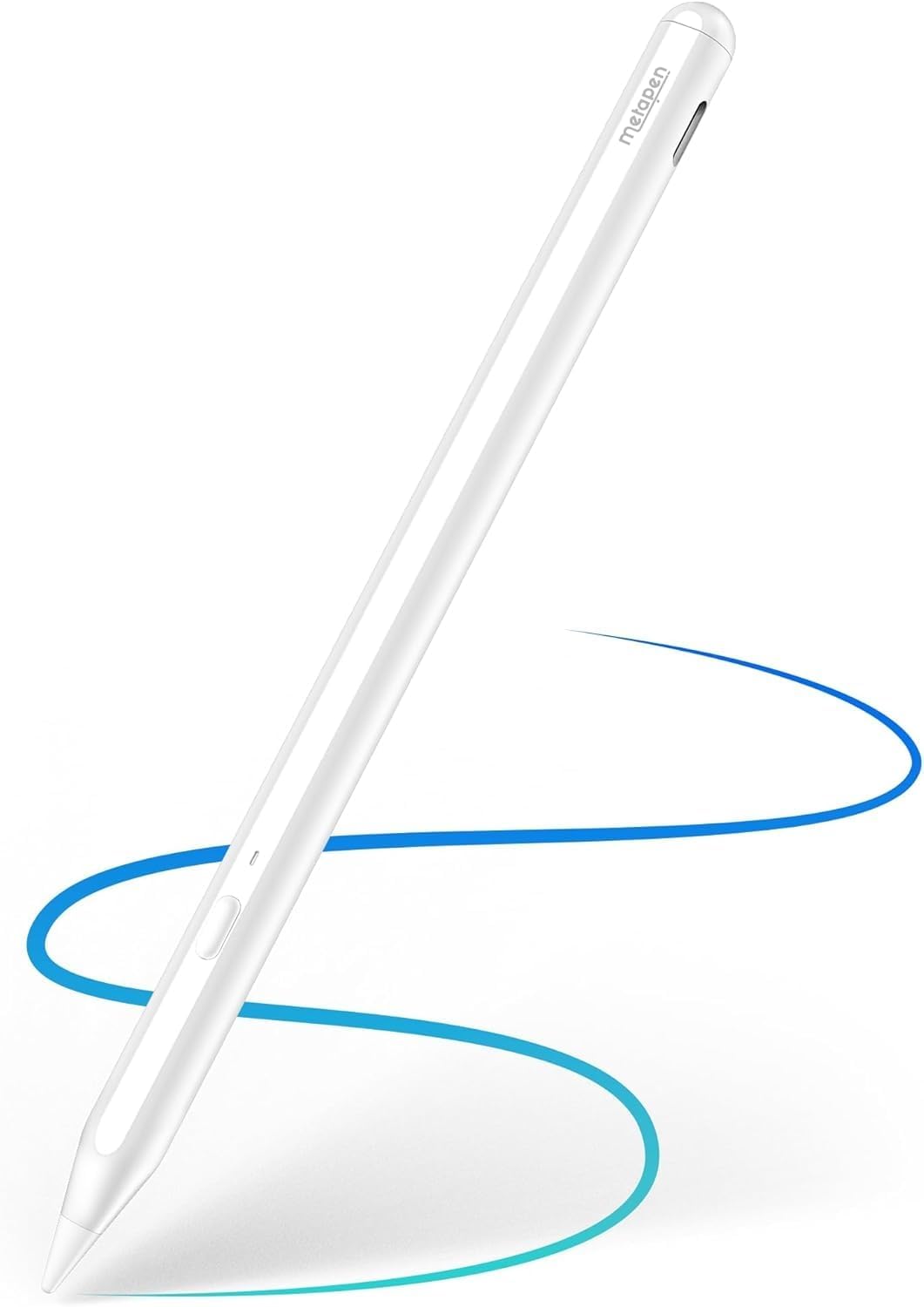
🖋️ Metapen A11: The Power Stylus for the On-the-Go Pro
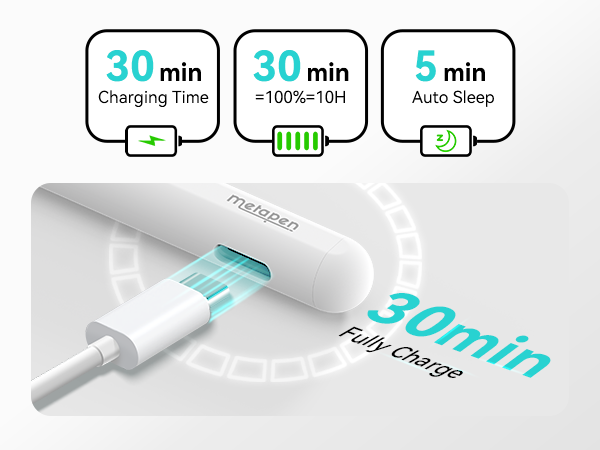
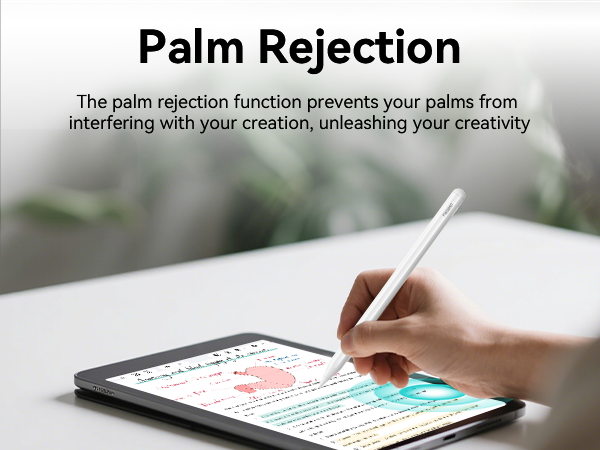
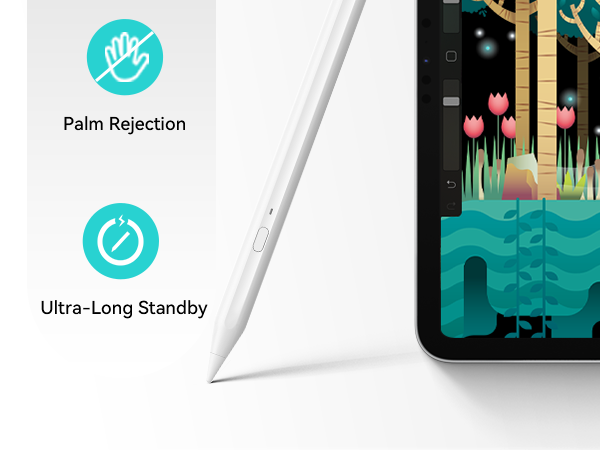
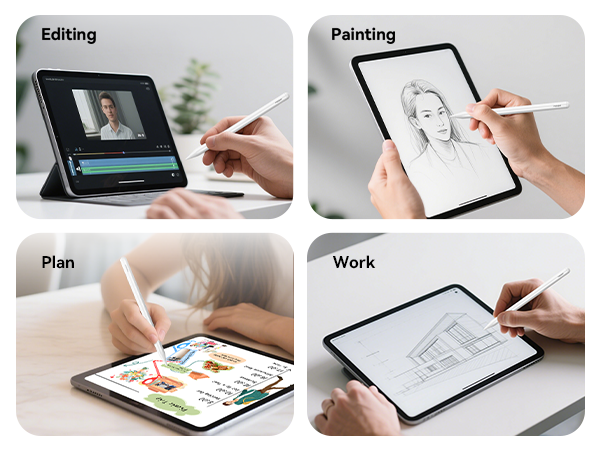
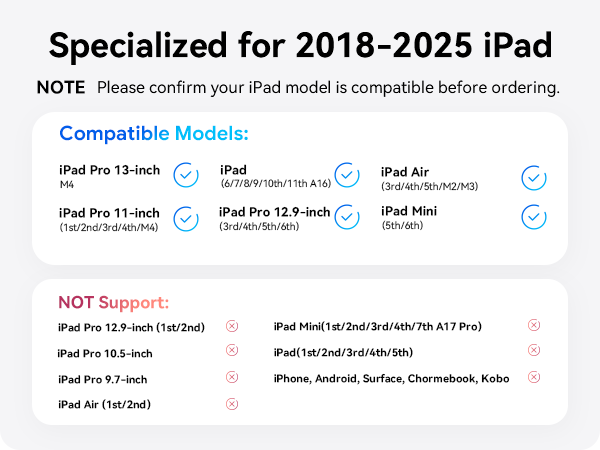
The Metapen A11 is a high-performance stylus compatible with iPads from 2018 to 2025, featuring 2X faster charging, a durable 0.1mm precision tip, and advanced palm rejection technology. Designed for professionals and students alike, it offers up to 10 hours of battery life after a quick 30-minute charge, double magnetic attachment for secure storage, and seamless Bluetooth hotkey functionality, all at a fraction of the cost of the original Apple Pencil.



| ASIN | B0BCWGC7GJ |
| Are Batteries Included | Yes |
| Are Batteries Required | Yes |
| Average battery life on standby | 10 Hours |
| Battery Average Life Standby | 10 Hours |
| Battery Description | Lithium-Ion |
| Best Sellers Rank | #8,235 in Mobile Phones & Communication Products ( See Top 100 in Mobile Phones & Communication Products ) #171 in Mobile Phone Stylus Pens |
| Brand | metapen |
| Charging Time | 10 Hours |
| Color | white |
| Colour | white |
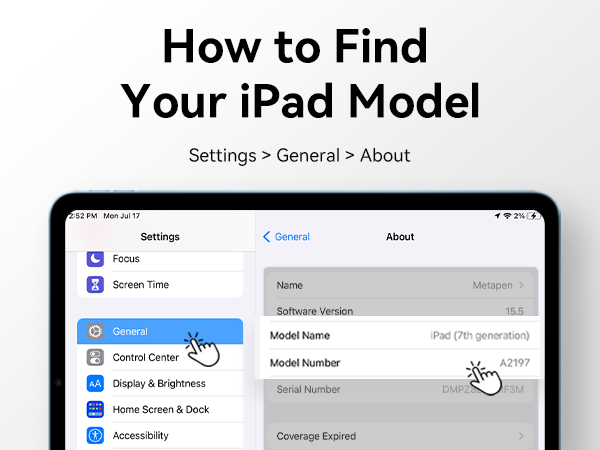
| Compatible Devices | iPad 10/9/8/7/6 Gen, Air 3/4/5 M2, Pro M4, 11 inch 1/2/3/4 12.9 3/4/5/6 Mini 5/6 Gen |
| Customer Reviews | 4.3 out of 5 stars 5,221 Reviews |
| Enclosure Material | Plastic |
| Item Dimensions | 16.5 x 0.9 x 0.9 centimeters |
| Item Weight | 15 Grams |
| Item height | 9.5 millimeters |
| Item weight | 15 Grams |
| Manufacturer | metapen |
| Material | Plastic |
| Model Number | ME-APP412 |
| Number of Batteries | 1 CR5 batteries required. (included) |
| Number of batteries | 1 CR5 batteries required. (included) |
| UPC | 714532191586 |
J**N
Prisvärd och bra penna
Bra penna! Lätt att parkoppla, bra batteritid och snabb laddning. Det enda den ”saknar” är att den inte har tryckkänsligheten men den infon visste jag om innan jag köpte den. Jag är jättenöjd med pennan
M**Z
Excelente compra.
Bueno, bonito y barato. El ipad lo lee inmediatamente, fácil instalación.
G**T
easy to use
easy to use, great performance, quick and easy to charge, long battery life
A**N
Un excellent stylet polyvalent pour l’iPad
J'ai acheté le stylet Metapen A11 pour mon iPad 10 et je suis ravi de mon achat. Ce stylet remplit parfaitement tous mes critères pour mon usage, qui consiste principalement en la prise de notes, la rédaction et un peu de dessin. Le produit est livré avec une mine supplémentaire et un manuel détaillé pour la prise en mains. J'ai particulièrement apprécié la simplicité d'utilisation de ce stylet. Une application dédiée est fournie, permettant de modifier le grain et la précision de la mine, mais aussi d'attribuer un geste à une action via le bouton du stylet. La connexion Bluetooth est facile à établir et le widget sur mon iPad indique le pourcentage de batterie restant. La recharge se fait via un port USB-C, ce qui est pratique et évite d'avoir à utiliser d'anciens câbles. Au vu de son prix très abordable, ce stylet offre des fonctionnalités complètes. C'est un produit complet et de qualité. Je suis vraiment satisfait de mon achat et de mon expérience avec la marque Metapen.
A**N
Great Value & Solid Customer Support
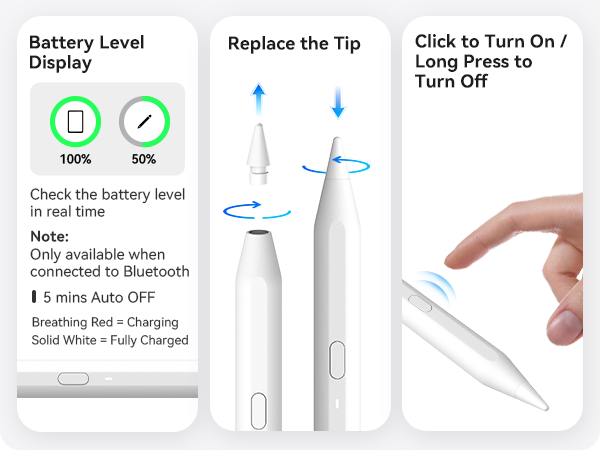
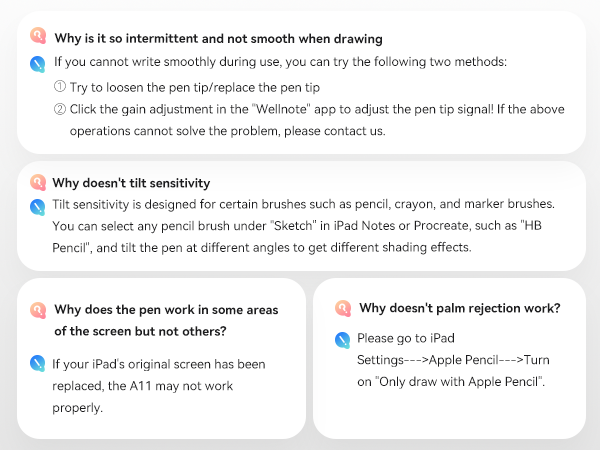
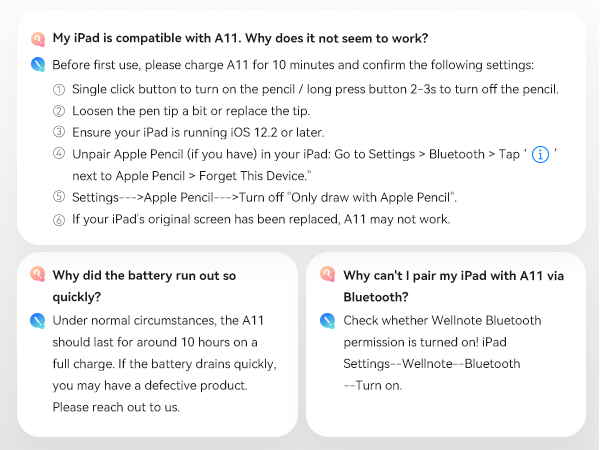
I purchased the A11 September, 2024 and have been using it primarily for note-taking and occasional doodles on the iPad 9th gen. Though it lacks pen pressure support, it was $17 USD at time of purchase compared to the $70 USD of the Apple USB-C. Functionally it does what I need, but if you're an artist, you'll want to look elsewhere for pressure capability. I did encounter an issue with the stylus, which is mentioned at the end. What you get: The box comes with the stylus, a 6" USB-C charging cable, 2 replacement hard plastic tips, 2 hard plastic USB-C port covers, and the typical manual/warranty information papers. Operation/Side Button: There's a single side button that's used to power the stylus on with one click and off by holding it for a few seconds. Though the button can also be set to other functions while on, it seems to require the installation of either the Metapen app or the Wellnotes app (both on the App Store), which not everyone may be interested in doing. Further, the speed in which the functions respond after the input click(s) are a bit delayed for my liking, so I generally just ignore the feature and use the iPad gesture controls instead. This stylus does have an internal magnet for attaching to the iPad, but my iPad has a case with no stylus holder, and the magnet is not strong enough to hold the stylus to the iPad through the case. As a result, I just stick the stylus to something metal on the edge of my desk or my computer case (which secures just fine), but if you're more mobile, then you may want to consider a case that has a place to put the stylus. Battery/Charging: Unfortunately, I have not been keeping close track of battery life and charge times, so I cannot give an accurate, metrics-backed representation of this category. The stylus has power when I need it, and keeps its charge while powered off when I don't use it. I do check the battery level after I finish using it for the session, and if it's low, I'll connect it to the included USB-C charging cable for around 30 minutes, and that generally leaves it at a high enough amount for the next few sessions (typically over an hour per session). Writing Experience: The design of the stylus is mostly round, with a single flat side, where the LED battery indicator and side button are positioned (seems like the indicator function has to be enabled in the Wellnotes app). It's comfortable enough for me to hold for longer periods of time, and for what it's worth, I personally have not encountered accidental presses of the side button no matter how I held the stylus. When writing notes, the only problem in quality is the readability of my handwriting; the stylus is fine. When doodling, I noticed that diagonal lines will have some semblance of line jitter/wobble, unless you use software stabilisation or draw the line quickly. This appears to be a problem with most digital styluses I've seen, outside of styluses from companies that specialise in digital drawing devices, such as Wacom, XPPen, Huion, etc. so it is expected. The wobble with this stylus is not terrible, and personally, it does not bother me, but it's something I will mention since it is somewhat noticeable. App: I use the Apple Notes app because I'm cheap. The stylus works with the app. Apparently Metapen has a Wellnotes app that appears to be a part of their troubleshooting steps, but also is a note-taking app. It looks like this app can change the function of the side button (albeit with limited options); tune the stylus with sensitivity gain settings and adjustments based on the kind of tip used (plastic, rubber, metal, etc.), hand position relative to iPad orientation, screen protector; change the auto-power off time; etc., but I have not played around with those settings much since the stylus works out of the box. I have not used Wellnotes for my note-taking either, so I can't really speak to how well it functions there. Issue/Customer Support: A timeline/TL;DR: My initial email was sent Saturday evening with Metapen's initial response including troubleshooting steps and video-of-issue request on Monday just past midnight (likely based overseas, though fine as the representative seemed more fluent in English than myself). My video was sent on Monday evening, with their follow-up conclusion just past midnight on Wednesday. The rest of the correspondence occurred Wednesday evening, with the order for replacement created then, and it arrived Thursday afternoon. 4-5 days for the resolution, mostly slower due to time zones. About 6-7 months in, the stylus started to cut out when writing. I sent the Metapen support email a message detailing the issue, and they got back to me in just under two days (I sent the first message on Saturday evening so it's understandable. Overall their responses took no more than a day during the weekdays, excepting a single other occasion where it took a bit more time). The support representative, Rosie, sent a list of troubleshooting steps, and, assuming the steps were unsuccessful in resolving the issue, requested a video of the problem for their technical support department. At the end of their response, they provided me the option of either a full refund or a replacement stylus (without having to send the broken one in), should the issue be unresolvable. I sent the video of the malfunction, and about 29 hours later the representative responded stating that it was probably a broken sensor and could not be fixed, so my options were the full refund or a replacement pen. I went with the replacement pen as it worked fine for the months I had it, and it was only $17. I provided my shipping address, and the replacement stylus arrived the next day. The replacement works just fine so I'm satisfied with how it turned out.
Trustpilot
1 month ago
2 weeks ago