

Desert Online General Trading LLC
Dubai, United Arab Emirates
Desert Online General Trading LLC
Dubai, United Arab Emirates
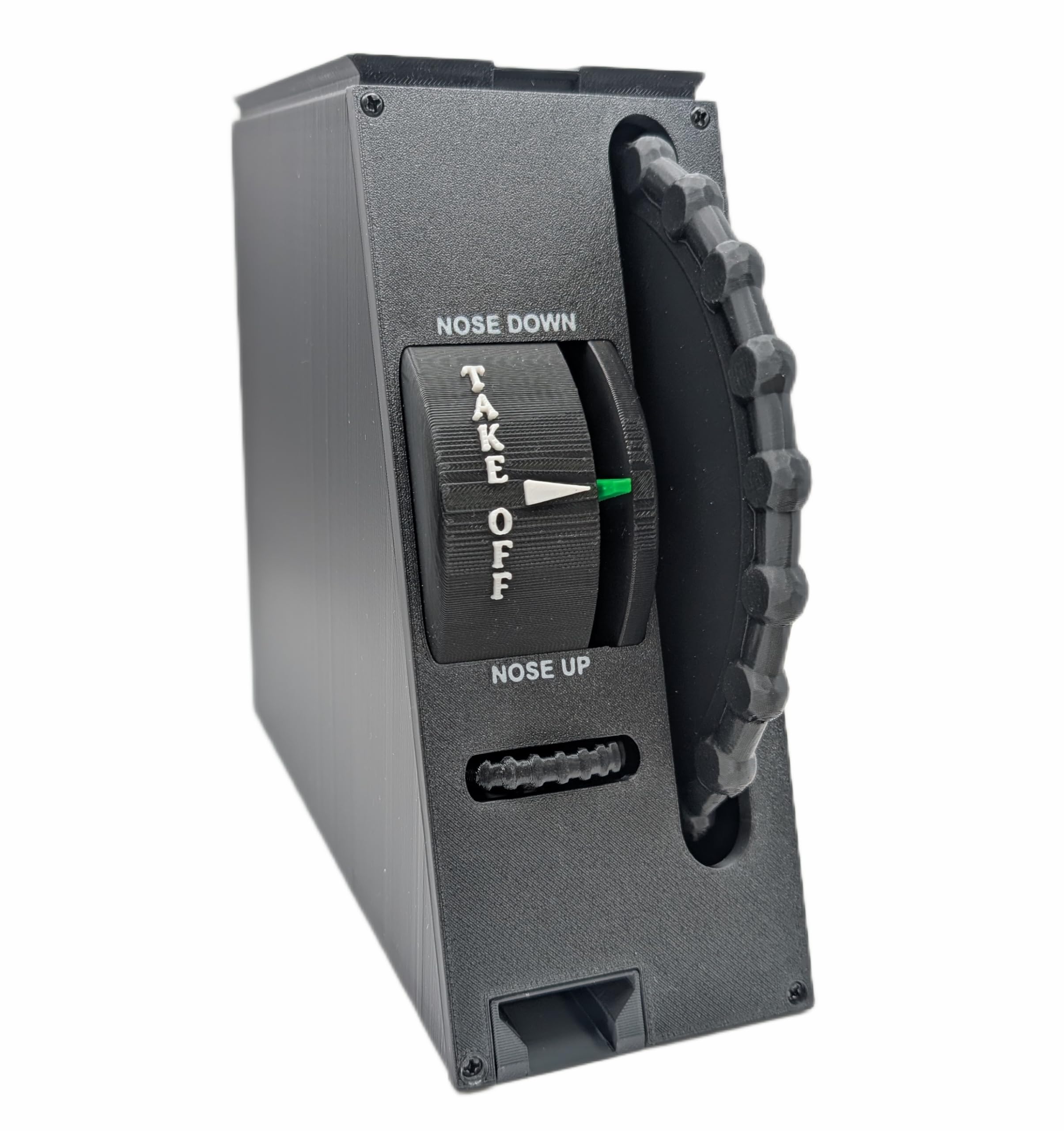


🎮 Elevate your cockpit game with precision and style!
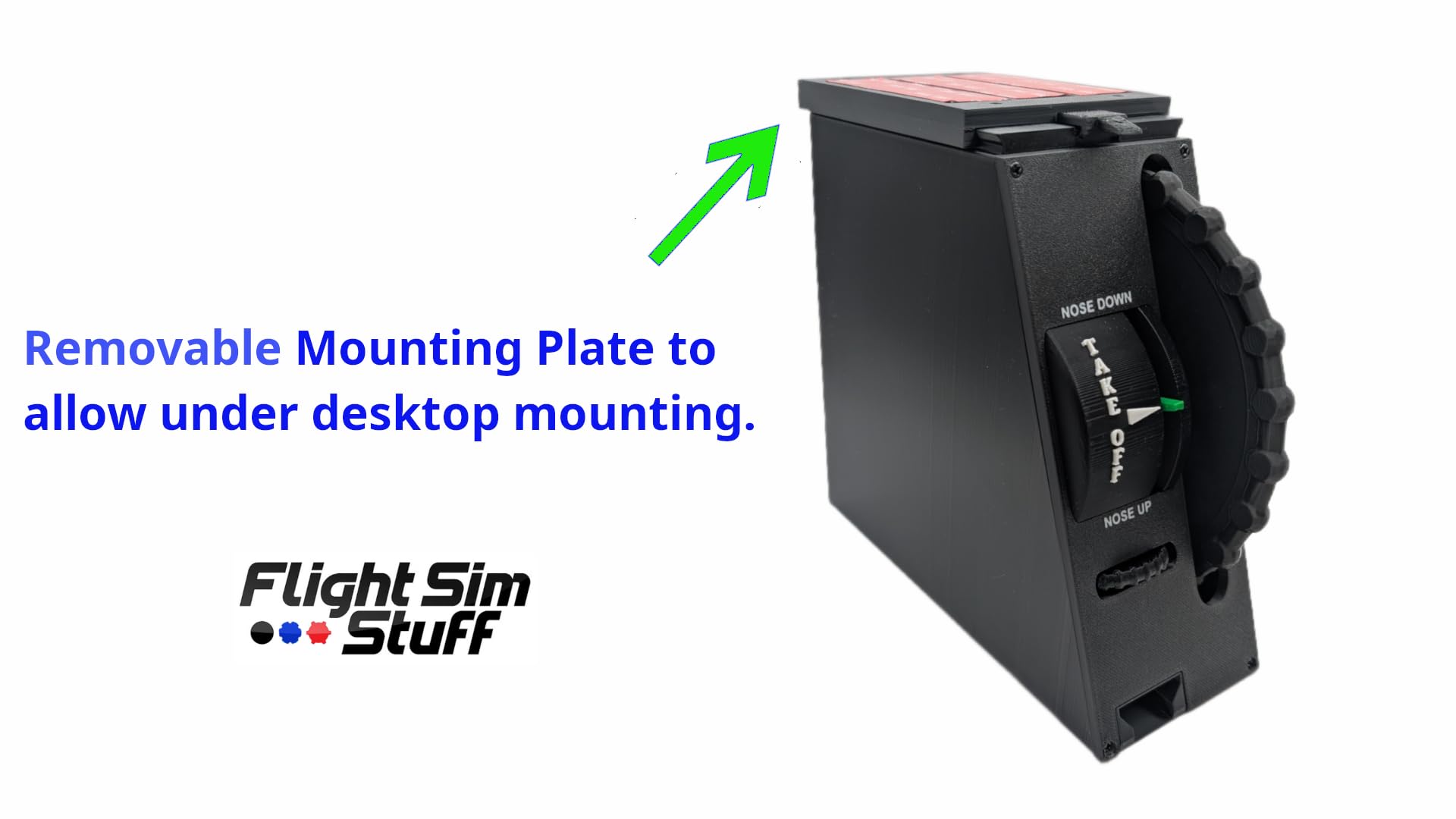
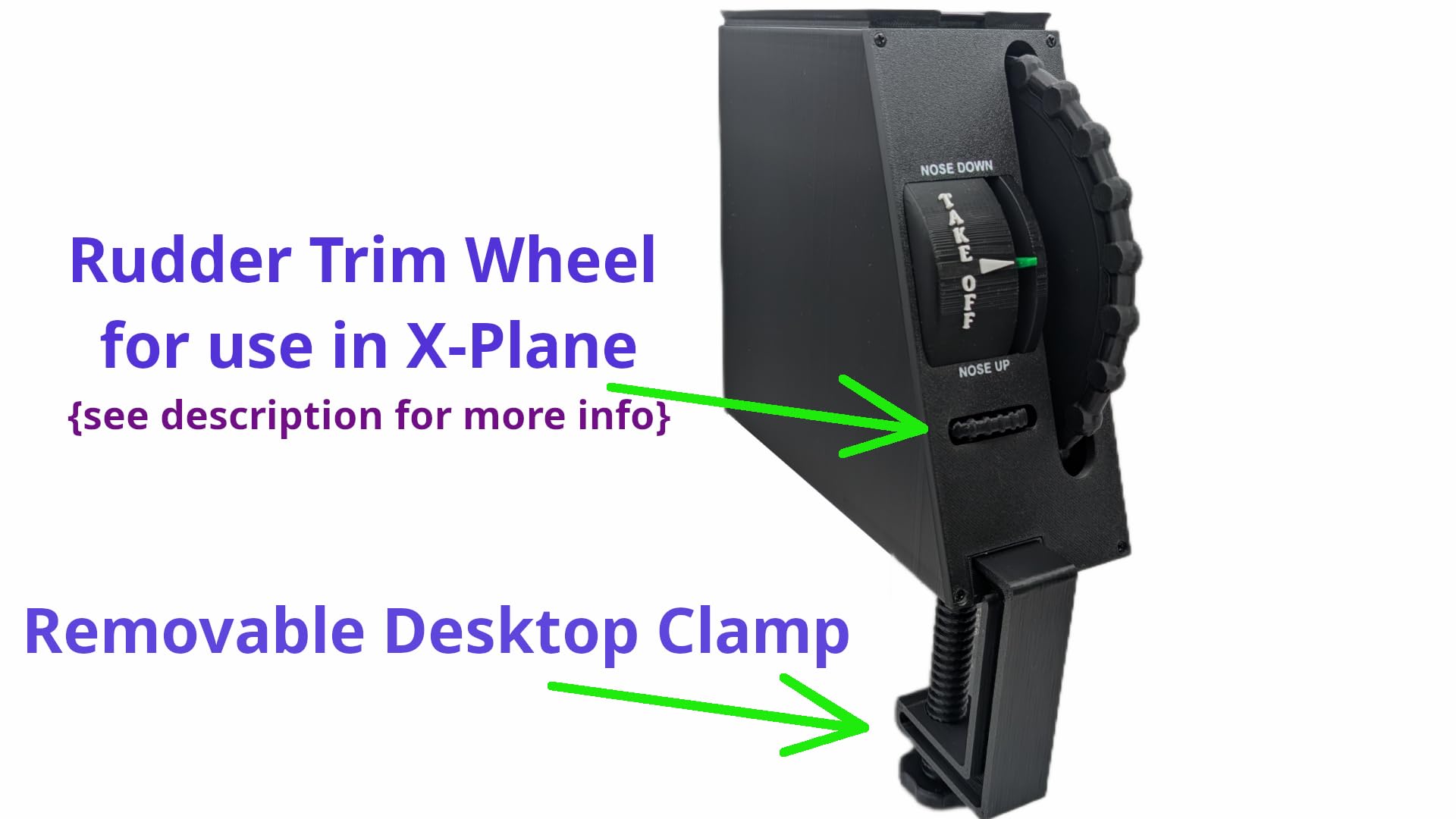
This full-size elevator trim wheel controller features a 6.9" analog trim wheel with 7.5 rotations plus an additional 10-turn horizontal wheel for dual-axis control. Designed for PC/Mac flight simulators like Microsoft Flight Simulator 2020/2024 and X-Plane 11/12, it offers plug & play USB connectivity with no drivers required. The controller includes versatile mounting options—removable desktop clamp and under-desk mount—for quick installation and cockpit customization. Handcrafted and 3D printed, it delivers precise, tactile control for serious flight sim enthusiasts.
D**T
Pretty good
Works fine. Plug-and-play in X-Plane 12. This unit is a good simulation of a Cessna trim wheel. I definitely prefer it over yoke-mounted trim switches. Operation is smooth and precise.
K**T
How trim wheels SHOULD work!
Super easy to set up and calibrate, and a fantastic addition to my flight sim controls. I was dissatisfied with the trim wheel on the Honeycomb Bravo because all it did was send clicks. This wheel is a potentiometer that controls the trim axis. Trimming during flight feels natural and is a huge step up from other wheels or using a trim switch on the yoke. Appreciate the clearly written instructions that came with the unit. Works perfectly in FS 2024.
A**R
It works in Linux!
In Linux, it was immediately recognized when plugged in and required no additional configuration in my flight sim.The large wheel allows for very fine control and it's so much better than using buttons or switches. There are no sharp edges or corners on mine. It looks and feels very finished and solid for a 3D printed build.More Linux stuff:If the trim wheel is not showing up as a joystick and you've plugged into a cheap hub (Anker, in my case), try plugging it directly into your computer.You can use "jstest" to confirm functionality. It should be available as a normal joystick at /dev/input/js*. (Example: jstest /dev/input/js2)and lsusb output should have this listed:Bus 001 Device 042: ID 04d8:e6e7 Microchip Technology, Inc. FlightSimStuff Trim Wheel
T**S
Excellent!!!
Excellent device! Economical. Fills the space left by the Lofitech G. It's important to read and follow the installation instructions...and support artisanal production.
O**S
Works great with MSFS 2024!
Works great! Is honestly a must have for Flight Sim! Trimming is just so much easier and intuitive!
L**H
Closest trim wheel I could find to replicate small General Aviation trainer
I actually tried to spend more money on something fancier and flashier, and the more I looked into it, the more this seemed like what I was looking for. I’m not sure if other sim trim wheels can be adjusted to send an analog signal to the computer, but all the other ones seem to do is give you a pretend wheel that simply repeatedly pushes the click buttton trim controls in X-Plane that I wanted to replace in the first place. Even if the other products I found could be adjusted to send the right signal, this one was still the one that got closest to the size and feel of the real thing in the General Aviation trainer I’m familiar (a PA28-161). It’s not perfect—the real one is metal and has more resistance—but nothing else I could find comes any closer, and most were a good deal less realistic.
H**W
Well functioning trim wheel
This is a great product. For me, it provides much better trim control than buttons, or the small wheels found on some yokes. Note that it is large and will take up some space. You can calibrate it using the instructions provided. It is recognized by MFS and the instructions help you assign it to a function if not done automatically. Customer support is great if you have questions. Overall, a nice, useful addition to my flight sim gear.
M**T
Excellent product
Well made and functions beautifully!
Trustpilot
2 months ago
1 week ago