🚀 Dock, Swap, Dominate: Power Your Data Workflow Like a Pro
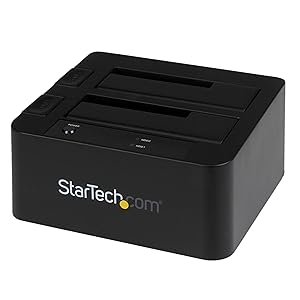
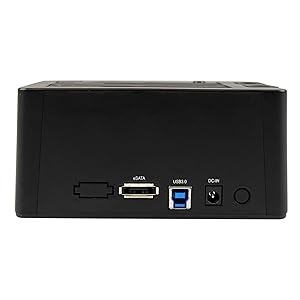
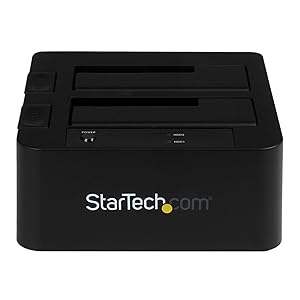
The StarTech.com Dual-Bay USB 3.0 / eSATA Hard Drive Docking Station offers professional-grade, hot-swappable access to two 2.5" or 3.5" SATA drives simultaneously. With blazing 5 Gbps USB 3.2 Gen 1 and eSATA connectivity, tool-less top-loading design, and durable bays rated for 15,000 cycles, it’s engineered for IT pros and power users who demand speed, flexibility, and reliability in data management.



| Material | Plastic |
| Item weight | 0.49 Kilograms |
| Memory storage capacity | 4 TB |
| Compatible devices | Laptop, Desktop |
| Hard disk form factor | 2.5 Inches |
| Max number of supported devices | 2 |
| Data transfer rate | 5 Gigabits Per Second |
| EU Spare Part Availability Duration | 2 Years |
| Global Trade Identification Number | 00065030855891 |
| Manufacturer | StarTech |
| UPC | 065030855891 012303763193 012300419581 013862113306 133400621213 011411222738 954491413712 723856592665 650308558910 758399107359 |
| Product Dimensions | 18.49 x 11.99 x 21.01 cm; 490 g |
| Batteries | 1 A batteries required. |
| Item model number | SDOCK2U33EB |
| Series | SDOCK2U33EB |
| RAM Size | 6 GB |
| Are Batteries Included | No |
| Lithium Battery Energy Content | 2.6 British Thermal Units (BTUs) |
| Lithium Battery Packaging | Batteries contained in equipment |
| Lithium Battery Weight | 0.5 Milligrams |
| Number Of Lithium Ion Cells | 7 |
| Number of Lithium Metal Cells | 7 |
| Item Weight | 490 g |
| Guaranteed software updates until | unknown |
A**R
Fast eSATA and USB 3, understands HDD >2TB
Came very quickly well packed in original packaging with eSATA lead.Works well with both USB 3 (iMAC) and eSATA (PC). PC needed and additional card to recognise the port multiplier so that it would see both drive bays.Forms part of an archive/deep backup strategy.
P**N
It works well with Reolink CCTV via esata connection and cable supplied
Works well with my Reolink CCTV
C**B
Very useful.
This double dock works well. It would get 5 stars but for the fact that you have to turn it on with a button after powering on at the socket. This means that when I come to my computer and switch back on at the wall socket I have to remember to switch on this dock. It's a minor complaint, though.
C**R
Well Built Quality Materials But Didn't Work Properly With Hard Drives
First of all the dock feels well built and quality, i was expecting it to be plastic but it is made from metal / aluminium. However that was the only area that was impressive, the dock didn't seem to function properly at all. First of all it kept assigning my drives to offline so i had to keep reinitialising them / putting them back to online in windows disk manager, i don't know if the one i received was faulty or because i was using 2x 18tb drives but either way it was not functional enough behaving in this way.Another problem i faced was that if the power to the mains was turned off or the power switch turned off on the dock, when it was turned back on i would need to remove the drives then reinsert them before the dock would start to read them which again made it not functional as simply turning the dock on should be all it needs to start the drives, removing them and reinserting them just takes time and wear / tear to the drives and dock. This could be because i was using 2x 18tb drives but Startech themselves say this dock can be used with any size drive ("Supports 2.5/3.5" SATA HDDs and SSDs of any capacity") which leads me to believe it was just a faulty one. The box these dock come in aren't great and doesn't feel secure enough mine was rattling around inside the box before i even opened it with no foam or anything in the box to secure it properly...I have bought many startech devices in the past and they are usually good quality which is why i bought this expensive one over the cheaper hard drive docks as i know them to be a good quality company (hence the only reason i still gave this 3 stars) but unfortunately i had to return this dock as it just made what should have been a a simple process, into an annoying nightmare.
D**Y
Very quick when used with USB3 connections & other kit ...
Very quick when used with USB3 connections & other kit. eSata connection a little uncooperative at first, but now works well.
P**N
Reliable little workhorse
This is an excellent piece of kit - we've had it running 24/7 since it was purchased and it does the business. The only limitation is the speed of the drives - it's about 1.5 hrs to do a 160gb laptop drive, and 4hrs to do a 7200 speed 500gb drive.. not the fault of the device, but for a thorough wipe, it's worth the time
G**D
Does not detect / requires ‘juggling’ of USB port and power cycling
This dock seems to have an issue with detection across my two windows 10 PC’s as well as a Raspberry Pi4.5 times out of 10 it will not detect at all, and usually requires changing of the USB port to which it’s connected in order to detect.
B**W
Great Highspeed addon!
I have theStarTech USB 3.0 eSATA Dual Hard Drive Docking Station with UASP for 2 Bayand theStarTech.com 4 Bay eSATA USB 3.0 to SATA Hard Drive Docking Station for 2.5/3.5 HDD.The following occurs on both.USB connection/Performance Perfect. As expected.NO PROBLEMS, ALL DRIVES ACCESSABLE AS IF ON USB3 HUB!!!HOWEVER.eSATA ;1st use in Linux. All ports accessable, all disks visible and read/writeable.1st use in Windows (7 64bit Ultimate SP1). Each Port can only be readone at a time, by selecting with the appropriate button.AFTER Formatting a Disk (Change Lable) in Windows.Linux cannot access the drive.Content/label flashes up, then disappears.-----------------------------------------------------------------------------------Very annoying as eSATA should be about 7% Faster than USB.
Trustpilot
2 days ago
1 month ago