Buy anything from 5,000+ international stores. One checkout price. No surprise fees. Join 2M+ shoppers on Desertcart.
Desertcart purchases this item on your behalf and handles shipping, customs, and support to Sri Lanka.
๐ก๏ธ Master your heat game with precision & power!
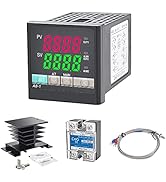
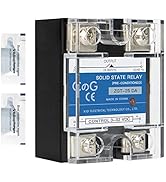
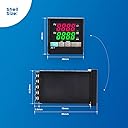
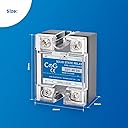
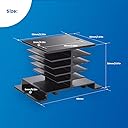
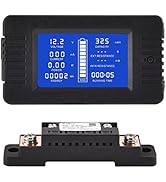
This PID Temperature Controller Kit is a professional-grade digital solution featuring a 40A solid state relay, versatile sensor support including K-type thermocouples, and a dual-window LCD for real-time and setpoint temperature display. Designed for precise temperature management with auto-tuning PID algorithms, it ensures ยฑ0.5% accuracy and reliable alarm outputs, making it ideal for industrial, lab, or advanced DIY applications.





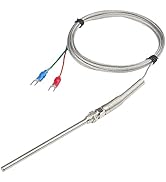

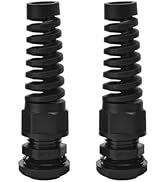
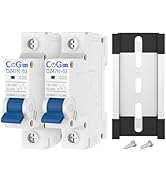


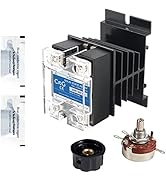
| Brand | CGELE |
| Colour | black |
| Item weight | 0.35 Kilograms |
| Material | Plastic |
| Product dimensions | 7.6L x 4.8W x 4.8H centimetres |
| Voltage | 220 Volts |
A**H
Wrong circuit given
Works well for me, just wiring circuit diagram given with it was little wrong.
J**R
Basics of electrical hookup required.
Works exactly as I need in my powder coating oven. I use an old range from the dump, it was free. Iโm running it with both the bake land broil elements. Holds the temp. Within one degree. Nice unit but poor instructions.
J**G
Works great once configured and tuned.
I usually don't write reviews, but figured I would for this since the included manual isn't the best and I think it's unfair to give poor product reviews when it could be user setup issues which is easy for a controller like this. My background is 20 years in HVAC automation and knowing a thing or two about PID controls. The manual is helpful once you understand the flow. I'm using to convert my analog electric smoker to PID controlled. Here are the items to focus on. P00=18 (Have to do this first to unlock other menu options, oh and if you power off it resets this value) P17 and P22=0 (no alarms but can set alarms if you want to) P31=1 (sets to read degrees F) P42=0 (sets unit for heat control with SSR) P67=1 (sets to PID mode, 0 should work as well, but trying1 first to see if it does better as two way PID) P16=0 (refer to the sensor input chart and choose the one that best suits your temp probe) P80=2 (for SSRs you can set this to a much lower value than for a contactor relay, this is the control interval) P13=Temp Offset (This is where you calibrate the temp probe, I used boiling water and another known good temp probe for this to put my offset in. I needed about a +8F offset to match but I didn't use the included temp probe as I bought a longer one) Finally you can perform an auto tune. This will set the PID values. Press and hold the AT button until PV is flashing continuously. Let it do it's thing. When it is done flashing, the Auto tune has finished. Every situation will be different so it's best to perform this when you have everything like you normally would run your process. In my case load up the smoker and start smoking some delicious meat. You'll see it overshoot your desired setpoint, then start maintaining steady temps which is what PID control does. P76= P value (will vary based on what autotune does in your application) P77= I value (will vary based on what autotune does in your application) P78= D value (will vary based on what autotune does in your application)
R**Y
Works surprisingly well, the wiring diagram in the ad is incorrect.
I installed this on a salvaged oven to use for powdercoating. Once tuned it gives an extremely stable temp. Surprising due to the inherent hysteresis of a household oven, it keeps it within +/-1 degrees of target. This is a register-programmed device, and the instructions are typical of such an industrial device that has been brought to the consumer market. Many/most of the poor reviews are from not following the instructions. Let me give a quick overview of how I set mine up. Simple heater control no alarms. First get into settings and then P00 = 18 highest authority P17 and P22 = 0 no alarms P31 = 1 set to F scale P67 = 1 PID mode That's it for basic setup. Next set your target temp, put a dummy mass in the oven, and press and hold the AT button until PV is flashing continuously. Let it do it's thing. When it is done flashing, the Auto tune has finished and you're set.
D**K
A+ kit
Worked perfectly and everything was compatible. Finding the auto tune took a minute but when you hold down set for like 8 seconds it says P00. Up and down arrows give you the different programming modes listed in the instructions. I think auto tune is 72. Temp started flashing and it ran thru a few cycles. Now the temp in my toaster oven is like +/- 2% which is light-years better than using the toaster oven controls.
Trustpilot
3 weeks ago
1 month ago