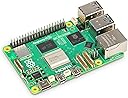
🚀 Power your innovation with the Raspberry Pi 5 — where speed meets smart connectivity!
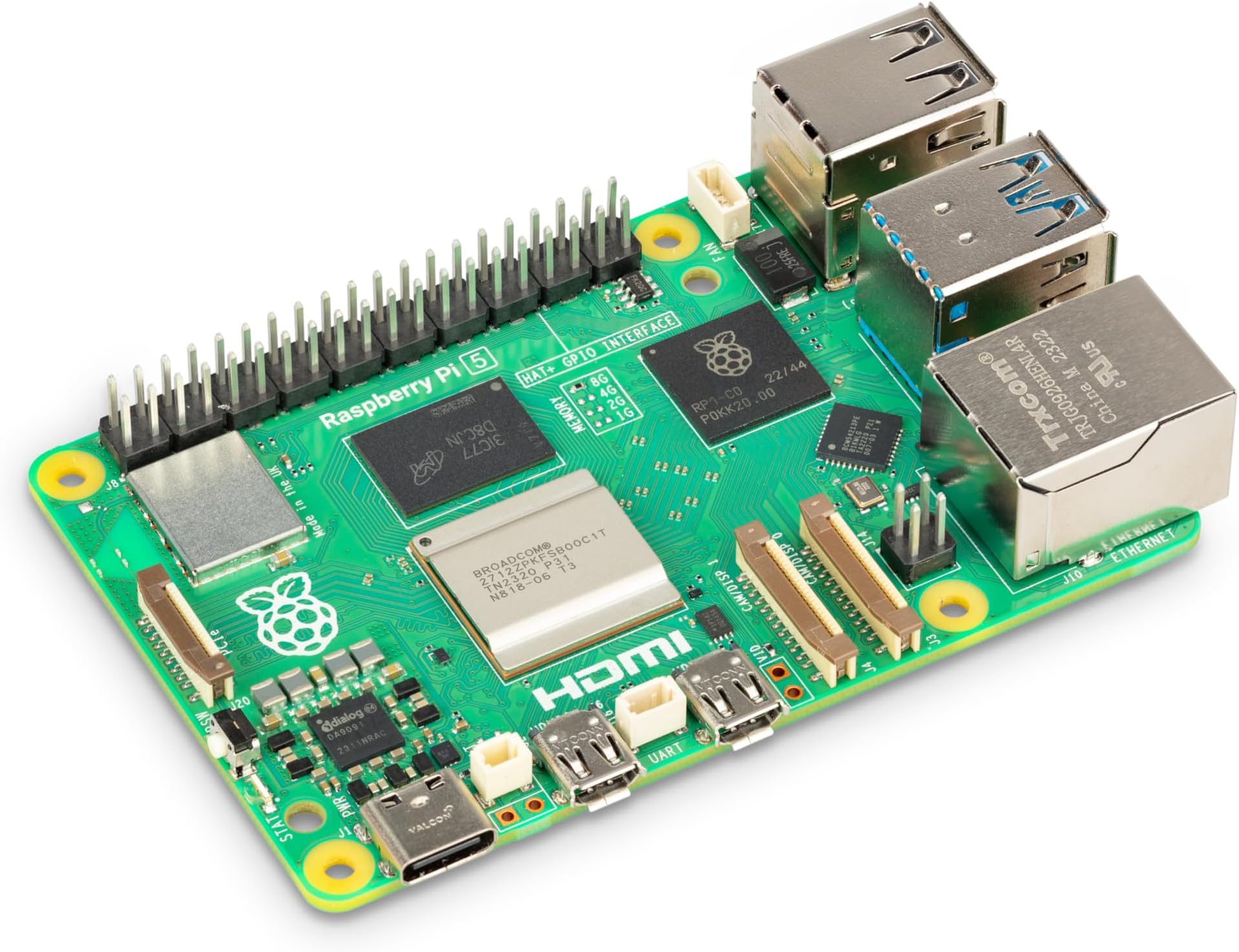
The Raspberry Pi 5 (8GB) is a cutting-edge single-board computer featuring a 2.4GHz quad-core 64-bit ARM Cortex-A76 CPU, dual-band 802.11ac Wi-Fi, Bluetooth 5.0, and dual USB 3.0 ports for ultra-fast data transfer. With 8GB RAM and the first-ever built-in power button on a Pi, it delivers enhanced performance and convenience for professionals, makers, and tech enthusiasts aiming to elevate their projects and media experiences.


| ASIN | B0CK2FCG1K |
| Best Sellers Rank | #1,669 in Computers ( See Top 100 in Computers ) #70 in Single-Board Computers |
| Country of origin | United Kingdom |
| Item model number | SC1112 |
| Language | English |
| Manufacturer | Raspberry |
| Product Dimensions | 8.5 x 5.6 x 1.7 cm; 50 g |
L**I
The legendary SBC is back!
I was going to give this a one star review as I couldn't get it working at all after I opened it. It turned out that there was a firmware issue that I ended up resolving with the Raspbery Pi Imager software. This isn't a hardware problem or anything, it seems that it's just something to be aware of if you use the Raspberry Pi with a NVME drive or USB boot. After getting it running, I noticed that no matter what power supply I used, it turns out this Raspberry Pi requires a 5 volt and 5 amp power supply to work properly. Again, this isn't an issue with the Pi itself, it's just something to be aware of if you're coming from a Pi 4 or 3. You'll probably need the official power supply if you don't have something sufficient. I am using the Pi5 with an Argon40 case as a media player, it supports windvine (Which allows you to play encrypted content from Netflix and other sources) but apparently doesn't support H264 hardware decording, this can lead to some extra heat but the performance is flawless. I used an NVME drive on the Pi 5 for extra speed and I have to say, this makes a huge difference from the standard MicroSD card and I believe will make for a better experience overall as it is less prone to data corruption. This Pi 5 also has a power button! At long last! The first Pi to do so I believe, it is very convenient and you'll be happy to use it rather than unplugging the power supply every time you want to restart your Pi. Over all, it's a great upgrade from the Pi 4, but it really depends on what you use it for, if it's just a music player or anything like that, then you probably won't notice a huge difference over the Pi 4. In my case, I'm watching 4K video and it has been running very well so far.
O**T
Good purchase
Used with a touchscreen case as a home server, works great!
L**U
Excellent Packaging and Mint Condition
Another authentic hard working Pi, latest gen. Received quick and easy. Grab yours from here. Tested and guaranteed.
N**N
Best of best
Its nice to have
W**A
Do not boot
I use correctly a minimum specification, 5V 3A but do not boot. used the installer of Raspberry pi. nothing I just I bought a card sd that works normally and tested. if u will buy is better have a monitor mouse and keyboard to test in the same day.
Y**N
Very good
Item is as described and it delivered very fast, If you are new you better get a charger, SD card keyboard, mouse and a monitor. After testing, it was working well.
J**H
The Raspberry Pi 5 (8GB) has become the central brain of my home setup, and I say this as someone who works with tech daily and builds systems not just for fun but for productivity and long-term use. I purchased this particular unit in December 2024, and since the first day, it has run 24/7 with absolute consistency. For what it offers at its price point, it truly feels like a life-changing device, especially for those who are eager to tinker, automate, learn to code, or even run serious applications from a tiny board. One of the most transformative upgrades I’ve made to my Raspberry Pi 5 is integrating a dual-NVMe expansion setup using two 4TB NVMe SSDs. This is made possible via a PCIe HAT+ adapter board that includes a switch chip to handle dual drives over the Pi 5’s single PCIe 2.0 x1 lane. Despite the bandwidth limitation (theoretical max ~500MB/s), the performance is surprisingly solid for most real-world use cases. I regularly hit sequential read speeds of around 400–430MB/s and writes of 350–390MB/s, which is more than enough for backups, local file hosting, and even video streaming directly from the Pi. I’ve configured one of the NVMe drives as the primary boot device using Raspberry Pi OS, while the second is dedicated to storage. I use it for scheduled nightly backups from both my Android phone (via Syncthing) and my wife's iPhone (using the Photosync app in SFTP mode), and the reliability has been outstanding. The dual-NVMe board I use is passively cooled with heatsinks, and both drives stay under 55°C during extended file transfers. In my case, the Pi 5 serves multiple roles simultaneously. It acts as a Pi-hole DNS sinkhole, filters and logs internet traffic for every device in the house, handles over 250 persistent Pi-Seer MQTT device connections, runs Node-RED automations, and manages two IP cameras as a local NVR. This isn’t a stretch—it’s a real test for a system that’s passively cooled and silently humming away inside a small server-grade enclosure. I paired it with the Armor Lite V5 aluminium heatsink and PWM fan (which I also reviewed), and that combination keeps temperatures below 55°C under full load. The performance delta from the Pi 4 is noticeable and significant; where the 4 might get bogged down or throttle, the Pi 5 simply pushes through. I use the official 27W USB-C power supply, which is essential for keeping things stable when peripherals are attached. This includes an NVMe SSD via the M.2 PCIe HAT+, allowing for ultra-fast read/write speeds. This alone transforms the Pi into something that behaves more like a mini desktop or server than a single-board computer. Boot times are snappy, databases load instantly, and there's no delay in system response even when under concurrent tasks. Where the Pi 5 really shines is in development and education. I’ve been writing Python scripts, working with Docker containers, and even experimenting with AI tools—all from this board. A huge part of this success is thanks to ChatGPT and similar code assistants. In the past, learning how to set up a Pi as a local LAMP server or writing Flask applications with dynamic APIs would require deep technical knowledge and time-consuming trial and error. Now, I can prompt an AI to help generate boilerplate code, troubleshoot errors, or refactor inefficient blocks. I’ve used VS Code remotely through SSH, integrated Git workflows, and set up CI pipelines with relative ease. Anyone willing to follow a couple of guides can now build incredible things in a weekend. I recently used the Pi 5 to prototype a home energy monitoring dashboard. Using InfluxDB and Grafana, I track power consumption from smart plugs around the home and visualise it beautifully. MQTT messages come in from Zigbee2MQTT and ESPHome devices, get processed by Node-RED, and are stored and visualised with zero noticeable lag. The Pi 5 handles all this with remarkable grace. CPU usage typically sits at around 35% with peaks around 70% during compilation tasks. This board is also ideal for light AI experimentation. With the right USB accelerators or the new AI HATs, you can run object detection models locally, perform facial recognition, or build smart assistants without ever sending data to the cloud. Privacy-respecting edge computing has never been more accessible. I used the Pi 5 to run a basic LLaMA 2 language model stubbed with a local API, running inference through ONNX Runtime. The board doesn’t break a sweat and remains quiet while doing it. The Raspberry Pi OS has matured significantly, and with the community providing excellent support for Ubuntu Server, DietPi, and other Linux distributions, there’s a flavour for everyone. GPIO compatibility is excellent, with plenty of updated libraries replacing RPi.GPIO for the new architecture. The new RP1 I/O controller truly unlocks the performance potential for USB 3.0 and PCIe lanes. File transfers over USB 3.0 with my SSD hit consistent 350MB/s—something unimaginable a few years ago on a Pi. This is s a capable platform that can sit at the heart of home labs, IoT systems, learning environments, or even small businesses. Whether you're an educator setting up classrooms, a parent wanting to introduce your child to computing, or a hobbyist trying to build something custom and meaningful—the Pi 5 enables it all. Power usage on the second Pi 5, configured as our NAS and photo backup server, is incredibly efficient—averaging around 3.8W at idle and peaking at about 7.2W during simultaneous file transfers and photo uploads from two devices. I measured this using a USB-C inline power meter over a full 24-hour cycle, including overnight auto-backups and daytime access from multiple devices. Even when handling encrypted file syncs, indexed thumbnails, and NVMe activity, it remains cool and stable—truly impressive for a system replacing my QNAP 872XT, which used to idle at over 50W. In my own experience, this board has dramatically changed how I think about computing. It’s made me more resourceful, more curious, and ironically, more minimalistic. I no longer reach for the heavy-duty workstation for tasks that the Pi 5 can handle quietly in the corner. To wrap it up: The Raspberry Pi 5 is a gateway. It’s the computer I wish I had as a kid, and the one that’s going to power so many more ideas in the future. I wholeheartedly recommend it for anyone even remotely interested in computing. If you’ve got an idea and a bit of time, this tiny board can make it real.
A**O
Dispositivo conosciutissimo che permette vari usi, arrivato in condizioni perfette e perfettamente funzionante
D**D
Una pasada, mucho mejor que la 4B de 8GB, la tengo las 24 horas del día haciendo funciones de vpn, bloqueador anuncios, proyectos, bots de telegram... miles de cosas y va sobrada!
B**T
Fairly quick and easy to set up - out of the box you'll need a USB-C cable for power and depending on your setup - a micro HDMI to HDMI cable. Otherwise you can connect via ethernet cable to another router. Video shows teardown and set up with optional extras. After that your setup for something like home assistant is fairly quick and easy. I'll be running more tests but thiiiiiiiis is a great project device to start your home networking journey!
A**R
It is good for nas and for coding and projects but does not work with tv
Trustpilot
1 day ago
2 weeks ago