Desertcart purchases this item on your behalf and handles shipping, customs, and support to Sri Lanka.
🚀 Dominate your digital world with the Flint 2 — speed, security, and control in one sleek router!
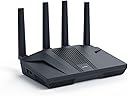
The GL.iNet GL-MT6000 Flint 2 is a cutting-edge Wi-Fi 6 dual 2.5G VPN router designed for professionals and gamers alike. Featuring ultra-fast 6 Gbps speeds, 8-stream Wi-Fi 6 technology, and robust VPN support with WireGuard and OpenVPN up to 900 Mbps, it guarantees low latency and secure connections. With AdGuard Home for ad and tracker blocking, plus the capacity to handle over 100 devices, this router delivers exceptional performance, security, and control for demanding digital lifestyles.

| Antenna Location | Gaming |
| Antenna Type | Retractable |
| Asin | B0CP7S3117 |
| Best Sellers Rank | 3,579 in Computers & Accessories (See Top 100 in Computers & Accessories) 31 in Routers |
| Box Contents | Ethernet Cable, GL-MT6000 router with 2-years warranty, Power Adapter (EU+UK Plugs), User Manual |
| Brand Name | GL.iNet |
| Colour | Black |
| Compatible Devices | Computers, Mobile Devices |
| Connectivity Protocol | Wi-Fi |
| Connectivity Technology | Wi-Fi |
| Control Method | App |
| Controller Type | App Control |
| Country Of Origin | China |
| Coverage | Long Range |
| Customer Reviews | 4.4 4.4 out of 5 stars (3,051) 4.4 out of 5 stars |
| Data Transfer Rate | 6000 Megabits Per Second |
| Frequency | 5 GHz |
| Frequency Band Class | Dual-Band |
| Has Internet Connectivity | Yes |
| Has Security Updates | Yes |
| Is Electric | Yes |
| Is Modem Compatible | No |
| Item Dimensions L X W X H | 23.3L x 13.7W x 5.3H centimetres |
| Item Highlight | Wi-Fi 6 6 Gbps, 8-stream, 2.5G WAN and LAN, WireGuard 900Mbps, OpenVPN 880Mbps, AdGuard Home |
| Item Weight | 761 Grams |
| Lan Port Bandwidth | 2.5 Gbps |
| Manufacturer | GL.iNet |
| Manufacturer Part Number | GL-MT6000 |
| Maximum Upstream Data Transfer Rate | 6000 Megabits Per Second |
| Model Name | GL-MT6000 |
| Model Number | GL-MT6000 |
| Number Of Items | 1 |
| Number Of Packs | 1 |
| Number Of Ports | 6 |
| Operating System | Linux |
| Other Special Features Of The Product | 8 Stream Wi-Fi 6 |
| Product Warranty | 2 years |
| Ram Memory Installed | 1 GB |
| Router Firewall Security Level | Basic |
| Router Network Type | hybrid |
| Security Protocol | WPA3 |
| Unit Count | 1.0 count |
| Voltage | 5 Volts |
| Wi Fi Generation | WiFi 6 |
| Wireless Compability | 802.11ac, 802.11ax, 802.11b, 802.11g, 802.11n |
User
Secure, Powerful, and Worth the Effort
This router has truly proved to be an efficient, powerful, and remarkably flexible piece of kit.I initially planned to use the Flint 2 simply as a VPN front-end for my existing Google Nest WiFi mesh system, allowing the Google hardware to handle the Wi-Fi. However, once I started the setup, I quickly realized the Flint 2 was capable enough to stand on its own, and I opted to remove the entire Google mesh network and use the Flint 2 exclusively.The performance has been exceptional.Performance & FeaturesVPN Excellence:The WireGuard client performance with my Surfshark subscription is stellar. The ability to run full-speed VPN and configure Domain-based Split Tunneling (to exclude services like Netflix, Disney+, BBC iPlayer, ITVX, and Channel 4) directly on the router is a game-changer for UK streaming.AdGuard Home:The integrated AdGuard Home feature provides network-wide ad and tracker blocking, creating a cleaner, faster browsing experience across all devices.Network Segmentation:I appreciate the ability to use a Guest Network for low-trust IoT devices (switches, smart plugs) for superior security, keeping my high-value devices segregated on the main network.The Learning Curve (Why it's not 'Plug and Play') To be transparent, this is not a product for beginners. It is a powerful piece of hardware that requires an understanding of network principles to unlock its potential.As the manufacturer states, it's not a plug-and-expect-everything-to-work device. It has taken a couple of days of focused tweaking to get every setting perfectly optimized (especially integrating the VPN, AdGuard, and resolving connectivity issues on devices like Google Nest Hubs due to advanced Wi-Fi features).The Gemini Advantage:This is where modern AI assistance (specifically Google Gemini) made setting things up a breeze. By feeding the logs from both the Flint 2 and AdGuard directly into Gemini, I received simple, step-by-step instructions and troubleshooting advice to resolve tricky blocking and Wi-Fi compatibility issues. As someone with a technical background, Gemini made the configuration process highly efficient and straightforward.Conclusion:I absolutely do not regret buying this. It has replaced a complex mesh network with a single, highly capable device. The flexibility and raw performance are outstanding, and I am confident that my home network is now fast, highly secure, and optimized for both privacy and streaming performance.If you have some technical knowledge and want the absolute best control over your home network, the Flint 2 is the clear choice.
User
So far the best router I've ever owned
I stopped using and relying on ISP provided routers and popular consumer routers like netgear and asus a few years back after going through years of issues and struggles.I switched to a more hobbyist setup of Tomato firmware and openwrt and then ASUSMerlin, where you install community software on consumer hardware. This was immediately better and I relied on this for a few years but found the hardware aging and slow, and the community software either getting abandoned or very slow to get updates to fix bugs.I ended up switching to a more complex but much more reliable combination of Unifi and Mikrotik which served me will until this year, however I again needed a hardware refresh to allow me Wifi6 and also had been struggling with VPN customizations often breaking on the mikrotik for the past year, where I ended up introducing more hardware - a GL.INet low end router for the ease of configuration especially in terms of VPN.I was about to buy a new Wifi Unifi access point to replace my current one and figured I'd look around at what else was around. Then I discovered the GL.iNet Flint 2 for the same price as the Unifi access point.Seeing it does Wifi6, plus the software capabilities I already depend on for things like VPN, AND 2.5G ethernet ports, it seemed like an upgrade for all 3 separate pieces of hardware I was relying on. SO I bought it.Indeed I have now disconnected my Unifi access point, my gigabit Mikrotik router and my existing GL.iNET router. The Flint 2 is doing all 3 things at a fraction of the price (accumulatively).My wifi speeds went from 88mbps to 400 Mbps (and that's whilst using Wireguard VPN in both cases), my configuration is much simpler, and my "network cabinet" has just reduced a 3rd in size. Outstanding.My network speeds (specifically from one ethernet device reading and writing to another ethernet device - my NAS) went from 1.19 MB/s read and 0.73 MB/s write to 3.52 MB/s read and 3.78 MB/s write. (Cat6 ethernet cables and gigabit intermediary switch in both cases).Incredible.I'll continue to use this for a while to see how it goes, but so far it's looking promising. I did have 3 smarthome devices that failed to continue with the SSID changed to be the same as the old access point, but resetting all 3 devices fixed them without issue, and they seem fine now so was probably just them being weird, and all my other devices transitioned without issue.My next plan is to further reduce the network hardware I'm relying on, and getting rid of another router I use for a non-vpn network - as I've been testing out the VPN policies provided by the Flint 2, and it makes it easy to force a device to use VPN or not based on mac address/ip/vlan and so far that's been working great. If that works out, I'll be replacing 5 network devices with a single GL.iNet Flint 2.Insane.I wish this device existed years ago, it'd have saved me a lot of headache, time and sunk cost.Edit: six months later I have realised that the WiFi has gotten much worse and prevents me from gaming or game streaming entirely despite speed tests showing around 260/250 I constantly get dropped frames and disconnects, whereas it wasn't an issue before. Using ethernet I gave no issues though. I'm not sure why, I haven't had the chance to play much since buying the flint 2 but I'm fairly sure there was no issue originally with the flint 2. I'm now wondering if I need to buy a unifi access point again.
User
🌟🌟🌟🌟🌟 Absolutely Unmatched – Hidden Features That Make This a Dream!!!!
If I could give this 10 stars, I would.This isn't just a router — it's a full network control centre hiding in plain sight - even for me that knows next to nothing about networks.I bought the GL.iNet Flint 2 expecting decent Wi-Fi and a few nice extras, but this thing has completely changed how I run my home network.--> Here's what nobody is talking about in the reviews:1. Drop-In Gateway Mode (The “Secret Weapon”)This feature lets you add the Flint to your existing network without replacing your old router — and still get full control over everything. This should be one the front of the box as it is mind blowing!!That means:- No weird setup clashes- No “double NAT” problems (where you have two routers trying to be the boss)- No IP conflicts- No headachesI was able to move all my smart home gear over to the Flint (like cameras, sensors, smart plugs, etc.) without touching my old PlusNet router settings. It just worked — like magic. I still do not have nay idea how they did this!2. Built-in NAS (Network Attached Storage)I plugged in a USB solid-state drive (SSD), and within 30 seconds, I had a shared network folder for my whole house.No extra software. No technical setup.It's like having a mini file server built right into the router.The only thing it will not do is file sync between devices, but hey, bung a 1Tb USB3 SSD onto this and you have a discount network storage system, you cant have it all.3. Tailscale, AdGuard, and VPNs – Built In!!!These just work, and using the Drop-In Gateway Mode, this all just happens behind the existing router.It is mind blowing, this all just works with the existing IPS provided router sitting there with no idea all this is going on!- Tailscale:Secure, encrypted connection to your home network from anywhere in the world. Works across phones, tablets, laptops, even while on 4G or public Wi-Fi. No port forwarding needed.---> One note on this:You can't set Tailscale as an exit node in Drop-In Gateway Mode, which is a bit annoying. Suppose it just is not able to configure enough settings to run this way when it is not in main control?But...it works a dream as an exit node once it is the main router. That means any device with Tailscale can connect to, and use your home network securely from anywhere in the world, which is amazing!- AdGuard Home:Blocks ads, trackers, and malware at the network level. All devices benefit automatically — no need to install ad blockers on each one.- WireGuard & OpenVPN:These are VPN (Virtual Private Network) options that protect your traffic and can let you appear as if you're browsing from home when away.Great for remote working, bypassing restrictions, or accessing local devices securely.4. Full OpenWRT Access for Advanced UsersIf you know what OpenWRT is (a Linux-based open-source router OS), then you already know why this is amazing.You can:- SSH into the router- Install custom packages (like fail2ban, iperf, etc.)- Tweak firewall rules- Monitor logs in real timeIt’s like having your own little Linux server at the heart of your network.This router should be called “The FlintForge” — it’s a network Swiss Army knife disguised as a consumer router.This is the first product I’ve bought in years that exceeded every expectation.I’ve already ordered another for a family member, and I’m not done yet.If you're even slightly technical — or just want more privacy, more speed, and total control — this is the best 100 odd quid you’ll ever spend.
User
Good range. Fully compatible with OpenWRT.
I bought this router specifically because of its compatibility with the latest version of OpenWRT.Even the pre-installed firmware is basically OpenWRT with a simplified web interface put on top.You still have access to luci (and the full OpenWRT experience) from the simplified interface though.This makes the router equally good for "normal" users who want to rely on the simplified interface, but also "pro" users who want to use the this router to its full potential.The router is already pre-configured with a 2.4GHz and 5GHz wireless network and the ability to easily create a 2.4GHz and 5GHz guest wireless network.Since the preinstalled firmware is not based on the latest version of OpenWRT, I decided to flash the latest version of OpenWRT instead. Flashing the firmware was straightforward and could be done directly from the web interface. Everything worked as expected. The OpenWRT documentation is very clear and guides through the steps needed.GL.iNet GL-MT6000 in combination with OpenWRT really puts the power in your hands.It is easy to configure different networks to enhance the security of your home networks.For instance you could have a network for devices you don't trust much and only allow them to connect only to the internet and optionally not even be able to connect to each other. Then another network for instance for you echo devices. Then your own main network.This is just an over-simplified example of course, and it just scratches the surface of what is possible.There are plenty of guides online on how to setup wireless networks, VLANs, etc. with OpenWRT.I also noticed that the wireless range with this router is better than my old ASUS RT-AC3200 and I can finally connect reliably with a single router to all my wireless security cameras.My old router had started to struggle and often the wireless networks started going down, but everything is stable with the GL.iNet GL-MT6000 router. When checking the amount of memory and CPU used, the load is still very low.Another advantage is that since you can directly flash OpenWRT, you don't have to worry about the vendor stopping releasing firmware updates. You can just download the latest version of OpenWRT and flash that one. Well, as long as the router is still supported by OpenWRT of course, but that's normally way beyond the support offered by the vendors anyway.The antennas can only rotate by 180 degrees. So the go from being fully closed on top of the unit, parallel to it, to being fully flat in the back (so that they are vertical if you wall mount the router).Overall, I am really pleased with this router and I still have not used all its capabilities.I cannot yet comment on the durability, but I wil update this review if anything bad happens.
User
Hands down the best router I have ever used/owned
TLDR: Amazing router packed with features you would not usually find on a networking device at this price.Moving away from an asus xt8 mesh system as it was a bit overkill for my physical setup. I looked at different routers and as most of my devices are still only WiFi 6 I went with the Flint 2.Packaging is fine, no fancy colours, no RGB, no massive 'GAMING' written everywhere. Just simple, effective with a BRIEF overview of some of the features.Setup was easy, as my Virgin Media hub was already in modem mode I just needed to turn this off before powering on the Flint 2. Once connected the internet connection was established without any issues.WiFi configured in a matter of clicks and the signal strength is better than a single XT8 node (and faster due to the XT8 using the 160MHZ channels as backhaul)I can achieve a connection speed of 2.4Gbps from my phone and fully saturate my 1Gbps internet connection on my phone when performing a speed test (previously I was reaching around 700Mbps due to the max WiFi speed of the XT8)Where this router really comes into its own are the features.You have the normal content blocking but this goes way further, even to the level that I have seen on business firewalls which have a paid subscription for content filtering.The Flint2 has over 2000 services and apps built into its content filter. Not sure what one is but can see it using all the bandwidth? Easy, click on the app and it will give you a description of the service/apps main purpose.Multi WAN failover via repeater, USB tethering also. So you could have multiple WAN failovers configured if needed.Ability to install thousands of different plugins.Massive built in VPN supportADGuard home built in DNS serverContent filtering (by classification or app/service)QoS and SQMParental ControlBuilt in support for Tailscale, ZeroTier and TorHalf of these I will not use, but for just under £160 this router is an absolute beast.
User
Powerful, flexible, vanilla openwrt capable
This is a fantastic router. I get excellent coverage and it has all the features I need. I just followed instructions from a video on youtube called "Tutorial & notes! on standard Openwrt 25.12 to setup a router securely with mesh capability" and now that it is on vanilla openwrt, I have a strong, stable, fast router which the update support for it will outlive what gl.inet would support with their firmware, since openwrt is the main OG. You can even put the vanilla firmware on older routers that have long since gone out of their support period and get some new, secure life out of them.Things I like about this, it's pretty easy to work with on the regular firmware it comes with. The power is great, it has lots of ports. And if you install vanilla Openwrt you get way more control and flexibility in how you use your router.Even though there is a Flint 2 and a Flint 3 and a Flint 3e and soon a Flint 4... this Flint 2 is a powerhouse. It's built for punch and rock-steady stability. You and your home need this in your lives.
User
Do not think this will be better than your default router from your Broadband provider - it is not
Got this to upgrade from the default Plusnet provided router. After a clunky set up, the performance was significantly worse than what was provided by Plus. Unbelievably so. Steer well clear if you're in the same position and thinking of 'upgrading'.
User
Great Router-Has all the Bells & Whistles, but Advanced Features Are Outside of the Basic Interface
Had this for 4 weeks, but have had issues with anything more complicated than an out of the box setup.There are 3 types of users in my opinion:1) Simple: Users that just want everything to work out the box, with no grief and easy setup and no complicated requirements.2) Simple +: As above but like more an more people today may have WiFi cameras and 'Smart' devices and who need a little more, like being able to create an IoT network to isolate all these devices away from their main network for security reasons. Also, especially as many cameras need resetting if the SSID or password ever changes, often losing all their settings, to say nothing of manually having to get to the camera and reset them manually (a la up the ladder type of thing).3) Power User: Those that may have more complex networking requirements who really want to take advantage of the Flint 2's advanced features.The issue is that although this is a very well-spec'd piece of hardware, a solidly built router with a 2.0 GHz processor and oodles of memory, the software side of things is lacking.Ok for the simple user - GL have designed a simple interface accessed via App or browser that can set up the default main and Guest WiFi easily and get you connected in a few simple steps.But anything more than this will require you to launch the advanced Luci interface. This is where problems can happen as not everything implemented here are reflected in the GL GUI. It's because GL have provided their interface to keep it simple and the version of OpenWRT provided means that some later commands don't work and changes made don't show in the main GL GUI, which causes confusion.I.e. Trying to create an IoT network is not possible in the GL GUI with the current firmware without going into Luci or using a terminal to enter commands or scripts. This not for the feint hearted and is the subject of much debate on Forums, as GL are marketing this as a consumer router, but providing advanced features. Fair play to them, but the software development is seriously lacking at present.I've still not been able to create my IoT networks yet because of incompatibilities with the various OpenWRT versions and the lack of support. Having said that, they are planning to provide native IoT support int he interface with Version 4.9x of the firmware later this year.As for features, the included Adguard is brilliant for blocking Ads and other tracking behaviour from your devices, especially if you have a smart TV, Roku and anything else that likes to 'Dial home to ....' - it just works brilliantly and allows custom filters and rules to be setup at will, unlike the TP-Link routers that put anything like this behind a paywall!This router has great capabilities and loads of fallback features allowing tethering and connection of internet backup devices, and loads of plugins available given it built to run OpenWRT. So as long as you understand that anything more advanced than basic operation may need a huge learning curve. GL.inet do need to get the software side of things more stable and comprehensive to allow simple IOT creation on the fly without being a rocket engineer.
User
ちゃんととどきました。
ちょっと箱の角1カ所にに押されたようなあとがありましたが軽微でなかみにはたっしてませんでした。返答もはやくてよかったです。
User
El rey del OpenWrt y las VPN (Potencia bruta sin restricciones)
Buscaba un router que no me limitara con firmwares cerrados y este GL.iNet GL-MT6000 (Flint 2) es, sencillamente, una bestia. Si te gusta tener el control total de tu red, no hay nada mejor por este precio.Lo que lo hace especial:• Rendimiento VPN: Es capaz de mover WireGuard a velocidades increíbles (casi 900 Mbps según mis pruebas). Ideal si trabajas con privacidad o quieres ver contenido de otros países sin tirones. • OpenWrt de serie: Viene con una interfaz muy limpia y fácil de usar, pero si entras en el panel avanzado de LuCI, tienes todas las opciones del mundo. Es un paraíso para los que nos gusta "trastear".• Hardware potente: Con sus puertos de 2.5G y el procesador que lleva, gestiona decenas de dispositivos sin inmutarse. El alcance del WiFi 6 es sólido y estable en toda la casa.Comparativa rápida:A diferencia de marcas más tradicionales donde el software es rígido, aquí la libertad es total. Es un router pensado para durar años y adaptarse a lo que necesites (AdGuard Home, túneles VPN, etc.).Conclusión:Si solo quieres enchufar y olvidar, quizás te sobre router. Pero si valoras la privacidad, la velocidad en VPN y un hardware de primera con software abierto, el Flint 2 es imbatible. 100% recomendado.
User
Seriously, hands down, best router ever. Block youtube, simple NAS, adblock etc.
This is the best router ever! It has tons of possible configurations. I bought it primary for blocking youtube on my "smart" TV and my kids phones. And it works. Under Parental control you can ad a profile and under that profile you ad the devices you want to be able to connect to internet. If they are not on a list they will be blocked. Even if they are connected to the network, and this is a must. Then you ad a a rule set under witch you can add all youtube sites to block. I asked an AI for that. There are a lot of sites you need to block. After this you can also ad time windows where these rules applies. Awesome!I also tried to add an M.2 SSD via the USB3 on the side. You set it up under Applications/network storage. My SSD is NTFS formatted but AI told me ext4 is best. Follow the guide and give the disk a UN och PW. Then I added a network drive in my computers file explorer pointing to the one configured in the router. Bam! 256GB on the network for moving files in the network (in Linux Mint, the manual says windows works to). AdGuard Home is a built in feature. It can also block sites and ads! Check out NetworkChuck on YT for more information. Awsome! No more ads. I also connected my old TP-Link P7 mesh network downstream the Flint 2 to extend the range. The rules set in the Flint 2 now also applies to the old P7 mesh network as they work as extenders from now on. AI helped me do this to. Now I have 4 access points for my devices with awesome range! I an go on and on. Best money ever spent on a router! Just buy!
User
Super router and quick deliverey
Good router, easy setup
User
OpenWrt ve WireGuard kullanıcıları için alabileceğiniz en iyi yönlendiricilerden biri
Uzun süredir farklı yönlendiriciler kullanan biri olarak rahatlıkla söyleyebilirim ki, bu cihaz şimdiye kadar kullandığım en başarılı modellerden biri oldu. Tüm ev ağımı bu yönlendirici üzerine taşıdım ve ilk günden beri son derece stabil çalışıyor.OpenWrt desteği gerçekten muazzam. Ağını özelleştirmeyi sevenler, VLAN, VPN, DNS, firewall gibi gelişmiş ayarlarla uğraşanlar için büyük bir özgürlük sunuyor. WireGuard kurulumu ise inanılmaz kolay. Hazır yapılandırma dosyalarını birkaç adımda içe aktararak dakikalar içinde güvenli VPN bağlantısını kullanmaya başlayabiliyorsunuz.Donanım tarafı da en az yazılımı kadar etkileyici. İşlemcisi oldukça güçlü ve yoğun ağ trafiğinde bile performansından hiçbir şey kaybetmiyor. Aynı anda çok sayıda cihaz bağlıyken bile bağlantıda yavaşlama veya kararsızlık yaşamadım.Kablosuz performansı beklentimin çok üzerinde çıktı. Çekim gücü son derece başarılı, kapsama alanı geniş ve bağlantı hızı oldukça yüksek. Wi-Fi 6 destekli cihazlarla birlikte farkı rahatlıkla hissedebiliyorsunuz.Mobil uygulaması da oldukça başarılı hazırlanmış. İlk kurulumdan günlük yönetime kadar her şey anlaşılır ve pratik. Teknik bilgi seviyesi daha düşük kullanıcılar bile rahatlıkla kullanabilir.Eğer OpenWrt, WireGuard veya genel olarak güçlü ve uzun yıllar kullanılabilecek bir yönlendirici arıyorsanız, bu cihazı gönül rahatlığıyla tavsiye ederim. Fiyatını sonuna kadar hak eden, performansı ve sunduğu özelliklerle beklentilerin üzerine çıkan gerçekten premium bir ürün.
Trustpilot
2 days ago
1 week ago