
DOWNLOAD THE APP


Customer Services
Copyright © 2025 Desertcart Holdings Limited
DOWNLOAD THE APP

🔥 Elevate your craft with precision and safety — the xTool S1 is your desktop powerhouse! 🔥
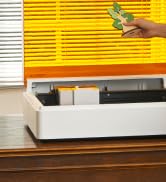
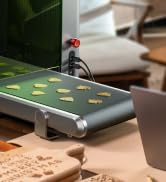
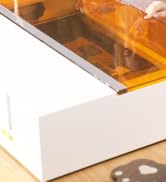
The xTool S1 Laser Engraver is a beginner-friendly yet professional-grade desktop machine featuring a powerful 10W laser with ultra-fine 0.06 x 0.04mm spot size for stunningly detailed engravings. Its spacious 23.93" x 15.16" bed accommodates large projects, while patented technologies enable 3D engraving on curved surfaces. Safety is paramount with Class 1 certification, flame sensors, and an enclosed design. Ready to use out of the box with intuitive AI-driven software and over 400 pre-tested materials, the xTool S1 combines durability, precision, and ease of use to empower creators and makers alike.
































| ASIN | B0CQY5ZQ1S |
| Batteries Required? | No |
| Best Sellers Rank | #16,603 in Arts, Crafts & Sewing ( See Top 100 in Arts, Crafts & Sewing ) #29 in Jewelry Making Engraving Machines & Tools |
| Brand | xTool |
| Color | Black |
| Customer Reviews | 4.6 4.6 out of 5 stars (345) |
| Date First Available | February 15, 2024 |
| Included Components | Laser Material Trial Kit, xTool S1 10W Laser Engraver, xTool S1 Honeycomb Panel, xTool Smart Air Assist |
| Item Weight | 44 pounds |
| Item model number | MXD-K101-001 |
| Level Form Factor | desktop |
| Level Measurement Units | inches |
| Manufacturer | Makeblock Co., Ltd. |
| Material | Acrylonitrile Butadiene Styrene, Aluminum |
| Operation Mode | Automatic |
| Part Number | P1030498 |
| Product Dimensions | 23.93"L x 23.93"W |
| Size | 10W |
| Style | Laser |
| Warranty Description | 1 year manufacturer |
F**N
very easy tool full of enjoyment
I have now owned this for over 6 months and find that it has been very easy to use and set up. I have made numerous projects and gifts for the entire family. It has been very accurate and fast while making quality items. It is compact enough to fit on a small desk. It is very simple to use from day one with superb functionality.
J**S
Perfect first and potentially last laser
It took me a while to set this up but now that I am really getting used to it I like it more and more and would recommend it for use by beginners and more advanced as well. What I really love is how it makes me feel very safe. I would recommend getting things like the If2 and the fire suppression system for piece of mind but these are easy to use and add to the system. I love the things I can do with it and will probably get the 40watt laser head. The only wish I have is for a bigger work area as I want to do big projects. As long as you pay attention to thickness and use the right settings it will do the things you need without creating danger. I do feel people need to pay more attention to material type and make sure they understand the safety and practical lists of using diode lasers but that is more on the user than xTool. It literally has everything you need to get tstarted just take your time and do not skip the safety materials they are there for your benefit.
E**Y
Built to impress
From the moment you open the box, the xTool S1 20W impresses. Its build quality feels premium — solid materials, a sturdy, enclosed frame, and a thoughtfully designed lid that lets you see what’s going on without exposing yourself to danger. Safety is clearly a priority: the enclosure, flame detection, lid‑interlock, emergency stop, and fume‑management all work together so you can laser with confidence. Key Features That Shine Power & Precision The 20W diode laser module gives excellent performance relative to its class. Engraving is crisp, detailed, and clean. With a spot size of roughly 0.08 × 0.06 mm, the precision is high, letting you achieve fine features and sharp edges. Good Cutting Capability It handles woods like plywood or basswood quite well, especially up to moderate thicknesses. Even materials like MDF or plywood around ~10 mm are manageable. The machine cuts smoothly and, in many tests, delivers clean results with minimal scorching. Safety & Enclosure This is huge. For indoor use, being able to have a fully enclosed system with flame detection and automatic shut‑offs if something goes wrong is a massive plus. It reduces the barrier for beginners and hobbyists who may be nervous about laser safety. Work Area & Speed The workspace (~498 × 319 mm) is generous for a desktop/bench‑top laser. This gives you enough room to do reasonably large pieces without always resizing or forcing your layout. The top speeds (600 mm/s) ensure engraving is not painfully slow. User‑Friendliness & Software The xTool Creative Space (XCS) platform is well‑designed, accessible, and powerful enough for most uses out of the box. If you want more control, LightBurn compatibility is a big benefit. Features like autofocus, dynamic focus (helpful for uneven surfaces), and twin‑point positioning make setup much less tedious. User‑Friendliness & Software The xTool Creative Space (XCS) platform is well‑designed, accessible, and powerful enough for most uses out of the box. If you want more control, LightBurn compatibility is a big benefit. Features like autofocus, dynamic focus (helpful for uneven surfaces), and twin‑point positioning make setup much less tedious. Overall this is amazing and even the smell is so minimal with the outside vent! You cannot go wrong!
C**Y
Fantastic machine
Now I’m not gonna lie there was a little bit of frustration and setting up this machine. The manuals are written by someone that has a 200 IQ instead of someone that has a 120 that could break it down and put a few more useful steps in, but you’ll get there between the book instructions and YouTube videos, getting started is a little harder but it’s kind of intuitive once you start playing around you watch a few videos you start learning the terminology the day after I got this set up I started looking at videos started reading the manual, etc. etc. and I am already engraving things, the coaster, and the Balsawood that come with it in the material pack . The software was easy to download from the Internet no problem works very good. Make sure that you keep all your papers together when you unpack your stuff because one paper that looks like it’s nothing has your software activation code on it. You’ll have to call the company if it’s not there or you lose it . I’ve only had this for a day, but it seems to be pretty fantastic so far. You do not have to buy the extra filter extraction case you can vent this out of wall or a window outside your house or garage no need to spend the $700 on the extra vent unless you feel that you want one. I bought one because I didn’t want to vent it outside in my garage. I didn’t want to put a hole in the wall . There is some frustrations putting this together. They do give you extra parts that they don’t tell you what they’re for I guess eventually in time I’ll find out. Do not get it. Rid of extra screws or extra parts. Keep them in a drawer near your machine.
W**N
Very happy
I love this laser cutter! Well built. Easy to use. It came with everything I needed including software. And it showed up a couple of days early ! Definitely well worth the money
K**N
Love this machine. So easy to use. Definitely way slower then a co2. But it’s great for small items :)
R**B
Awesome machine. LOVE LOVE LOVE IT!!!!!
M**D
شهادة لله طلبت يوم 8 اكتوبر و كنت متخوف والله من ان المعروض غير حقيقي و نصب لكن وصلني على الموعد يوم 12 اكتوبر و المكينه ومرفقاتها كاملة و الله يبارك لنا و يبارك للتاجر و سعره في الوقت اللي شريت منه ارخص من علي اكسبريس بالف ريال تقريبًا كل شيء مشروح في دليل المستخدم للتركيب و لا تنسون تشيلون جميع الاستيكرات من داخل المكينة قبل تشغيلها، بالنسبة لتطبيقها بسيط جدًا و سهل الاستخدام لكن ينقصه الكثير و ما يدعم اللغة العربية و في الدليل موجود تطبيق آخر اسمه LightBurn مدعوم لكن معقد و بحر و لازم تتعلم من اليوتيوب عليه
M**A
I am super happy with my purchase. I was worried at first that the laser wouldn't be strong enough but I was wrong, it engraves and cuts beautifully. Highly recommend it, very well built and perfectly packaged.
W**A
الجهاز ممتاز و سهل الاستخدام
Trustpilot
3 weeks ago
2 weeks ago