Buy anything from 5,000+ international stores. One checkout price. No surprise fees. Join 2M+ shoppers on Desertcart.
Desertcart purchases this item on your behalf and handles shipping, customs, and support to Sri Lanka.
⚙️ Print Fast, Print Smart, Print Like a Pro!
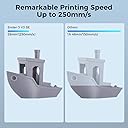
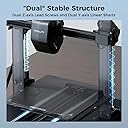
The Creality Ender 3 V3 SE is a beginner-friendly 3D printer boasting a rapid 250mm/s print speed, advanced Sprite Direct Extruder for versatile filament compatibility, and a dual Z-axis with reinforced Y-axis for exceptional print stability. Featuring a CR Touch Strain Sensor for hassle-free auto leveling and an intuitive UI display, it empowers users to create precise, high-quality prints within an 8.6 x 8.6 x 9.8 inch build volume. Ideal for professionals and hobbyists eager to join the 3D printing revolution with confidence and speed.


| Brand | Comgrow |
| Colour | Ender 3V3 SE |
| Compatible devices | Personal Computer |
| Item weight | 210 Grams |
| Material | Steel |
| Product dimensions | 40D x 40W x 50H centimetres |
G**Y
Amazing 3D printer for beginners
This printer is very reliable and built sturdy. From the moment you unbox this it's very simple to set up with clear and easy to follow instructions. You will be ready to print in about 20 minutes. Once the printer is calibrated you will be sending things to print with amazing print quality. This printer is an amazing way to get into 3D printing as a beginner and great value for your money.
R**T
Brilliant printer for the price
Brought this just as the Covid-19 lockdown started in 2020. First suggestion is to throw away the instructions from Creality as they are worse than none at all. Just utter rubbish, don't waste your time reading them, Head over to YouTube and fine one of the hundreds of videos that show you how to assemble one. The videos are simple and show you how to ensure the supports are aligned. It'll take a few hours to assemble if you are careful and take it slowly. getting it square at the beginning is key. One of the many keys to getting a good print is to get the bed level. Learn how to do it NOW as it will remove frustration and make sure you are getting a good first layer. This is a key element along with the right temperature for nozzle and for the heated bed. It's all related and I'm still learning a few months on. Once assembled and levelled, put some PLA (don't try ABS or PETG yet) and do some small prints to get a feel for what it can do. Don't try and build a full scale WWII tank, small is good. 3d printing is not that fast, so learn slowly. I got the BlTouch as well and never got it to work. I am an expert in the Marlin firmware now, but it's a nightmare to get it working and as with so many far eastern manufacturers, the instructions are worse than rubbish. YouTube is your friend. The first upgrades to print are a little roller and support arm to make sure the filament has a nice smooth path. I have also added a Raspberry Pi 3 and Octoprint to remove the constant changing of the SD Card. I have also upgraded the motherboard to the quieter V1.1.14 as I <ahem> blew the original one up installing the BLTouch. That was my fault. I have some Capricorn bowden tube for when the constant PETG printing melts the standard one. That has a limit of 250C and 245C is pretty hard on it. But so far, it's been fine. The magnetic mat works well for me. Other people have different views, but I like it. So long as the bed is levelled it seems OK. However it's clear the middle of the mat is slightly concave. The printer has been in pretty much constant use since I got it. It now prints face mask frames for the NHS in PETG. So far, so long as you bed level and get the right temperatures, it's a great first 3d printer. Would I buy it again knowing what I know now? No, I'd buy a bigger and faster version, but this is a great first 3d printer and I don't regret buying it at all. Rob
A**R
Decent entry level printer
This printer is a decent entry level printer for those that want to get into 3d printing. It comes 90% pre assembled with you only have to bolt the gantry onto the base with 4 hex bolts and route a few wires and plug in a few plugs. The printer comes with all the tools needed to set up the printer and get you printing. It also comes with a small amount of filament to get you started. I suggest you watch a setting up video on youtube as the provided instructions are vague at best. It comes with an sd card with a couple of test prints and a zip file with instructions and videos for set up. I never used these as I just watched a youtube video. Only real issues I've had is where the sd card died after only a few days. When taking the hot end cover off, one of the wires to the hotend fan came away and had to be soldered back on. Be careful with those wires as I've seen on several facebook groups that thos is a common reoccurring issue with these printers. I would suggest that you check the tightness of all screws and bolts, I found a few that was loose, whether it was fro the factory or came loose in shipping I don't know. But make sure you check them as it can affect print quality. Pros: Ease of setting up. Time of set up Supplied tools. Cons: Poor quality sd card. Broken fan wire on hotend fan. Very noisy fans. No dual Z axis lead screws. Bowden tube set up. This printer would benefit from a much quieter fans all round (noctua fans are a popular mod), dual Z axis modification, PEI spring steel bed, and sprite pro extruder. All of which I have added since owning the printer.
P**L
Easy to build and start using but not perfect
Ender 3 V3 SE I had got this as a replacement for my Anycubic i3 mega that was now 5 years old and getting past its best. Initial thoughts are good. Small box easy to setup and get started. Is quite a slim but tall machine. Shame we still have v-rollers on X&Z axis in 2023. Auto setup. The auto leveling and z offset is good. I would say the z-offset is not perfect. I had to lower it by 0.1mm from what it thinks. Screen. Nice easy to use screen. Shame no touch screen but its a budget price point. Bed. The bed is great no level knobs and decent detachable spring steel/PC sheet. Parts can stick too well on this PC sheet. Being a 24v power supply the bed and nozzle seem to heat up in good time. QA. Creality need a little more attention on the QA side. I had a very grinding left linear bearing. Easily noticeable when manually moving or printing. Bed screws were not tightened well. Yes there is filament in the extruder but that only proves the extruder is tested. Extruder. The sprite extruder seems great so far. Although a bit noisy clicky when lots of retractions. Speed. Although this is supposed to do 250mm/s. Expected the quality to suffer a little. Have managed 200mm/s ok but top surface suffers a bit. I need to find a sweet spot for speed vs quality. Print quality. Quality seems same as most other bed slingers of this print point. So no complaints so far. External walls seem smooth. E-steps seem spot on out of the box. Did not need to calibrate this point. Noise. Print noise in general is ok. Just the noisy sprite extruder retraction. The fans can get a bit loud on long extrusions. The internal fans seems always on. Quirks. Not sure why it needs to home very low down to extrude or retract. This is little annoying as risking filament build up on the print head area. Although it does have a silicone sock. 4/5. Just for the lack of decent QA from Creality.
G**L
Absolutely Brilliant
Far surpassed any expectations I had of a 3D printer, it is quick, efficient and takes 3D printing to another level, whilst looking good and taking up far less space, for the same build volume than any 3D bedslinger. The software is easy to use, and you can be up and running in an hour, even if you have never owned a 3D printer before. I saw various YouTube articled complaining about beds that were not level etc, and my initial worries were not confirmed, the printer has performed flawlessly I am happy to say. I have printed with supports and the piece being 290mm long, just fit on the build plate across corners, the part was printed with supports at a 30⁰ angle, the supports were easy to remove and the part looks amazing. Bed adhesion is very good, I always use the glue provided and have had no issues with adhesion,. The auto bed leveling works well and the standard settings for Hyper PLA work perfectly, the bed heater is quick, the magnetic bed plate with location tabs is a great help to locate the plate in the bed. The unit has a built in camara that is very useful as I print from the another location in my home whilst sat in comfort elsewhere, The app and PC software allow wireless printing straight from the Web, you will find a multitude of 3D printable parts, models etc already waiting to be explored, buy one have fun, this machine is fun to use, but it can churn out seriously good accurate prints from engineering drawings very quickly, I am impressed, very impressed.
T**S
Really great starter 3D-printer
I've been doing 3D modelling in Blender for years and thought about trying out 3D-printing my work, and everywhere I went online people recommended this machine for those who want to start out in the world of 3D printing. The machine itself needs to be assembled; I recommend watching the assembly video on their website rather than following the manual, which was confusing to follow. The video is much better. It comes with a small spool of filament in bone-white, which can print out plenty of small models for your first few tries, or a couple of mid to large-sized models. You also get some filament-cutting pliers, a scraper for removing models from your baseplate, alenkeys, spare nozzles, and all the screws/bolts you will need. You also get a neat SD-card/USB to import your models from your PC to the machine, or you can hook it up directly with a USB cable, but it uses an old micro-USB design for its input, just so you know. You'll also need to download a connectivity codec (which you can find instructions for in the SD/USB card) if you plan on using the machine with a direct USB hookup. The machine sounds loud if you sit next to it at warm-up, but when it begins printing it isn't too loud really. I have no sense of smell but I have been told that certain filaments produce a bit of a foul stench, so it is advised you operate it in a well-ventilated area. So far my models have been printing out fantastic, with filament purchased from other suppliers as well as the ones Creality recommend. The only complaint is probably my own fault; the removable baseplate heat pad gets scuffed really easily and misshapen when removing models. Highly recommend this printer for beginners, especially for the price tag.
S**R
Fantastic quality prints - bit of a learning curve!
I felt like knocking a star off for what I class as quite bad installation instructions. However, I just can't because ultimately the print quality is fantastic - far, far better than I expected. This is one of the best things I've ever bought! When you're building this machine I suggest you use a variety of information sources. The CD includes an animation of the build process, which shows you roughly what goes where. The instructions provide some clue again, but in my opinion there is no better than watching a YouTube video of someone building this Ender 3 machine from scratch (they're out there - find a good one). Take your time. Don't force anything. Make sure you don't pinch the Z-stop cable when putting the frame up (I did). And don't put the clips for the glass bed within 4cm of the edge of the glass or the extruder will drive in to them! It took me about 6 or 7 hours to build it, and then the only problem was printing on the glass bed. The first layer just wouldn't stick at all. I googled it (I am a complete beginner) and saw a recommendation of using masking tape. I masking taped the bed, then re-levelled the bed (see YouTube videos for how) and then I was rewarded with a fantastic first print, which was the test dog - the .gcode is included already on the MicroSD card, so your printer is all ready to print this without installing any software on your PC. Once you've got it all set up, you can go to places like Thingiverse.com and download STL files. Load them in to software like CURA, alter some settings if desired, and generate the .gcode which you then load on to the 3d printer via the MicroSD. I now use watered down PVA glue on the bed, and a hotter bed temperature (80), along with no fan for the first layer and a slightly bigger first layer. You can set all this in CURA or whatever other software you use. This has improved first layer adhesion, but I didn't have to learn all this stuff on day one, and the machine was good enough "out of the box" to print great - I just sometimes had to restart prints because the first layer went wrong, and I hardly have to do that at all now! I've printed the 'standard' Ender 3 improvements like a fan guard, cable clips and filament guide, as well as a computer SSD holder, ornaments, and multiple different brackets (one of which I managed to design myself, for free, in Tinkercad). The prints are detailed, exact and strong. Such a good thing to have!
C**S
A good machine, but needs investment in time and simple parts
This is my third attempt to write this review, the latest Amazon mobile being very unhelpful, so I will keep it brief. I bought the Comgrow Ender 3 non pro version as that was the only machine available back in April 2020, the world had gone nuts for toilet paper and 3d printers. I don't know who Comgrow are and aside from the well reported supply issues when buying direct from Creality I didn't see any value of Comgrow in the purchase and support of my printer, yes Comgrow supplied me a printer probably with less fuss than trying to purchase from Creality or other Creality distributors but then you pay an added premium for the Comgrow association. Anyway back to the printer, out of the box it comes partially assembled, in addition to all the other reviews I too recommend you rebuild from scratch as the printer will neither be square or properly assembled. If lego, meccano or the modern day equivalents were your thing as a child then you'll enjoy this part. Setup, the printer require a fair bit of setup around bed levelling, axis float and calibration of the extruder steps. As of yet I have performed the first two but not the latter. The first two are mandatory to get adherence of the pushed filament onto the bed. Bed levelling - out of the box and everything sorted according to various recommendations of Luke Hadfield YouTube videos(Age of tech) I could not get the bed to level nor would the filament adhere to the bed. Enter Comgrow, nothing from Comgrow although I did later discover 2 messages in my spam folder some weeks asking why did I leave a 2 star review. As I said earlier, no value add by Comgrow, save your money and buy elsewhere. At this point it was either return the printer or sink some more money into it in the hope I could get it functioning. Focusing on the known and reported issues I replaced the 4 standard bed springs (all different lengths) and the plastic/fibre mat. Replacing with the stock springs with yellow items from amazon and putting a creality glass bed on the machine changed it immediately. I could now level the bed and the filament would adhere to the bed. Note to Comgrow, if you want to add some value to the product and improve the customer experience, add the creality glass bed and some proper springs with an A4 sheet of paper covering recommendations of setup and good sources to turn to. Then you can add your fat cut and name to product. In short after investing time and some more money into the printer it now prints very well and with decent springs bed levelling is generally performed monthly. Octoprint and Octoremote are two very useful additions to this device and effectively turn your printer into a wireless device. 3d printing is an exciting and rewarding past time, I am now thoroughly enjoying mine, the ability to print all sorts of useful bits for the printer and projects is very fulfilling, soon I will move onto printing models. There are Creality Facebook groups available to turn to, but in general having joined two I would avoid the Facebook groups, 10% of the posts are useful or interesting with 90% being the production of plastic penises, memes around bed levelling and general everyday hysteria. The groups from the outside are a looking glass into some of triggers of the rioting across the US. It's 2020, roll on 2021.
K**S
Schneller, im Grunde sehr einfach zu bedienender 3D-Drucker zu einem vernünftigen Preis.
Einer meiner besten Drucker im Repertoire. Dazu noch zu einem erschwinglichen Preis. Zusammengebaut ist das Gerät in wenigen Minuten, Die Verkabelung könnte ein wenig besser beschriftet sein. Aber ein Blick in den Quickstart hat auch hier schnell geholfen. Die Druckgeschwindigkeit und die Genauigkeit sind im oberen Bereich anzusiedeln. Die Handhabung ist durch die Autonivellierung sehr einfach, aber erst nach einem sehr komplizierten, zum Glück einmaligen händischen Einstellung. Glücklicherweise gibt es im Netz dazu gute Anleitungen (Videos) zu finden. Die Druckbetthaftung ist sehr gut (PLA, ABS), bei PLA manchmal schon zu gut, es fällt mitunter schwer, das Bauteil zu lösen. Das Metallbett ist sehr stabil, und lässt sich sehr gleichmäßig beheizen. Das Modell ist im Vergleich zu meinen anderen Druckern sehr leise. Die Software einfach zu bedienen und fast schon selbsterklärend. Ein Gerät für den Einsteiger? Für den technisch versierten Anwender mit Sicherheit. Hat man zwei linke Hände, mit ein wenig Unterstützung sollte auch hier der Einstieg gelingen. Alles in allem ein wertiger, empfehlenswerter 3D-Drucker
M**C
Stupefacente, fantastica
Premetto che utilizzavo un stampante Bibo2 di 6 anni fa e il cambio mi ha lasciato a bocca aperta. Non voglio dilungarmi poiché troverete online decine di filmati e recensioni, posso solo dire che è un gioiello di tecnologia, velocissima e precisissima oltre ad essere molto semplice da utilizzare.
M**R
Macht genau das was er soll.
War eine einfache Einrichtung, hab ihn jetzt n halbes Jahr im Gebrauch. Egal ob Spaß Druck, oder wie ich in benutze im Modellbau, perfekte Ergebnisse, und wirklich sehr klare, feine ,Details machbar
L**F
Ideal für Anfänger
Nachdem ich mich Monate lang in das Thema 3D Druck eingelesen habe, habe ich den Creality Ender5 Pro bestellt. War super einfach aufzubauen und auch zu leveln. Druckt seit Ende Dezember störungsfrei durch. Wenn mal ein Fehler war, war es ein Anwender Fehler meiner seite.
T**N
Sehr guter Drucker
Der Drucker war relativ schnell Aufgebaut , gab keinerlei Probleme.Das einzigste was ich sehr negativ finde das der Hotendlüfter gleich beim anschalten an ist und unfassbar Laut ist. Sonst super Drucke out of the Box.
Trustpilot
1 month ago
1 month ago