Desertcart purchases this item on your behalf and handles shipping, customs, and support to Sri Lanka.
🔥 Stay Cool, Stay Ahead — Your PC’s Health, Visualized!
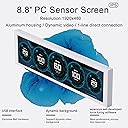
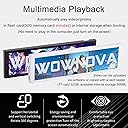
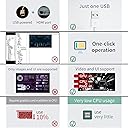
The WOWNOVA 8.8" Computer Temp Monitor is a sleek secondary display designed for professionals and gamers alike, offering real-time monitoring of CPU, GPU, RAM, HDD, and FPS stats. Featuring an ultra-wide 1920x480 IPS screen with vibrant colors and wide viewing angles, it connects effortlessly via a single USB-C cable—no extra power or HDMI required. Customize your experience with dynamic video themes and enjoy smart energy-saving and eye-care technologies, making it the ultimate tool to optimize and showcase your PC’s performance.


| ASIN | B0CBND47F5 |
| Aspect Ratio | 16:9 |
| Aspect ratio | 16:9 |
| Brand | WOWNOVA |
| Brand Name | WOWNOVA |
| Colour | Black |
| Compatible Devices | [Some] Laptop, Desktop, Gaming Console |
| Contrast Ratio | 1000:1 |
| Customer Reviews | 4.1 out of 5 stars 140 Reviews |
| Display Technology | LCD |
| Display Type | LCD |
| Hardware Connectivity | USB Type C |
| Has Color Screen | Yes |
| Image Brightness | m2 |
| Image contrast ratio | 1000:1 |
| Is Electric | Yes |
| Item Dimensions D x W x H | 1.1D x 23.7W x 6.7H centimetres |
| Item Weight | 0.42 Kilograms |
| Manufacturer | WOWNOVA |
| Maximum Display Resolution | 1920 x 1080 |
| Model Name | 8.8" Computer Temp Monitor |
| Model Number | 8.8" Computer Temp Monitor |
| Mounting Type | Wall Mount |
| Native Resolution | 1920 x 480 |
| Network Connectivity Technology | USB Type C |
| Picture Quality Enhancement Technology | Eye Care Technology, Brightness Adjustment |
| Pixel Pitch | 0.557 |
| Product Features | USB Hub |
| Refresh Rate | 60 Hz |
| Resolution | 1920 x 480 |
| Screen Finish Type | Glossy |
| Screen Size | 8.8 Inches |
| Screen size | 8.8 Inches |
| Screen surface description | Glossy |
| Shape | Rectangular |
| Specific Uses For Product | Gaming |
| Total HDMI Port | 1 |
| Total USB 2.0 Ports | 1 |
| Total USB 3.0 Ports | 1 |
| Total USB Ports | 2 |
| Total Video Out Ports | 1 |
| Unit Count | 1.0 count |
| Viewing Angle | 170 Degrees |
A**R
damaged screen in desktop mode
screen cant be used as a seconed screen as looks damaged when in this mode
A**G
Highly recommend. Makes your fishtank case “pop” like none other.
Worth every single penny. At first I was skeptical knowing that I may not have enough headroom with having the radiator and the exhaust fans up top. Turns out, I was right. HOWEVER the fix wasn’t hard either. I just had to move the radiator to the right side along with the intake fans (honestly way better option when it comes to cooling the cpu imo since I’m inviting cool air to the radiator instead of blowing warm air had I stayed with mounting it up top. ANYWAY. Just look at how aesthetically pleasing this is!! The screen is bright enough that it doesn’t get overpowered with all of my ten rgb fans!! What is also very convenient about this is how the connection gives you an option for a usb plug directly to your mobo. It’s a nice advantage as I don’t have to add any additional wires to my already frustrating cable management in the back. Software is a little tedious with instructions that took me a minute to figure out so instead I downloaded the Turzx app and it works the same. The presets could be customized like the way I did with the backgrounds. Finally, the build could be a little slimmer in my opinion. I find it a little thick for my liking but as long as it robust (which it is) I’m good!
R**Y
ممتازة وسهلة التركيب
ممتازة جداً وأضافت جمالية للـCase حق البي سي
R**S
Buena imagen
Muy buena resolución y fácil de instalar
S**N
Scam 8.8” !! Screen software isn’t working!!
Its a Scam, care software wont connect to display. One star for delivery
C**Z
Great display to be used inside a PC build
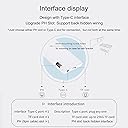
I was looking for a display that can be used inside a PC case for my new build. First I bought the Phanteks 5.5" HiRes IPS display and works great but it's an extended HDMI display that act as a monitor. You can display anything on it. There is nothing wrong with an extended display, but you need to understand the behavior. Mounting it was simple, either magnetic or directly to 120mm fans. However, after some days I've found that to display temps themes on it, either from AIDA64 or Rainmeter for example, you have to develop them or get a shared one that is optimal for the display resolution. This was tedious for me and I just wanted a display that was simple to operate and that work on its own. This is where the Wownova 8.8" display shines. Connection: There is no HDMI because this is an USB display. You connect just 1 cable, either the provided USB-C or a USB header cable that goes directly to one of available motherboard USB 2.0 headers. It doesn't get easier than this. Display: I got the 8.8" version because it suits better for my PC build, but any size/resolution from same brand model works the same, just different aspect ratio. The display is high quality with IPS, colors are bright and vibrant. Software: You download the specified software which is called Turzx to manage the display. It provides 20+ bundled themes either vertical or horizontal formats for the installed orientation. With the click of a single button, the desired theme pass to the display and it starts displaying real-time temps and other data. It doesn't get easier than this. The software also has a section to develop your custom theme and it's very simple unlike Rainmeter or AIDA64. The software is also free. Mounting: Mounting it was also simple, the included brackets allows you to hook it up to 120mm fans or any sized fans with 1 bracket. I installed with 1 bracket (in the middle) to one of my top 140mm fans with a radiator screw. It just takes a few minutes to do everything. You may spend more time deciding which theme to use from the software rather than installing the display to your PC build. Of course, because this is a "closed" USB display, software like AIDA64 or Rainmeter doesn't work with it. You need to use the Turzx software or any other collaboration software that works with this type of display. For me, the simplicity to display a fully working theme on it is worth more than the "DIY" method of using an extended type HDMI display. Highly recommended.
Trustpilot
1 month ago
3 weeks ago