
DOWNLOAD THE APP


Customer Services
Copyright © 2025 Desertcart Holdings Limited
DOWNLOAD THE APP

⚡ Power, Productivity, and Precision — All in One Dock!
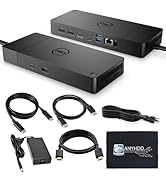
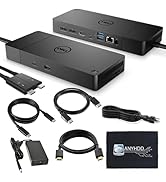
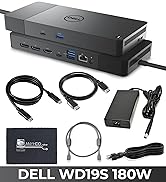
The HP USB-C G5 Docking Station bundle delivers a powerful 120W charging solution with dual 4K monitor support via HDMI and DisplayPort. Designed for HP and compatible USB-C/Thunderbolt laptops, it streamlines connectivity through a single cable, enhancing workspace efficiency. Compact and complete with essential cables and a cleaning cloth, it’s the perfect upgrade for professionals seeking seamless multitasking and a clutter-free desk.







| ASIN | B0CVC2RQF5 |
| Best Sellers Rank | #3,839 in Electronics ( See Top 100 in Electronics ) #67 in Laptop Docking Stations |
| Customer Reviews | 4.4 4.4 out of 5 stars (215) |
| Date First Available | February 9, 2024 |
| Item Weight | 1.5 pounds |
| Item model number | 5TW10AA#ABB |
| Manufacturer | ANYHDD |
| Product Dimensions | 4.8 x 4.8 x 1.8 inches |
C**N
Works great.
Works great. The quality seems to be really good.
R**B
Easy to setup
This docking station is the same one I use at work. It is very easy to set up and this bundle has everything you need to get started. The shipping was great and the package was intact with no evidence of holes or dents. Great docking station... so far.
Y**D
It's still early, but this thing is a workhorse
For the past month, I have been on a quest to reduce wiring clutter and maximize productivity at home. I have been trying to connect a Windows desktop, a Surface 4 laptop, and a Macbook Pro 2020 to my two 1080p 120hz monitors. Naturally, I quickly realized that a dock is the best way to connect a laptop to multiple monitors in a desk situation, so I went searching for a solution for my Surface 4 laptop first. The Microsoft Dock 4 was basically useless with video, so I bought a Caldigit TS3. That one managed one monitor, but nothing more. So, I decided to risk it on this HP. Disclaimer: I HATE HP products. As a government employee, I've watched dozens of HP products fail on a daily basis (especially their printers) and after multiple awful personal HP laptops back in the day, I swore I'd never buy another HP product again. And then I remembered that this dock is what we use at work for our multi-monitor setups, so I bought it and braced for failure, once again. Much to my surprise, it just...worked. I hooked up my HP work laptop first as the baseline test and it breezed through everything. No video dropout. No wonky audio. So, I took my Surface 4 laptop that my son uses and tried that out. Again, easy peasy. Encouraged but still skeptical, I decided to try the ultimate test: the Macbook. I booted it into Windows, plugged it in and VOILA IT WORKS. Boot into Mac OS? Works perfectly. I'm truly blown away and I hope it continues.
M**R
El producto adquirido es excelente. Su instalación sencilla y su funcionamiento excelente.
M**D
HP dock
The docking station works fine, however when I went to register it with HP they don't recognize the serial number. I hope that I don't have any problems with it since it seems like there won't be any warranty.
C**S
Perfect HP Docking Station
I've used this HP Docking Station and it preforms great. It was easy to setup, charges my laptop and phone. It's connects to all my IT accessorizes with ease and the size is perfect for my desk.
W**A
Tried 2 units, neither one was able to cast screen to external monitor
Tried a refurbished version first. Looked like new, included an HP power supply. Everything was in sealed plastic bags. Good first impression. Plugged in power supply, network cable, combo keyboard/mouse dongle, and hdmi monitor cable. When I plugged it into the laptop it was recognized as a usb device but no drivers were installed. Device hardware saw it as unknown device so it needed drivers. Screen was not displayed on monitor. No video input signal. Even did Windows update to see if it would find drivers. It didn’t. Chalked it up to defective unit. Sent it back and bought a new one that wasn’t refurbished. New one did exactly the same thing. Was recognized as usb device, no drivers, no monitor screen. Unknown device. Monitor kept saying no video input signal Tested monitor by plugging it directly into laptop. It worked perfectly. Really wanted this to work because it was the only docking station that also says it charges a laptop while in use. Returned this one too. BTW, nothing in setup instructions about needing drivers but I did check HP’s support website and found nothing for this model of dock. Bought a generic docking station for far less money and a generic laptop power supply with multiple laptop adapters, total paid was around $90 less. PM me if you want details. Your mileage may vary but I certainly wasn’t impressed by this product. My recommendation is to pass on this, not worth the hype or cost.
R**E
Does not work with a KVM switch.
The reason why I bought this was because I have to keep the laptop lid partially open which restricts my view when I use the second larger monitor. This also has a KVM switch for 4 other computers. In short, this does not work.
Trustpilot
1 day ago
1 month ago