📚 Elevate Your Reading Game with inkNote!
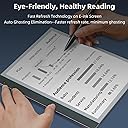
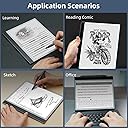
The inkNote E Ink Tablet is a 10.3'' ePaper device designed for distraction-free reading and efficient note-taking. Featuring a high-performance Octa-core CPU, 4000mAh battery, and Android 11 OS, it offers a seamless user experience with access to a variety of apps. The tablet's paperlike screen and included smart pen enhance the writing experience, while AI tools like Bigme GPT 4.0 help organize your notes and meetings.


K**E
Terrible
I bought this tablet instead of an Onyx Boox to give new entrepreneurs a chance, but its performance is terrible. Issues with copying and pasting texts, apps that won’t open or crash constantly, Google Docs works very poorly, and I’ve lost many hours of work on texts that were copied incorrectly or not saved. The battery takes forever to charge. I absolutely do not recommend it for students.
L**N
This e-book reader has high configuration, very fast speed and very clear display. It is more responsive than BOOX, Kindle, etc. I have used. I have never heard of this company in the past, but it is obvious that this is a company with unique ideas and concepts, and I hope to see them launch better products in the future.
E**A
Desde la primera semana empezó a hacer cosas raras, tardaba en encender, se bloqueaba continuamente. El software no es estable. Una pena para un producto caro. Ya últimamente era imposible recargarlo.
E**R
I compared this Bigme inkNote with all the other current 10.3" e-ink tablets. As a retired engineer/computer designer, I can say that this is the best-made black&white e-ink hardware currently on the market. It feels like quality in hand; a very solid device, with a textured writing surface and pen that feels very similar to pen on paper, while diffusing reflected ambient light. In daylight, it has excellent contrast and crispness; the backlights can be used in a darkened setting, providing any degree of lighting needed for night reading. Compared to the Onyx Boox Tab Ultra just released, the writing surface is superior, and the response time fast enough to watch YouTube videos if you aren't too picky about refresh rate; only slightly slower than the (power hungry) GPU assisted Tab Ultra. The included Good-E-Reader designed case captures the tablet magnetically, and magnetic pen with a full-length flap that is not going to let it go missing. The DRAM included is 6GB, and Flash Memory of 128 GB, of which about 107GB is useable for local storage; If that isn't large enough, there is a micro-SD card slot to expand local storage. Many other features that are not standard on all other pads, including Bluetooth, USB-C jack able to use with audio, twin speakers, quad microphones, the micro-SD card slot, and a fingerprint reader, plus cameras from and back, properly imbedded in the wide left border, not pasted on the back as an afterthought bump, are standard hardware on this Bigme. So, what's not to like? Well, the software is lacking at the present time. There are some reasonably implemented writing options, but the pen's ability to do tilt at the hardware level is not implemented in software yet, so artistic drawing is relatively limited compared to the Boox Tab Ultra. Being an Android based system, it can run apps easily downloaded from the Google Play store, but the native handwriting recognition is not up to Boox or Supernote levels. If you want to use it as a Kindle reader, it works very well, as a multi-functional alternative to the Kindle Scribe. If you want to record the audio during a business meeting, you can do so while adding your written notes at the same time. There are also the standard Google apps available. If the software were as polished as the hardware, it could be a leading-edge device, and will soon be available with Kaleido 3 color panels at a higher price point. How well any of the e-ink devices will work for your note taking and reading applications is still a matter of choice. I suggest reading the in-depth Deep Guide reviews by Voja on YouTube, or the shorter ones by Kit Betts-Masters, which often compare different units head-to head for different types of users. Being a "hardware oriented" guy, I like the solid feel of quality in this hardware. I hope the Bigme programmers will do the work to catch up with the Boox programmers, and provide continuing updates to their software. Hardware of this quality deserves equally industry-leading software to keep up with and some day surpass the competition.

A**R
The screen is frozen and unresponsive. The power switch does nothing. This is an obvious indication of poor workmanship or materials. Not sure if it will be possible to repair/replace since it is past Amazon's return period. Waste of $400!
M**T
I was a bit sad to return it but alas it was not worth keeping. Previously, I tried the Boox Note Air 2 Plus but returned it. The Boox was FAR superior to the Inknote in handwriting recognition as well as the note-taking and pdf annotation apps, and the ability to install a custom launcher to make the thing more generally workable. But it was glitchy with a Bluetooth keyboard, I wished it had expandable storage and cellular, etc. The Inknote wins on these points: -placement of wake button, -wake button has fingerprint reader, -very nice magnetic case included, -very good multifunction stylus, -quite capable front and rear cameras, -expandable storage, AND sim tray/4G connectivity. Wow. Huge potential. (FYI, with my mint mobile sim in it, I could make and receive phone calls. To place calls I used google voice. Receiving calls worked to either the native number or my gv number.) Downsides: - The preinstalled keyboard did not function right and I struggled at initial setup to enter a wifi password, get to google play, and install gboard. - handwriting recognition is only enabled with an active internet connection (offline works for Boox) - handwriting translation is very poor. Boox is shockingly good and Inknote is nowhere close. - home button and upward swipe always took me to the stock home screen. It would not let me enable another launcher. I tried several that have worked on multiple other android devices (LG, Motorola, and Boox) - optimization per app is better implemented by Boox. Sadly, I don’t think I want the Boox ultra. Too heavy. No front camera. Big rear camera bump. No sim tray. Maybe it’ll be an iPad with matte screen projector.
Trustpilot
2 weeks ago
1 month ago