Some deliveries may take a little longer than usual due to regional shipping conditions.

DOWNLOAD THE APP


Customer Services
Copyright © 2025 Desertcart Holdings Limited
DOWNLOAD THE APP

👁️🗨️ Elevate your video presence—because your audience deserves eye contact, not a top-down glance.
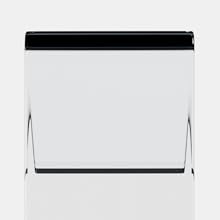
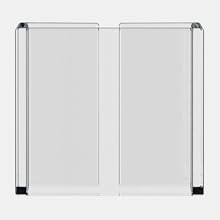
The PlexiCam Pro V2 is a premium, adjustable webcam mount designed to position any webcam at eye level on screens up to 32 inches. Crafted from ultra-transparent acrylic, it offers a nearly invisible, distortion-free viewing experience. Featuring a universal 1/4” D-ring screw mount and a patented friction sleeve, it enables tool-free, secure installation and compatibility with any webcam, empowering professionals to maintain natural eye contact and present confidently during video calls.


| ASIN | B0CX2XTJRD |
| Best Sellers Rank | #11 in Webcam Mounts |
| Color | Clear with Silver Accents |
| Customer Reviews | 4.0 4.0 out of 5 stars (87) |
| Date First Available | March 4, 2024 |
| Item Weight | 1.19 pounds |
| Item model number | PROV2 |
| Manufacturer | PlexiCam |
| Package Dimensions | 11.97 x 3.74 x 3.62 inches |
| Special features | Adjustable, Hand Free, Transparent |
| Whats in the box | 1/4" D-ring screw, 90° USB Type-C adapter, Floating webcam shelf, Friction sleeve, Long (9.5") and short (6.5") hanger |
D**I
A Smart Investment
This device is worth the investment. It’s solid, does what it promises, and makes a differences. Because of the material you will see tiny scratches as it gets used but nothing that will hinder your goal of looking more natural and looking into the camera. It is a little pricey but I believe you get what you pay for and I believe in investing in smart technology. Very happy with this and people on the other side of the camera have no idea what I’ve changed 😉
P**A
Great Concept and Very Useful — With One Small Drawback
The PlexiCam Pro V2 is a clever and well-designed solution for improving eye contact during video calls. I love how easy it is to position my webcam exactly where I need it, and the clear acrylic does help it blend into the screen better than other mounts I’ve tried. It feels sturdy, professional, and works well with different screens. My only issue—and the reason for 4 stars instead of 5—is that even though the acrylic is transparent, it still obstructs my screen when positioned at true eye level, which is where the camera needs to be for proper eye contact. It’s not a dealbreaker, but it’s something to be aware of if you’re working with text or small details behind the mount. Overall, it’s a very helpful tool and a big improvement over balancing a webcam on top of the monitor. I would definitely recommend it, especially for people who film or present on camera frequently.
N**.
Good idea but execution not so much
Great idea but too obtrusive on my screen blocked too much
S**E
Fine I'm keeping it
I really wanted to not like this product, lol. I found it difficult to justify the price and had the return box on stand-by. After week 3 of using it, it's becoming evident that it will not be returned because it is very useful. I work remotely and can be on up to 6-8 video meetings a day. I love the ability to adjust the camera so that I can make eye contact with my clients. When not in use, I can move it to the side or take the camera down all together. I admit, the price is steep. If you can swing it, it is a great product that is worth the investment.
U**.
Great stand - but a little spendy.
This is really great for my coaching calls, workshops online and all those virtual meetings. Yet seems a little pricey for what it is.
O**C
Sounds Good. Looks Ridiculous
⭐☆☆☆☆ Giant Piece of Plastic Ruins Your Screen Setup This product sounds great in theory. In reality, it’s a huge slab of plastic hanging off your monitor like a bad DIY project. Yes, the material is well made. Yes, it feels “premium.” But none of that matters when it blocks your view, looks ridiculous, and destroys any clean desk setup. It’s awkward. It’s distracting. And it constantly reminds you that you paid good money to mount a clear wall in front of your face. Who thought this was a good idea? For the price, this is laughable. There are far better, cleaner solutions out there that don’t make your workstation look like a fish tank. Returning it. Save your money!
G**I
Overpriced, but it's the best option so I'm keeping it.
I bought both the Lucky Duck and Plexicam mounts in hopes I could save Plexicam money. I tried the Lucky Duck first and I'm gonna return it and keep this one. I have an Elgato Facecam Pro webcam, and on the Lucky Duck it felt too heavy, wobbly, and precarious. I couldn't get my shot level, seemingly because the camera is too heavy for the mount. I begrudgingly opened the Plexicam next and tried it, and it's a sturdier option, especially for my camera. The packing is nicer, the experience of setting it up with the QR code to a video was easier, and the whole thing just worked better for my specific scenario. Maybe if I were using my Logitech Brio, which is lighter, the LD would be an ok option, but for the Elgato camera, the Plexicam wins. As you can tell, I'm happy to have a solution, but I think it's overpriced, so it's not the best taste in my mouth, but we're here now. Oh, and I'm used to the camera blocking the screen as I've been using a JEBUTU Magic Arm for a couple of years now to achieve this camera positioning off my ringlight. My setup has just changed, and I needed a new solution. Both clear plexiglass solutions are an upgrade from what I was doing because you can see more of the screen; however, if you're not used to your screen being blocked at all, you will have to get used to that to get the desired effect.
K**R
These really work great. I just bought a second one to give as a gift.
These really work great. I just bought a second one to give as a gift to my son who works mostly online through zoom meetings. This fits over your monitor and is clear, so you can still see the screen, but the camera is now angled directly in front of you so the viewer sees you looking right at them instead of off to the side. It is easy to use and looks much more professional. You can also attach small ring lights to it if needed.
N**L
purchased the PlexiCam Pro V2 to improve my video calls by positioning my webcam in the center of my screen, and while it’s a handy tool, it’s not without some issues. The concept of this webcam mount is fantastic. It allows you to place the webcam directly in front of your screen without obstructing the display, which is perfect for maintaining eye contact during meetings or streaming. The adjustability is a major plus, as it’s easy to move the webcam to just the right height. The installation process was also very simple. It attaches easily to the top of the monitor and doesn't require any tools. Plus, it doesn’t damage or mark the screen in any way, which is something I appreciated. The clear plastic design is unobtrusive, and it blends in well without being distracting. However, I did find that the stability of the PlexiCam Pro V2 isn’t quite perfect. Depending on the weight of your webcam, the mount can feel a bit wobbly, especially if you have a heavier camera. It holds up fine for lighter webcams, but I wouldn’t recommend it for more robust, professional-grade cameras. The shaking can be noticeable if you're typing or moving the desk. Another minor downside is that if you use a dual monitor setup, it might take some adjusting to get the mount positioned where you want it, since it’s designed primarily for single screens. It’s workable, but not as seamless. Overall, the PlexiCam Pro V2 is a clever and versatile product that improves webcam placement and enhances the virtual meeting experience.
M**M
Check the type of camera you have to see if the remove is removable otherwise you will not be able to push your camera close to the monitor when you use plex cam. Also the camera wire clips are not included in this product
Trustpilot
3 weeks ago
1 week ago