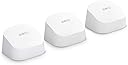
🚀 Elevate your home network—fast, secure, and unstoppable.
The Amazon eero 6 Mesh Wi-Fi System (3-pack) delivers robust Wi-Fi 6 dual-band AX1800 speeds, covering up to 4,500 sq.ft. It supports internet plans up to 500 Mbps and includes a 1-month free subscription to eero Plus, offering advanced security features like parental controls and ad blocking. Designed for easy setup and seamless expansion, this system ensures reliable, high-speed connectivity for streaming, gaming, and smart home devices across your entire home.
| Title | Amazon eero 6 mesh wifi router |
| Wifi coverage | Covers up to 1,500 sq. ft. |
| Type | Router (connects to modem as primary router) |
| Wireless network speed | Best for internet speeds up to 900 mbps. |
| Wifi connectivity | Wi-Fi 6 dual-band concurrent 2:2 (802.11ax), compatible with older wifi standard |
| Wired connectivity | Two auto-sensing gigabit Ethernet ports for WAN and/or LAN connectivity |
| Speed rating | AX1800 |
| Smart home connectivity | Works with Alexa, Amazon Frustration Free Setup, 802.15.4 radio (Zigbee, Thread), Bluetooth Low Energy 5.0. |
| Electrical Rating | 100-240V AC, 50-60Hz |
| Processor, memory, and storage | 1.2 GHz quad-core processor, 512 MB RAM, 4 GB flash storage |
| Network security and services | Profiles, WPA3 (eero Labs feature), WPA2, TLS v1.2+, VPN passthrough, IPv6, NAT, UPnP, port forwarding, DHCP, static IP, and cloud connectivity |
| Required for setup | Supported iOS or Android device and internet service (with cable or DSL modem, if required). See eero.com/requirements |
| Temperature Rating | Operating: 0˚C-40˚C Storage: -25˚C-60˚C Operating humidity: 0%-90%, non-condensing Operating altitude: <3000m |
| Dimensions | 3.9 in x 3.8 in x 2.4 in (99.4 mm x 97 mm x 61.4 mm). Actual size and weight may vary by manufacturing process. |
| Warranty and Support | 1-year limited warranty. Free customer support is available 7 days a week. Learn more warranty and support. |
| Software Security Updates | Learn more about these software security updates. |
| Subscription | By purchasing this bundle, you agree to Amazon’s Conditions of Use and Privacy Notice. You also agree to eero’s standard and subscription terms. See eero’s Privacy Notice for additional information. Your subscription will automatically renew and continue until you choose to cancel it in the Your Memberships & Subscriptions section. You authorize us to charge your default payment method or another payment method on file at the then-applicable subscription price and any taxes upon renewal. Cancel anytime. See the Offer Terms and Conditions for important information about when you will be charged for the subscription, refund policy, and other important information. eero Internet Backup performance will vary, and you are responsible for data charges with backup connection providers. Learn more about eero Internet Backup requirements, performance, and compatibility here. |
| Legal Disclaimer | Some features require linking your Amazon account, and downloading the Alexa application or using a compatible Alexa device. Internet connection speeds and availability depend on your internet service provider; if your internet service provider does not provide you with the maximum supported speed, you will not experience that maximum speed. Maximum wireless signal rates are derived from IEEE 802.11 standard. Specifications assume wired Ethernet connection; your experienced speed may vary when connected to an eero device that is configured as a wireless extender. Coverage estimates are based on normal use conditions. Actual range and performance can vary, and maximum supported speeds may not be available to all customers, due to factors such as local regulations (including power limits), network configuration, interference, connected devices, device usage, building materials, and obstructions. Specifications are based on use of a Wi-Fi 6 or later generation client device. For more information about eero performance, visit support.eero.com. ‡Insurance details: Insurance Benefits under the policy are issued and covered by Lloyd’s, under a master group policy issued in the name of Cyberscout Limited, Sontiq Inc. and all subsidiaries for the benefit of members. For policy terms, explanation of benefits and exclusions view the “Summary of Benefits.” for $1Million USD Plans or $2Million USD Plans. “Family” plan insurance will cover the primary account holder and his or her household residents. |
H**R
So Far So Good
My modem crashed a few months ago and Spectrum had to replace the system. I learned during that installation that I was being charged an extra $10/month for my router. Didn't realize that for 5 years, I was only "renting" my router. Which has been an absolute waste of $600. During the initial install, I was not informed of that and I have never seen an actual paper statement for my bill breaking down my plan. My first Spectrum router was very spotty towards the back of my house (1050sq ft. house) and the new router which was supposed to be an upgrade to Wi-Fi 6, was even worse. My phone would lose connection to the new router on my front porch which is 5 feet away from my router. I initially thought that all I needed was an extender and that is how the Spectrum guy and I got on the subject because I am NOT very tech savvy. I had already been looking at the Eero router and he recommended it. I found the one that is compatible to my internet plan (400Mbps) and went for it while it was on sale. This router is very well packaged. Very pretty packaging, too. OMG!! Super super easy to install. Your grandparents could install this. The only thing that I recommend is being sure of your password which you should be able to find in your providers app (at least I can with Spectrum). If you do happen to forget one digit to your password, and you accidentally change your password, you will have to reconnect each device individually. This router was compatible with my internet plan and provider. I'm very happy with the quality, signal strength, functionality. It has been very reliable for the three days that I have had it. I have not lost signal once. Not even on my front porch. My phone is now showing that I am connected to Wi-Fi 6 when before, it kept dropping it and dropping back down to 5G. Even with the 5G, it would buffer really bad. I got this on sale and I do think that the price is competitive for how well this router performs. The app is super easy to navigate and every device that is linked to your router is located in the app. You can monitor what devices are connecting to your router. I do think that this Eero router was the upgrade to my internet plan. I would recommend saving yourself the cost to "rent" your router through your service provider and upgrading to the Eero router. This will pay for itself in 6 months now that I am not "renting" my router.
J**A
Perfect for Wi-Fi dead zones along with an easy-to-use app for complete control over your network
If you're on the fence, definitely swing to this side. If you think you need an extender or a repeater, you need a mesh system. I kept having issues with intermittent Wi-Fi signal and complete dead-zones in most needed areas, but didn't know what else to do since routers don't have an unlimited amount of range. Decided to buy this specific mesh system after hours of researching and boy did I make the PERFECT choice. It fixed everything, doubled the speed on regular areas and tripled the signal strength on the dead-zones. It covers my entire apartment and boosts the strength all the way out to my parking lot. It's compatible with pretty much every device I own (phones, TV, gaming consoles, Alexa, tablets, computers and watches) and they regularly update the system with extra protection. The system is very user-friendly, easy and quick to set up (just follow the simple instructions) and you have a wide array of settings and device-tracking. You can also manually pause any device you feel like doesn't need to connect to the mesh system (phones with unlimited data, TVs, etc.) through the app. All in all, this was one of the best technological investments I've made in the last decade.
C**S
Five stars, no question.
I installed the Amazon eero 6 mesh WiFi extender to fix a few dead zones in my home, and it exceeded expectations. Setup took less than ten minutes using the eero app. The connection synced automatically with my existing network, and the signal strength now reaches every corner of the house, including the garage and back patio. Speed tests show consistent performance with no drops or buffering, even when streaming 4K video and running smart devices at the same time. The design is compact and blends in nicely. The app gives clear insights into connected devices, and updates run quietly in the background without me having to manage anything. If you want a dependable mesh WiFi solution that just works, the eero 6 delivers. It’s reliable, quick to install, and keeps your network running smoothly. Five stars, no question.
P**.
Easy Setup, But Only 1 Extra Port Though!
Love this thing. It doubled my wi-fi speed/MBPS. I got the three-piece set because I have a two-story home, and my office is one floor up and diagonally opposite of where the main router is set up. Therefore, this mesh setup is ideal. This was very easy to setup with the app. No problems and pretty quick. No passwords or serial numbers to remember or enter: it does it all for you. Click, click, click—done! So yeah, it's fast and easy all around. However, I noticed only one extra port (you monopolize one to your modem. (I didn't have to buy a new modem.) If you have an Apple TV, that's it. You can only hook that up. If you have something else, like pluggin in a laptop to have a super-fast wired connect or to see on the big screen, no-can-do (unless you unplug the Apple/Roju/etc). Why can't you buy a splitter? You need all eight wires, a splitter would turn it into a four-wire connection which means whatever you are running will be so slow, it's not worth it. That equals bad speed and bad quality. My old NightHawk router had five extra ports and I miss that. However, I'll deal with this since I got it to actually get a strong signal upstairs. It's just something you need to know before buying. Also, they are surprisingly warm. Probably fine to have on the rug, but I elevated mine. If they ever make wireless ones, that would next level as you have to put these next to an outlet. Flaws and all, happy with my wi-fi speed upstairs.
L**R
System function and performance was WAY beyond my expectations!!
The EERO 6 + 2 Extenders replaced a single Linksys Router that was causing a significant dead spot in my 2000 sq ft house. I tried a stand-alone Extender, but it did NOTHING, so then tried the EERO 6 Mesh Network. Not only is the dead spot 100% gone, but the upload speeds throughout the house are faster than they've ever been, and even faster than what I am paying Cox for!!! Getting 100-115Mbs everywhere now on a 100Mbs plan, so I am one Happy Camper!!! The system install was flawless, the app based installation and control is superb, so I would HIGHLY recommend the EERO Mesh Network for anyone with dead-spot problems in their house! Oh, and the packaging and Out-of-the-Box experience is to die for (I'm a sucker for good packaging)! Great job Amazon, solving our problems, once again!!
M**S
This made SUCH a difference!
This made SUCH a difference! I thought it would, but I didn't expect this much of a difference. I truly underestimated how much my WiFi was struggling with the amount of devices I had connected at any given time. My security cameras was the first to show it. Sending me notifications as it should as soon as it should. Setup was a breeze too with a pretty good app. Strong signal everywhere in my home made of concrete. Truly a must have.
C**8
Thanks to eero 6, I finally get internet in every corner of my house
This system could not have been simpler to set up and once I figured out the best place for the extenders, I now have internet access throughout my whole house. No dead spots at all, like I did with the cable modem/router placed in a central position (well, as central as I could get). For reference, my house is 2800 sq ft spread over 2.5 stories. My modem and the eero hub (router) are back in my 2nd floor bonus room "office" where they belong, one extender is on the 3rd floor where my husband is currently WFH, and the other extender is in a 2nd floor bedroom at the opposite end of the house from the hub. I tried putting that one on the first floor, but because of construction (beams, studs, etc.) and noise interference from kitchen appliances it actually works better on the second floor because it's directly above the family room where a lot of internet is used (phones, tablets, occasional laptop, roku). I see a lot of complaints about download speeds, but I get the 200+ Mbps that my internet plan advertises and that is more than sufficient. When I was using the Spectrum-provided router that's built in to the modem. I got 50-75 Mbps at best on Wi-Fi, 125 Mbps with an ethernet cord. The extenders don't always get the highest speed, but they still get over 100 Mbps (close to the ethernet hookup with the Spectrum router). Also, at any given time there are 13 active devices on the system - more when my older daughter is home from college or my husband is using the 3rd floor printer and/or his personal laptop. We have a roku on every floor and none have issues with buffering anymore. The units themselves are unobtrusive, especially if you get the brackets Amazon sells (see photo). I like that you can turn off the LED light, which I've done on the one that's in the bedroom. I have a number of wireless phone chargers and I can't use any of them in the bedroom because the LED indicators are too bright. The only thing I would caution is making sure the hub is placed on a hard surface with ample airflow/ventilation around it because it does get a little warm. But as I mentioned before, it's small and nicely designed so even sitting out on my desk it doesn't take up much space and looks attractive (see photo). The app is fairly straightforward and easy to navigate. There is nothing that comes to mind that I've had problems with as far as the app is concerned. I do find it hilarious that I can shut off everyone's internet from anywhere because I have the app on my phone, but that's just my twisted sense of humor. Seriously, it is nice to have that feature in the instance that my younger daughter needs to focus on schoolwork and I can shut off her access if necessary. I haven't had to do that yet because just the threat is enough to keep her on task. There are also other parental controls that you can set, but I have a 17yo at home and a 20yo at college so that's not really a thing I need. I got the eero 6 system before Christmas when it was on sale, but having used it and being so pleased with its performance I would still recommend it at the current price point. It's still less expensive than several of the other systems reviewed and recommended by c|net. Which, incidentally, is where I found the eero after having looked at the Google mesh system and one offered by Monoprice.com. I can't say the eero is better or worse than any other mesh system since it's the only one I've tried, but I can definitely recommend based on my experience with it. If for some reason I needed to buy another one, I would do it in a heartbeat.
R**T
Product Quality Issues, Lip Service Product Support, Don't Buy
I wanted to activate Amazon Key Delivery to my garage but my ASUS WiFi router signal was a bit weak to the MyQ sensor, so I ordered the Eero router to remedy the problem. I was happy to see that a stronger signal now reaches the MyQ sensor. But soon I noticed various problems with my devices connected (both E/N and wireless) to the new router, problems I did not have with the ASUS router. Video streaming would sometimes drop out, freeze or pixelate with both E/N and WiFi connections, and it happens to both video streaming from the Internet (YouTube, Amazon Video, Disney+) and local network streaming of Xfinity cable card decoded TV channels. The problem is very intermittent and unpredictable. Audio streaming (Amazon Music Unlimited) would sometimes disconnect after a station has been running for a few hours. My first suspicion was that some component or device in my setup has gone bad, but the problems were happening across different devices. WiFi signal strength was "good" to "excellent" to the problem devices, and video breakups were occurring concurrently on two different devices while watching the same show. I spent over two months trying to isolate the problem. My home setup is a bit unusual and that made debugging the problem more complicated. Besides the usual devices such as computer, laptop, tablet, and phone, I also have the MyQ garage door opener, fire TV stick, Android TV box, Nvidia Shield and a cable card tuner/decoder that takes Xfinity cable transmission and decodes the encrypted stream into a regular video stream that all my TV's at home can watch without paying extra for Comcast set top boxes and extenders. Some are connected by E/N, others are WiFi connected. However I'm the only user of the network so at most 3 devices would be active at any one time, hardly a load on an Internet bandwidth of 80+ Mbps on Xfinity cable. So signal quality and bandwidth were eliminated as problems. I replaced E/N cables, reset all the devices, changed the location of the Eero extenders, replaced HDMI cables, switched the E/N devices to WiFi, and numerous experiments to find a common thread. None of the components seem to be the cause of the problem. Finally I had to conclude that the problem is in the Eero router. I finally called Eero product support on the phone. First level support clearly does not know enough to help. He couldn't even understand my hardware configuration, even tried to tell me that I could connect my component to the Eero E/N port the way I did because he doesn't know how E/N works. I finally insisted on talking to level 2 support. After much stalling, level 2 finally came on the phone. He insisted that the problem is either with Comcast or with one of my non-Eero components. When he found out that I have an E/N switch in my configuration (had to because this Eero router only has one port available after the other port is used to connect to the cable modem), he blamed the E/N switch as being not compatible with the Eero. I doubted his assessment but I went along with getting a recommendation from him for a compatible E/N switch. Turns out that I'm already using a TP-Link E/N switch that he recommends. I asked him to send me another Eero unit to try out in case I received a defective unit but he refuses, saying that he can't just take my word for it that the unit maybe bad. He needs definite proof and that I need to log occurrences of the video streaming problem with specific date, time and problem so he can check into an Eero log to help me fix the problem. After over 4 hours on the phone with Eero support, I decided to go along with their recommendation. To simplify problem isolation, I decided to narrow down my connectivity configuration to the minimal, in the process I removed the E/N switch, deleted the cable card decoder, and stream all contents through the Internet. Now all I have is Xfinity Internet through a cable modem connected by E/N to the Eero gateway then E/N to a LG smart TV watching YouTube TV. The problems persisted. After watching a few days of TV and logging down the date, time and problem, I wrote a lengthy email to Eero product support, asking them to look into the log and determine the problem. After not hearing back for more than a week, I finally made one other configuration change: replaced the Eero with the original Asus router. Guess what, I don't have those problems anymore. It has been a few weeks since I switched back and I'm still running trouble free. I left Amazon Music Unlimited running for over 40 straight hours and it never disconnected. I'm not having any video drop out issues anymore, and UHD movie streaming on Amazon Video no longer drops down to SD quality occasionally as it did with Eero. It's clear to me that Eero product support pays lip service to working with their customers, but once they realize that the problem is with their product, they disappear and ignore you. The impression I got is that they have all been taught to blame something else and when it's clear that the problem is in their product, they will ignore you and hope that you will go away. Either that I received a defective unit or that the product has design problems. I suspect it's the latter by the way the support team refuses to take responsibility for their problems even when it's conclusively proven to them. My recommendation is that people should not buy from a company that doesn't back their product. I sent my email to them on Jan 24, 2021, and as of today, Feb 18, I have not received so much as an acknowledgement.
Trustpilot
3 days ago
1 month ago