🚀 Elevate your maker game with precision and power — print like a pro, no interruptions!
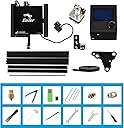
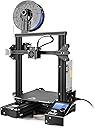
The Official Creality Ender 3 is a high-precision DIY 3D printer featuring a ±0.1mm accuracy nozzle, a large 220x220x250mm build volume, and a rapid-heating bed that reaches 110°C in 5 minutes. Its resume printing function safeguards your projects against power outages, while compatibility with multiple filament types and user-friendly assembly make it ideal for both beginners and pros aiming to create detailed, reliable prints.
| Best Sellers Rank | #20,187 in Industrial & Scientific ( See Top 100 in Industrial & Scientific ) #38 in 3D Printers |
| Brand | Creality |
| Color | Black |
| Compatible Devices | Personal Computer |
| Customer Reviews | 4.2 out of 5 stars 3,800 Reviews |
| Item Weight | 7 kg |
| Material | Acrylic |
| Product Dimensions | 10"D x 10"W x 10"H |
R**E
UPDATE 8/31/25: 1,421 hours of flawless printing! I am in LOVE!
Quick Update with my K2: Since writing the original review below, things have only gotten better! I upgraded the interior cabinet lighting with an LED light kit found here on Amazon. Way better lighting. I also purchased upgraded bed plates with the resin plate being my favorite so far. As you can see with my title update, I have over 1,421 hours of printing on my K2 since purchasing new here on Amazon. My printer is pretty much going non-stop when I am at home. It has been a workhorse and I ensure I take care of all of the maintenance which means cleaning the cabinet, greasing all the rails and Z axis worm drives, replacing filters, keeping the bowden tubes fresh and ensuring all little plastic bits are vacuumed out of the bed at least once a month. My only observed flaw so far is when I need to print ABS projects: The transition from PLA/PETG to ABS is tricky as the ABS has to heat a very specific way. With this in mind, the transition inside the nozzle is not handled very well by the computer therefore I tend to get major nozzle blocks when ABS is introduced. The easy workaround is to have a dedicated ABS nozzle. When I need to print ABS, I simply wait for everything to cool down, I swap in my dedicated ABS nozzle and begin the print. When finished, I wait for everything to cool down and swap in my PLA nozzle. This keeps the jams down to a minimum. I still hold firm to my original review below...I LOVE this printer and I think that Creality has given us an amazing machine to allow imagination to run wild! With proper care and maintenance, this printer will last a long time. ORIGINAL REVIEW Posted 5/2025 -- In the world of home DIY 3D printing, this category of printer is expensive. It is risky to spend this kind of money for anything, let alone a side-gig or hobby! I had to take the risk because I LOVE the 3D print world and am tired of hand painting my models. After months of research and exploration, I realized I wanted a 3D printer that can print multiple colors. This is the future and make no mistake, the Creality K2 is on the cutting edge of color printing. So with that in mind, we have to look through a lens of growth and opportunity. Creality knows this and sees what the competition is doing so they developed the K1 to meet the needs. That printer was OK but it had many flaws (and so did the competition) Learning from the K1, Creality took it to the next level and developed a printer that is user friendly, prints multi-color models using different brands of filament and has futuristic open-sourced development for growth. After watching hours of YouTube videos where content creators reviewed the K2, it was difficult to plunge in to the K2 as the platform is relatively new. Many reviews showed flaws in the design and software which made me feel as if perhaps the K2 was rushed to market. Well, that was 6 months ago and I figured that Creality has had the opportunity to address the flaws so I dove in and took a chance. BOY HOWDY am I glad I did! My printer has been FLAWLESS and I mean FLAWLESS with printing. I have put 1,500 meters of filament through it and put in over 230 print hours and as of the time of this review, the printer has functioned PERFECTLY. I understand other reviewers are disappointed with broken parts and/or performance. I am not sure if I am lucky or if those other reviewers are simply having trouble with their configurations. Either way, I can attest to the K2's functionality as a 3D color printer and also to its usability. Right out of the gate, this printer started printing beautifully with no flaws in the models. Compared to my Creality Ender 3V2, this printer is like a Ferrari! Not only is it unbelievably fast, it is also accurate and robust. The textured plate is incredible as my models simply pull away with no effort. I have had 60 print jobs so far and I think I have only needed to clean the bed twice using isopropyl alcohol and a lint free towel. The printer arrived well packaged and with OK instructions. The instructions could use some improvement as the photos in the instructions display the CFS with a different printer, etc. It was easy to work around and understand how to connect the CFS. Otherwise, once the printer came out of the box, assembly was a breeze. Do know that this printer is extremely heavy, even when you remove the items stored inside. Like REALLY heavy. So be sure to have a solid working table to place the machine on when assembling. In my eyes, Creality hit a home run with this machine. The usage has been smooth and predictable. They knew exactly how to make a machine that is "fire and forget". I feel bad for folks that are getting bum machines but I can say with certainty that my machine is working perfectly and the prints that I have put through it have been tough. The longest print so far has been 23hrs and it came out great (See photo of earth model). The RFID filament system is fantastic. It makes for effortless loading and identification within the machine. I will admit that it seems like a marketing gimmick but I have to say that Creality filament does print smoothly. The HyperPLA prints FAST and wow is it smooth and silky. My other brands of filament print OK but the Creality quality is definitely better. Overall, I am extremely happy with this printer. I have not had one hiccup nor needed to perform parts swapping. I do perform the maintenance of calibration and belt alignment at least every 10 print hours. I also ensured the software and firmware was updated. Once everything was dialed in, it was time to root the machine and add some great software enhancements like Octoeverywhere. Now I can check in on my printer from anywhere in the world with enhanced functionality like a console, 3D bed mesh with calibration tools and much much more. This is where Creality shines: allowing users access to the root system to customize their printer, albeit at their own risk. I was willing to risk it because this is what open-source is all about. The system runs on OpenWRT which makes for a lightweight OS that runs fantastically on the printer ARM driven hardware. I hope not to hit a wall with the machine. At some point, a part will eventually wear out but I feel that their is adequate support in the event something goes wrong. As of now, the printer is fantastic and I hand my hat off to Creality for the K2. It is a fantastic printer.
S**G
Ender 3: Best Bang for the Buck on Market Today!
I love this printer! I have a CR-10s and wanted to add another printer as I'll be selling parts and need to increase my print capacity. Overall, I'm more impressed with this little powerhouse than I am with my CR-10s though they use much of the same components and are built using very similar hardware. I'll outline the similarities and differences below. I print PLA and PLA+ from Hatchbox and eSun (200c and 210c respectively) but otherwise my Cura settings are the same for both (tweaked default Cura profiles). While it's nice to have the extra print volume, I prefer the Ender 3 and for the price I will probably be buying several more! Similarities include: frame parts and hardware (sizing differs), hot end, bowden tube, X and Y axis motor and drive belt. Differences: Smaller print volume (Ender 220x220x250; CR10 300x300x400) All-in-one design (doesn't have a 'ball-and-chain' control box like the CR-10 does) Single Z axis motor and rod (CR-10 has a dual Z motor/rod) Coated print bed (CR-10 comes with a glass bed) Large, easy to adjust bed leveling knobs (CR-10 has annoying small bed leveling knobs) Filament spool mount at the top of the frame (CR-10 mounted on control box) No color inserts, straight black frame *UPDATE: My hot end seems to have died after printing great for a couple days. I will be returning and re-ordering because I loved this little printer so much while it was working. Unfortunately, the hot end is permanently wired into the control box so a part swap wouldn't be easy. Re-ordering a new printer is the way to go on this one. It started as under-extrusion halfway through a print. Then I noticed the extruder gear would push filament and then snap back like there was resistance somewhere along the line. I ruled out the extruder gear by running the extruder without filament, it worked as expected. It would only do this when it tried to push filament through the nozzle. The next logical step was to clean it out in case there was a partial clog, unlikely since it was a brand new printer. All cleaned and still no luck. It actually seemed to be getting worse. The more I tried to trouble shoot, the less filament would come out of the hot end. Eventually, the hot end no longer reach a temp capable of melting the filament and I couldn't even hand feed filament through. The screen read 210c but the hot end was barely heated at all. Return processed, printer re-ordered. The assembly was a breeze and I'm sure I can get the new one printing in an hour or so now that I've gone through the assembly once already. I'll edit with another update soon... UPDATE 2: The new printer has been running like a gem for a few weeks now. I LOVE this little thing. I won't post a long-winded update. I'll just say that returning and re-ordering through Amazon was a breeze as always and in my opinion makes it work the extra money over some other lower-priced options outside of Amazon. That's all folks! Now I need to get back to printing!
P**E
perfect for beginners and for printing soft materials
If you’ve been on the fence about diving into 3D printing—or if you're looking to upgrade from a finicky, bare-bones starter machine—the Creality Ender 3 S1 is an absolute home run. Creality took everything that made the original Ender 3 a community favorite and added the exact premium upgrades users used to spend hundreds of dollars modifying themselves. Out of the box, this machine feels like a refined, modern workhorse. Key Highlights The "Sprite" Direct Drive Extruder: This is the star of the show. Unlike older Bowden tube setups, the direct drive extruder handles flexible filaments like TPU with absolute ease. It offers incredibly precise extrusion, meaning fewer clogs, better retraction, and crisp print details. CR Touch Auto Bed Leveling: If you've ever owned an older 3D printer, you know that manual bed leveling can be a frustrating chore. The built-in CR Touch system takes a 16-point measurement of the bed before printing, automatically compensating for any microscopic unevenness. It saves time and guarantees a perfect first layer almost every time. Dual Z-Axis Leadscrews: Creality didn't skimp on stability here. Powered by dual synchronized motors, the dual Z-axis ensures the x-gantry moves perfectly level. This drastically reduces "Z-wobble" and gives tall prints an incredibly smooth, professional surface finish. Quick Assembly: You don't need an engineering degree to set this up. The printer arrives 96% pre-assembled. You can realistically have it unboxed, put together in about six easy steps, and printing your first test model in under 30 minutes. The Printing Experience Using the Ender 3 S1 is a joy compared to its predecessors. The removable PC spring steel magnetic build plate offers fantastic adhesion while printing, and once the bed cools down, you can simply pop the plate off, flex it, and your prints snap right off. No more dangerous scraping with putty knives. It is also remarkably quiet, thanks to the 32-bit silent mainboard. You can easily have this running on a desk next to you while you work without being distracted by the typical electronic whining of older machines. The Verdict Rating: 4.5/5 The Creality Ender 3 S1 bridges the gap between budget hobbyist machines and high-end plug-and-play printers. With the Sprite direct drive, CR Touch leveling, and rock-solid dual Z-axis stability, it eliminates the most common headaches of 3D printing. It’s an exceptional investment for beginners who want a smooth start, and a powerful tool for veterans who just want a machine that works. Highly recommended!
N**K
Apparent Inconsistent Quality
This was my first 3d printer that I decided to go with due to reviews and successful builds. I was excited to give it a try since I have been using laser and cnc machines for years, it seemed like the obvious next step. While many seem to have luck and positive things to say about this printer, I do not. I settled on this printer due to a bunch of research and forum surfing, to make sure I wasn’t going to buy some piece of garbage. While reviews are helpful, some don’t do things justice. Upon opening the printer and working through the parts, it seemed very straight forward and everything seemed to be of good quality. I had watched and read numerous sources for the assembly so it went quickly and was only a few steps. After getting everything set up, according to multiple sources and Creality, I was excited to get my first print going so I leveled the bed meticulously, got my settings all together, and went to test print a factory provided print. Nothing. Reset settings, trouble shooting from Creality, forum checking. Nothing. I spent two weeks trying to get this printer to work. Not one print the whole time. The printer would not recognize the z axis and would fail to print, even after bed leveling, pre heating and using factory prints. I even disassembled the unit and went through each step again to make sure I didn’t miss anything. Bubkis. I eventually gave up on it and returned it. I bought my runner up on my list of printers, the Flashforge 5m and had it assembled and printing in half an hour with no problems. 20+ prints later and still going. Don’t waste your time with this printer. Go with another brand and save yourself the headache. There are so many out there, I’m sure you will have better luck with a different system.
C**Y
Great product and online support - Early Issues
I'm excited about this product, but it's come with some hiccups. Firstly, the product is well packaged and I'm impressed with the amount of information provided by Creatlity for setup and use. They went all out, providing extra parts, tools, and a nice box that contains the commonly needed items. Items include a set of nice snips, a scraper, a small Alen wrench set in the sizes needed to access the printer. It has other parts, such as a glue stick (which I haven't used yet), lubricant, and a multi-head screw driver set. Creality put a lot of attention into making sure that you can unbox and setup the printer without much help. They have ample documentation for troubleshooting as well. This is pretty awesome, but given that I've only owned the product for about a week, it's not off to a good start. So far, I've had two issues in the two weeks that I've owned the product. Keep in mind, I'm not a traditional "hands-on" person, like I probably should be if I'm going to own a 3D printer. With that said, the first issue was that the filament buffer on the back of the product didn't feed properly on the first print, and filament got bound up inside. Though, I doubt this is normal operation, the buffer was easy enough to open without tools, snip the excess filament, and then reassemble. Things worked for a number of prints, and then as I was starting a new print the other day, things started failing. I got an error about the heat break fan at first, and then the Z-axis started crashing into the extruder. I tried a few times, hoping (praying?) it would work, but it didn't. First I got the heat break fan error, then on the second try, I started getting issues with the Z-axis. The third try, I got more errors. This lead me to doing a little research and I found that it's not uncommon for the wiring from the extruder (which contains the sensor and heat break fan) sometimes has issues. I disassembled many parts of the printers (using the documentation online), reseated all of the wires I could find, and then things worked again. In essence, I want to say I shouldn't have issues like this in the first week. On the same token, there was enough information available out there to help me figure things out. Given I'm sort of a dummy with manual repairs like this, I'd have to say it's a pretty good sign the company did a few right things in providing helpful information. The product is very solid, and well put together. It's about 70 lbs packaged, making it about 50-ish lbs unpackaged. It's not easy to move alone, so make sure you have help available if you need to move it. It comes with 3D printer software for pre-print prep. If you don't know about 3D printers, be aware that this isn't design software. (There's plenty of free, quality, design applications online.) This is just for setting up your model for printing. With that said, it's fully featured, and provides easy to advanced operation features. The printer has an in-chamber camera. Be aware that the camera has a cap on it, so you'll have to remove the cap before use. You can view your print remotely, either from the printer software that it comes with, and even on your phone through their app. The printer comes with four spools of RFID filament. Black, white, red, and blue. Note that it can take other types of filament (not only RFID), but it's cool that it can feed itself and figure out what color is being fed into it. With that said, RFID filament seems a little more expensive and the convenience probably isn't worth the price difference IMO. Overall I'm impressed with the quality of the product. I'm disappointed that I've had to dig into the product in the first week, but so far, given the amount of online documentation about the product, it's sort of redeemed itself. I just hope it stands the test of time! I'll update my review if I find out otherwise. -- Update -- I've modified my review, because just today, Creality offered me a full refund. I haven't complained or contacted their support - they did it as a response to my 3 star review. I've added a star, because I if that's not enough to make you feel confident about a purchase, then what is. As for my update, I've had some issues, but if I'm being honest, I think many of them are part of the learning process. The one thing not experience-related is that I had to replace the hotend cable, which was sort of a pain. With that said, the experience was a good as it could be. Creality has many many videos online showing *exact* step by step instructions of how to do things. Even though I had to disassemble parts of the printer to make the replacement, I felt fully confident in what I was doing thanks to their videos. If I haven't said it already, the printer is really sturdy too. The thing is about 70 LBS, and rock solid. I realize it would be better if I had a perfect experience, but given that it wasn't, this is next best thing. As a customer who needed help, even without contacting their customer support, I feel they've gone above and beyond to make sure the average person can solve potential problems on their own. 5 stars on support+service!
F**S
Bigger built volume with reliability I was looking for
When I first showed interest in 3D printing, the very first name I was introduced to was Creality. I'm incredibly grateful to this company for making 3D printing accessible to everyday people like me. My first printer was the Ender 3 V3 Plus. While it’s a fantastic machine, it didn’t support multicolor printing—so I began looking for an upgrade. Since I started with a large-volume printer, my options were limited. Other competitors either offered smaller build volumes or came with price tags that were simply out of reach. Once again, Creality to the rescue. They clearly understand what customers want. The K2 Plus Combo with the CFS system (for multicolor printing) felt like the perfect upgrade—not cheap, but a great value considering what you get. I had been saving for this, and finally hit that “Buy” button. I read reviews mentioning broken parts during shipping, so I was cautious. But when I unboxed it—wow! I couldn’t believe how well it was packed. The 8 clips securing the shipping box were an intuitive touch. Inside, thick foam surrounded the printer on all sides. No damage at all. There was no assembly needed, just a few screws to remove the CFS unit from the printer chamber. Everything was smartly organized, and the whole unboxing experience felt like the beginning of a creative journey. It even came with four rolls of 500g Hyper PLA filament—so I could jump straight into my first multicolor Benchy! Connecting the CFS was easy. The labels on the PTFE tube and the manual were clear. The CFS recognized the filaments automatically via RFID, so I didn’t have to worry about selecting the wrong type or color. The build quality is rock solid—full metal body, and a bit heavy (I needed help from my wife to lift it onto the table). Once wired and powered on, the printer guided me step-by-step on the touch screen. It took about 13 minutes for the initial leveling and input shaping. I was already in love with the sound it made while calibrating—it sounded powerful and precise. My first multicolor Benchy came out beautifully. This printer is a powerhouse with a large build volume. With the chamber closed, it runs quietly; when open, I enjoy the mechanical sounds—sometimes, that’s exactly what I want to hear. I use PLA only, so I’ve placed it in the same room as my work desk, and it doesn’t interrupt my workflow at all. So far, zero print failures—thanks to its incredible auto-leveling. I haven’t even used the glue stick that came with it. The Creality Print software has excellent filament profiles that just work. The CFS changes colors seamlessly with no bleeding, and the first layer is perfect every time. Let’s talk about the timelapse feature—it's amazing. I used to rely on a custom setup for my Ender 3 V3 Plus, but this built-in timelapse has taken my content to the next level. My social media engagement has grown because the quality of these timelapses is almost viral-worthy—and I don’t have to lift a finger to make it happen. Even my first Benchy was recorded automatically! The LED light inside the chamber is bright and ideal for timelapses and monitoring prints. I could go on and on, but to sum it up—I’m absolutely satisfied with this printer. From print quality to usability, from multicolor support to content creation tools, this is a dream come true for hobbyists and creators. Creality really nailed it again.
J**A
Creality K2 Plus – Powerful, Easy to Use, and an Absolute Beast (Literally)
After spending quality time with the Creality K2 Plus, I can confidently say this printer is not only powerful—it’s also fun and incredibly easy to use. Despite being a high-end, feature-packed machine, printing with it feels straightforward and intuitive. You can load a model, hit print, and just let it do its thing. It genuinely makes you want to print more. Setup and assembly are almost nonexistent. This is not a “spend half your weekend assembling and tuning” type of printer. Out of the box, it’s mostly plug-and-play, and Creality clearly put thought into minimizing setup time. I was printing far faster than expected. The adjustment and calibration capabilities are excellent. Between the auto calibrations, flow tuning, and fine control options, the printer gives you the flexibility to dial things in without overwhelming you. Whether you’re a beginner or a more advanced user, the learning curve feels friendly rather than frustrating. Print quality is excellent and consistent. I’ve used a wide variety of PLA brands, and I haven’t seen any noticeable degradation or compatibility issues. The printer handles filament changes smoothly, and the CFS (Creality Filament System) works very well overall—just note that it doesn’t love cardboard spools. Switching to plastic spools or using adapters solves that easily. One area where there’s still room for improvement is the AI error detection. It does catch major failures, but it can miss smaller print issues, especially early on. Ironically, the few failed prints I’ve had tend to happen overnight while I’m asleep 😴. It’s functional, but not as aggressive as some competing systems yet. That said, firmware updates could easily improve this over time. Now—a very important note: this printer is an absolute behemoth. The K2 Plus is heavy. Moving it is not a one-person job. If you’re planning to unbox or relocate it, plan for a two-person lift. Once it’s in place, though, it feels rock-solid and confidence-inspiring. Bottom line: The Creality K2 Plus is powerful, easy to use, quick to set up, and genuinely enjoyable to print with. It can stand shoulder-to-shoulder with Bambu printers while offering flexibility outside a locked ecosystem. With minor improvements to AI detection, this would be nearly perfect. If you want a serious, high-performance printer that’s also approachable and fun—this one absolutely deserves your attention.
D**N
Printing and having great results with Creality K2 Pro I decided to purchase the K2 Plus.
I currently have over 700 hours on my K2 Pro combo without a hiccup. After getting so many requests for some of the many models I've made so far, I've gotten a bit behind and purchased another printer. This time I went with the K2 Plus Combo. The unboxing was very similar as the K2 Pro with maybe one or two minor differences. The K2 Plus was noticeably a bit faster than the K2 Pro, especially in the Z speed. Being fairly new to 3D printing, so far I've been very happy with Creality Products especially, that I never had the need to contact either Amazon or Creality Support!
T**Y
Ottimo acquisto
È stato un regalo ed io non ne capisco molto, ma l'ho vista in funzione secondo un mio parere e' perfetta
S**E
Excelente relación precio/calidad.
Excelente equipo. El ensamble es bastante intuitivo y con ayuda del manual lo llevas bien. Desde la primera impresión salió excelente.
P**M
A better 3D printer - even though the price is extremely affordable
I bought this printer as well as the Prusa Mini+. Surprisingly, this printer turns out to be easier to manage and comes up with better and nicer prints. The Prusa Mini+ had some initial teething problems - particularly pertaining to prints being dislodged as it was not sticking to the print plate. I used glue-stick and finally decided to use 90% IPA alcohol solutions, which eventually worked. During this time, the Creality became my most reliable 3D printer! This printer was certainly worth more than the price I had paid and I would recommend anyone who is interested in 3D printing to get one! I absolutely didn't regret making the jump - even though I heard horrible stories about support for this printer.
J**R
Bueno
Muy divertido
A**O
bom
bom
Trustpilot
2 days ago
4 days ago