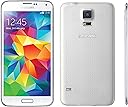
๐ Elevate your everyday with the Galaxy S5 โ where power, style, and innovation collide.
The Samsung Galaxy S5 (White, 16GB) is a 2014 flagship smartphone featuring a vibrant 5.1-inch Full HD Super AMOLED display, a professional-grade 16MP rear camera with fast autofocus, and a powerful 2.5 GHz quad-core processor. Designed for durability, it boasts IP67 certification for dust and water resistance, plus a fingerprint scanner and integrated heart rate sensor paired with Samsungโs S Health app. With expandable storage, removable battery, and Ultra Power Saving Mode, it balances performance and longevity for the busy professional on the go.
| ASIN | B00IZ1XJ3Q |
| Additional Features | Built-In GPS, bluetooth-enabled, dual-camera, lte, smartphone, touchscreen |
| Average Battery Life Talk Time | 21 hours |
| Battery Description | 2800 mAh |
| Best Sellers Rank | #98,817 in Cell Phones & Accessories ( See Top 100 in Cell Phones & Accessories ) #1,802 in Cell Phones #1,843 in Cell Phone Portable Power Banks |
| Biometric Security Feature | Fingerprint Recognition |
| Brand | Samsung |
| Built-In Media | Camera, Video Recorder |
| Camera Description | 16 MP |
| Cellular Technology | 4G |
| Color | White |
| Connectivity Technology | Wi-Fi |
| Connector Type | 3.5mm Jack |
| Customer Reviews | 4.2 4.2 out of 5 stars (4,646) |
| Display Resolution Maximum | 1920 x 1080 |
| Display Type | AMOLED |
| Form Factor | Slate |
| Frame Rate | 30 fps |
| GPS Geotagging Functionality | True |
| Headphones Jack | 3.5 mm |
| Human-Interface Input | Touchscreen with Stylus Support |
| Item Dimensions | 2.85 x 0.32 x 5.6 inches |
| Item Weight | 5.1 ounces |
| Manufacturer | Samsung |
| Memory Storage Capacity | 16 GB |
| Model Year | 2019 |
| Operating System | Android |
| Optical Sensor Resolution | 16 mp |
| Phone Talk Time | 21 hours |
| Processor Series | 1.2GHz Cortex A8 Processor |
| Processor Speed | 2.5 GHz |
| RAM Memory Installed | 16 GB |
| Rear Facing Camera Photo Sensor Resolution | 16 mp |
| Refresh Rate | 60 |
| Resolution | 1920 x 1080 |
| SIM Card Slot Count | Single SIM |
| Screen Size | 5.1 inches |
| Shooting Modes | Custom |
| Sim Card Size | Nano |
| UPC | 887276972862 |
| Video Capture Resolution | 1080p |
| Warranty Description | All items are backed by our 30 day Money Back Guarantee. If the item you receive does not match our CONDITION DESCRIPTION, please contact us immediately. Returns are only accepted for functional issues. Customer abused products will not be accepted. If there are any attempts to unlock or tamper with the phone in any way, the warranty is voided. If all items that were received in the order are not โฆ |
| Water Resistance Level | Waterproof |
| Wireless Network Technology | Wi-Fi |
| Wireless Provider | AT&T |
H**Y
Great Android Phone With Lots Of Bells And Whistles
I've been an Android user for about 4 years now, and this is the best phone I've owned. There are plenty of positive reviews that reflect what a solid phone Samsung has built. I'd like to address some of the special merits this phone has now that I've spent a couple weeks with it. *I'm upgrading from a Motorola Droid Razr Maxx, therefore I can't speak to what makes this phone different from previous versions.* 1. Expandable storage - Yes, the phone only comes with 16GB of internal storage. I use a 32GB card and have no space problems with all of my favorite apps installed. Almost all apps that I've downloaded can be moved to the card. I also use it to store photos and videos. All of my music is stored in Google's Play Music cloud. 2. Removable battery - This is a unique feature now that I find helpful. It's worth it to buy a back up battery that you keep charged for times when you don't have access to a charger or an outlet. This is especially useful for long trips. I've found that with moderate use the battery lasts about a day and a half after a full charge. 3. Disabling apps - Android phones notoriously come loaded up with software, both from the manufacturer and the carrier. Between Samsung and Verizon there are probably a dozen apps that I don't need. Samsung has a feature that allows you to disable apps you don't use. Although it doesn't remove the app from the phone, it removes it from the app drawer and prevents it from running in the background. Out of sight, out of mind for me. 4. Fingerprint scanner/heart rate monitor - Okay, these are definitely more on the gimmick side of things and not phone essentials. However, when used correctly both can be useful. I do high intensity interval training and heart rate is a major part of that. I have a Polar heart rate monitor that I use, and I found that the phone is incredibly accurate for measuring BPM by comparing results from the two. There is a companion app called S-health that allows you to keep track of diet and exercise. In an increasingly health conscious world I find that very helpful. The fingerprint scanner is a good layer of security, but make no mistake, if someone is determined to get in your phone they will find a way. It's more of a safeguard just like having a password would be. 5. Vibrant launcher (Touchwiz) with lots of customization - Having owned a few Androids the one thing that always bothered me was the "coldness" of the launchers they typically come with. This phone is very colorful and that makes my eyes happy. It's evident that Samsung put a lot of thought into the design of this phone from a software perspective. If you prefer the simplicity of pure Android you'll want to install a custom launcher (there are quite a few awesome ones for free in the Play store) or root the phone. 6. It's made of plastic - I immediately put a case on my phone so I honestly don't care what it's made out of. The hardware in this phone far outweighs the material the back cover is made from. However, if aesthetics are a huge concern for you it may not be to your tastes. 7. Battery saver - This phone has a couple power saving options. One of these options converts the phone to gray scale and severely limits the amount of processes running to prolong the battery life for days. This is a great feature for people who need their phone on, but don't want to waste battery juice when charging won't be an option for a long time. 8. Easy mode/blocking mode/private mode - Each one does vastly different things, and it speaks to the fact that Samsung is appealing to all types of users. Easy mode for people who don't want their smartphone to be TOO smart, blocking mode for turning off pesky notifications during certain times (e.g., turn off phone ringing between certain hours except for certain contacts), and private mode for securing your phone just a bit more. None of these options are on by default so if you don't want to use them, you don't have to. I really like that Samsung baked these features into the phone without making them intrusive. These aren't apps, they are settings. Those are just some of the obvious ways the phone stands out to me. I'll quickly run down a list of things that this phone has that other reviewers love as well: great camera, good battery life, big screen, fast processor, user friendly, good call quality (if anyone is actually concerned about that anymore). If you're already an Android user, this phone will not disappoint. If you're an Apple user thinking about making the switch I suggest you read the return policy (I believe Verizon gives you 15 days). It may not suit your tastes because it is a completely different operating system with a learning curve. I prefer complexity with my phones, but there's a reason iPhones are so popular - a lot of people want a phone they don't have to fiddle with at all.
I**R
Save money, buy this phone!
Buying the phone from Amazon was the easy part! I have 3 phones on my plan and I used the shared upgrade option to early upgrade on my line. I called AT&T beforehand to let them know that's what I wanted to do and the rep left a note on my account. When I received the phone, I called to activate it and the rep who got me at first did not understand what I was saying and she self-confessed that she didn't even check the notes. I had to call back, not using my line I wanted to upgrade and I think I got my same original rep and we were able to complete the line upgrade with no problem. The phone comes with a new sim, they need the numbers from that and also in the back of the phone. Oh the initial startup wants to connect to your google account, but you gotta connect to your wifi first, so many screens in the beginning just to get to a point to make a call. My rep stayed on the line to make sure the new phone was connected to the network. And then it was all me doing the switch over from my old phone to this one with the app called Smart Switch Mobile installed on both phones. I'm not sure how long it took, I left the phones to do their business and watched a movie. By the time the movie was finished, all my apps, contacts, photos, and stuff had been transferred over and both phones were resting peacefully in sleep mode. As for the phone itself, oh wow, wonderful. So responsive! I came from a Samsung Galaxy S3 which was taking forever to open and close screens and even when I was swype texting it would pause and delay. But this beauty! wow. Some of my coworkers have this phone and it looks so much bigger and bulkier in their hands.. probably because of the cases they are using. To me this phone is a slim upgrade from my old one - a lil taller and a lil wider (as shown in picture). But the colors are crisper, clearer and just the overall responsiveness is much improved. I feel a little bad, my phone case (s-view wireless case and charger) cost more than I paid for this phone. Also, just buy this phone in contract rather than using the next plan. I'd rather pay $40 for the next 24 months ($960) than pay $50 ($25 + installment amount) for the next 20 months ($1000). There are YouTube reviews on this phone that talk about all the features and optimizations you can do. Watch a few of those while you wait for the phone to be delivered and then you'll be ready to take advantage of a modern phone. If you've had other galaxy phones, you already know some of the tips and features. Oh but, the left menu button that was for properties has been replaced with recent apps and long pressing on the home button takes you into S-Voice mode (unless you disable it - please do if you don't use S-Voice). Also S-memo is replaced by S-note (even my old memo notes transferred!) I use the fingerprint scanner to unlock my phone, it can store up to three fingerprints that you can name for easy reference. Make sure you scan your finger in the way you are likely to be holding the phone most often. I've had the phone for about a week and I have trouble sometimes making sure I swipe-scan my finger over the sensor correctly; I'm sure over time I'll be a pro at it. When scanned correctly it does recognize my fingerprint. My biggest surprise was the charging bay door and the extra thick cable for charging. It's a USB 3.0 cable so it does both data transfer and charging. The door though, yikes... trying to open it in low light conditions when I'm tired is frustrating and I am fearful I will break the door. I'm switching to wireless charging instead. The phone can still be charged by a regular micro USB cable connect it to a power adapter; I have tried both the regular micro USB and the super-size USB 3.0 cable connected to a computer and the charging is painfully slow. But this phone has great battery life (compared to my s3), so I really only charge it at night for a few hours and then leave if off charge even over night while I sleep. I'm trying to get my cousin to upgrade her s2 to this phone; for the price this is a wonderful deal on a smartphone that's a market competitor for other top of the line smartphones out there. Yes there is bloat with the Samsung apps, but I think of it as another layer of protection that I can use to back-up my apps and data and find my phone in addition to the AT&T and Google offerings. Good luck, enjoy the phone! Cheers - iShar
B**B
Tips for battery drain and extending battery life
This phone has been reviewed to death, so I will not bother reviewing all the small details. I did, however, notice that no reviews mention wakelocks, so I would like to take a moment to discuss those. I will also tie this into the battery and battery life. At home, my S5 has amazing battery life. I consistently get nearly 6 hrs. of screen on time with a single charge. However, at school (a large university) my battery life takes a nose dive while on wifi. A tl;dr explanation of what is happening is that the android operating system has a bug where busy wifi networks are able to wake your phone up while it is sleeping (keyword: wake locks). This means your phone cannot go into a consistent "deep sleep" after you lock your phone and it will continue to drain your battery even when you're not using it. Feel free to google it for more info, but as of now, there is no fix. A quick fix for me was to download an app called MacroDroid. I set it so that when I am connected to my university network and I lock the screen, it will automatically shut the wifi off. When I turn the screen back on, the wifi is turned on automatically. Disclaimer: I am running kitkat right now, lollipop may or may not fix this issue. Related to this is a problem my S5 seems to have when I change specific things. For example, both after installing a microSD card and syncing my text messages from my old iphone to my current phone, the phone would not go into a deep sleep. I was able to fix these issues by clearing my phones cache and clearing the cache for the associated apps. I've always been able to fix this issue, but I feel like it shouldn't be happening at all in the first place. If anyone cares to know, I will describe how to prolong your battery life below, both on a day to day basis and its lifetime overall. To extend day to day battery life: 1. I immediately turned off all gestures (apparently they can get toggled while the phone is in your pocket and use up battery?) 2. Turn off location unless I'm using it 3. Disabled all the random apps that come preloaded on the phone and you can't delete If you are having issues with your phone's battery life, try using Greenify, which will let you hibernate apps that may use up battery with one click. You can also download an app called "System Monitor" (the Lite version is free and works fine for this purpose) and you can use it to monitor the CPU speed on your S5. If, while the phone is locked, the phone is not in "deep sleep," something is wrong and it will cause your battery to die faster than it should. Note: The first time you turn on the phone and as the phone is installing all the initial updates, the battery will probably drain very fast. This is only because the phone has been off for a long time and the calibration (so to speak) will be a little off. After you charge your phone completely it should go back to a normal discharge rate. To extend the overall lifetime of your phone's battery: 1. Do not leave it in your car when it is very hot (> 80F) or very cold (<35F). It can do irreversible damage to the battery. 2. Limit the number of charge/discharge cycles. I.e. charge your phone when you have to. The best thing to do would be to only charge it once it's below about 20%, and when you do charge it, charge it all the way up. Unplugging it as soon as it reaches 100% is recommended. 3. Don't leave it at a low % charge for a long time, it's unhealthy for Li-ion batteries. There is no need to "cycle" your battery (you do that with Ni-Cad batteries). Other than that, it's a really nice phone and being samsung's "flag ship," there are a lot of available accessories for it. I am using the Spigen Slim Armor case and really like it. I also would highly recommend a tempered glass screen protector, it has a much better feel than a plastic screen protector. Lastly, I had no issue switching from an iphone 4 to this phone. It took a bit to get used to, but I was quick to realize the many new benefits. The new screen was daunting at first, but my hands are big enough to hold it, and it is a lot easier to use and see.
C**O
Fantastic phone, probably the best offering for 2014. The white is more of a pearlescent white!
Having used the Samsung Galaxy S3, Galaxy S4, and Galaxy Note 10.1 2014 - I am familiar with the changes made to the user interface between the models. I felt the S3 has the best app menu / home screen interface because it allows me to go forwards and backwards without coming to a complete stop forcing me to go backwards. I believe the change was first made with the S4 and carried over to the S5. I noticed the S5 has a bit more bloatware from Verizon, but many of them can be easily turned off via Application Manager (such as My Magazine). I was also forced to subscribe to Verizon Basic Visual Voice Mail, which didn't work right for the first 24 hours. However, now I feel it is actually pretty good. I still haven't tried HD calling/voice yet, but it is available on the S5 with Verizon. The quad-core processor on the S5 makes the interface feel a lot faster and more fluid than my S3 for obvious reasons. AnTuTu benchmarks showed the S5 rated at 42,412 points which is very high at the time of this review. The battery life is just under 46 hours and 56 minutes with infrequent use, about the same as my S3. The screen on the S5 is larger than the S3's screen and has a higher resolution. However, the end result is that everything just looks larger and sharper. With the Tech Armor ballistic glass (which is a very thick but clear protector), the screen looks absolutely gorgeous even in bright conditions. The WiFi performance is exceptionally good - much better than my S3 or the Galaxy Note 10.1 2014 edition. I am seeing the maximum number of WiFi bars throughout the house whereas my other devices are kind of wishy washy. The camera on the S5 is a great feature. It actually swayed over quite a few of my coworkers who have been die-hard iPhone users. The low light capability is extraordinary without the use of a flash. The HDR feature is also very cool. I'm not a newbie to videography as I have used my S3 for a variety of photography and video projects. The S5 has the ability to record video in 4K/30fps and 1080P/60 fps. I learned from using my GoPro Hero3+ Black Edition that the use of a proper Class 10 micro-SD card is the key to maximizing data bitrate for the videos. The slower microSD cards that are still Class 10 may only be capable of 45-50 MB/s, resulting in the device backing off the bitrate to under 30 Mbps for the video. There's a noticeable loss in quality on the Hero3+ Black Edition when this occurs. I picked up a PNY Class 10 that is rated for 90 MB/s, and found that my S5 records 4k/30 fps at 56 Mbps and 1080P/60 fps at 27 Mbps - which is less than the 48 Mbps I get from the GoPro Hero3+ Black Edition. However, the S5's video quality still blows the GoPro away. The S5 offers some water resistance, but the USB 3.0 port cover gets very annoying. I'm sure that over time the cover will get damaged/broken and the gasket may be damaged as well, reducing the effectiveness of the water resistance. The USB 3.0 port itself is also annoying as USB 3.0 is harder to quickly plug in versus a basic micro USB port. Overall: 5/5 stars, one of the best phones for 2014. I looked hard at the LG G3 and HTC One M8, but the S5 offered the best battery life, fastest performance, and a removeable battery. The LG G3's larger screen was also its downfall as it uses more power and it slows down the phone a bit based on all the benchmarks and reviews I have read. If you already have a S4, the S5 won't be that great of an upgrade. I had the S3 and still felt that I could have used the S3 until the S6 came out, but the Black Friday deals for the S5 were too hard to pass up! The quad-core processor makes a huge difference as well!
T**G
Nopesville population: This phone
I've been a long time iPhone user and made the switch this year primarily because I was sick of the battery issues I was having with my iPhone 5 (that Apple conveniently acknowledge right after I switched and well beyond the one year warranty mark) I also have to support Apple gear for my job (I work in IT and have to manage roughly 700 desktops/laptops) So when I say I hate Apple with a passion, it comes with legitiment reasons given their lack of enterprise support and the fact that they make my life so hard. That being said this is a review of an Android. So how could I hate this product more than my Apple product? Easy. This is the dumbest smartphone I've had the stupidity to buy. You want an audio nanny! You got one! I don't ever wear headphones and use this primarily via the aux port in my car to stream radio. The phone WILL NOT remember your previous audio settings and unless you change a setting will give you an annoying warning every single time about listening to music too loud! You want a phone with more apps than you can shake a stick at? Done. Seriously, I've never in my life seen a phone so loaded with so much useless garbage. Why do I need two email clients just so I can check gmail and yahoo? WHYYYYY? Further to the point the required gmail client isn't even fully featured and wont display when you've got new mail. SOOOOO bad. You want a phone that fights you every step of the way and doesn't put anything in places that make sense? Here ya go. I've never had so much trouble trying to find simple settings such as trying to figure out how to adjust push pull options for something like Yahoo mail. I've never had to spend HOURS on google trying to figure out where something is located or how to do a task on a phone. This phone has induced more rage than trying to watch your favorite football team on Sunday on a satellite dish in heavy rain! The funny thing is, all of the Android owners around me were like you've finally switched! How is it? And when I tell them I hate it, and start to list all the reasons why, they are all like oh... yeah... your right about that. !!!! Seriously, I spent over 45 minutes detailing why this phone sucks to my brother in law and he didn't have a single counter, not one! Oh and for all that talk about this being a USB 3 device? LOL. You have to go into airplane mode to even use it and when you do it still isn't near as fast as even a traditional external drive. All that being said, there are two positive things about this phone, One: I don't have to use iTunes to sync files to my phone (flips off Apple). Two: it has an expandable storage which means I can add another 128gb to phone with a micro sd card for cheap compared to buying a phone with huge space and huge markups to boot. (Flips off Apple again)
Q**C
Great Android Phone
I know I wont cover everything that this phone has, pro and con, so I will just explain what I've noticed. First off - the plastic. Seems like every review has a gripe with plastic as a material on this phone - Ive owned iphones (1,2,3,4s,5s), HTC's (one), and Galaxy's (SIII) - and I enjoy the feel of this phone. The back is dimpled soft, if youve seen or held a (Asus) Google Nexus 7 2012 the back is exactly the same, soft to the touch and provides great grip. The plastic sides may scratch, but honestly not as easy as a HTC with its brushed finish. When I first opened the box, I held the phone in one hand and the battery in another and couldn't figure out how, together, they would create a sufficient weight to 'feel' like a phone. You get used to it. I didn't like the riveted bezel in pictures, and while its grown on me, I still don't think aesthetically it was the best choice. The phone is IP67 which means dust and waterproof, something I have yet to voluntarily test. After a few minutes the phone felt just like it should in my hand. I can operate almost all features with one hand (6'1" / normal hands). The S5 is truly a slab of a phone, thin with an exquisite screen. The screen pops with color and is hypnotizing when you throw a good image or video on there. The camera is great, though I would highly recommend the Google official camera in the play store. The stock Samsung camera is good, but has so many options and settings a nerd like me gets too lost in technical aspects. Google camera uses the Samsung's 16 megapixel sensor beautifully - the panorama and photo-sphere modes blew everyone away at the beach. No matter the camera app you use, low light is a large problem for this sensor, and it shows in most pictures I've taken inside. The video is 4k, though I've read its not technically 4k playback, fact is, I don't have a 4k TV so it doesn't matter. The video looks good on my 23" monitors and that's good enough.The s-health app is pretty much useless with its heart rate sensor constantly unable to measure or reporting vastly different readings, and the pedometer was different than a few other fitness wearable I've compared. Touchwiz is less bloated, but since I've used Cynogenmod 10.2 on my SIII and stock Android on my HTC I still see allot of unneeded stuff there. The reason I haven't tried to flash this S5 yet is that some of the features really are cool, like power saving mode, right now with my S5 @ 88% it estimates 11.0 days of standby time in 'Ultra Power Saving' mode. This may come in handy soon, because the screen (as gorgeous as it is) hogs the battery. Right now its using 32% of my systems battery resources and its set to about 45% brightness. The Touchwiz over Android KitKat is snappy as hell, only lag I get is with my Google Voice integration stuttering when I open the Google Voice app to text. One other thing that is trivial but worth a mention is that the USB 3.0 charger is bulky and tough to attach to your phone, you first pull off the sealed port on the S5 (b/c of waterproof) that is held on with a small piece of plastic, and to get the USB male end into the port, youve got to be firm. It does charge fast, about 2 hours to full charge from 3% for me so far. I think that the Samsung Galaxy line is truly a workhorse of a phone, and plan on having this for at least a few years.
C**.
Impressed with my first "top shelf" smartphone...
UPDATE: So after having this phone for almost a year, I wanted to note a few things I have been having issues with. First off, the camera seems to have trouble focusing properly. I am not a complete photography amateur - I can set up a shot. Even when shooting something one-dimensional/"flat" at an even distance, the camera sometimes has trouble figuring out how to get it in focus. Sometimes it gets it in perfect focus for half a second, then gets confused and keeps adjusting. And heaven forbid a digital camera let the user manually adjust focus. So this has been quite frustrating. Additionally, I just bought a new Honda Civic, which is supposed to have seamless Pandora and Bluetooth functionality. Unfortunately, it's anything but seamless. When I leave and re-enter the vehicle, the phone has trouble playing Pandora. The display in the vehicle shows that Pandora is connected, but it just locks up and does nothing. I have to get my phone out, close all the programs running, and re-start Pandora to get it to play. Then, if I plug the phone into the USB port, it starts MirrorLink and locks the phone. Sadly, MirrorLink doesn't even work at all, and it also means I can't use Google Maps, which is really inconvenient if I need to charge the phone while I'm in an unfamiliar place. I have a friend who also bought a new Civic, but she has an iPhone and never has issues with connectivity to her vehicle. Finally, I don't like how the phone always wants to connect to any available WiFi network without prompt. Even if I turn off the WiFi button in the toolbar, it seems to turn itself back on a short time later. For example, any time I go into a Starbucks, Home Depot, (etc.) it'll connect to their network and then lock up because I have to accept their terms of use to use their network. I have spent a lot of time trying to find a setting that changes this, but it doesn't look like there is one. Also, this poses a huge security risk, because not every network is safe to connect to and so I don't always want to use WiFi in public. Overall, I'm still pretty satisfied, but I'm definitely going to do more research when I buy my next high-end smartphone. ================================================================== So I must admit off the bat that I'm not the biggest phone nerd on the planet by any means. I have only had one "smart" phone before this, and while it was decent I definitely never used it to its full potential. That being said, my experience with this phone so far has been very positive. When I first took it out of the box, I was like "WOW this thing is HUGE!!! What have I gotten myself into?!" but after using it for a few days it feels very comfortable. Even from day one it didn't feel any bigger in my pocket. The screen is bright and the colors are great, and the camera is amazing. I really like playing with the "S Voice" and the "OK Google" features, although I haven't done much more than play around. It came with a lot of applications and other junk that I'll never use, but it wasn't a big deal to delete/disable those kinds of things. I was hoping that the battery life would be an improvement over my previous three-year-old HTC Evo, but it still needs to be charged daily with the amount I use it. Of course there are various power saving modes that disable certain features to prolong battery life. Overall, I am looking forward to taking full advantage of the phone's features, especially in terms of productivity and fitness.
L**R
Two little words: iPhone slayer...
This is the fourth Android phone model we've used in our household used since evolving into smart phone use six years ago. Before I begin gushing about the phone itself, some context about *any* mobile phone purchase (if you're already comfortable with the variables of mobile phones and their providers, you can skip this part): These major factors that will contribute to (or detract from) the smart phone experience of *any* user: (1) the hardware...the phone itself (2) operating system software (3) installed applications (4) the network (overall, and where you happen to be using the phone at a particular time) (5) the service provider. Serial dependencies come from these factors, as many phones are tied to specific operating systems or service providers. Just remember that even if you make a great phone choice, deficiencies in the other areas can still diminish your overall user experience. Make your move to your next (or first) smart phone only after researching these choices. Which provider? Which mobile operating system? Who offers the best service, or the best combination of value and service? The rest of this review assumes you've already figured out why a phone with the Android operating system might be a better choice for you than an iPhone, a Blackberry or a Windows-based smart phone solution (yes, Blackberry and Windows options remain alive...sort of). Every provider --including Sprint-- has a variety of pricing options. If you're a Sprint customer with two years on your current hardware and are ready to re-up: many phones are available at a deep discount from both online retailers and big box stores. I've asked Sprint if they will match those prices..and they won't. It's no big deal; you won't hurt their feelings if you buy from another source (but you might not be able to take a suddenly balky phone into a Sprint store and have it replaced at no charge, either). For this phone, Amazon's pricing was at a 90% discount vs. buying from Sprint. Be sure and negotiate with them and look for plan pricing discounts for loyatly or organizational/corporate affiliations. For the phone itself: this is an outstanding device for each of telephony, online activity, still photography and video capture. The display is crisp and brilliant, the controls (each of the three buttons on the phone's side, the home/soft keys on the front and the options within the OS) are intuitive and responsive. The touchscreen keyboard is the best onscreen text input experience I've ever had...period. Audio output (for phone calls and music --streamed via Bluetooth or via the aux connector) is excellent. Both photographs and video are easy to use. The 16 megapixel rear camera images (still and moving) are outstanding in quality. Obviously the front is a grainier at 2 megapixels. But wait there's more: the rear phone cover easily removes to reveal an easily user-replaceable battery. Shame on phones that don't offer this. You'll also find access to a slot for a microSD card adjacent to the battery. Charging and sync are via a USB 3.0 port. If you don't have any cables with this form factor, this phone ships with one, but you'll want extras so you don't have to keep tabs on a possible single point of failure. This is not a negative...bust an issue if you replacing a phone with a different cable type. Outstanding smart phone that will keep you from the clutches of the Apple tree. Select with confidence.
O**R
Used the battery not the phone...
The battery worked well.
N**R
Four Stars
good
Trustpilot
2 weeks ago
2 weeks ago