Buy anything from 5,000+ international stores. One checkout price. No surprise fees. Join 2M+ shoppers on Desertcart.
Desertcart purchases this item on your behalf and handles shipping, customs, and support to Sri Lanka.
๐ Stay ahead of danger with smart, silent vigilance.
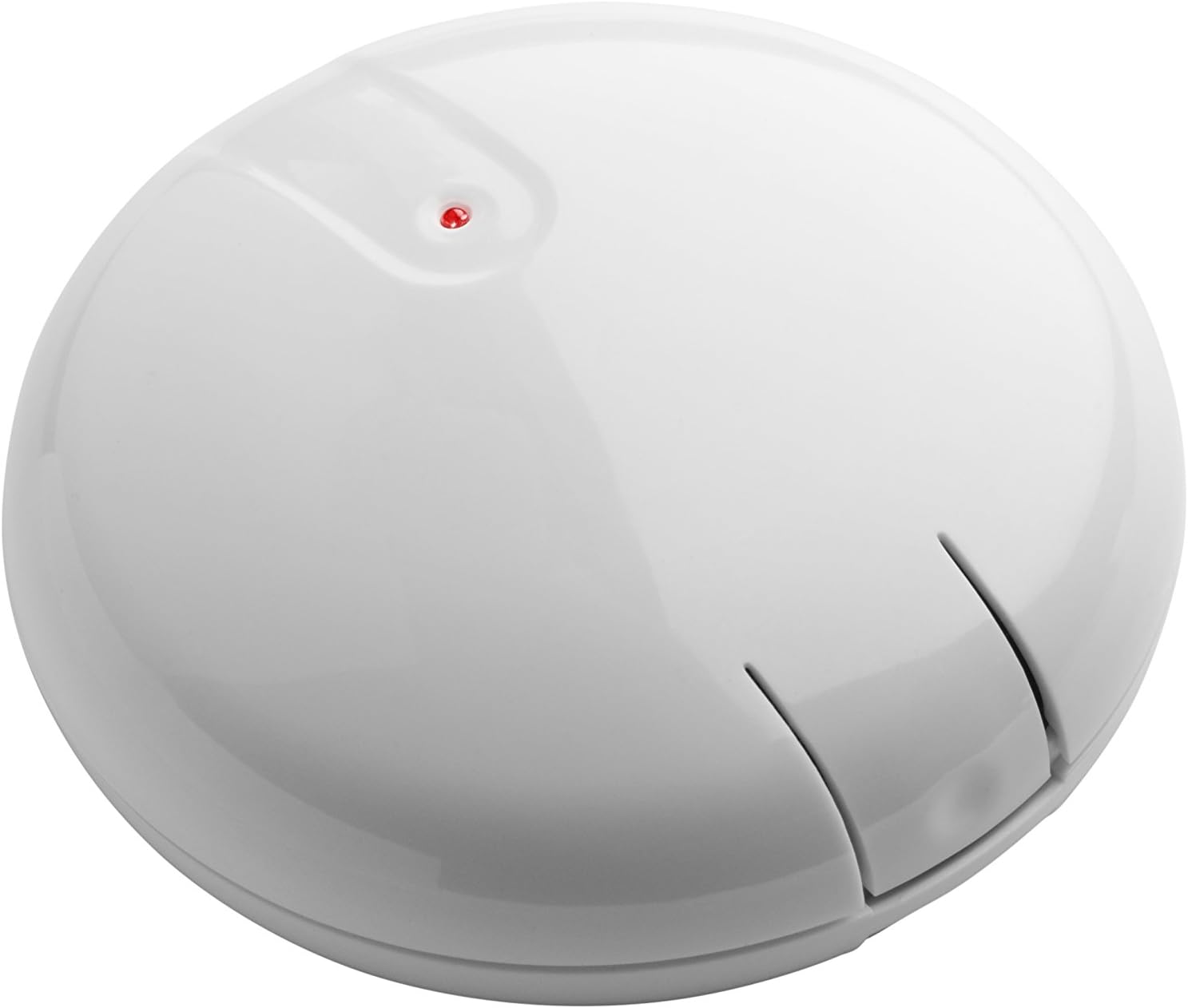
The Ecolink Zwave Plus Wireless Audio Detector listens to your existing smoke and carbon monoxide alarms, transmitting real-time alerts to your Z-Wave smart home hub. Designed for whole-home coverage with just one sensor, it boasts professional-grade accuracy with patented algorithms to eliminate false alarms. Powered by a single CR123A lithium battery, it offers an impressive 5-year battery life, complemented by a multi-color LED for easy status monitoring.


| ASIN | B071Z8NM8N |
| Alarm | audiable |
| Brand | Ecolink |
| Built-In Media | Audio detector, battery, mounting bracket, mounting tape/screws, manual |
| Color | White |
| Customer Reviews | 3.8 out of 5 stars 166 Reviews |
| Global Trade Identification Number | 00851166005077 |
| Item Dimensions D x W x H | 4"D x 4"W x 2"H |
| Item Type Name | Ecolink Zwave Plus Wireless Audio Detector Wireless Audio Detector for existing Smoke/CO sensors, White (FF-ZWAVE5-ECO) |
| Item Weight | 2 ounces |
| Manufacturer | Ecolink 28617953415 |
| Mfr Part Number | FF-ZWAVE5-ECO |
| Model Number | FF-ZWAVE5-ECO |
| Number of Items | 1 |
| Power Source | Battery Powered |
| Product Dimensions | 4"D x 4"W x 2"H |
| Product Style | modern |
| Smart Home Compatibility | Smart Home Compatible |
| Style | modern |
| UPC | 851166005077 |
| Unit Count | 1.0 Count |
A**A
Pairs easily , works great, kind of pricey
This device works great! The important thing you have to understand is that it must be no more than 6 inches from one of your smoke detectors that are interconnected. Also, very important, in order to pair it you have to open the device and near the little light is a tiny tiny square button that must be pushed when pairing. I use it with my Hubitat hub that has a driver for it and use Pushover to text me if, GOD forbid, a smoke alarm goes off. Also note that it may not work with a smoke alarm that announces a fire because the unit listens to the special beeps emitted and the voice may interfere with that per a customer service rep at Ecolink. All in all, works great and no complaints other than wish it cost less.
V**E
Hereโs how you pair it. Also, didnโt work for my alarms.
I should have sent it back. I rarely write one star reviews, but there were two major issues I encountered one forgivable and one not so much. First, like others, including the device to my hub was difficult with no clear directions anywhere. The Learning button is what you use to link the device. The learning button isnโt the small black lever. The learning button is the 1mmx2mm tiny tiny button near the LED (see picture). This is forgivable because I was finally able to get the device to pair immediately after using this button for linking. Itโs just poor documentation. The second issue is not as forgivable as it doesnโt detect the audio from my smoke detectors. At first I thought it was too smart and wouldnโt trigger a test beep. However, we had some extra sizzle in the kitchen a few weeks later and the smoke detector went off and the sensor didnโt pick it up. And yes the sensor was within 6inches of the alarm. It also correctly works for temperature and tamper alerts. It simply doesnโt pick up the alarm sound. If you have first alert battery operated alarms, Iโd immediately test that this device works and send it back if not. Honestly, had I been able to pair this device when I first bought it, I would have been able to return it. But alas, it took my too long to get it setup
J**C
Does its job mostly well.
I have had good results with this unit. It paired easily to a Hubitat hub then recently to a Home Assistant Yellow hub. As soon as I pressed the pairing button it showed up with all the data visible. The few times when my detectors activated it worked as it should and triggered the automations I had set up and notified my phone. Fortunately, I have only had false alarms, triggered mainly because of a little spider building a web inside of the detector in the garage. Took me awhile and a couple times getting startled out of sleep to figure that one out. The one issue I noted with the sensor in its original location in the bedroom hallway was that it could also hear a neighboring detector sounding off in a bedroom with an open door next to it. With the two detectors sounding close by but not in sync, I think it confused the sensor and it did not trigger. It was at the correct distance to the detector I installed it next to. I moved the sensor into another room that had a more isolated detector and it was no longer a problem. The other issue I describe here is for amusement purposes only. Unless you have a parrot, then it could apply. My parrot learned to imitate the smoke detector alarm. My parrot could make that noise accurate enough and loud enough to trigger the sensor. The sensor had to be moved yet again. Parrots.... 4 stars only because of two detectors close together can cause the sensor not to trigger. A small detail I notified the manufacturer of when it happened.
J**O
Works great with Hubitat hub
I'm using this with my Hubitat C-7 hub. It paired easily and has reliably detected my interconnected smoke detectors (Kidde Model 2070-VASR) every time I'm manually or accidentally had them go off. I installed this 6" from one of the detectors and that is good enough to allow me to get an automation triggered on the Hubitat if any of them go off. I think it's far better to use a device like the Ecolink Firefighter rather than using a smoke detector that is Z-wave (or Zigbee) itself. Smoke detectors are a major safety mechanism, and I'd rather any automation be an add-on rather than part of the system itself. I certainly wouldn't want automation (like SmartThings or Hubitat) to be part of safely mechanism (or have any chance to interfere with it). Also, there are many types of smoke detectors (ionization, combo, etc) to choose from, but nearly no choices if you look for a Z-wave ones.
P**S
Works great with Smartthings
After joining to the zwave network, the devices are recognized as sound sensors, and therefore not usable with the Smart Home Monitor. However, it's easy enough to fix. Log into the API site (Amazon doesn't allow that external link here, go figure...) and change the device type to a zwave smoke sensor. Tested and it works correctly after that. A cost-effective solution to adding smarts to my wired smoke alarm system installed by the builder.
T**S
Perfect solution for Smoke detector notification and automation using Smarthings
I purchased this so that I can include my connected smoke detectors to my smartthings hub. Through the Smart Home monitor configuration in Smartthings I have an automation to send push notification to phone, text message to phone, Turn on all smart lights, and unlock exterior doors when smoke detectors go off. Since my smoke alarms are wirelessly interconnected I only need one of these devices because they all go off when one goes off. Only problem is this device is not natively supported in Smartthings. However, I went to Ecolink website and they have excellent instructions defining how to copy code into smarthings portal. Basically go to site copy and paste code into my controller configuration, save, publish and done. Great device, great instructions and great automation routine.
R**T
CO alarm doesn't clear after testing
This is a bit of a mixed bag review for the device. Once set up and connected it works as described. I set it up next to a First Alert (linked) smoke and CO detector. Getting it to join the Z-wave network was simple, once I found the "learn" button, but only after a bit of poking around. Chalk that up to them hiding it next to the battery and my eyesight, although a picture on the instruction sheet would have helped. Testing - my smoke alarm is a combo Smoke and CO alarm and runs both tests in sequence. The Ecolink device detects both the smoke and CO alarms. So that part is great. The smoke function clears within a few seconds after the smoke alarm sound stops, however the CO sensor does NOT clear so my system still shows a CO sensor active. After doing a bit of research it appears that this is a common issue. Some of the articles attribute this to the smoke alarm test scenario. According to these sources, the CO sensor won't clear if it is triggered in sequence with the smoke sensor and even state the the manufacturer is aware of the problem. I haven't confirmed that and will have to work out a test to determine its' accuracy. Conclusion - Since my main concern in using this device was to know if the smoke alarms are triggered when I'm not home, this problem isn't a deal breaker for me. This is however a significant problem with the device and if you regularly test your smoke alarms and are counting on the CO sensor in the device, you'll need to take the extra step of resetting the Ecolink device after every smoke / CO alarm test.
R**T
Does not sense the audio from my smoke detectors
Unlike the other reviewers I had no problem integrating this device and learning it into my SmartThings hub. SmartThings shows the communication as good and as far as I can tell that aspect is working fine. The part that didn't work for me was the actual sound detection. I use regular First Alert smoke detectors and have tested this device near 3 different sensors in my home mounting them on the ceiling in the location shown in the directions and have not had it sense one alarm. My alarms are networked together and I've tested it (even had a legitimate cooking issue which set off the alarm for real) and the sensor never reports back that it registered an alarm sound. I wanted to like this product but if it doesn't work as advertised then I guess I'm out of luck.
Trustpilot
2 weeks ago
2 weeks ago