


🚀 Elevate Your Home Network to Warp Speed!
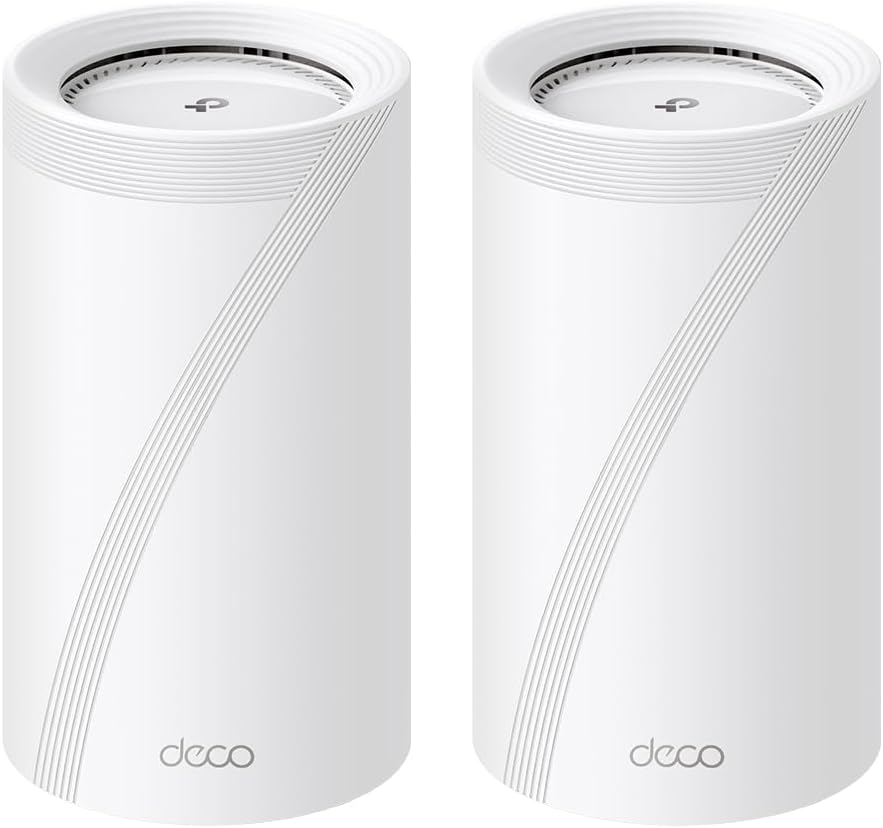
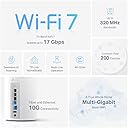
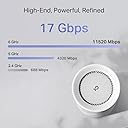
The TP-Link Deco BE75 is a cutting-edge WiFi 7 mesh system delivering tri-band speeds up to 17 Gbps, covering 6,300 sq.ft., and supporting 200+ devices. Featuring a 10 Gbps WAN/LAN combo port, simultaneous wired and wireless backhaul, AI-powered seamless roaming, and advanced security with HomeShield, it’s designed for ultra-reliable, future-proof home connectivity.




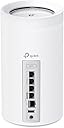

| ASIN | B0CQMH8T7P |
| Antenna Location | Gaming, Home |
| Box Contents | 1 RJ45 Ethernet cable, 2 Deco BE75 units, 2 Power adapters, 2 SFP+ Port Dust Plugs, Quick Installation Guide |
| Brand | TP-Link |
| Brand Name | TP-Link |
| Colour | White |
| Compatible Devices | Gaming Console, Personal Computer, Smart Television, Smartphone, Tablet |
| Compatible devices | Gaming Console, Personal Computer, Smart Television, Smartphone, Tablet |
| Connectivity Protocol | Wi-Fi, Ethernet, Optical Fiber, USB |
| Connectivity Range | 6300 Square Feet |
| Connectivity Technology | Ethernet, Optical Fiber Port, USB, Wi-Fi |
| Control Method | App |
| Controller Type | App Control |
| Coverage | 6300 square feet |
| Customer Reviews | 3.5 out of 5 stars 59 Reviews |
| Data Transfer Rate | 17 Gigabits Per Second |
| Frequency | 6 GHz |
| Frequency Band Class | Tri-Band |
| Frequency band class | Tri-Band |
| Has Internet Connectivity | Yes |
| Has Security Updates | Yes |
| Is Modem Compatible | No |
| Item Dimensions L x W x H | 12.8L x 12.8W x 23.6H centimetres |
| Item Weight | 5.69 Pounds |
| LAN Port Bandwidth | 10G/2.5G |
| Manufacturer | TP-Link |
| Manufacturer Part Number | Deco BE75(2-Pack) |
| Maximum Upstream Data Transfer Rate | 10000 Megabits Per Second |
| Model Name | Deco BE75(2-Pack) |
| Model Number | Deco BE75(2-Pack) |
| Model name | Deco BE75(2-Pack) |
| Number of Ports | 3 |
| Operating System | TP-Link Firmware |
| Other Special Features of the Product | Alexa Compatible, Guest Mode, Internet Security, QoS, Remote Access |
| Router Network Type | hybrid |
| Security Protocol | WPA3-Personal |
| Special feature | Alexa Compatible, Guest Mode , Internet Security, QoS , Remote Access |
| UPC | 840030708589 |
| Unit Count | 2.0 count |
| Wi-Fi Generation | Wi-Fi 7 |
| Wireless Compability | 802.11.be, 802.11ac, 802.11ax, 802.11n |
| Wireless communication standard | 802.11.be, 802.11ac, 802.11ax, 802.11n |
O**8
Worth it! Very easy to set up an GO!
My old AX1100 router had been giving me fits. Video streaming would stall and annoy viewers. After trying various things, I determined the router was the culprit. I ordered these as a way to modernize the WiFi in my house. They arrived quickly and I was ready for them as I already installed the app on my phone and already had a TP-Link account. Out of the box, I grabbed a unit (they are interchangeable) and followed the directions in the app. Within minutes I had the main unit online. I used the same SSID and Password for the "new" network, and almost every device I had connected quickly. Using the App I was able to identify each device and give it a name so that when I view the device connections everything is clear and concise. What a great product! The second unit you basically just power up and a minute or two later is communicating with the main unit and your system is up and running. So easy. My old switch had 8 network ports, and these only have 3, so I ordered a TP-Link TL-SG1008D Switch, connected it to one of the ports and connected the hardwire devices to the switch. They all came up quickly and displayed in the app as hard connected. My Laptop was WiFi-7 compatible, and I tried the connection and it worked perfectly. The web page app for the router is not a powerful as the phone app. Only in the phone app can you name connected devices, which is fine but different from the AX1100. I had to reconnect my Arlo Cameras one at a time, but in doing so I got to name them by MAC/IP so I can tell if they're on line or not now using the app. Every other device connected without any input by me. I was very concerned that switching out routers would be a nightmare when in fact it was fairly easy. Take your time and you will be up and running faster than you would imagine. I highly recommend these devices
T**H
Great system with fantastic support from Aurelia
I recently purchased and installed the TP-Link BE17000 Tri-band WiFi 7 System with the absolutely wonderful help from Aurelia from TP-Link Support out of Singapore. The DECO App that is needed for installation kept giving me an odd error saying the TP-Link device could not connect to the Internet. I needed help from the TP-Link support. I first tried the phone number supplied on the box the BE17000 came in. That was unsuccessful since the number was constantly giving a busy signal. I then sent the Support Group an E-mail through the TP-Link website. Some details of the issue were sent with that, however, you are allowed limited space to do this so you have to be concise (to start with). Within 24 hours I had a response from Aurelia via E-mail. I supplied her my current WiFi setup, more details regarding the problem I was having, a description of what I thought I wanted and a day and timeframe she could call to discuss the situation. I did this early one morning and gave her a timeframe of later today from 5pm till 10pm or if that was not good then the next day with the same timeframe. Aurelia called me back the same day shortly after 5pm. We first discussed the problem briefly. Then we had a more lengthy discussion of what I wanted as far as setup was concerned. She was very knowledgeable on this and convinced me that an installation utilizing the same WiFi name would be possible even though I had concerns around my large IoT environment and having to reinstall devices and also the new security WPA3 offered with the new system. The old system was strictly WPA2. We discussed “mixed mode” WPA3/WPA2 which sounded like the solution. We then went through the setup utilizing the TP-Link DECO App. We breezed through this getting past the place I was hung up at previously. We named the new WiFi a temporary name and then in a subsequent step named it the same name as my current setup. The final step was to put the new system into “Access Point” mode. This is since I have an ISP provided modem that is in bridged mode and my own PC firewall router to control the network specifications. The new WiFi was up. I plugged in the second DECO and it immediately connected up with the main DECO. I started to check my devices that were busy connecting to the new WiFi. All connected successfully and I was elated and voiced this pleasure with Aurelia. Its been about 4 days since the support call with Aurelia and I have setup the new system with a dedicated wired backhaul system and turned on the new MLO (Multi-Link Operation) WiFi 7 option. You can look that one up when you get a new WiFi 7 system. All has gone well and I am completely satisfied with the new BE17000 system, but I am mostly impressed with the TP-Link support staff, Aurelia with her knowledge and determination to get my setup accomplished.
B**S
Single unit works great but dual unit doesn't
Single Deco base unit provides great speeds and is reliable. Second unit, a room away has great connection to the base unit, however the second unit resets itself after 24 hours and forgets its SSID/Password bringing 2/3rds the network down. Countless hours with tech support, trying to give TP link a chance, resulted in me loosing the opportunity to return this to Amazon. I hope TP link makes this right. But until then, buy from a different company.
J**0
Don't waste your money on this garbage
Absolute garbage... been dealing with these for months now and trying to troubleshoot intermittent connectivity issues - 8-10 times a day, there is a tiny drop in wifi for a few milliseconds to a second, causing my work VPN to cut out on my work devices, dropping me from zoom or any other work that I'm doing, requiring VPN. Ring devices also intermittently disconnect non-stop. MLO is also basically broken even after they pushed out a dev firmware to me early on. Since last year in Jan 2024 no more firmware updates, as if they've given up on the product. HUGE waste of money.
R**M
Work really well and is like 3 times the size of the old one I had haha
Had trouble with WiFi on 2nd floor and this works great double or More WiFi speeds when I used a different WiFi extender this one is Worth the money if you’re lagging
Trustpilot
2 days ago
3 weeks ago