Buy anything from 5,000+ international stores. One checkout price. No surprise fees. Join 2M+ shoppers on Desertcart.
Desertcart purchases this item on your behalf and handles shipping, customs, and support to Sri Lanka.
📲 Control your entire IR universe with a single tap—smart living made effortless!
The MOES WiFi Smart IR Remote Controller is a universal infrared blaster that connects via 2.4GHz WiFi to control multiple IR devices like air conditioners, TVs, and DVD players. Compatible with Alexa and Google Assistant, it offers voice control and remote access through the Smart Life app. Featuring a 15-meter IR range and DIY learning for unsupported devices, it requires no hub and includes a UL-certified power adapter and USB cable for easy setup.
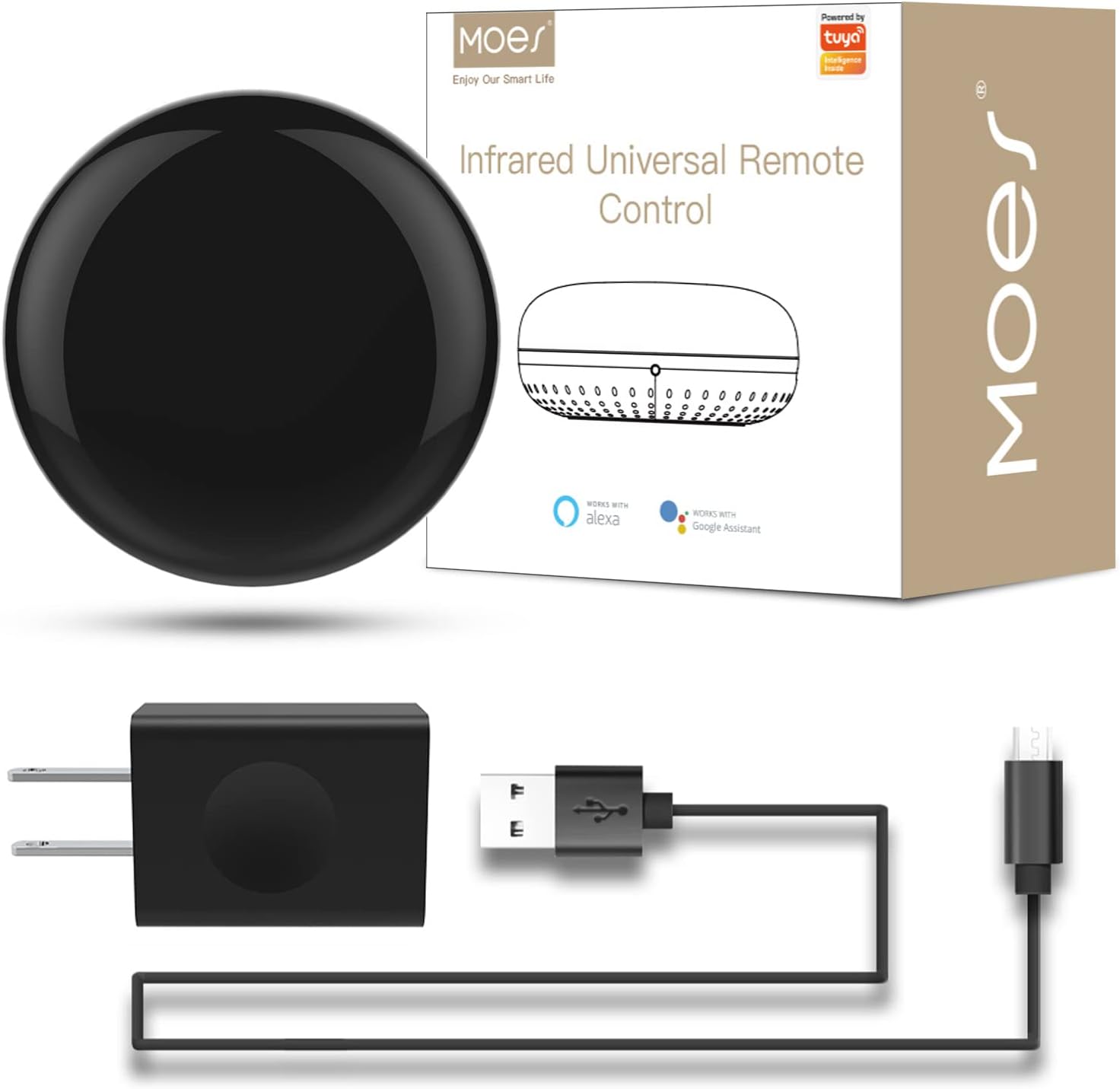


| ASIN | B07QH1X7PX |
| Additional Features | Universal |
| Battery Type | Lithium |
| Brand | MOES |
| Button Quantity | 12 |
| Color | IR+USB+Cable |
| Compatible Devices | Television |
| Connectivity Technology | Infrared |
| Controller Type | Google Assistant |
| Customer Reviews | 4.3 4.3 out of 5 stars (1,122) |
| Item Weight | 0.22 Pounds |
| Manufacturer | WENZHOU NOVA NEW ENERGY CO., LTD-Hangzhou Tuya Information Technology Co.,Ltd |
| Maximum Number of Supported Devices | 1 |
| Maximum Range | 15 Meters |
| Mfr Part Number | UFO-R1 |
| Model Name | WR-TY-THR-BK-MS |
| Model Number | UFO-R1 |
| UPC | 703931915244 |
M**B
Muy útil y mas si no encuentro los controles rápido y hacer mi casa inteligente
Dispositivo muy útil para controlar mis dispositivos inalámbricamente solo con mi voz con mi dispositivo Alexa fue muy rápido la configuración y funcionan al 100
R**L
Happy customer
Works perfectly. Its exactly what I wanted. I'm happy with my purchase
A**K
Good IR blaster but DOES NOT WORK NATIVELY AND LOCALLY with Home Assistant
I bought the Moes Wifi IR blaster after Home Assistant (HA) came out with the latest IR updates. Overall good product (and I've bought Moes switches before as well), but unfortunately this is NOT the model that works natively and locally with Home Assistant. From what I have read, the only way to connect to HA either through Tuya app (the cloud version, not the local version). The correct Moes IR blaster to get would be the Zigbee one. I have to return it unfortunately, but there is not thing wrong with the blaster itself - it looks sturdy and is able to connect easily, just not compatible with my system.
F**S
Muy bueno
Me sirvió para todos mis artículos de control
M**G
Works for my mini split AC as I hoped. Minor setup issues
This works to control my Daikin mini split AC, which I could not control with my Logitech Harmony. Here are some hints to make setup easier: 1. Scanning QR code to get app for iPhone did not work, just go to app store and download "Smart Life" 2. It was not obvious where the "reset" button is. It is a tiny black button underneath , near the edge of the "cutout" part where the cord goes. The instructions do not tell you where it is. 3. When it asks you the first time to "set up device" it is referring to the unit itself, not the thing you want to control. The directions says to click "all" to find the device, but there is no "all". Instead, click on "other". Also, there is no "IR REMOTE" in the list, instead choose "universal remote". Next, hold the reset button for a few seconds until it blinks, then it should connect. 4. I was impressed at how easy it was to connect to my AC. All I had to do was select the manufacturer ( Daikin ), and then it wants you to use the remote control that came with the AC unit and hit a few buttons. From that, it can tell which model you have, so you don't even need to know the model number! After that, it just works . I will add my complaint to others who do not get the AC temp control in deg. F, only deg. C . This, despite setting the temp units to F in the main setup of this device.
Trustpilot
3 weeks ago
1 month ago